> For the complete documentation index, see [llms.txt](https://basedapp.gitbook.io/docs/llms.txt). Markdown versions of documentation pages are available by appending `.md` to page URLs; this page is available as [Markdown](https://basedapp.gitbook.io/docs/trading/take-profit-stop-loss.md).
# Take Profit / Stop Loss
Take Profit and Stop Loss (TP/SL) are the most common risk management tools in perpetual trading. They allow you to automatically close positions at predefined profit targets or loss limits, helping you lock in gains and cap downside without needing to monitor the market around the clock.
## Take Profit and Stop Loss (TP/SL) Orders
TP/SL orders are used to automatically close a position once it reaches a certain profit or loss level. These are triggered using the mark price.
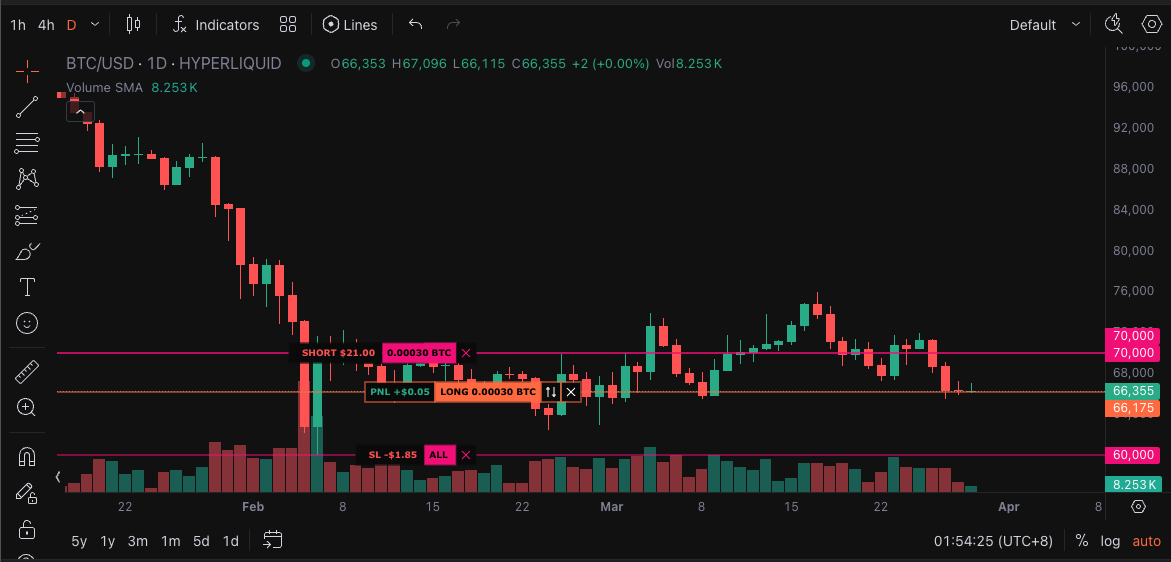
You can place and adjust TP/SL orders directly on the TradingView chart. If you drag an order to a level where it would instantly execute, an error will appear — this is to prevent accidental trades. If you do want it to execute immediately, you can close it manually via the position table or order form.
## Market vs Limit TP/SL Orders
You can choose between market or limit TP/SL orders:
* Market TP/SL orders have a default slippage tolerance of 10%.
* Limit TP/SL orders allow you to control slippage by setting a custom price.
For example, let's say you have a long position and set a stop loss with:
* Trigger price: $10
* Limit price: $10
If the price drops quickly from $11 to $9, the SL may not fill — it will rest at $10. But if you set the limit price lower (e.g. $8), it's more likely to get filled, though potentially at a worse price.
{% hint style="warning" %}
Market TP/SL orders are more likely to fill but may execute at a worse price during high volatility. Limit TP/SL orders give you price control but risk not filling if the market moves too fast.
{% endhint %}
## TP/SL on the Chart
You can visualize and adjust your TP/SL levels directly on the TradingView chart. Drag an order line to reposition it, or click to edit the trigger and limit prices.
## TP/SL Tied to a Position
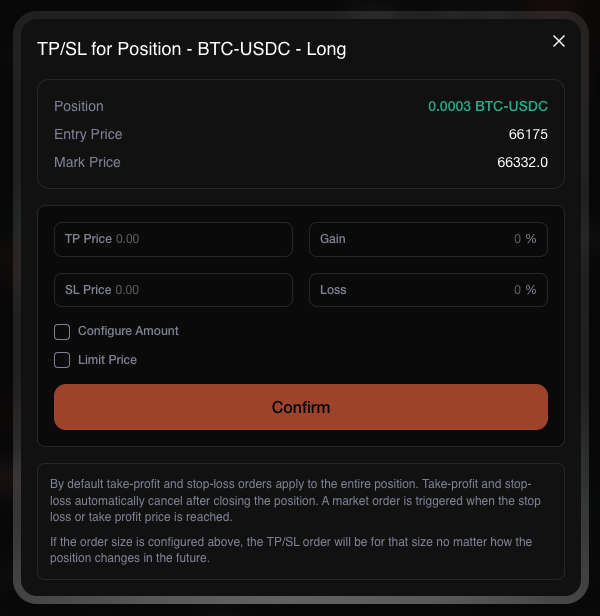
When you place TP/SL orders from the position form, they default to cover the entire position size. You can also set a fixed size manually — this will not adjust even if your position changes.
These are recommended for beginners due to their simplicity and ease of use.
## Multiple TP/SL Levels
You can set multiple Take Profit and Stop Loss levels on a single position. This allows you to take partial profits at different price targets or configure tiered stop losses to manage risk more granularly. For example, you might take 50% profit at one target and let the remaining 50% ride to a higher level, or set a tight stop loss on part of your position while giving the rest more room to breathe.
## TP/SL Linked to a Parent Order (OCO)
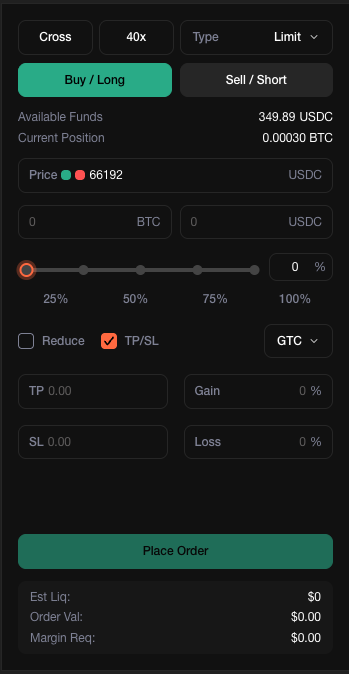
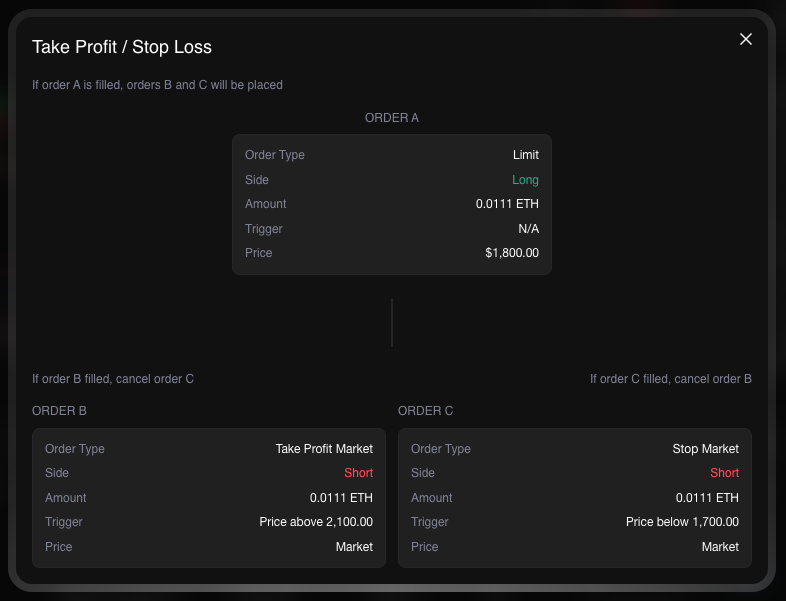
TP/SL orders can also be attached to a parent order (this setup is also called one-cancels-other or OCO). These behave a bit differently:
* If the parent order fills fully, the TP/SL orders are immediately created.
* If the parent order is only partially filled, TP/SL orders remain inactive.
* If you cancel a partially filled parent order, the TP/SL orders are also cancelled.
* If the parent order is partially filled and then auto-cancelled due to insufficient margin, the TP/SL orders will still be placed — assuming a full fill.
{% hint style="info" %}
TP/SL orders tied to a parent order will only go live if the parent fully fills, or if it's partially filled and then cancelled due to margin limits. If the order is manually cancelled mid-fill, the linked TP/SL will not go through.
{% endhint %}