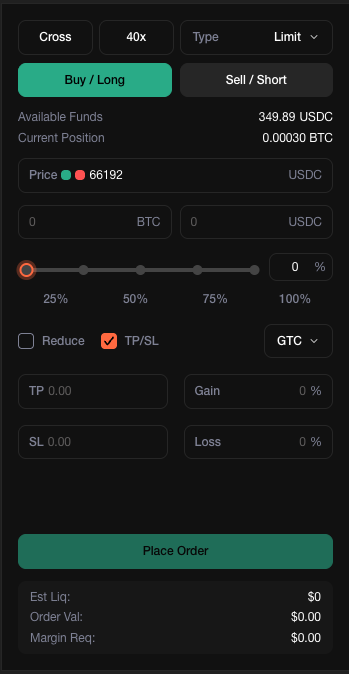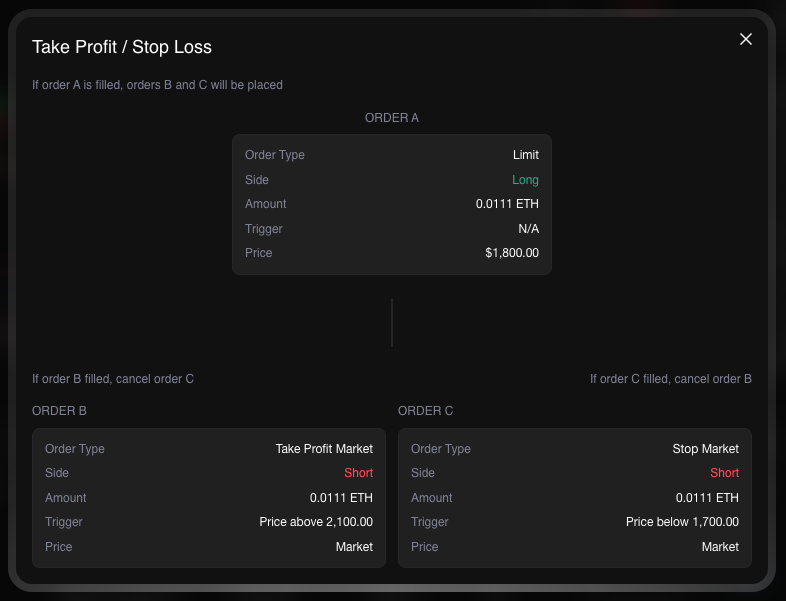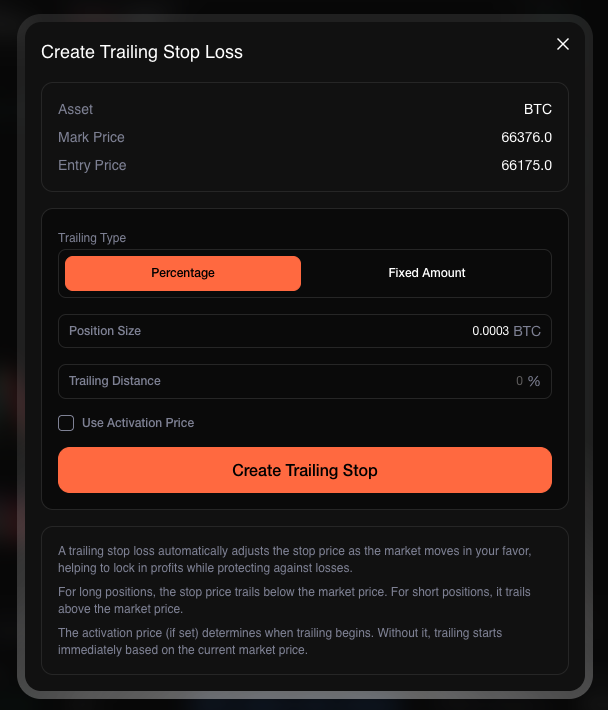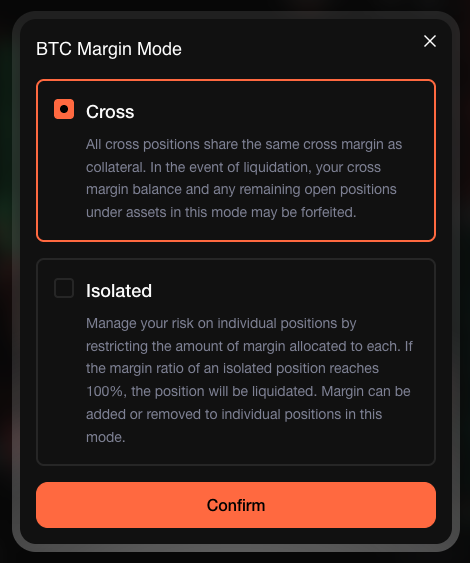
# About

Trade everything, spend everywhere under a unified experience across multiple channels on Based.

Based is a Super App for trading and spending crypto. Trade spot and perpetual futures on Hyperliquid, access hundreds of prediction markets via PolyMarket, and spend your balances at 100M+ merchants worldwide with the Based Visa Card — all from a single account across Web, iOS, Android, and Desktop.

Based has **100,000+ users**, processed over **$41B in trading volume**, and generates **\~$20M ARR**. In February 2026, Based raised **$11.5M in a Series A** led by **Pantera**, with backing from Ethena, Hashed, Coinbase Ventures, Wintermute Ventures, and Spartan Group.

***

## Products

| Product                                            | Description                                                         |
| -------------------------------------------------- | ------------------------------------------------------------------- |
| [Web Terminal](/docs/based/web-terminal)           | Full-featured trading terminal in the browser                       |
| [Mobile App](/docs/based/mobile-app)               | Trade and predict on the go (iOS & Android)                         |
| [Prediction Markets](/docs/based/prediction)       | Hundreds of markets across politics, sports, crypto, and more       |
| [Based Visa Card](/docs/card/card-types)           | Spend crypto at 100M+ merchants worldwide with cashback in $BASED   |
| [Based AI](/docs/based-ai/about)                   | AI-powered trading intelligence, inference gateway, and Based Pages |
| [Staking](/docs/based/staking)                     | Stake $BASED for rewards, fee discounts, and upcoming benefits      |
| [Based Token](/docs/based/based-token)             | $BASED utility token — reduced fees, cashback, launchpool access    |
| [Affiliate Program](/docs/based/affiliate-program) | Earn commissions from your referral network                         |

***

## What's Next

* **Launchpool** — Early access to new projects through the Based ecosystem

***

{% hint style="warning" %}
Access is restricted for certain countries.
{% endhint %}

Visit our official links [here](/docs/others/official-links).


# Web Terminal

The Based Web Terminal is a high-performance trading interface built on Hyperliquid infrastructure, available directly in your browser at [app.based.one](https://app.based.one/).

Everything you can do on Hyperliquid's native UI, you can do here — with a faster, more customizable experience designed around how traders actually work.

***

## Perpetual & Spot Trading

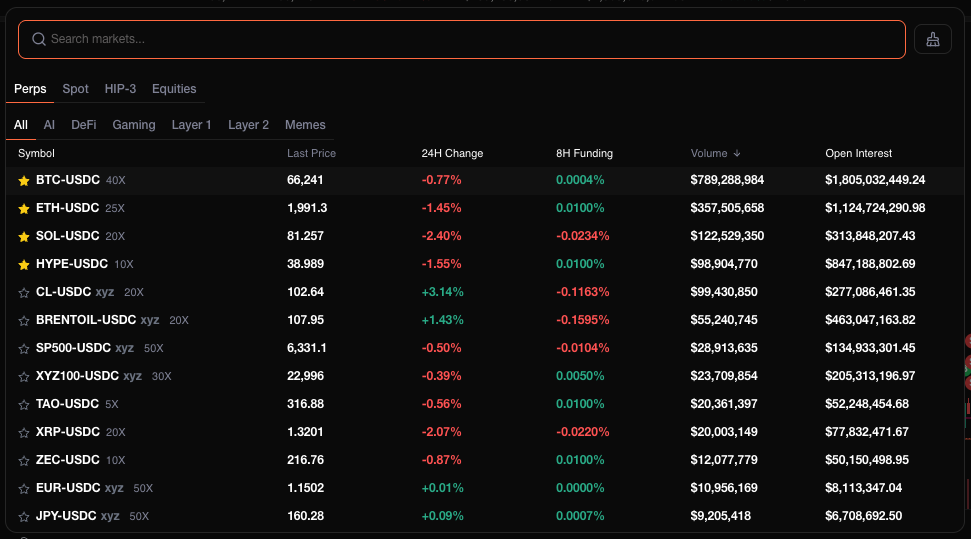
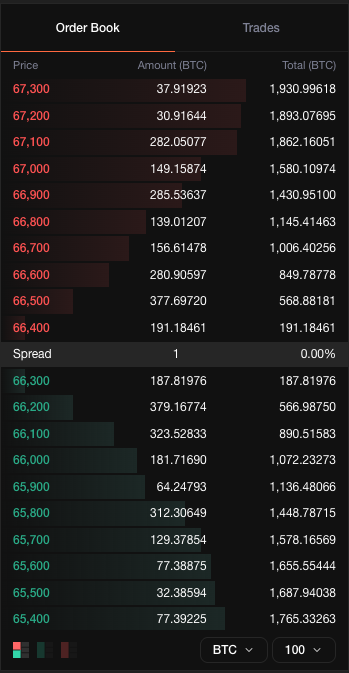
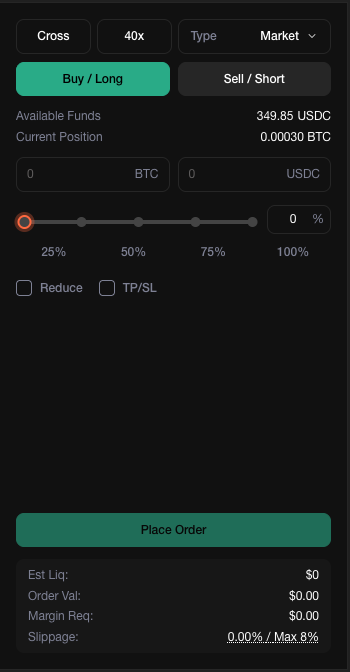
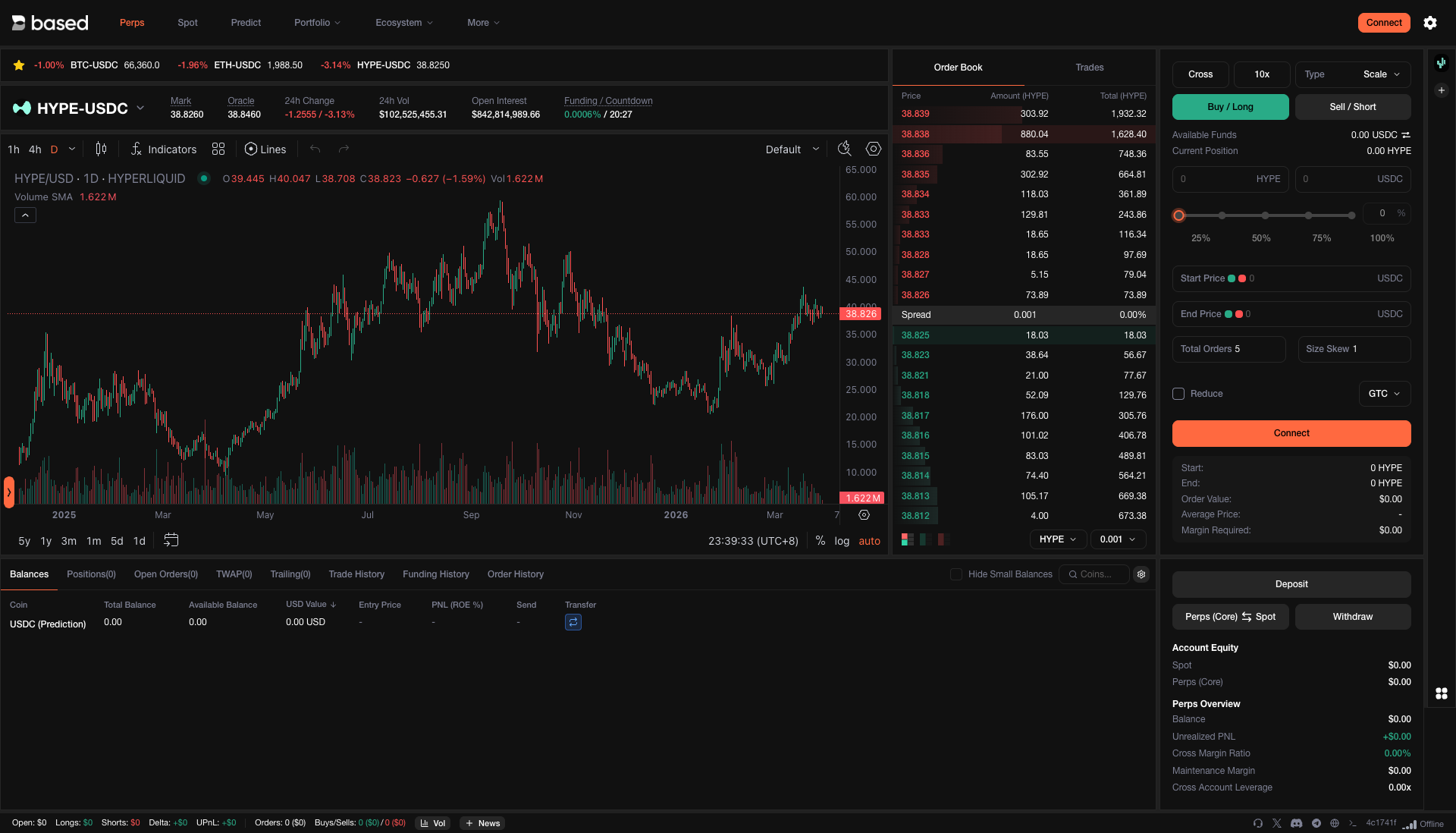
Trade 100+ assets including BTC, ETH, SOL, and trending altcoins — all powered by Hyperliquid's real-time orderbooks. New assets are added regularly based on community demand, and Hyperliquid is moving toward fully permissionless listings.

<figure><img src="https://893698931-files.gitbook.io/~/files/v0/b/gitbook-x-prod.appspot.com/o/spaces%2FD195DGgjp8wD1XdWWTcZ%2Fuploads%2Fgit-blob-221b9c6a7345f0feab6dc17b21405090fc0aef37%2Fperps.png?alt=media" alt=""><figcaption><p>Trade perpetuals with up to 40x leverage across 100+ assets</p></figcaption></figure>

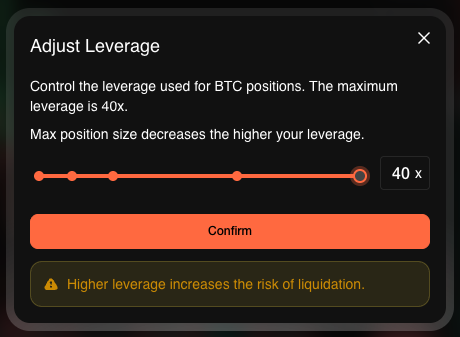
Leverage ranges from 3x to 40x depending on the asset. Maintenance margin is set at 50% of the initial margin at maximum leverage — giving you capital efficiency without excessive liquidation risk.

{% hint style="info" %}
For full details on margin calculations, liquidation mechanics, and fee structure, refer to the [Hyperliquid Trading Docs](https://hyperliquid.gitbook.io/hyperliquid-docs/trading).
{% endhint %}

***

## Positions, Orders & Fills

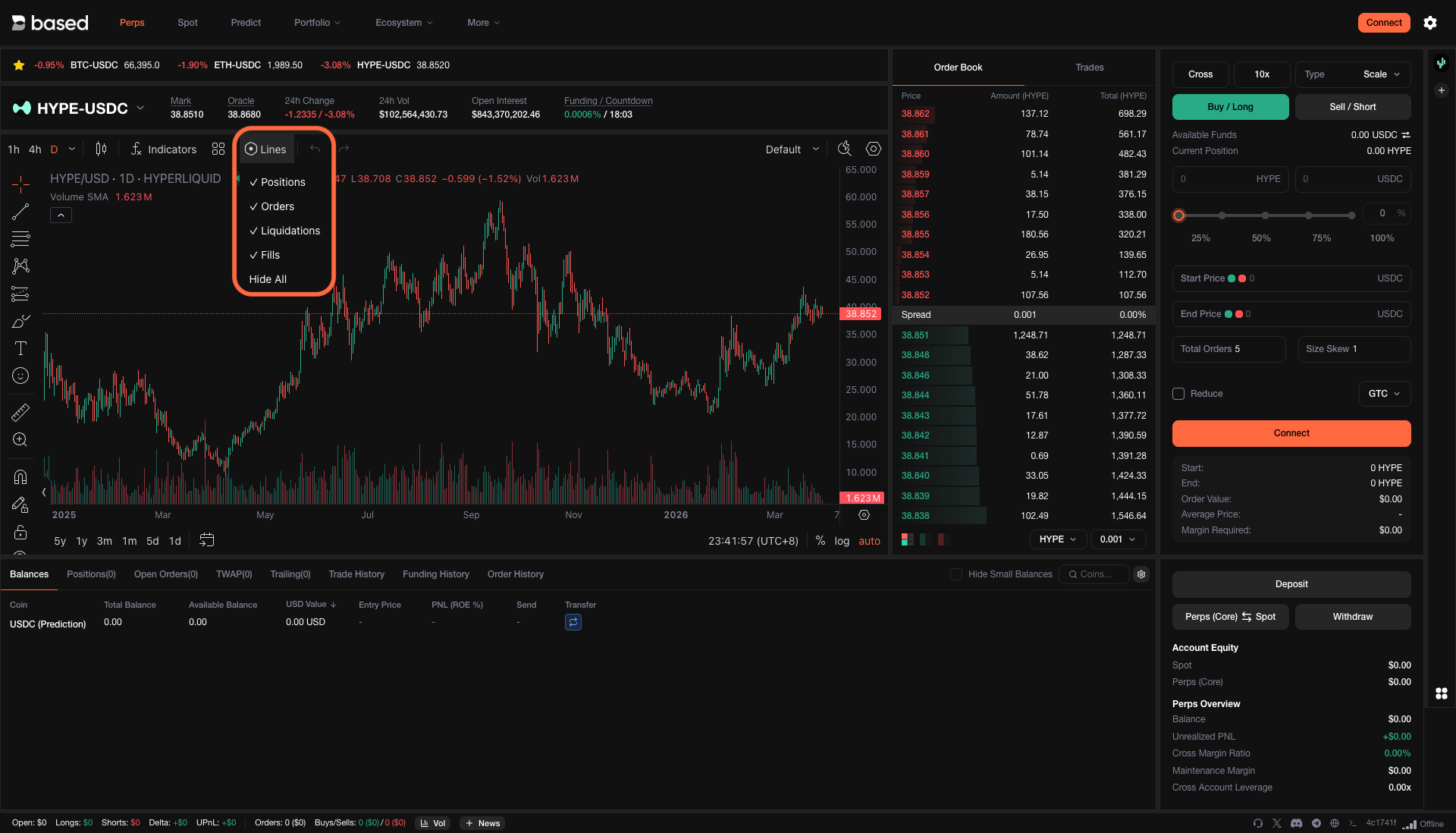
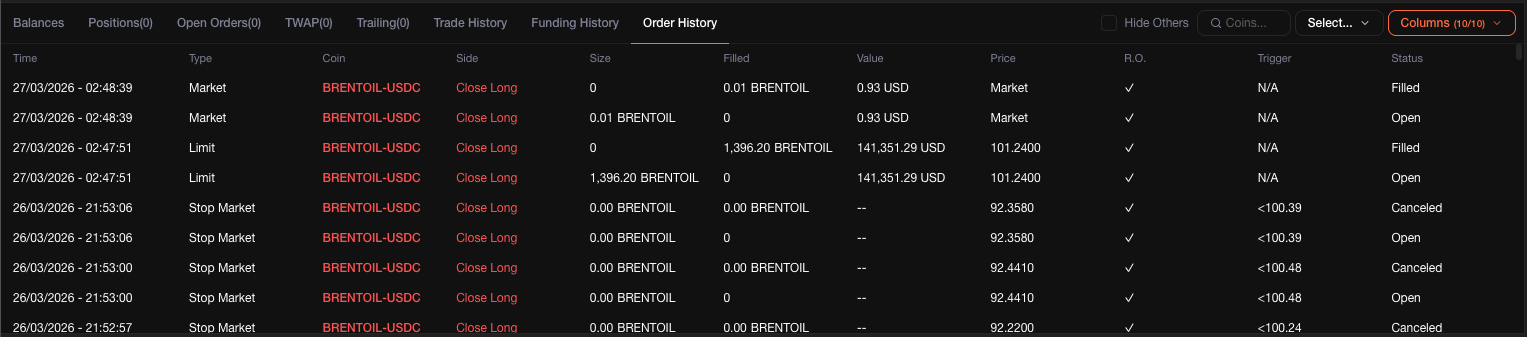
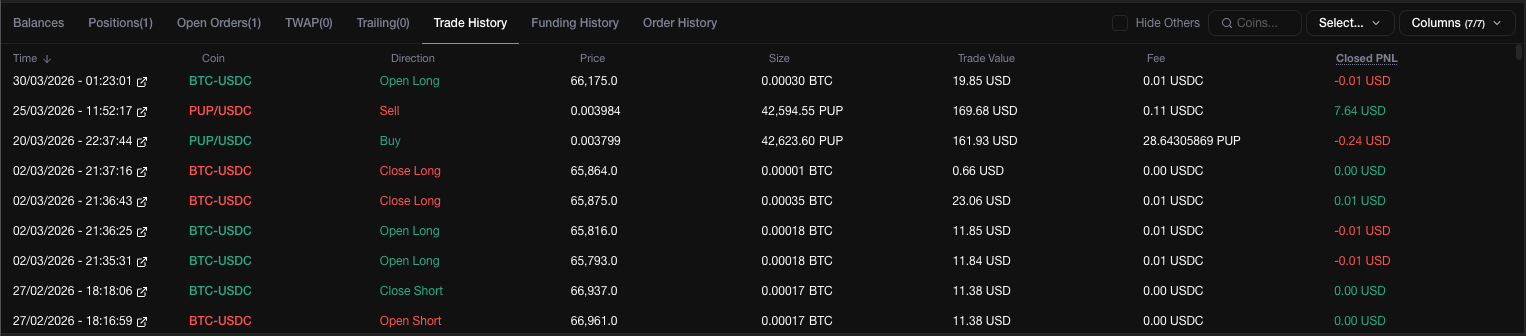
Monitor every aspect of your trades in one view. Open positions, pending orders, liquidation levels, and recent fills are all visible at a glance — so you always know exactly where you stand.

<figure><img src="https://893698931-files.gitbook.io/~/files/v0/b/gitbook-x-prod.appspot.com/o/spaces%2FD195DGgjp8wD1XdWWTcZ%2Fuploads%2Fgit-blob-791d935ef7830918e89ddcbb2de4cd87e41d52d7%2Fpositions-orders-liquidations-fills.png?alt=media" alt=""><figcaption><p>Track positions, orders, liquidations, and fills from a single panel</p></figcaption></figure>

***

## Technical Indicators

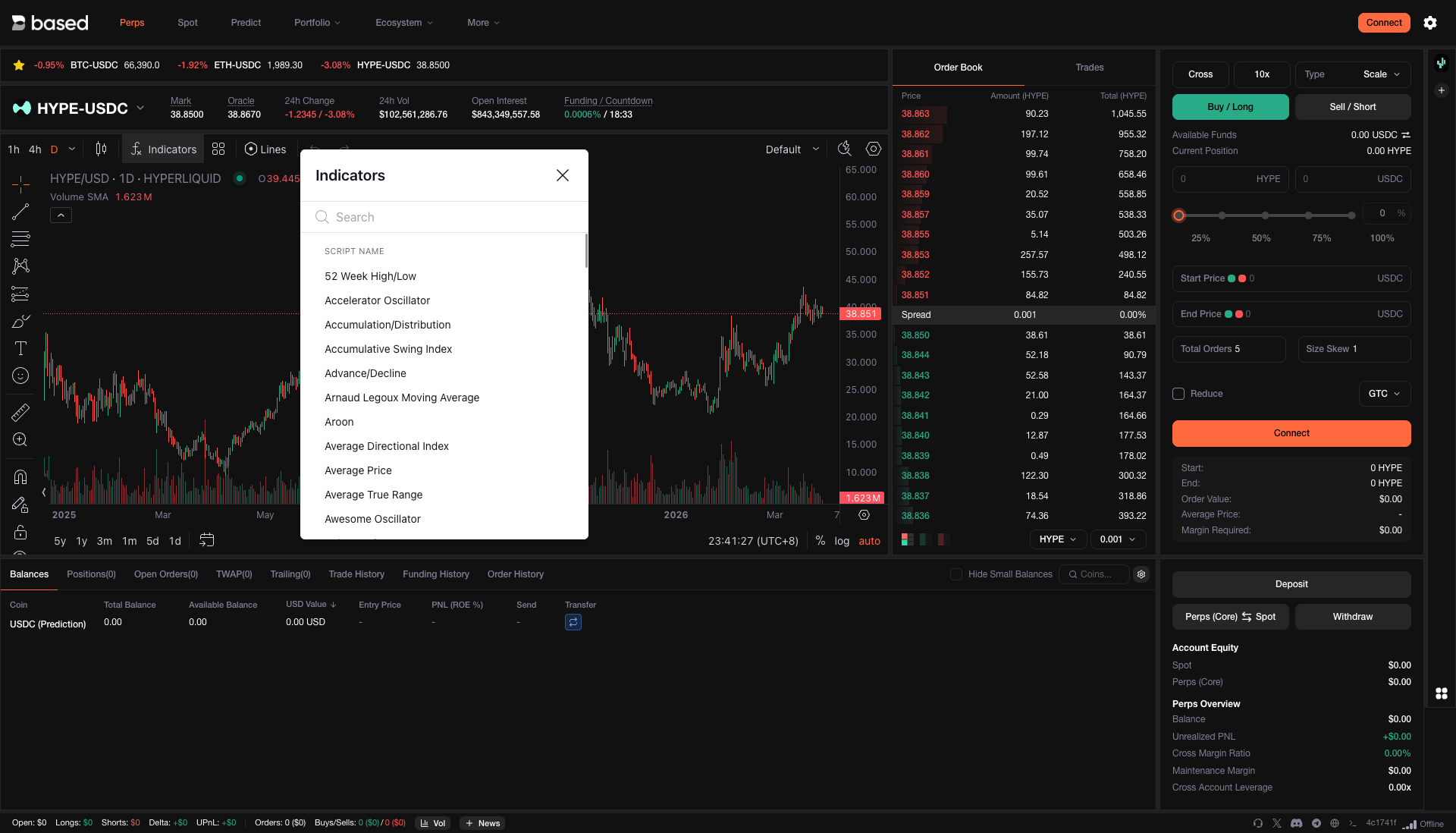
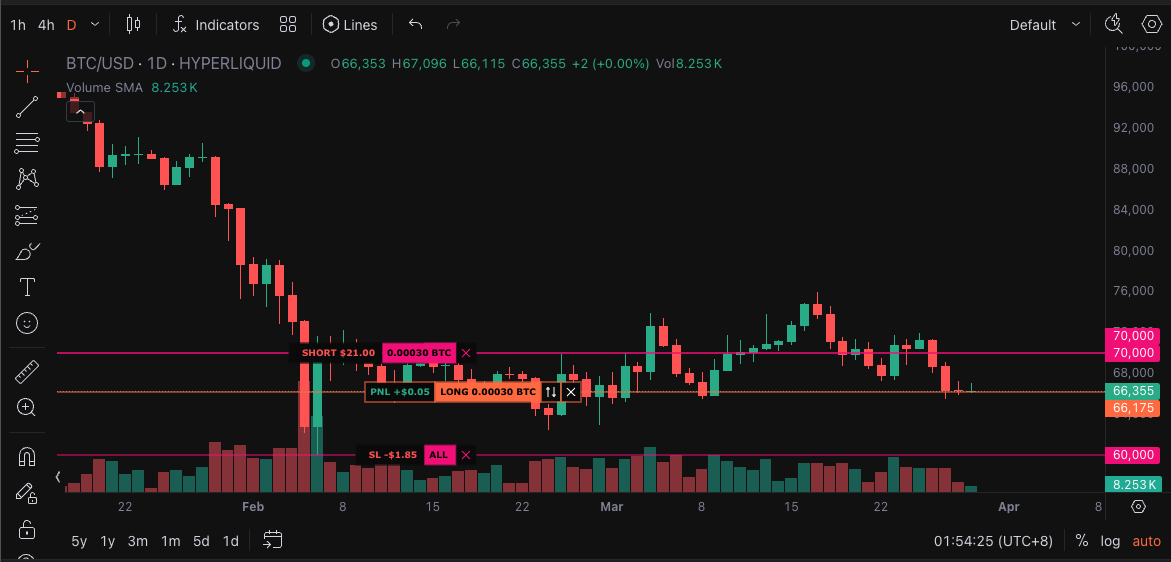
Apply the indicators you rely on — moving averages, RSI, Bollinger Bands, and more — directly on the chart. Run your full technical analysis without leaving the terminal.

<figure><img src="https://893698931-files.gitbook.io/~/files/v0/b/gitbook-x-prod.appspot.com/o/spaces%2FD195DGgjp8wD1XdWWTcZ%2Fuploads%2Fgit-blob-0428edd84c3ddce6441a71f5237eea8b6fb32da8%2Findicators.png?alt=media" alt=""><figcaption><p>Layer indicators onto your charts for deeper market analysis</p></figcaption></figure>

***

## Portfolio Overview

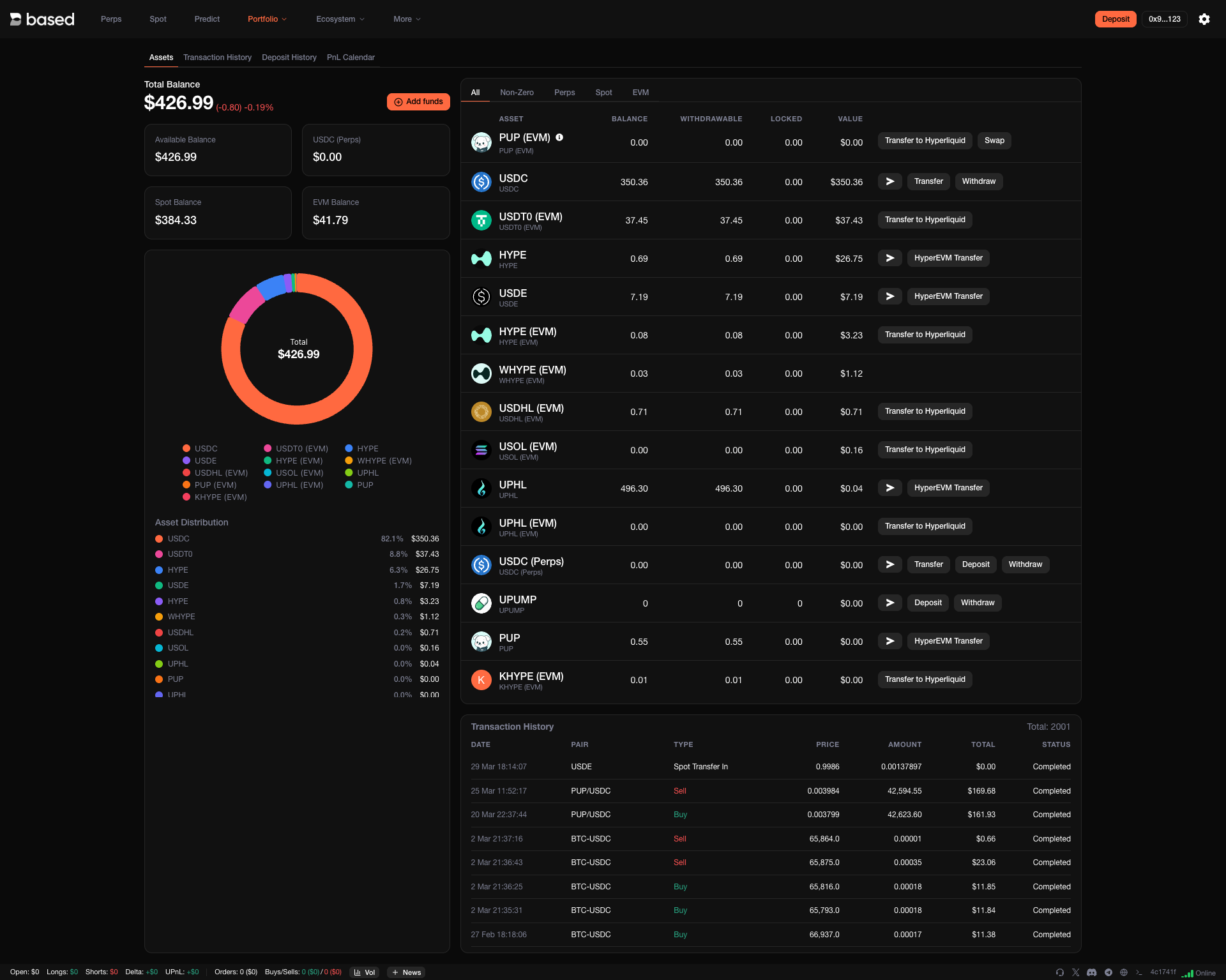
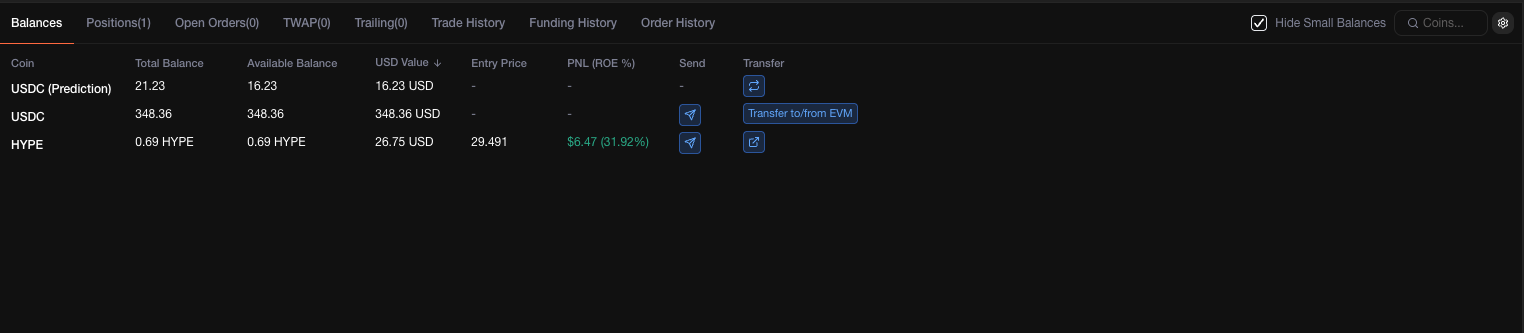
See your entire portfolio at a glance — asset allocation, unrealized PnL, and exposure breakdown. Useful for staying aware of concentration risk and making informed rebalancing decisions.

<figure><img src="https://893698931-files.gitbook.io/~/files/v0/b/gitbook-x-prod.appspot.com/o/spaces%2FD195DGgjp8wD1XdWWTcZ%2Fuploads%2Fgit-blob-0d80991497a173cdce611b97e9af346dd0ad2334%2Fportfolio.png?alt=media" alt=""><figcaption><p>Visualize your portfolio and exposure in real time</p></figcaption></figure>

***

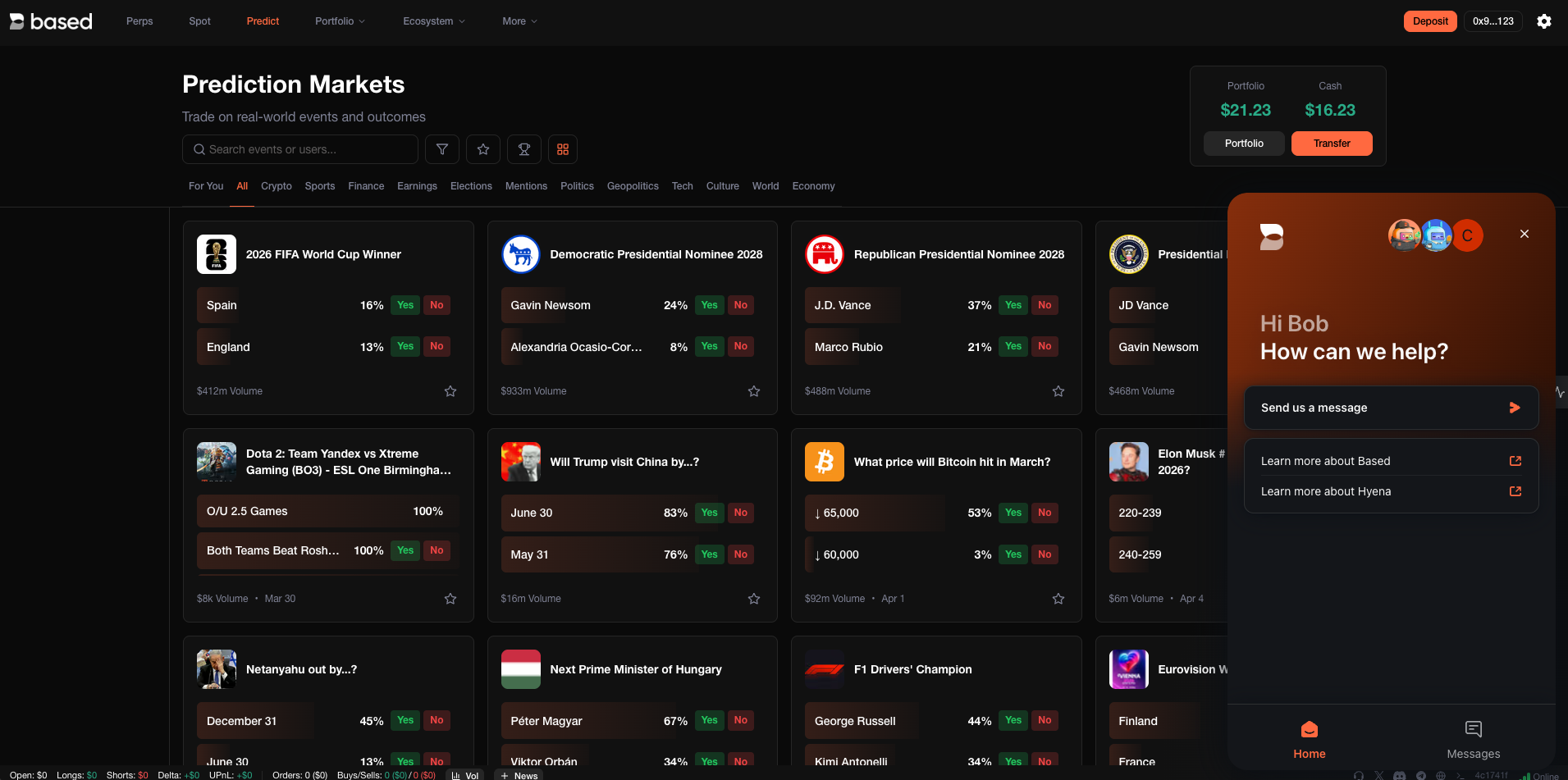
## Predictions

Put your market conviction to the test. Predict price movements on upcoming events and compete with other traders — a fun way to sharpen your edge while engaging with the community.

***

## Trading Competitions

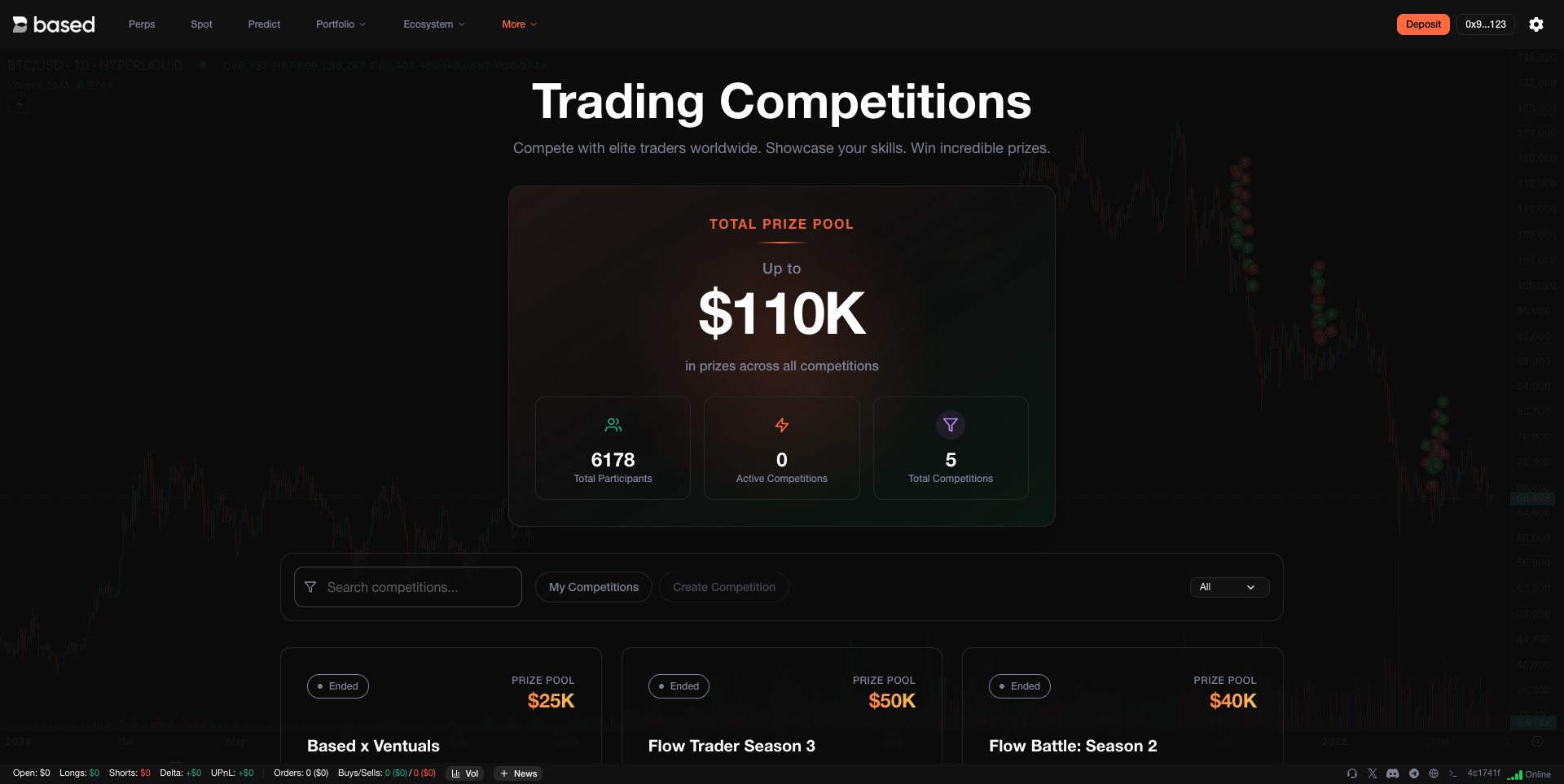
Compete in time-limited trading challenges, climb the leaderboard, and earn rewards. Competitions are a great way to benchmark your performance against other traders on the platform.

<figure><img src="https://893698931-files.gitbook.io/~/files/v0/b/gitbook-x-prod.appspot.com/o/spaces%2FD195DGgjp8wD1XdWWTcZ%2Fuploads%2Fgit-blob-a98aaf8a030498d69f80a7af8a7d258dd8abc27c%2Fcompetitions.png?alt=media" alt=""><figcaption><p>Join competitions and prove your trading skills</p></figcaption></figure>

***

## Deposits & Withdrawals

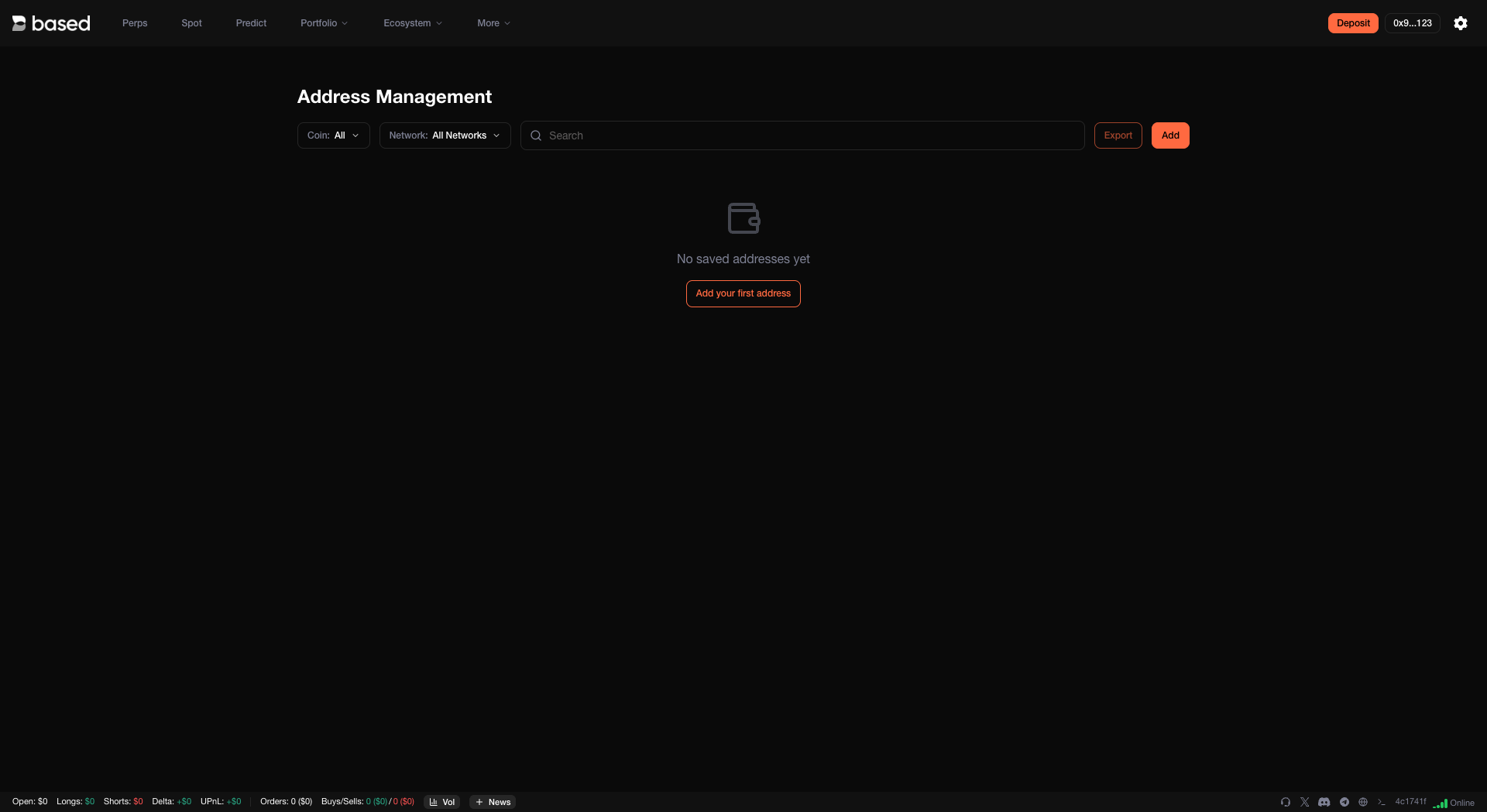
Fund your account and manage withdrawals directly from the terminal. The deposit flow is simple, and you can configure withdrawal addresses to keep your funds moving securely.

<figure><img src="https://893698931-files.gitbook.io/~/files/v0/b/gitbook-x-prod.appspot.com/o/spaces%2FD195DGgjp8wD1XdWWTcZ%2Fuploads%2Fgit-blob-4df336e3b83dd9af96ff5625a8f7d19b7dd0c4ac%2Fmanage-withdrawal-address.png?alt=media" alt=""><figcaption><p>Manage your withdrawal addresses in one place</p></figcaption></figure>

***

## Connect Multiple Wallets

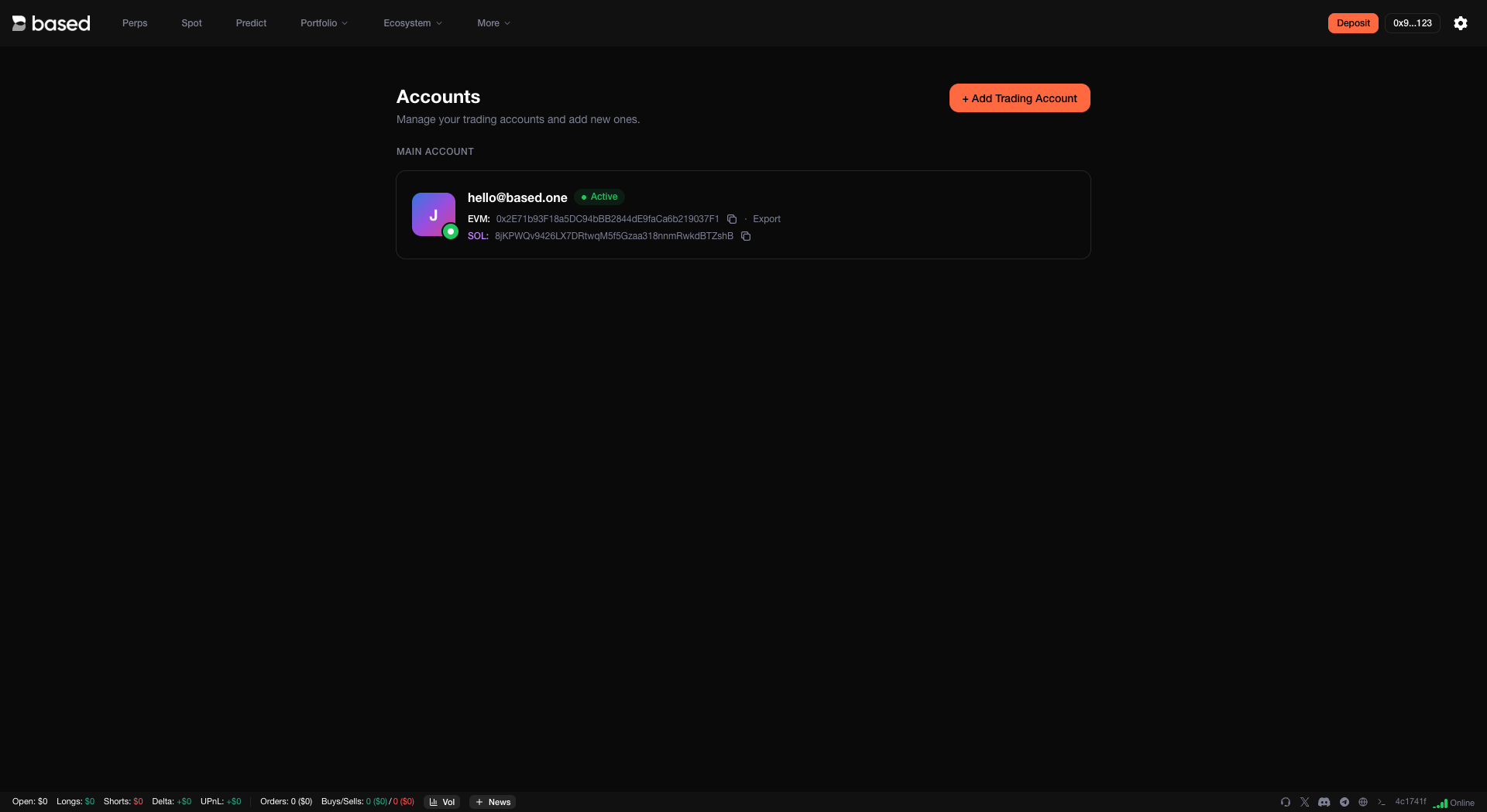
Link several wallets to your Based account. This makes it easy to trade from different wallets or manage multiple strategies — all from the same interface.\
Access this page at app.based.one/accounts.

<figure><img src="https://893698931-files.gitbook.io/~/files/v0/b/gitbook-x-prod.appspot.com/o/spaces%2FD195DGgjp8wD1XdWWTcZ%2Fuploads%2Fgit-blob-49f54582f2120e6afb0538f46e24a0db92b760ab%2Fconnect-multiple-wallets.png?alt=media" alt=""><figcaption><p>Connect and switch between multiple wallets seamlessly</p></figcaption></figure>

***

## Account Type

Your account abstraction mode determines how spot and perps balances interact and which assets serve as collateral. You can switch modes from the terminal settings.

* **Unified Account** (recommended for most users) — A single balance per asset covers everything: perps, spot, and cross margin. For example, your USDC balance is the single source for all perp positions and spot trades quoted in USDC. No need to move funds between balances — simpler to manage and harder to accidentally under-collateralize.
* **Standard** (recommended for market makers and automated traders) — Perp and spot balances are kept separate, with cross margin applied to each DEX independently. This gives builders and high-volume users more granular control, and is required for builder code addresses to accrue builder fees.
* **Portfolio Margin** (most capital efficient) — Unifies all eligible assets (HYPE, BTC, USDH, USDC) into a single portfolio for maximum capital efficiency across positions.

<figure><img src="https://893698931-files.gitbook.io/~/files/v0/b/gitbook-x-prod.appspot.com/o/spaces%2FD195DGgjp8wD1XdWWTcZ%2Fuploads%2Fgit-blob-6d95e868f5265fe4cd683067ca4bc85a5100e1d5%2Faccount-type.png?alt=media" alt=""><figcaption><p>Choose the account abstraction mode that fits your trading style</p></figcaption></figure>

{% hint style="info" %}
Unified Account and Portfolio Margin are limited to 50k user actions per day. Standard mode has no such restriction. For more details, see the [Hyperliquid API Docs](https://hyperliquid.gitbook.io/hyperliquid-docs/for-developers/api).
{% endhint %}

***

## Customization

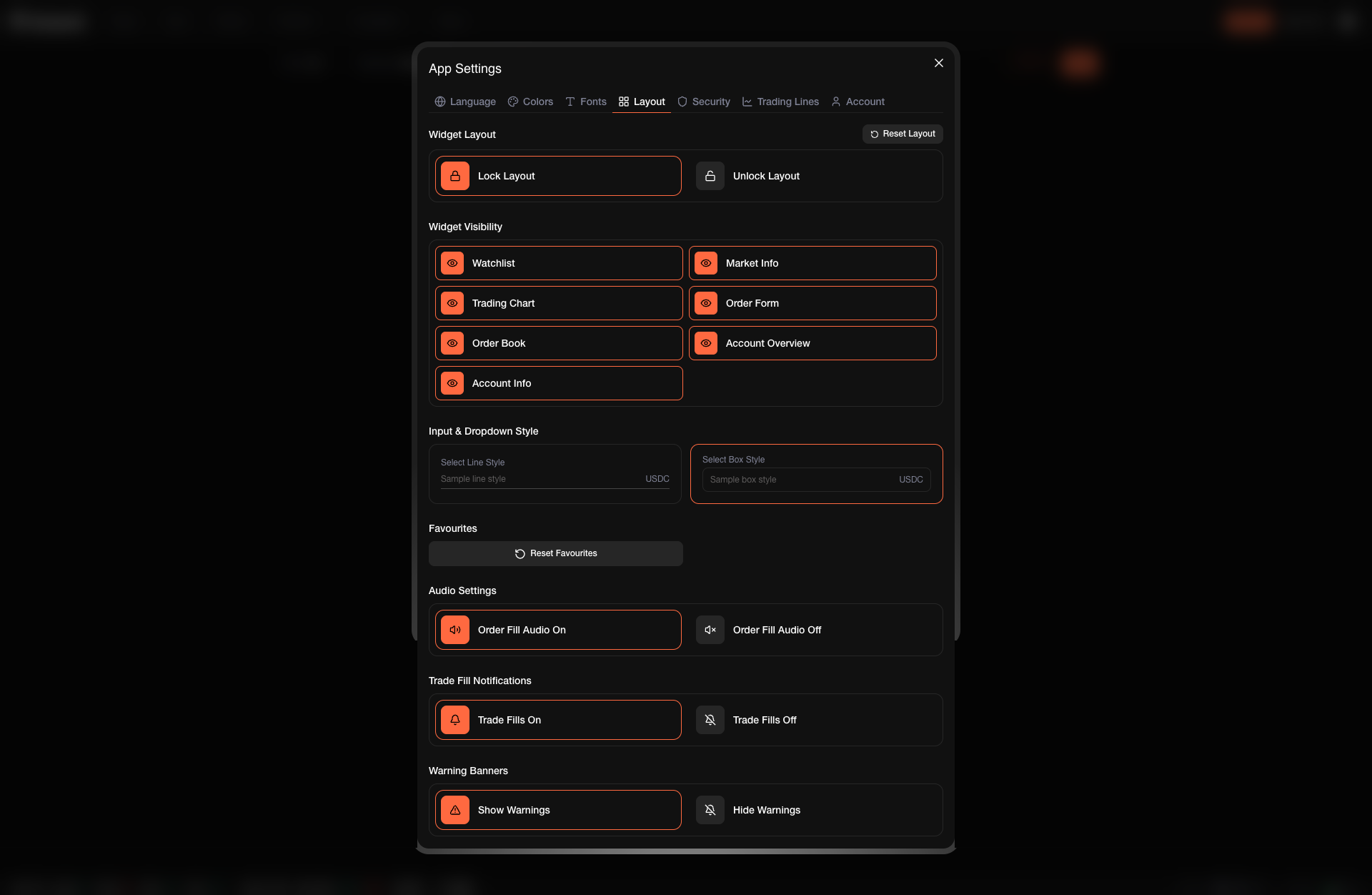
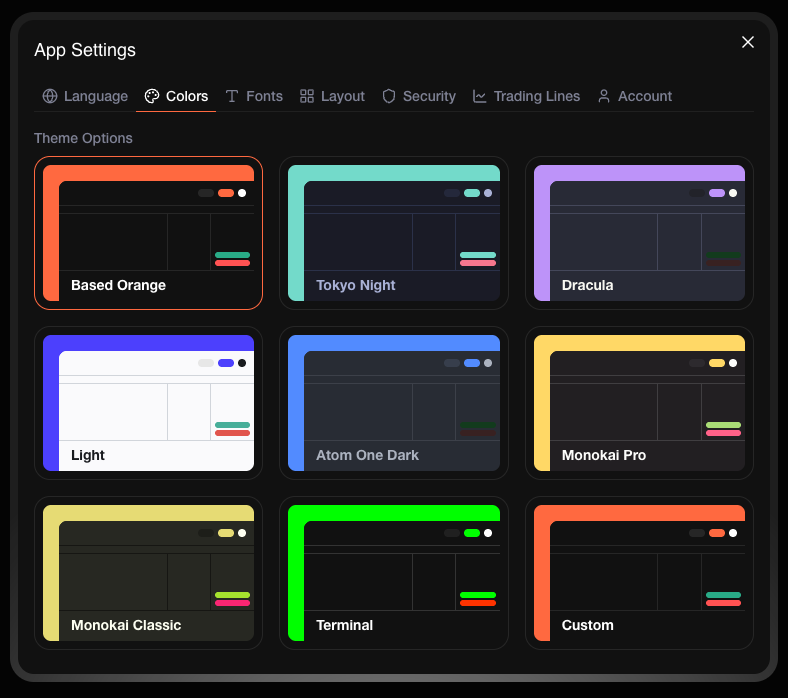
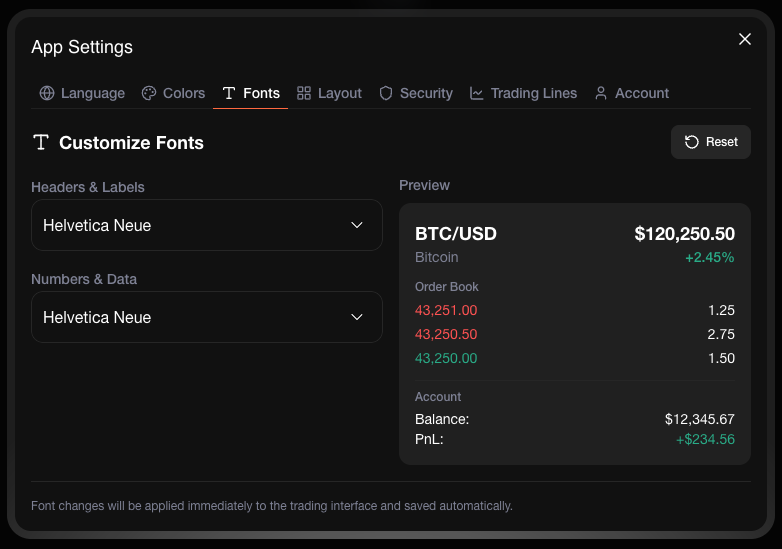
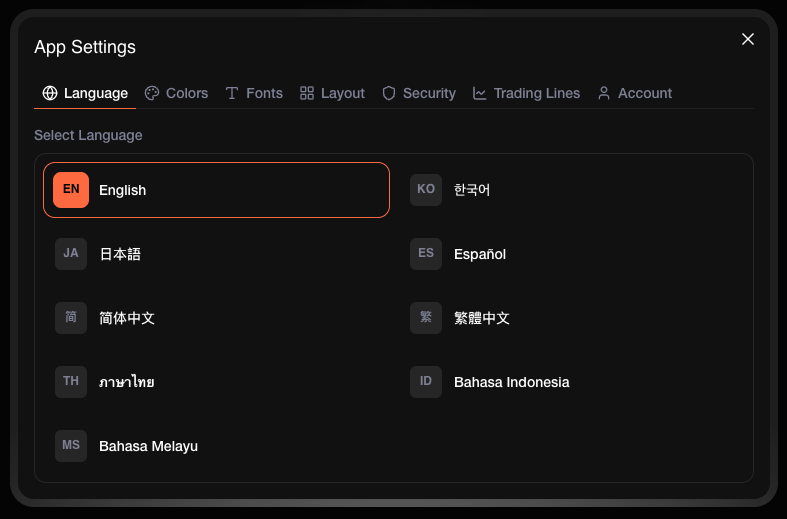
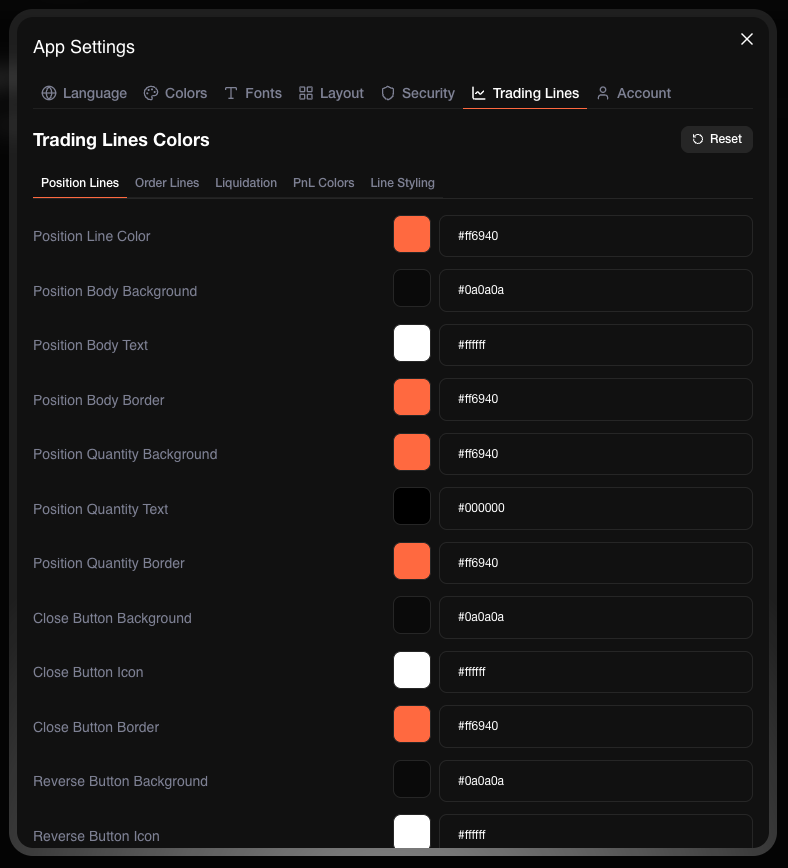
Make the terminal yours. Adjust the layout, switch themes, change fonts, and set your preferred language — so the interface works the way you want it to.

{% tabs %}
{% tab title="Layout" %}
Rearrange panels and widgets to match your workflow. Put what matters most front and center.

<figure><img src="https://893698931-files.gitbook.io/~/files/v0/b/gitbook-x-prod.appspot.com/o/spaces%2FD195DGgjp8wD1XdWWTcZ%2Fuploads%2Fgit-blob-e7ffbaf629c32f172991f5241e74fe0aae631eee%2Flayout.png?alt=media" alt=""><figcaption><p>Drag and arrange panels to build your ideal workspace</p></figcaption></figure>
{% endtab %}

{% tab title="Theme" %}
Switch between light, dark, and custom themes to reduce eye strain and trade comfortably at any hour.

<figure><img src="https://893698931-files.gitbook.io/~/files/v0/b/gitbook-x-prod.appspot.com/o/spaces%2FD195DGgjp8wD1XdWWTcZ%2Fuploads%2Fgit-blob-dab62a3ee9eafac13e2423c76c882417c41fc1fc%2Ftheme.png?alt=media" alt=""><figcaption><p>Pick a theme that suits your environment</p></figcaption></figure>
{% endtab %}

{% tab title="Font" %}
Choose the font size and style that's easiest for you to read at a glance.

<figure><img src="https://893698931-files.gitbook.io/~/files/v0/b/gitbook-x-prod.appspot.com/o/spaces%2FD195DGgjp8wD1XdWWTcZ%2Fuploads%2Fgit-blob-2475655f9020a8f74894f8176cc4ae10a24aec51%2Ffont.png?alt=media" alt=""><figcaption><p>Adjust font settings for better readability</p></figcaption></figure>
{% endtab %}

{% tab title="Language" %}
Use the terminal in your preferred language for a more comfortable experience.

<figure><img src="https://893698931-files.gitbook.io/~/files/v0/b/gitbook-x-prod.appspot.com/o/spaces%2FD195DGgjp8wD1XdWWTcZ%2Fuploads%2Fgit-blob-d989003cb2f7e5b7a51f96d09f807c0fcc78d3fc%2Flanguages.png?alt=media" alt=""><figcaption><p>Select from multiple supported languages</p></figcaption></figure>
{% endtab %}

{% tab title="Trading Lines" %}
Draw trendlines, Fibonacci retracements, and other tools directly on the chart to map out support, resistance, and key levels.

<figure><img src="https://893698931-files.gitbook.io/~/files/v0/b/gitbook-x-prod.appspot.com/o/spaces%2FD195DGgjp8wD1XdWWTcZ%2Fuploads%2Fgit-blob-303d3c68a5e707de0f12a79a469eb392045a97f6%2Ftrading-lines.png?alt=media" alt=""><figcaption><p>Use drawing tools to mark up your charts</p></figcaption></figure>
{% endtab %}
{% endtabs %}

***

## Cards

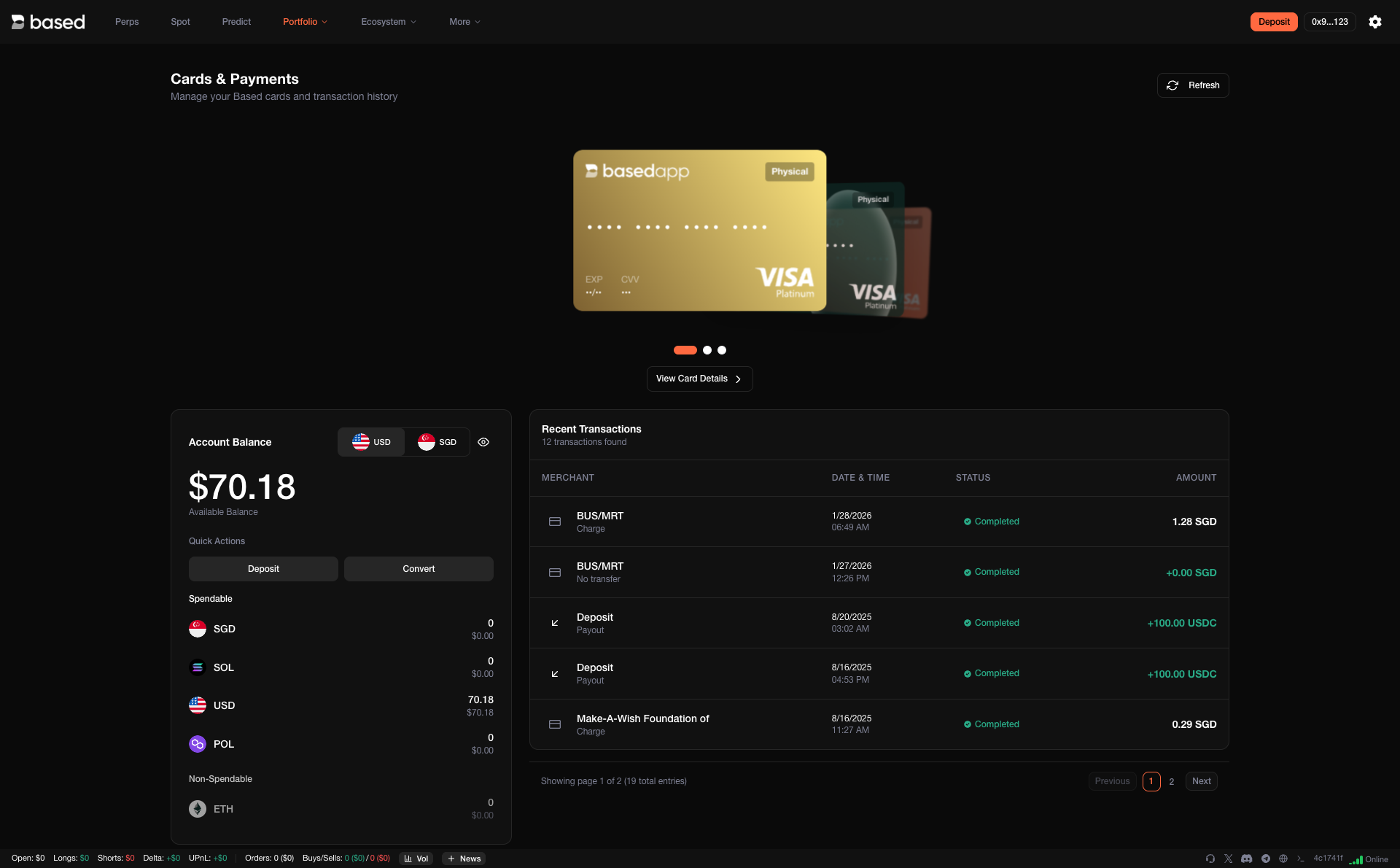
Access your Based Card details and manage spending directly from the terminal — no need to switch between apps.

<figure><img src="https://893698931-files.gitbook.io/~/files/v0/b/gitbook-x-prod.appspot.com/o/spaces%2FD195DGgjp8wD1XdWWTcZ%2Fuploads%2Fgit-blob-45690f0fe64ca4b5874dd2fc8f11f9e4701ec724%2Fcards.png?alt=media" alt=""><figcaption><p>View and manage your Based Card</p></figcaption></figure>

***

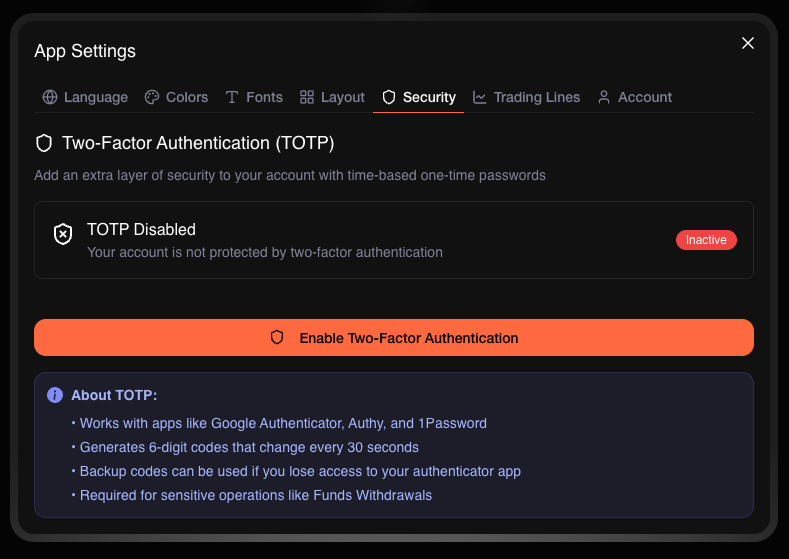
## Security

Your account security is handled with care. Manage two-factor authentication, session controls, and other protection settings to keep your funds safe.

<figure><img src="https://893698931-files.gitbook.io/~/files/v0/b/gitbook-x-prod.appspot.com/o/spaces%2FD195DGgjp8wD1XdWWTcZ%2Fuploads%2Fgit-blob-a0be5735f87c90b817d9cb55a60e53e647edf317%2Fsecurity.png?alt=media" alt=""><figcaption><p>Configure security settings to protect your account</p></figcaption></figure>

***

## Customer Support

Need help? Reach support directly from inside the terminal. No hunting for links or leaving the platform — assistance is always a click away.

<figure><img src="https://893698931-files.gitbook.io/~/files/v0/b/gitbook-x-prod.appspot.com/o/spaces%2FD195DGgjp8wD1XdWWTcZ%2Fuploads%2Fgit-blob-b59608c53a4d87b66367d535bedae9f2552ba5cc%2Fcustomer-support.png?alt=media" alt=""><figcaption><p>Get help without leaving the terminal</p></figcaption></figure>

***

## Coming Soon

We're actively building new tools to give you even more control:

* **Chase Orders** — Automatically adjust your limit orders to follow price action, so you stay competitive in fast-moving markets.
* **Position Alerts** — Get real-time push notifications on fills, liquidations, price thresholds, and margin calls.
* **Time-Based Limit Orders** — Schedule orders that only execute within specific timeframes, ideal for session-based or event-driven strategies.
* **Automation Setup** — Configure rule-based strategies like recurring buys, stop-loss execution, DCA entries, or portfolio rebalancing.

***

Start trading at [app.based.one](https://app.based.one/)


# Mobile App

## All-in-One Mobile App

Hold. Trade. Spend. Seamlessly.

[Download on iOS](https://apps.apple.com/us/app/basedapp-crypto-wallet/id6747331142) | [Download on Android](https://play.google.com/store/apps/details?id=com.basedapp.basedsuperapp\&pli=1)

Crypto is a vast and complex ecosystem — from memecoins to NFTs, DeFi protocols to real-world utility tokens. But when you strip it all down, most users just want to do three things:

1. Secure their crypto
2. Trade tokens efficiently
3. Use crypto in everyday life

That's what the Based App is built for — a unified, mobile-first platform that brings the core pillars of crypto into one simple, streamlined app. Every screen is designed with speed and usability in mind — no clutter, no friction, just the tools you need exactly when you need them.

***

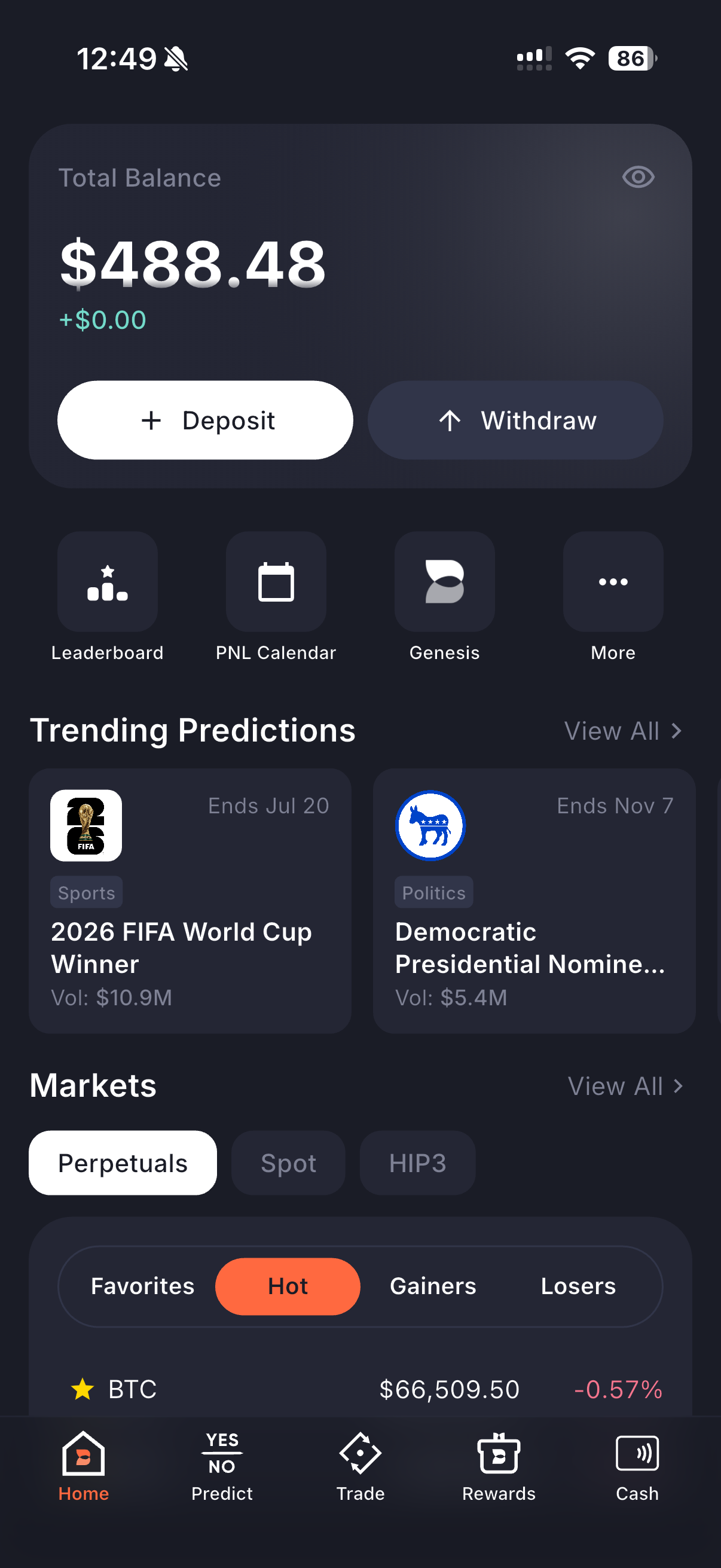
## Home

Your command center. See your total portfolio balance at a glance, deposit or withdraw in one tap, and jump straight into trending prediction markets or live token prices. The home screen also gives you quick access to your Leaderboard rank, PnL Calendar, and Genesis — all without digging through menus.

Need to interact with HyperEVM protocols? Access them directly from home — no switching apps, no extra steps.

<figure><img src="https://893698931-files.gitbook.io/~/files/v0/b/gitbook-x-prod.appspot.com/o/spaces%2FD195DGgjp8wD1XdWWTcZ%2Fuploads%2Fgit-blob-608cfd105b553e7401c38be53c6989806d6ed913%2Fhome.PNG?alt=media" alt="" width="300"><figcaption></figcaption></figure>

***

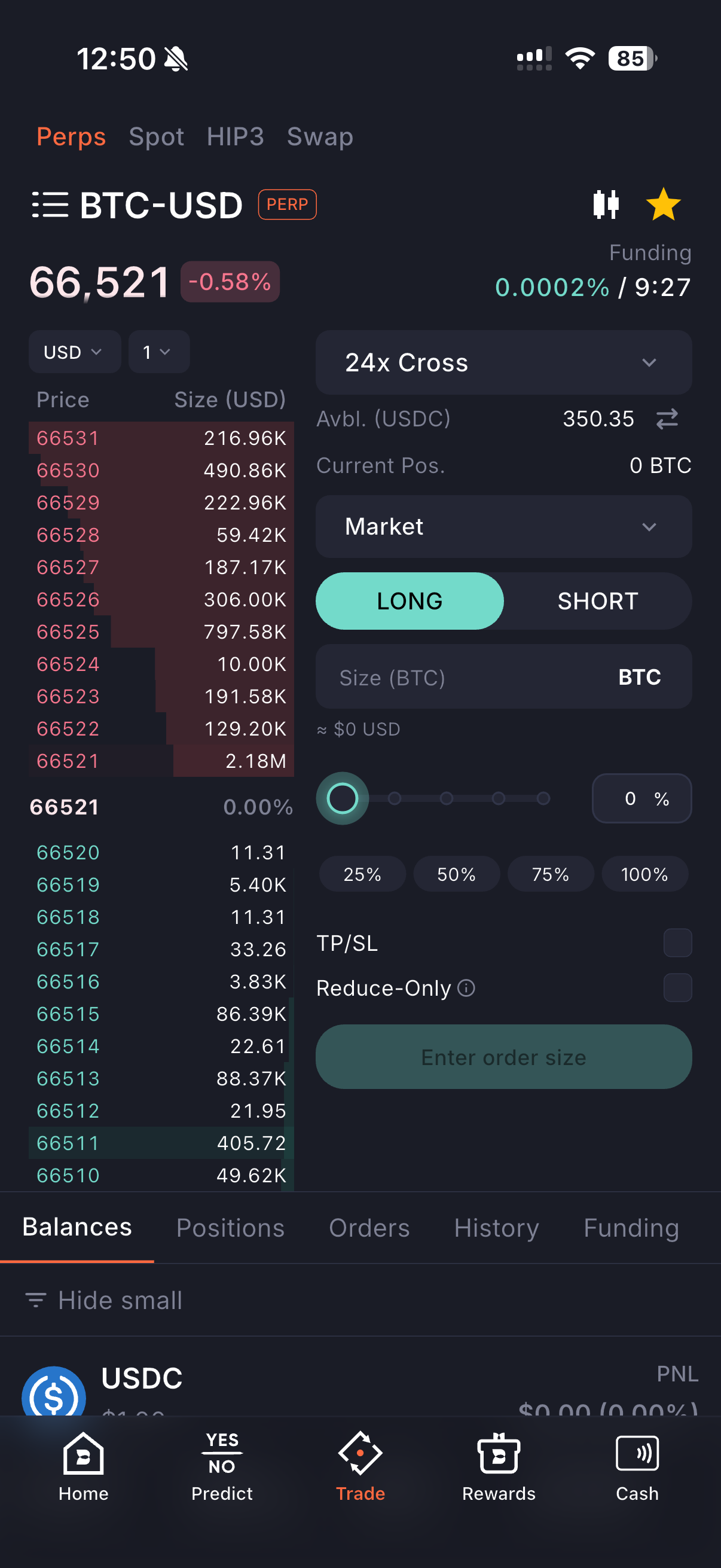
## Trade

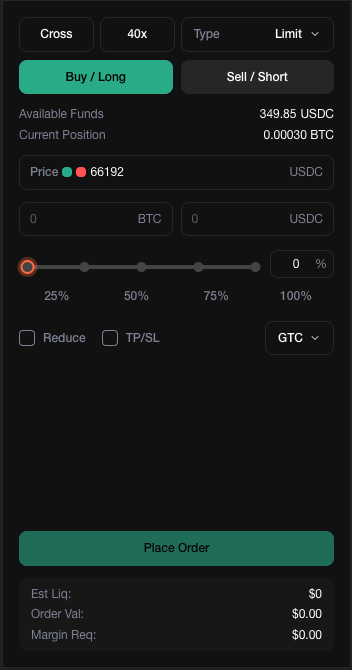
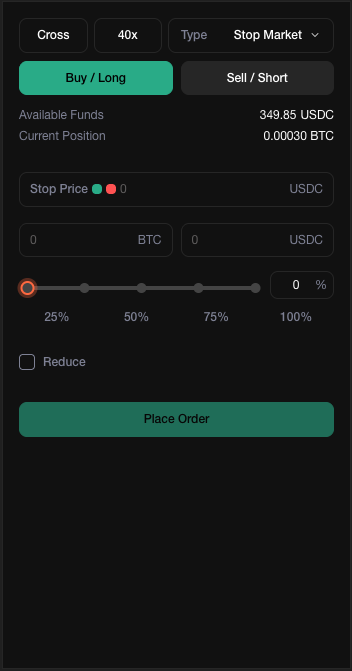
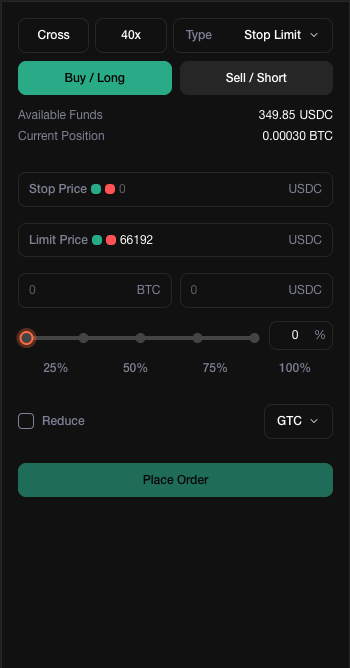
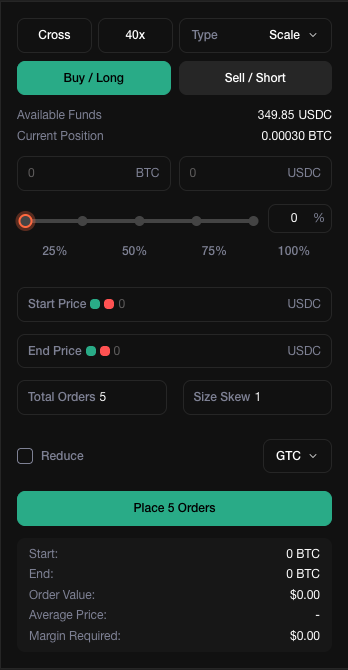
A full-featured trading terminal, built for mobile from the ground up. Switch between Perps, Spot, HIP3, and Swap with a single tap. Place Market, Limit, Scale, TWAP, Stop Market, and Stop Limit orders — the same order types you'd find on a desktop exchange, optimized for touch.

Your Balances, Positions, Orders, History, and Funding are all visible right below the order panel. No tab-hunting, no page reloads — everything updates in real time so you can act fast and stay informed.

<figure><img src="https://893698931-files.gitbook.io/~/files/v0/b/gitbook-x-prod.appspot.com/o/spaces%2FD195DGgjp8wD1XdWWTcZ%2Fuploads%2Fgit-blob-db3844df4b129a129e5ec2db7906bcbdd102ff68%2Ftrade.PNG?alt=media" alt="" width="300"><figcaption></figcaption></figure>

***

## Chart

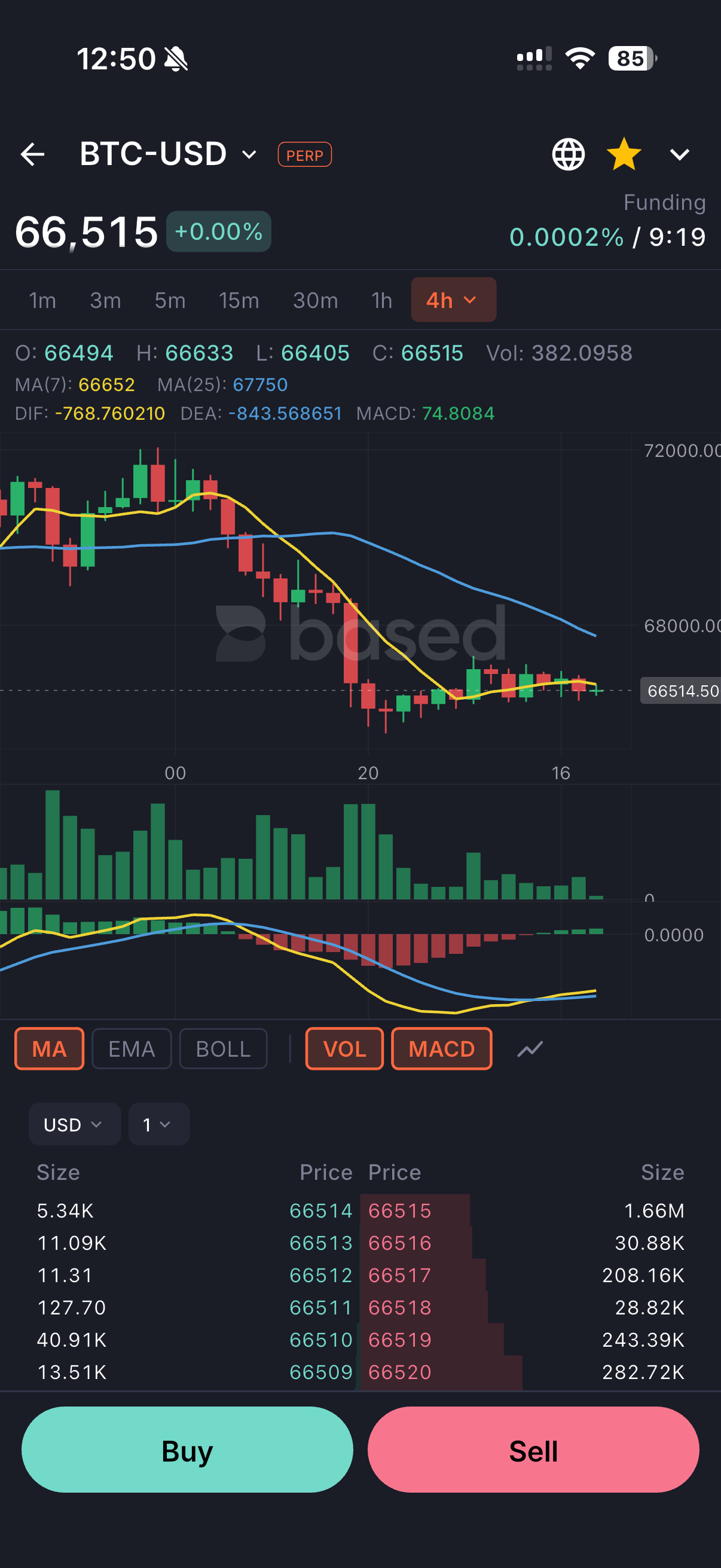
Our charting experience is built natively from scratch — not a web wrapper, not an embedded iframe. The result is buttery-smooth scrolling, instant timeframe switching (1m to 4h+), and responsive technical indicators including MA, EMA, BOLL, VOL, and MACD. Candlesticks render immediately, even on slower connections.

Professional-grade analysis in your pocket, without the lag.

<figure><img src="https://893698931-files.gitbook.io/~/files/v0/b/gitbook-x-prod.appspot.com/o/spaces%2FD195DGgjp8wD1XdWWTcZ%2Fuploads%2Fgit-blob-65432a634605f5a7f87596d73f35a5416332b738%2Fchart.PNG?alt=media" alt="" width="300"><figcaption></figcaption></figure>

***

## Prediction Markets

Trade prediction markets directly inside Based — no bridging, no external apps, no hassle. Your Prediction Markets balance lives alongside your trading accounts, so moving funds in and out is instant.

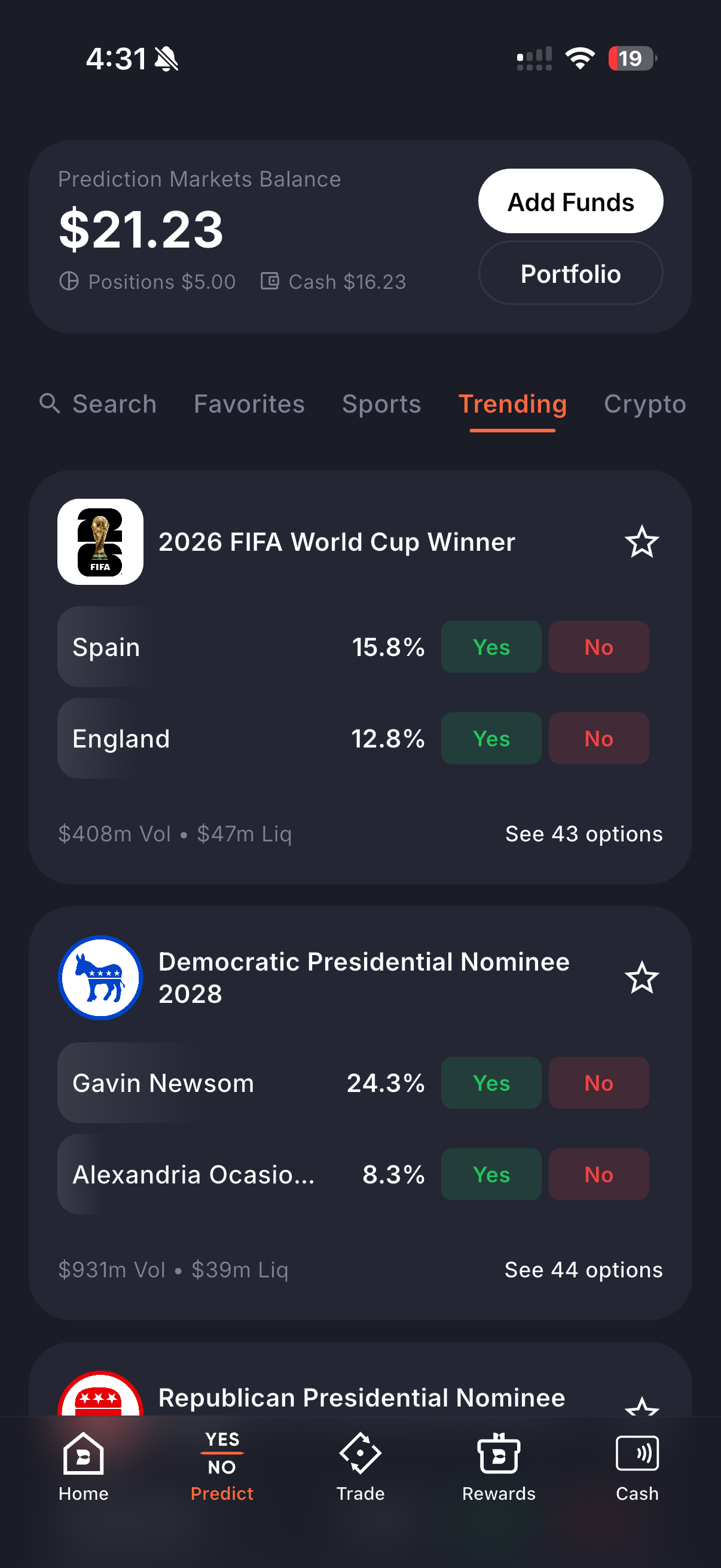
Browse by Search, Favorites, Sports, Trending, or Crypto. See live odds, volume, and liquidity at a glance. Tap Yes or No and you're in.

***

## Deposit & Withdraw

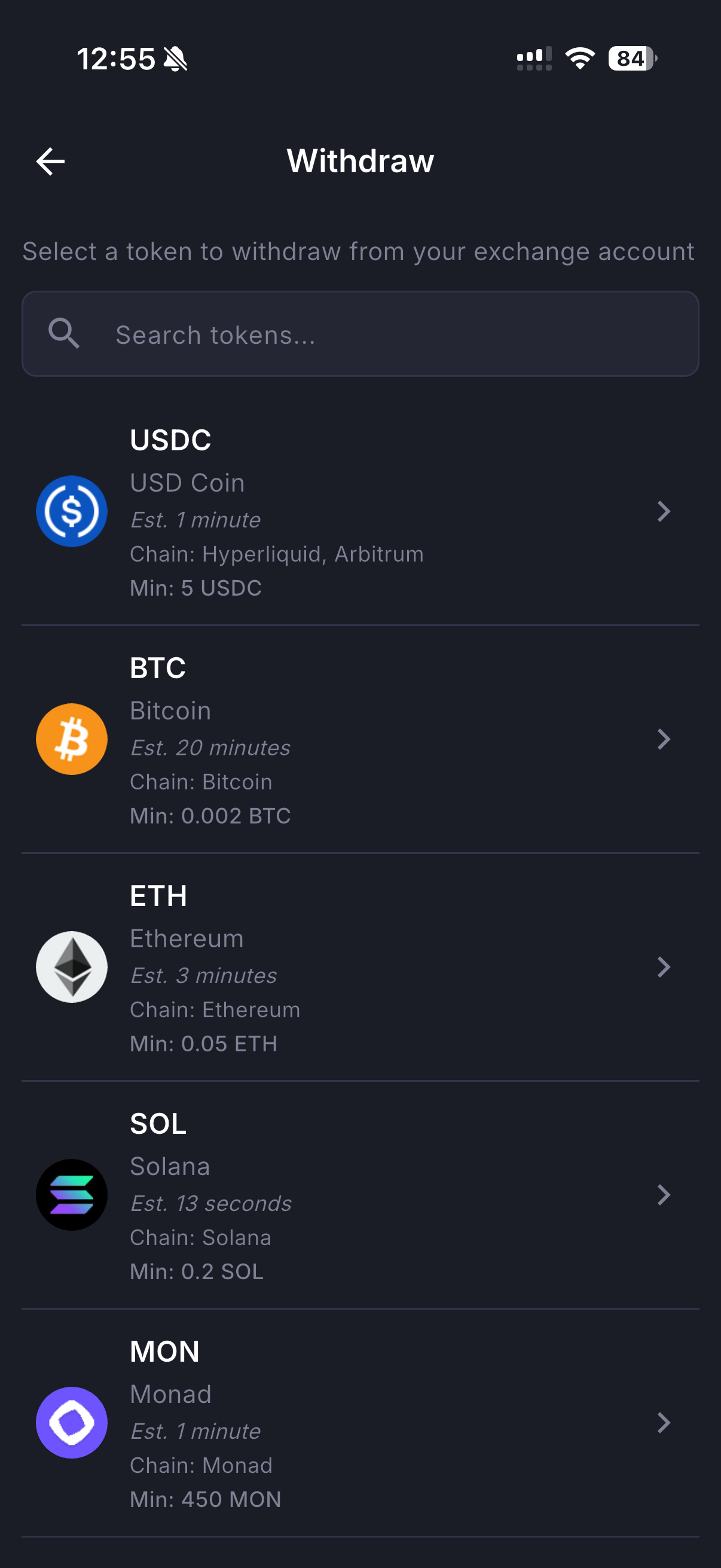
Getting funds in and out should never be a chore. Deposit crypto for Perps (auto-converted to USDC), deposit USDC directly, buy crypto via Card (Apple Pay, Google Pay, PayPal, Venmo, Revolut), or deposit native tokens for Spot — all from a single menu.

Withdrawals are just as straightforward. Pick your token, see the estimated arrival time and minimum amount, and confirm. USDC in \~1 minute, BTC in \~20 minutes, SOL in \~13 seconds.

{% columns %}
{% column %}

{% endcolumn %}

{% column %}

<figure><img src="https://893698931-files.gitbook.io/~/files/v0/b/gitbook-x-prod.appspot.com/o/spaces%2FD195DGgjp8wD1XdWWTcZ%2Fuploads%2Fgit-blob-91a31b38fce4fbf2f89bbfef5c453cbacffa6db8%2Fwithdraw.PNG?alt=media" alt="" width="300"><figcaption></figcaption></figure>
{% endcolumn %}
{% endcolumns %}

***

## Visa Debit Card

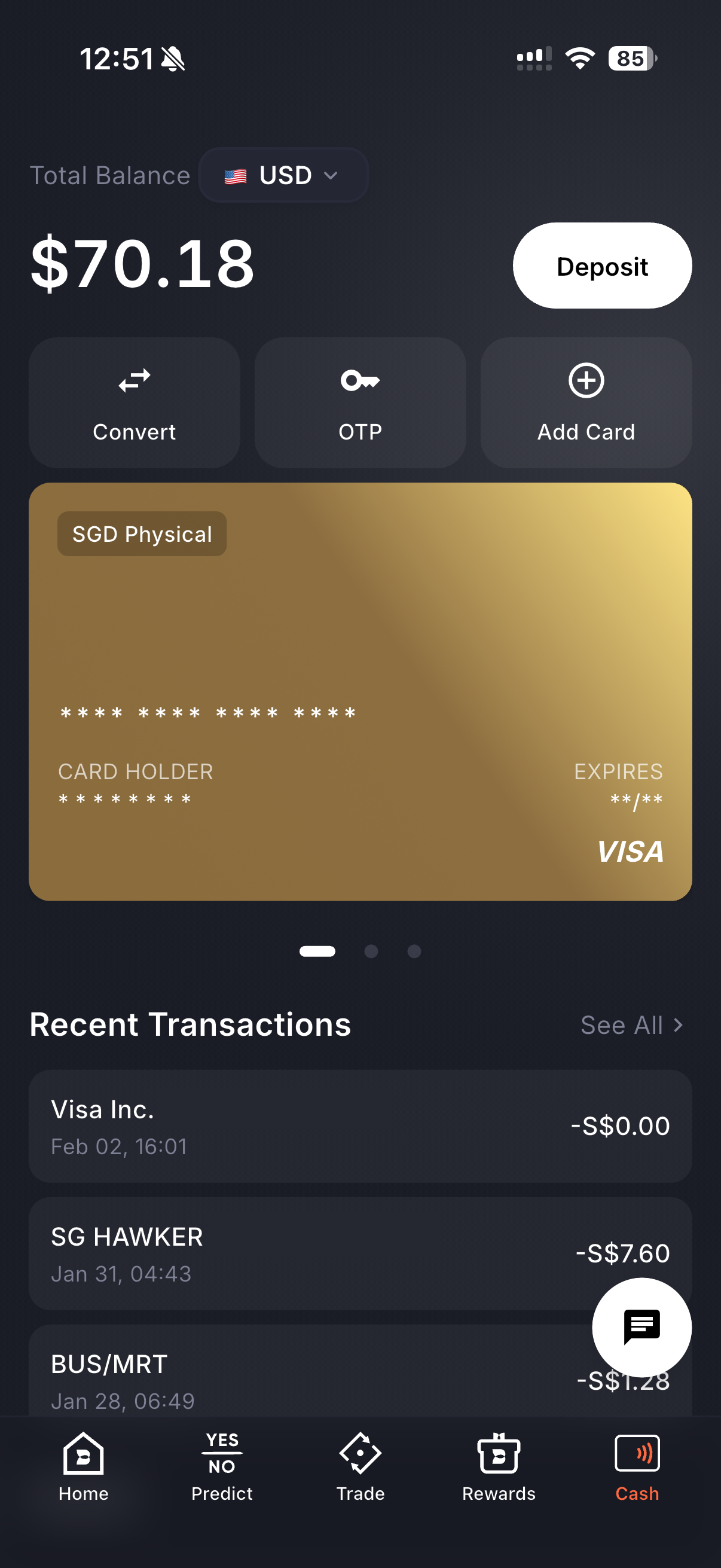
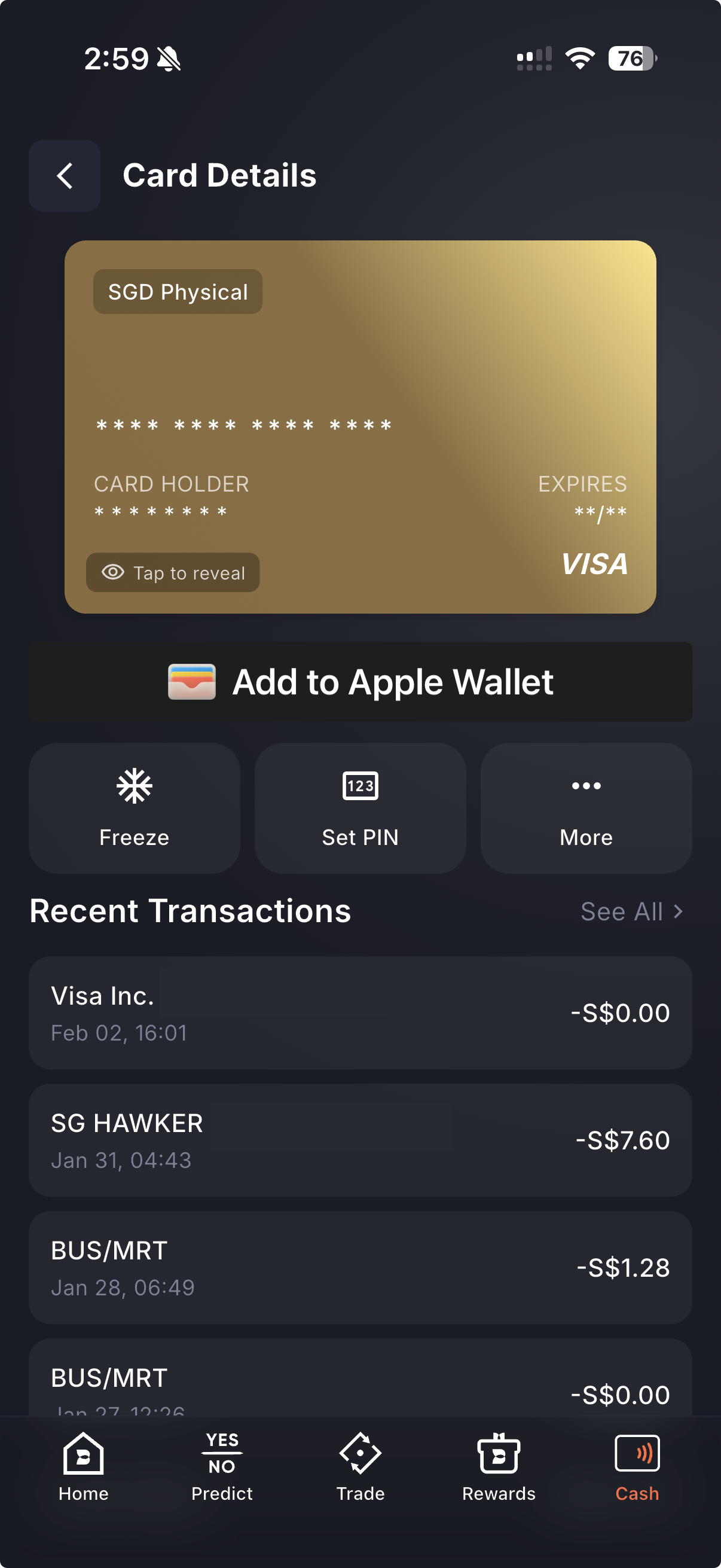
Spend your crypto anywhere Visa is accepted. The Based Card lives inside the app — view your balance, recent transactions, and manage your card without leaving. Convert currencies, generate OTPs for online purchases, and add additional cards as needed.

No off-ramping. No waiting. Just tap and go.

<figure><img src="https://893698931-files.gitbook.io/~/files/v0/b/gitbook-x-prod.appspot.com/o/spaces%2FD195DGgjp8wD1XdWWTcZ%2Fuploads%2Fgit-blob-5ef91983fe6d6fb70fdd39834cadb34525b65cd9%2Fcard.PNG?alt=media" alt="" width="300"><figcaption></figcaption></figure>

***

## PnL Calendar

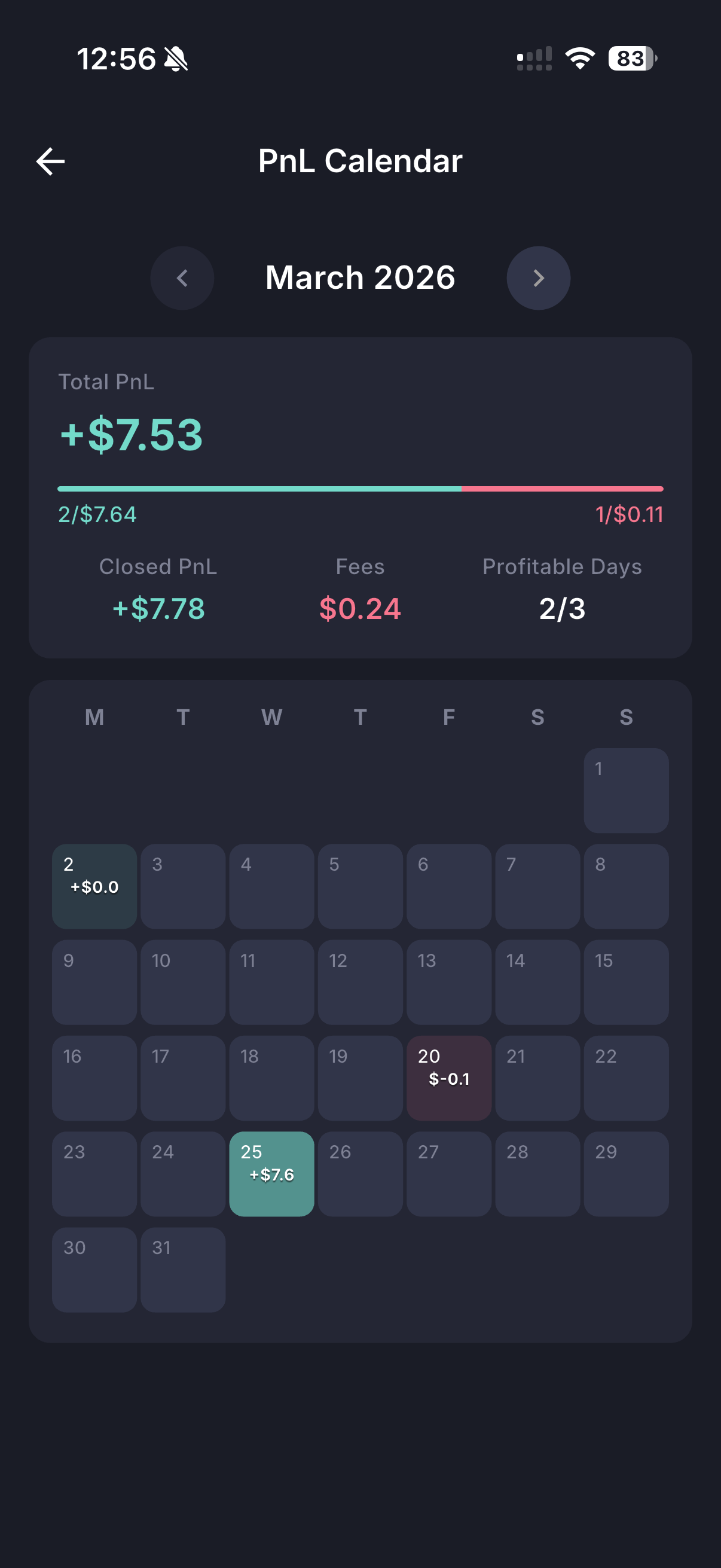
Track your daily trading performance with a visual calendar view. See your Total PnL, Closed PnL, Fees, and Profitable Days for any month. Green days and red days — laid out clearly so you can spot patterns and refine your strategy over time.

<figure><img src="https://893698931-files.gitbook.io/~/files/v0/b/gitbook-x-prod.appspot.com/o/spaces%2FD195DGgjp8wD1XdWWTcZ%2Fuploads%2Fgit-blob-7ea750e81cebe9ef433e661592795d5a4178b764%2Fpnl-calendar.PNG?alt=media" alt="" width="300"><figcaption></figcaption></figure>

***

## Hyperliquid Vaults

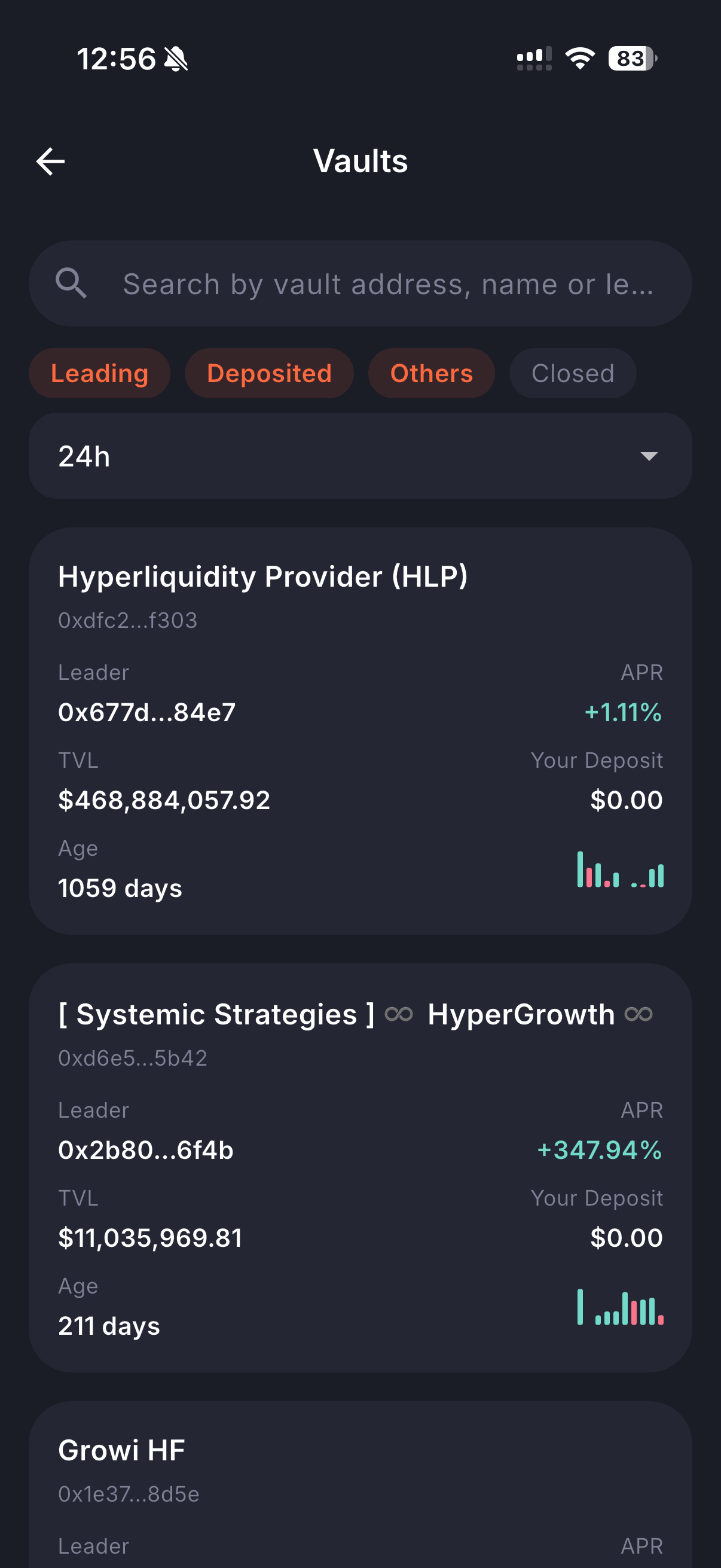
Browse and deposit into Hyperliquid Vaults without leaving the app. Filter by Leading, Deposited, Others, or Closed. Each vault shows its Leader, APR, TVL, Age, and performance chart — giving you everything you need to evaluate before committing capital.

<figure><img src="https://893698931-files.gitbook.io/~/files/v0/b/gitbook-x-prod.appspot.com/o/spaces%2FD195DGgjp8wD1XdWWTcZ%2Fuploads%2Fgit-blob-83c238413cdc7d65b5e9840ef531da245e47e424%2Fhyperliquid-vaults.PNG?alt=media" alt="" width="300"><figcaption></figcaption></figure>

***

## BASED Staking

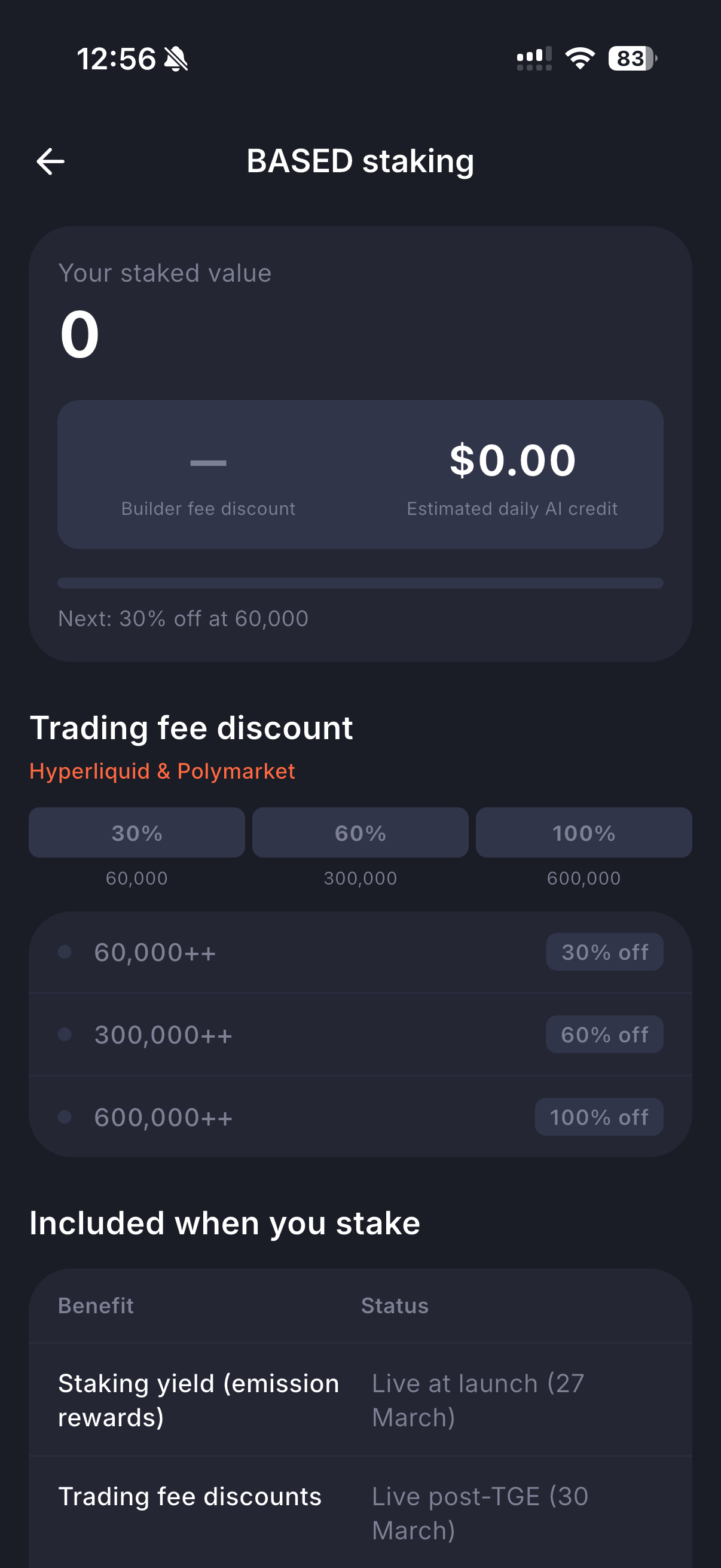
Stake BASED tokens to unlock trading fee discounts across Hyperliquid and Polymarket — up to 100% off. The more you stake, the bigger the discount. Staking also earns yield through emission rewards and daily AI credits.

<figure><img src="https://893698931-files.gitbook.io/~/files/v0/b/gitbook-x-prod.appspot.com/o/spaces%2FD195DGgjp8wD1XdWWTcZ%2Fuploads%2Fgit-blob-c37d6a6980247e8b0d5af845ab1c9413ff46183f%2Fstak-based-tokens.PNG?alt=media" alt="" width="300"><figcaption></figcaption></figure>

***

## Rewards & Leaderboard

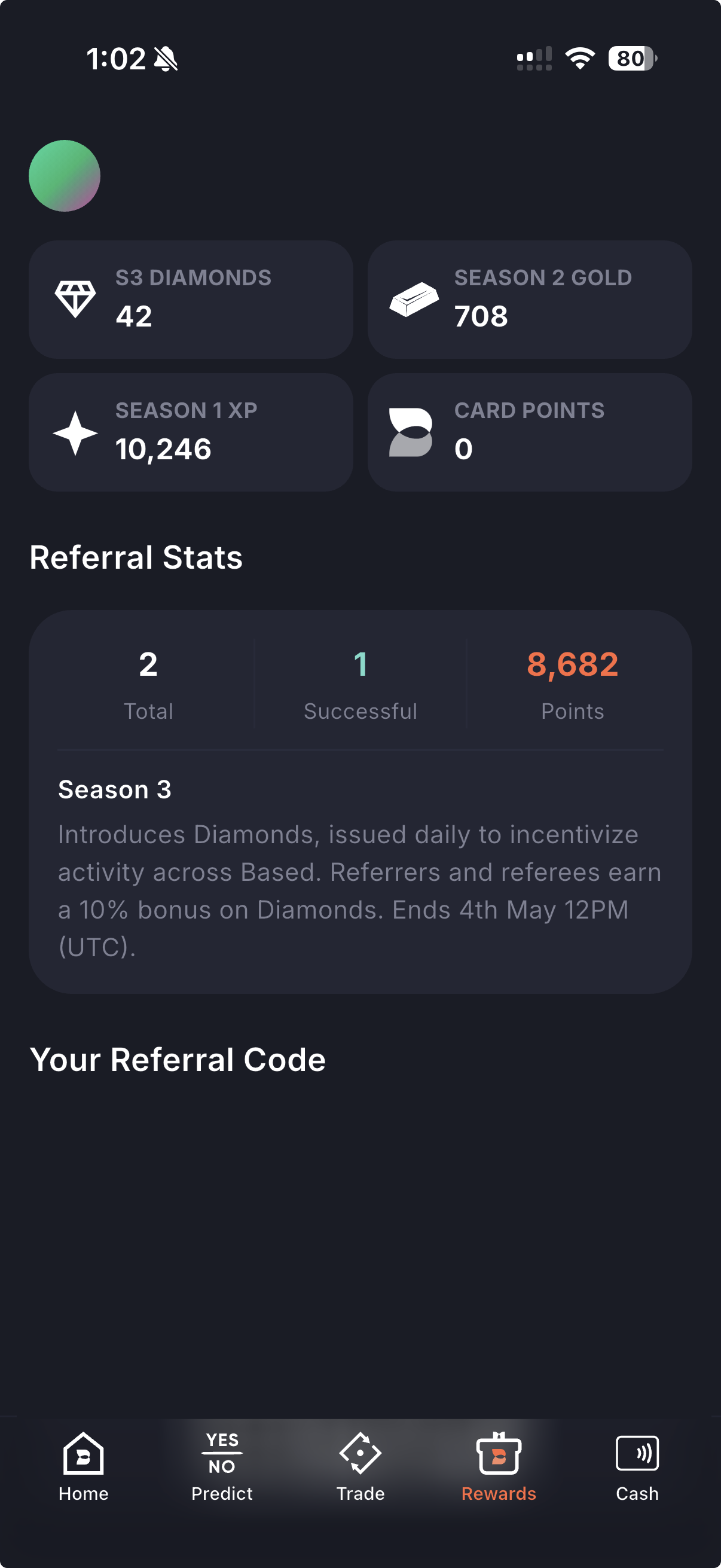
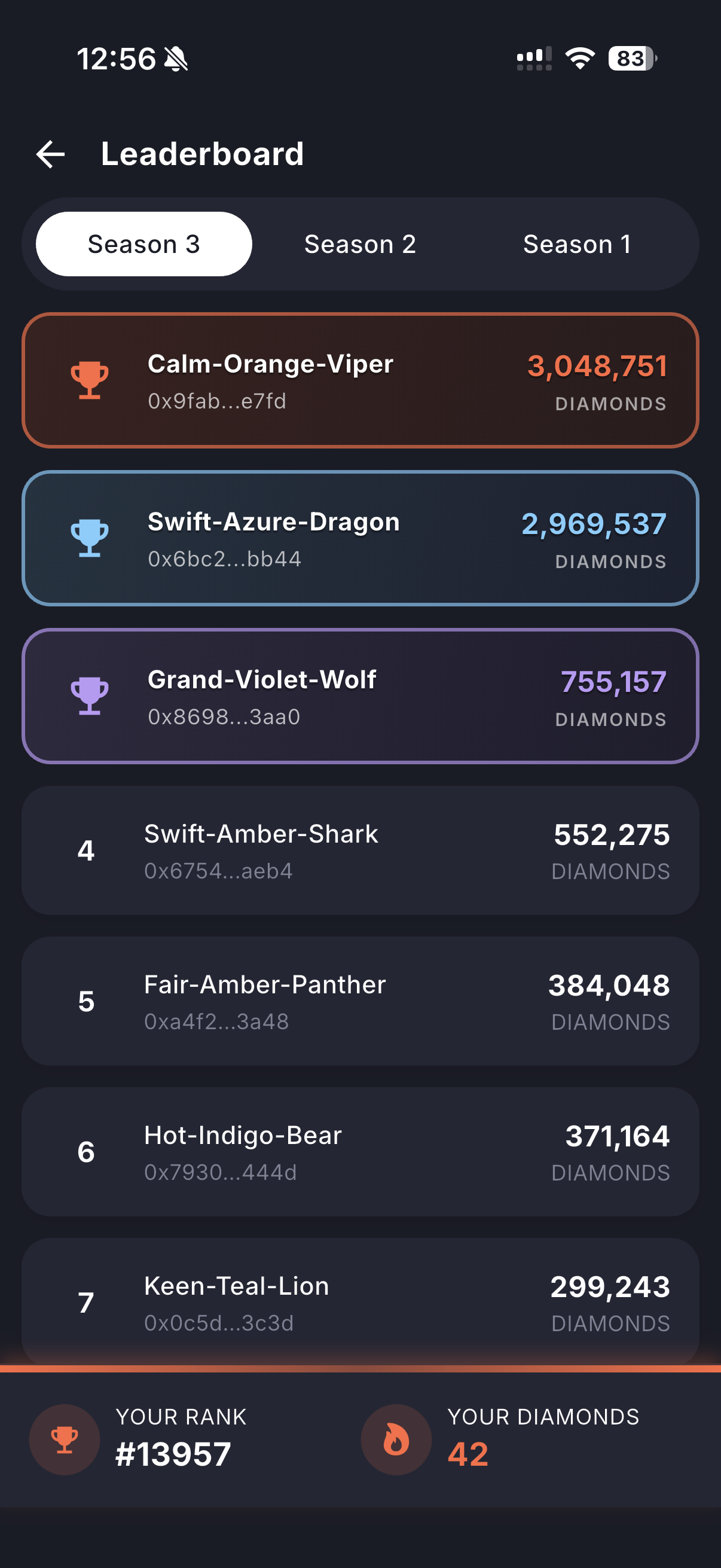
Earn Diamonds, XP, Gold, and Card Points through daily activity. Refer friends for a 10% bonus on Diamonds. Climb the seasonal Leaderboard and see how you stack up against other traders.

{% columns %}
{% column %}

<figure><img src="https://893698931-files.gitbook.io/~/files/v0/b/gitbook-x-prod.appspot.com/o/spaces%2FD195DGgjp8wD1XdWWTcZ%2Fuploads%2Fgit-blob-1dd2f8d12854913e6729edb19e5d9986288dbdab%2Frewards.png?alt=media" alt="" width="300"><figcaption></figcaption></figure>
{% endcolumn %}

{% column %}

<figure><img src="https://893698931-files.gitbook.io/~/files/v0/b/gitbook-x-prod.appspot.com/o/spaces%2FD195DGgjp8wD1XdWWTcZ%2Fuploads%2Fgit-blob-900cfe0504f94b09cbc157a34ea6d79ecae9f394%2Fleaderboard.PNG?alt=media" alt="" width="300"><figcaption></figcaption></figure>
{% endcolumn %}
{% endcolumns %}

***

## Getting Started

Whether you're new to crypto or already have a wallet, Based makes onboarding effortless:

* **New to Crypto?**

  Sign up with your email or Google account and create a self-custodial wallet in seconds.
* **Already Have a Wallet?**

  Use Connect Mobile to link your existing wallet. Based will help you place trades, but never takes custody of your funds.

We don't store your keys. You're always in control.

[Get the app on iOS](https://apps.apple.com/us/app/basedapp-crypto-wallet/id6747331142) | [Get the app on Android](https://play.google.com/store/apps/details?id=com.basedapp.basedsuperapp\&pli=1)


# Prediction

Based integrates PolyMarket prediction markets directly alongside perpetuals and spot trading on Hyperliquid — all within a single app. Move seamlessly between trading and predictions without worrying about bridging, deposits, or withdrawals.

Explore hundreds of markets across categories including Crypto, Sports, Finance, Elections, Politics, Geopolitics, Tech, Culture, and more.

You can access the prediction interface at: <https://app.based.one/predict>

***

## Web Features

### Market Views

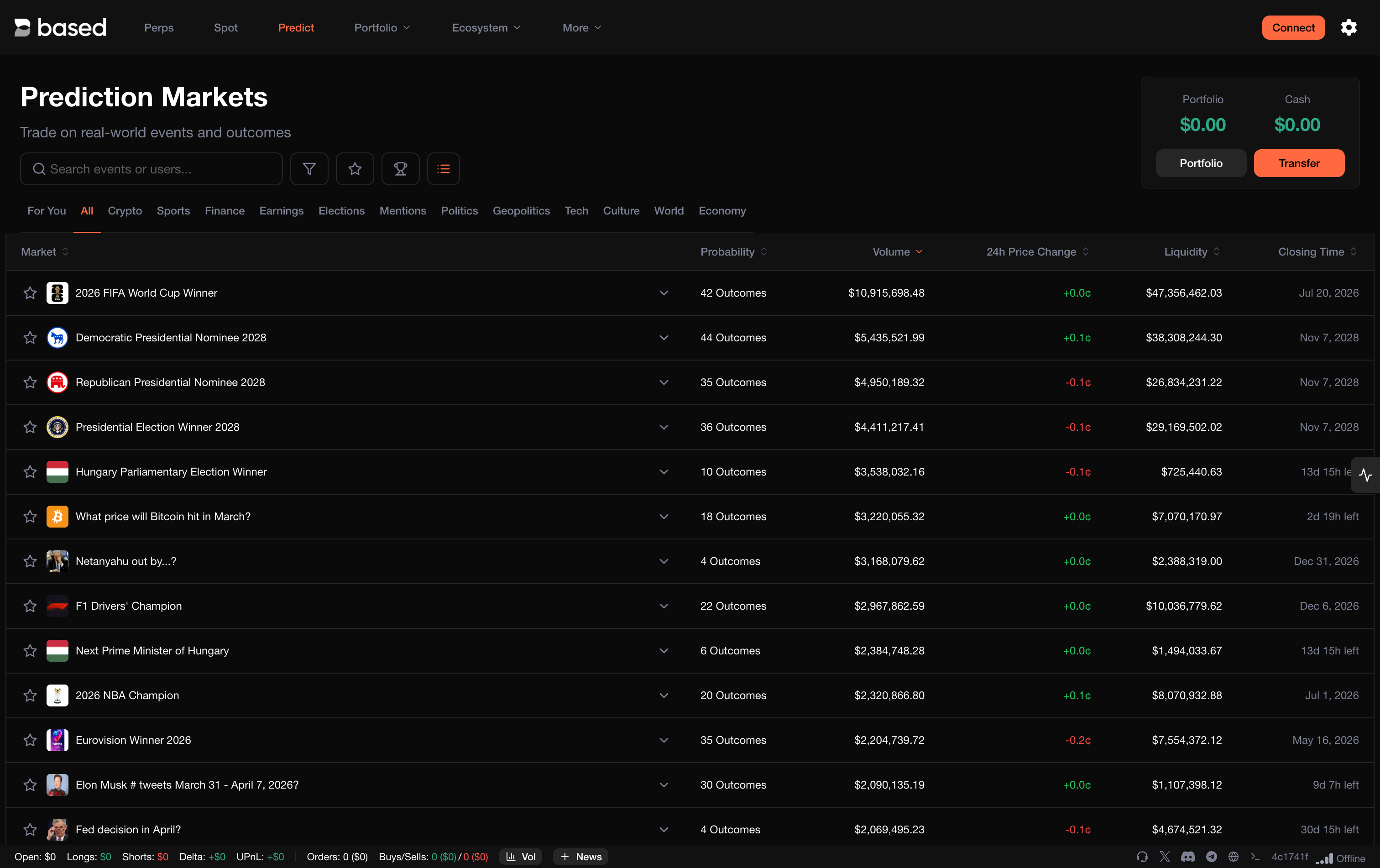
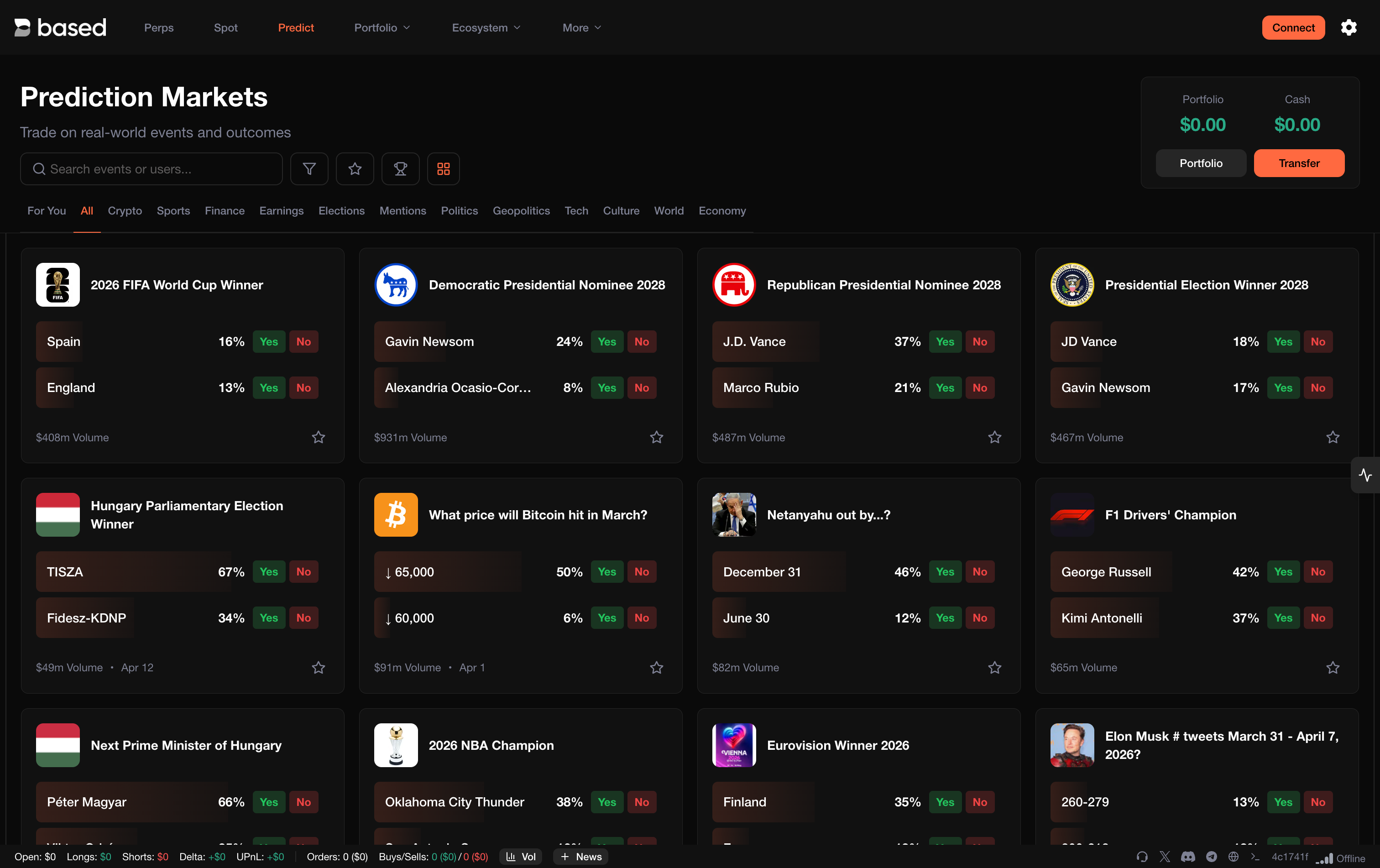
Browse markets in **list view** for a detailed table with probability, volume, 24h price change, liquidity, and closing time — or switch to **card view** for a visual overview of top outcomes with quick Yes/No trading.

<figure><img src="https://893698931-files.gitbook.io/~/files/v0/b/gitbook-x-prod.appspot.com/o/spaces%2FD195DGgjp8wD1XdWWTcZ%2Fuploads%2Fgit-blob-636ca97bb2348bcd180c7832410fea3497324524%2Fpredict-web-list.png?alt=media" alt=""><figcaption><p>List view</p></figcaption></figure>

<figure><img src="https://893698931-files.gitbook.io/~/files/v0/b/gitbook-x-prod.appspot.com/o/spaces%2FD195DGgjp8wD1XdWWTcZ%2Fuploads%2Fgit-blob-efacdfca6b47ef3538d9e2c2128e7532d8b254f4%2Fpredict-web-card.png?alt=media" alt=""><figcaption><p>Card view</p></figcaption></figure>

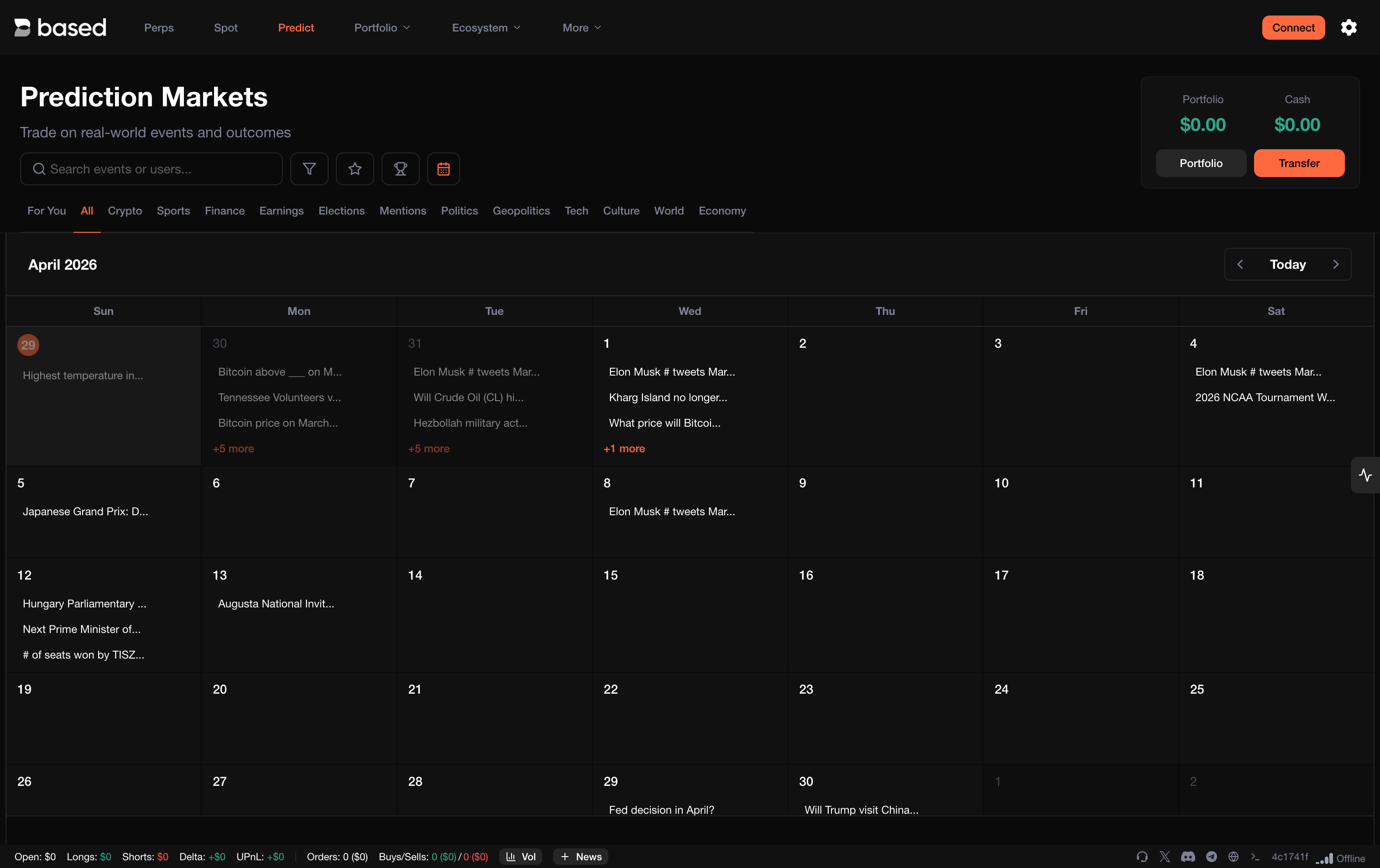
A **calendar view** is also available, showing markets organized by their event dates for easy planning.

<figure><img src="https://893698931-files.gitbook.io/~/files/v0/b/gitbook-x-prod.appspot.com/o/spaces%2FD195DGgjp8wD1XdWWTcZ%2Fuploads%2Fgit-blob-a1ca890cbee16d38e32e04cf23db1718d4b2cad1%2Fpredict-web-calendar.png?alt=media" alt=""><figcaption><p>Calendar view</p></figcaption></figure>

### Filters & Sorting

Use the advanced filter panel to narrow down markets by status, volume, liquidity, date ranges, and sort order — making it easy to find the most opportune markets.

<figure><img src="https://893698931-files.gitbook.io/~/files/v0/b/gitbook-x-prod.appspot.com/o/spaces%2FD195DGgjp8wD1XdWWTcZ%2Fuploads%2Fgit-blob-c1279c5f714c0a5e7eaaec59b03fd19154d941ba%2Fpredict-web-filters.png?alt=media" alt=""><figcaption><p>Filter &#x26; sort panel</p></figcaption></figure>

### Top Traders

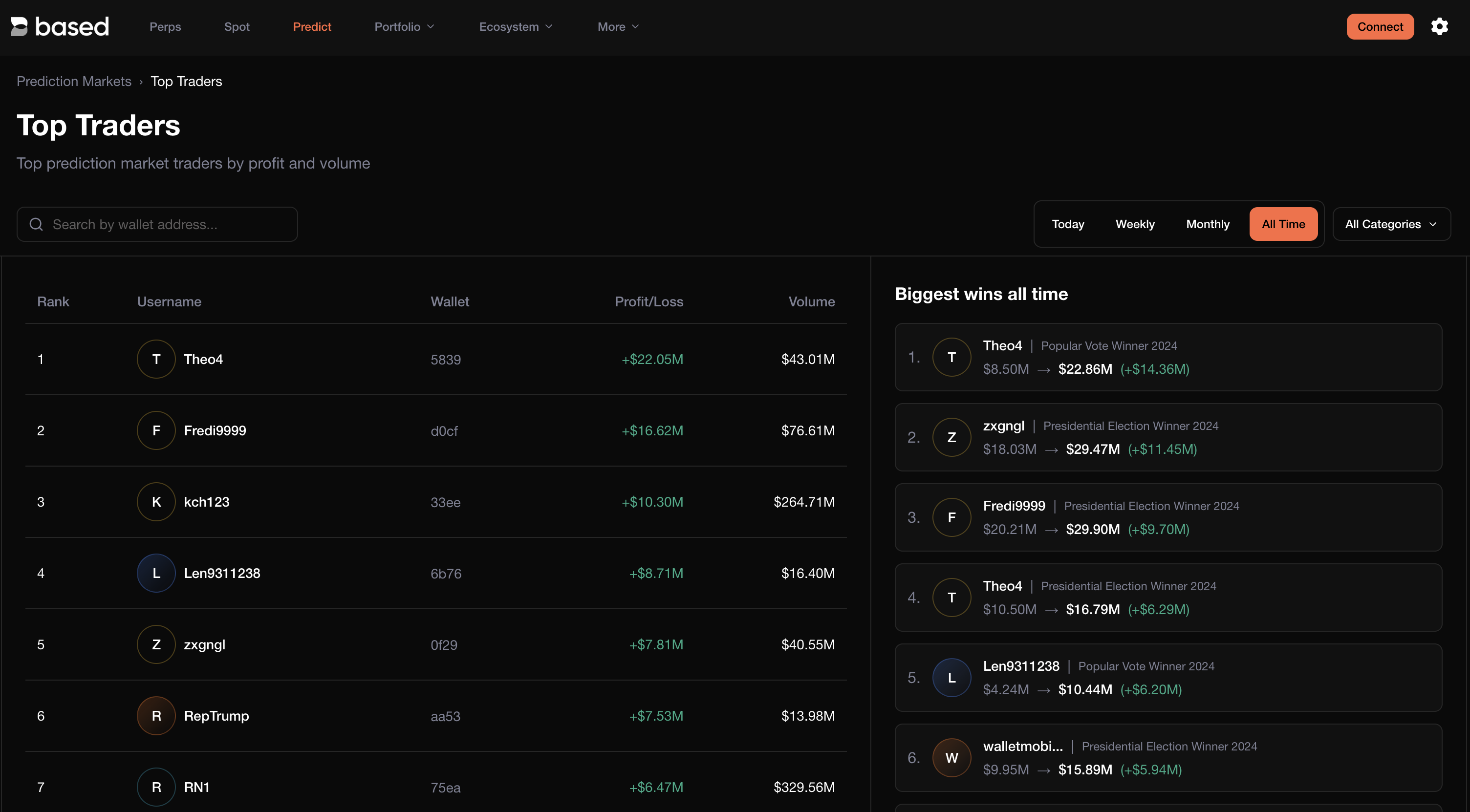
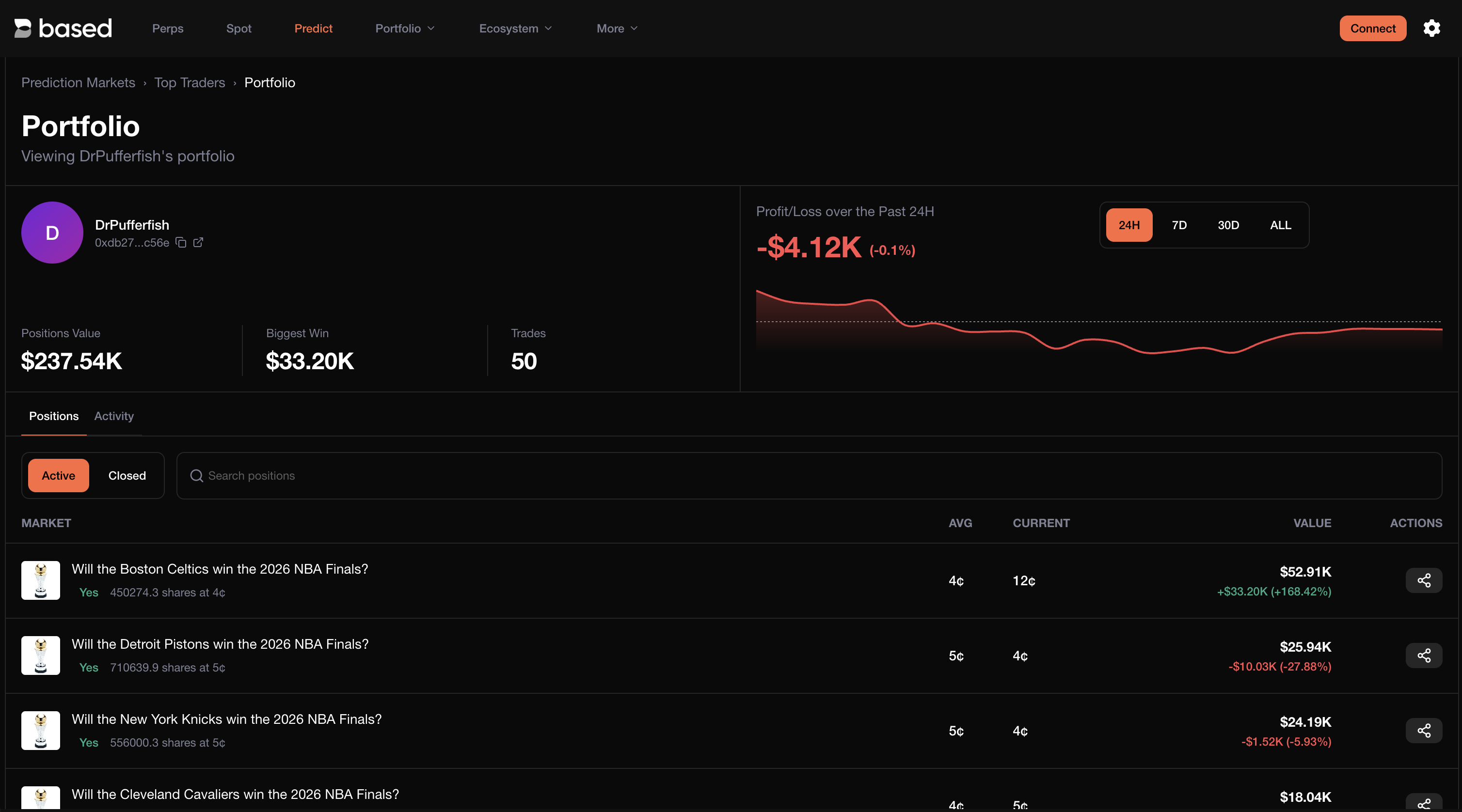
View the leaderboard of top prediction market traders ranked by profit and volume. Analyze the biggest wins of all time and study top traders' strategies to inform your own positions.

<figure><img src="https://893698931-files.gitbook.io/~/files/v0/b/gitbook-x-prod.appspot.com/o/spaces%2FD195DGgjp8wD1XdWWTcZ%2Fuploads%2Fgit-blob-989e6505b4af2e23a8c6681190116190a2f3daf8%2Fpredict-web-top-traders.png?alt=media" alt=""><figcaption><p>Top traders leaderboard</p></figcaption></figure>

### Trader Analysis

Dive into any trader's portfolio to see their portfolio value, biggest win, total trades, profit/loss chart, and active or closed positions.

<figure><img src="https://893698931-files.gitbook.io/~/files/v0/b/gitbook-x-prod.appspot.com/o/spaces%2FD195DGgjp8wD1XdWWTcZ%2Fuploads%2Fgit-blob-b9b432a7cfd70640ced69a0308386f4ec5c687fc%2Fpredict-web-trader-analysis.png?alt=media" alt=""><figcaption><p>Trader portfolio analysis</p></figcaption></figure>

***

## Mobile App

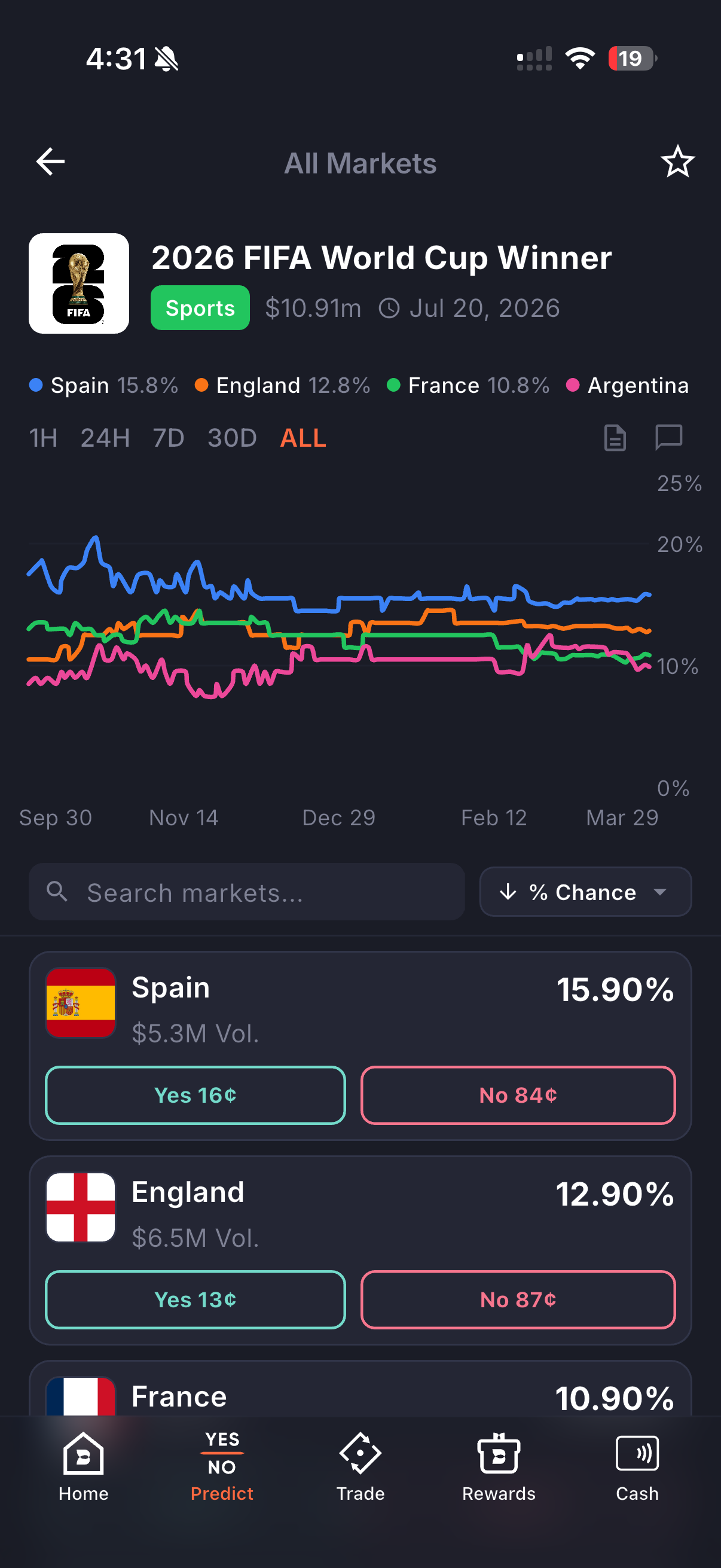
Prediction markets are fully available on the Based mobile app. Browse trending markets, manage your portfolio, and trade Yes/No contracts on the go.

<figure><img src="https://893698931-files.gitbook.io/~/files/v0/b/gitbook-x-prod.appspot.com/o/spaces%2FD195DGgjp8wD1XdWWTcZ%2Fuploads%2Fgit-blob-4831cc75a8c6fa84c47a2351d9820eef05c0d95e%2Fpredict-mobile-home.png?alt=media" alt="" width="300"><figcaption><p>Mobile prediction home</p></figcaption></figure>

<figure><img src="https://893698931-files.gitbook.io/~/files/v0/b/gitbook-x-prod.appspot.com/o/spaces%2FD195DGgjp8wD1XdWWTcZ%2Fuploads%2Fgit-blob-df4f5820f26004ea611c0c26cca655927d45ef50%2Fpredict-mobile-event.png?alt=media" alt="" width="300"><figcaption><p>Mobile event detail with price chart</p></figcaption></figure>

***

## Trading Fees

Trading fees are calculated as a variable percentage of the expected payout for each contract. This expected payout is determined by taking the maximum possible earnings and multiplying it by the implied probability of achieving those earnings (which is simply the contract price divided by $1). Fees are applied for buys / opening of positions. Sells/closing of positions do not incur fees as of 12 Dec 2025.

The fee you pay for a trade, in dollars, follows this formula:

fee = round up (0.07 × C × P × (1 – P))

Where:

* P is the contract price in dollars (e.g., 50 cents = 0.5)
* C is the number of contracts being traded
* round up means the amount is rounded up to the nearest cent

| Price of 1 Contract | Fee for 1 Contract | Price of 100 Contract | Fee for 100 Contract |
| ------------------- | ------------------ | --------------------- | -------------------- |
| $0.01               | $0.01              | $1.00                 | $0.07                |
| $0.05               | $0.01              | $5.00                 | $0.34                |
| $0.10               | $0.01              | $10.00                | $0.63                |
| $0.15               | $0.01              | $15.00                | $0.90                |
| $0.20               | $0.02              | $20.00                | $1.12                |
| $0.25               | $0.02              | $25.00                | $1.32                |
| $0.30               | $0.02              | $30.00                | $1.47                |
| $0.35               | $0.02              | $35.00                | $1.60                |
| $0.40               | $0.02              | $40.00                | $1.68                |
| $0.45               | $0.02              | $45.00                | $1.74                |
| $0.50               | $0.02              | $50.00                | $1.75                |
| $0.55               | $0.02              | $55.00                | $1.74                |
| $0.60               | $0.02              | $60.00                | $1.68                |
| $0.65               | $0.02              | $65.00                | $1.60                |
| $0.70               | $0.02              | $70.00                | $1.47                |
| $0.75               | $0.02              | $75.00                | $1.32                |
| $0.80               | $0.02              | $80.00                | $1.12                |
| $0.85               | $0.01              | $85.00                | $0.90                |
| $0.90               | $0.01              | $90.00                | $0.63                |
| $0.95               | $0.01              | $95.00                | $0.34                |
| $0.99               | $0.01              | $99.00                | $0.07                |

\
Based charges an additional 1% on top of the Polymarket Trading Fees above for transactions.

***

## Access Restrictions

{% hint style="warning" %}
Prediction market features may not be available in certain jurisdictions due to regulatory requirements.
{% endhint %}


# Fees

**Summary**

The following fees are charged on Based before any HYPE or BASED staking discount.&#x20;

| Assets                   | Taker  | Maker  |
| ------------------------ | ------ | ------ |
| Perps (with growth mode) | 0.011% | 0.005% |
| Perps                    | 0.07%  | 0.04%  |

Some markets on Hyperliquid has growth-mode enabled by Hyperliquid Protocol. Usually, equity perps deployed by XYZ has growth-mode enabled.&#x20;

When you trade on Based, your total fee is made up of two parts:

1. **Hyperliquid trading fee** — set by Hyperliquid based on your volume tier and staking level
2. **Based builder fee** — a small fee added by Based on top of the Hyperliquid fee

Your **total fee = Hyperliquid trading fee + Based builder fee**.

## Total Fees at a Glance

### Without staking

| Market             | Action     | HL Fee (Taker) | Based Builder Fee | Total      |
| ------------------ | ---------- | -------------- | ----------------- | ---------- |
| Perp               | Buy / Sell | 0.045%         | 0.025%            | **0.070%** |
| Perp (Growth Mode) | Buy / Sell | 0.009%         | 0.002%            | **0.011%** |
| Spot               | Buy        | 0.070%         | None              | **0.070%** |
| Spot               | Sell       | 0.070%         | 0.1%              | **0.170%** |

### With Diamond $BASED staking (600,000+ $BASED)

| Market | Action     | HL Fee (Taker) | Based Builder Fee | Total      |
| ------ | ---------- | -------------- | ----------------- | ---------- |
| Perp   | Buy / Sell | 0.045%         | 0%                | **0.045%** |
| Spot   | Buy        | 0.070%         | None              | **0.070%** |
| Spot   | Sell       | 0.070%         | 0%                | **0.070%** |

Maker fees are lower — see the full tier tables below.

Both parts of the fee can be reduced:

* **HL trading fee** — reduced by volume tiers and [HYPE staking](#staking-tiers)
* **Based builder fee** — reduced by [$BASED staking](#based-staking-discounts) (up to 100% off)

Majority of builder fees (up to 76%) are redistributed as affiliate rewards to our community. See our [Affiliate Program](/docs/based/affiliate-program) for details.

***

## Hyperliquid Trading Fees

Trading fees are based on your rolling 14-day volume and are assessed at the end of each day in UTC. Sub-account volume counts toward the master account and all sub-accounts share the same fee tier. Vault volume is treated separately from the master account. Referral rewards apply for a user's first $1B in volume and referral discounts apply for a user's first $25M in volume.

Maker rebates are paid out continuously on each trade directly to the trading wallet. Users can claim referral rewards from the Referrals page.

There are separate fee schedules for perps vs spot. Perps and spot volume will be counted together to determine your fee tier, and spot volume will count double toward your fee tier. i.e., `(14d weighted volume) = (14d perps volume) + 2 * (14d spot volume)`

### Perps fee tiers

| Tier | 14d Volume ($) | Base Taker | Base Maker | Diamond Taker | Diamond Maker | Platinum Taker | Platinum Maker | Gold Taker | Gold Maker | Silver Taker | Silver Maker | Bronze Taker | Bronze Maker | Wood Taker | Wood Maker |
| ---- | -------------- | ---------- | ---------- | ------------- | ------------- | -------------- | -------------- | ---------- | ---------- | ------------ | ------------ | ------------ | ------------ | ---------- | ---------- |
| 0    |                | 0.045%     | 0.015%     | 0.0270%       | 0.0090%       | 0.0315%        | 0.0105%        | 0.0360%    | 0.0120%    | 0.0383%      | 0.0128%      | 0.0405%      | 0.0135%      | 0.0428%    | 0.0143%    |
| 1    | >5M            | 0.040%     | 0.012%     | 0.0240%       | 0.0072%       | 0.0280%        | 0.0084%        | 0.0320%    | 0.0096%    | 0.0340%      | 0.0102%      | 0.0360%      | 0.0108%      | 0.0380%    | 0.0114%    |
| 2    | >25M           | 0.035%     | 0.008%     | 0.0210%       | 0.0048%       | 0.0245%        | 0.0056%        | 0.0280%    | 0.0064%    | 0.0298%      | 0.0068%      | 0.0315%      | 0.0072%      | 0.0333%    | 0.0076%    |
| 3    | >100M          | 0.030%     | 0.004%     | 0.0180%       | 0.0024%       | 0.0210%        | 0.0028%        | 0.0240%    | 0.0032%    | 0.0255%      | 0.0034%      | 0.0270%      | 0.0036%      | 0.0285%    | 0.0038%    |
| 4    | >500M          | 0.028%     | 0.000%     | 0.0168%       | 0.0000%       | 0.0196%        | 0.0000%        | 0.0224%    | 0.0000%    | 0.0238%      | 0.0000%      | 0.0252%      | 0.0000%      | 0.0266%    | 0.0000%    |
| 5    | >2B            | 0.026%     | 0.000%     | 0.0156%       | 0.0000%       | 0.0182%        | 0.0000%        | 0.0208%    | 0.0000%    | 0.0221%      | 0.0000%      | 0.0234%      | 0.0000%      | 0.0247%    | 0.0000%    |
| 6    | >7B            | 0.024%     | 0.000%     | 0.0144%       | 0.0000%       | 0.0168%        | 0.0000%        | 0.0192%    | 0.0000%    | 0.0204%      | 0.0000%      | 0.0216%      | 0.0000%      | 0.0228%    | 0.0000%    |

### Spot fee tiers

| Tier | 14d Volume ($) | Base Taker | Base Maker | Diamond Taker | Diamond Maker | Platinum Taker | Platinum Maker | Gold Taker | Gold Maker | Silver Taker | Silver Maker | Bronze Taker | Bronze Maker | Wood Taker | Wood Maker |
| ---- | -------------- | ---------- | ---------- | ------------- | ------------- | -------------- | -------------- | ---------- | ---------- | ------------ | ------------ | ------------ | ------------ | ---------- | ---------- |
| 0    |                | 0.070%     | 0.040%     | 0.0420%       | 0.0240%       | 0.0490%        | 0.0280%        | 0.0560%    | 0.0320%    | 0.0595%      | 0.0340%      | 0.0630%      | 0.0360%      | 0.0665%    | 0.0380%    |
| 1    | >5M            | 0.060%     | 0.030%     | 0.0360%       | 0.0180%       | 0.0420%        | 0.0210%        | 0.0480%    | 0.0240%    | 0.0510%      | 0.0255%      | 0.0540%      | 0.0270%      | 0.0570%    | 0.0285%    |
| 2    | >25M           | 0.050%     | 0.020%     | 0.0300%       | 0.0120%       | 0.0350%        | 0.0140%        | 0.0400%    | 0.0160%    | 0.0425%      | 0.0170%      | 0.0450%      | 0.0180%      | 0.0475%    | 0.0190%    |
| 3    | >100M          | 0.040%     | 0.010%     | 0.0240%       | 0.0060%       | 0.0280%        | 0.0070%        | 0.0320%    | 0.0080%    | 0.0340%      | 0.0085%      | 0.0360%      | 0.0090%      | 0.0380%    | 0.0095%    |
| 4    | >500M          | 0.035%     | 0.000%     | 0.0210%       | 0.0000%       | 0.0245%        | 0.0000%        | 0.0280%    | 0.0000%    | 0.0298%      | 0.0000%      | 0.0315%      | 0.0000%      | 0.0333%    | 0.0000%    |
| 5    | >2B            | 0.030%     | 0.000%     | 0.0180%       | 0.0000%       | 0.0210%        | 0.0000%        | 0.0240%    | 0.0000%    | 0.0255%      | 0.0000%      | 0.0270%      | 0.0000%      | 0.0285%    | 0.0000%    |
| 6    | >7B            | 0.025%     | 0.000%     | 0.0150%       | 0.0000%       | 0.0175%        | 0.0000%        | 0.0200%    | 0.0000%    | 0.0213%      | 0.0000%      | 0.0225%      | 0.0000%      | 0.0238%    | 0.0000%    |

### Staking tiers

Staking HYPE reduces your Hyperliquid trading fees. These discounts apply to the HL fee portion only.

| Tier     | HYPE staked | Trading fee discount |
| -------- | ----------- | -------------------- |
| Wood     | >10         | 5%                   |
| Bronze   | >100        | 10%                  |
| Silver   | >1,000      | 15%                  |
| Gold     | >10,000     | 20%                  |
| Platinum | >100,000    | 30%                  |
| Diamond  | >500,000    | 40%                  |

### Maker rebates

| Tier | 14d weighted maker volume | Maker fee |
| ---- | ------------------------- | --------- |
| 1    | >0.5%                     | -0.001%   |
| 2    | >1.5%                     | -0.002%   |
| 3    | >3.0%                     | -0.003%   |

***

## Based Builder Fees

Based charges a builder fee on top of Hyperliquid trading fees:

| Market | Action     | Builder Fee |
| ------ | ---------- | ----------- |
| Perp   | Buy / Sell | 0.025%      |
| Spot   | Buy        | None        |
| Spot   | Sell       | 0.1%        |

### $BASED Staking Discounts

Stake $BASED to reduce your Based builder fees. Diamond tier eliminates builder fees entirely. See [Staking](/docs/based/staking) for full details.

| Tier    | $BASED Staked | Builder Fee Discount |
| ------- | ------------: | -------------------: |
| —       |      < 60,000 |                   0% |
| Silver  |       60,000+ |                  30% |
| Gold    |      300,000+ |                  60% |
| Diamond |      600,000+ |                 100% |

**Example — Spot sell builder fee (0.1%):**

| Tier           | Builder Fee After Discount |
| -------------- | -------------------------: |
| No stake       |                      0.10% |
| Silver (60K)   |                      0.07% |
| Gold (300K)    |                      0.04% |
| Diamond (600K) |                         0% |

***

## HIP-3 Assets

**Growth mode OFF**

* User trading fees are 2x the usual fee of validator-operated perps. Documented [here](https://hyperliquid.gitbook.io/hyperliquid-docs/hyperliquid-improvement-proposals-hips/hip-3-builder-deployed-perpetuals)
* Builder fees don't change

**Growth mode ON**

* 80% fee reduction for all Growth Mode perpetual markets. Hyperliquid protocol has enabled growth mode on most xyz markets
* Based charges a flat builder fee of 0.002% (reduced from 0.025%).

***

## Prediction Market Fees

For full details on prediction market fees, see our [Prediction Markets page](/docs/based/prediction)


# Affiliate Program

Whether you're a trader, card user, content creator, or community builder, you can earn recurring commissions as your network grows — for life.

Anyone can sign up and register as an affiliate at: <https://app.based.one/affiliate/portal>

***

## Cards

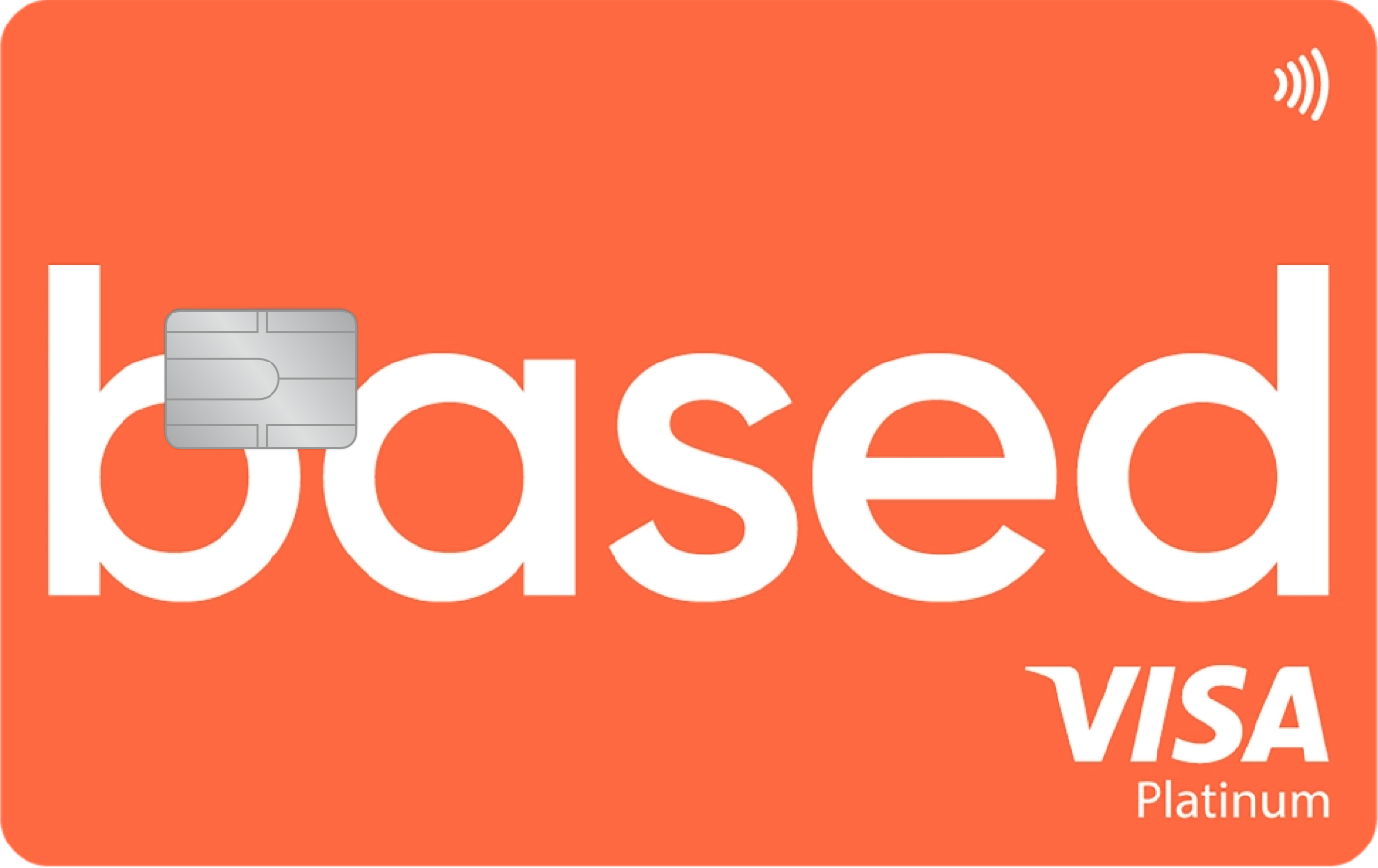
<figure><img src="https://893698931-files.gitbook.io/~/files/v0/b/gitbook-x-prod.appspot.com/o/spaces%2FD195DGgjp8wD1XdWWTcZ%2Fuploads%2FtKIKlh99bskbFzK6dMiR%2FBased%20Cards%20Affiliate%20Program%20v3.png?alt=media&amp;token=b3b0f524-7436-409b-9e06-dd5096a551f0" alt=""><figcaption></figcaption></figure>

Earn up to 30% referrals on your users' cashback spend.<br>

Designed to better reward partners who help grow the Based Card ecosystem and bring in active users, affiliates will earn 30% of the cashback generated by every user they refer. You do not need a card to be earning card referral cashback.

All existing Based affiliates will be automatically upgraded to the new program, with no further action required.

The cards affiliate program went live on 15 Apr 2026 and concluded on 30 Jun 2026.

***

## Trading

Earn up to 76% of trading fees across three tiers, as well as [Based Points](/docs/based/based-points).

### Commission Structure

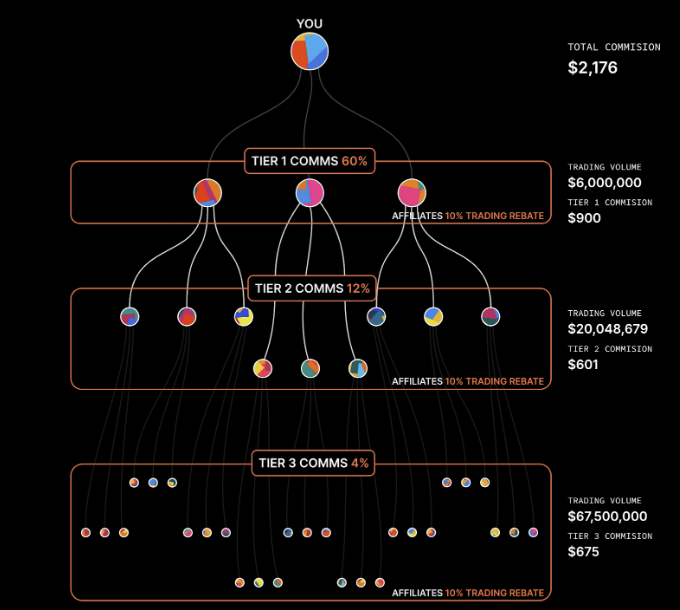
Based features a 3-tier commission model, rewarding you not just for direct referrals but also for second and third-degree connections.

<figure><img src="https://893698931-files.gitbook.io/~/files/v0/b/gitbook-x-prod.appspot.com/o/spaces%2FD195DGgjp8wD1XdWWTcZ%2Fuploads%2Fgit-blob-50b0d2a017d2e7a9049048963be04cef4f100fa2%2Faffiliate-tier.png?alt=media" alt=""><figcaption><p>Multi-tier affiliate structure</p></figcaption></figure>

| Tier | Connection       | Commission            |
| ---- | ---------------- | --------------------- |
| T1   | Direct referrals | 60% of Based fees     |
| T2   | Their referrals  | 9% (boostable to 12%) |
| T3   | Extended network | 3% (boostable to 4%)  |

**Total potential earnings: up to 76% of fees across your network.**

> Even if you don't know a whale — your friend might.

###

***

## How to Get Started

{% stepper %}
{% step %}
**Get Your Affiliate Code**

Sign up at [app.based.one/affiliate/portal](https://app.based.one/affiliate/portal) and create your own affiliate code (up to 12 characters, no special symbols).
{% endstep %}

{% step %}
**Share Your Link**

Promote across social media, Discord, Telegram, blogs, or your personal website.
{% endstep %}

{% step %}
**Earn as They Trade**

Users are permanently tied to your account — you earn commissions every time they trade, for life.
{% endstep %}
{% endstepper %}

***

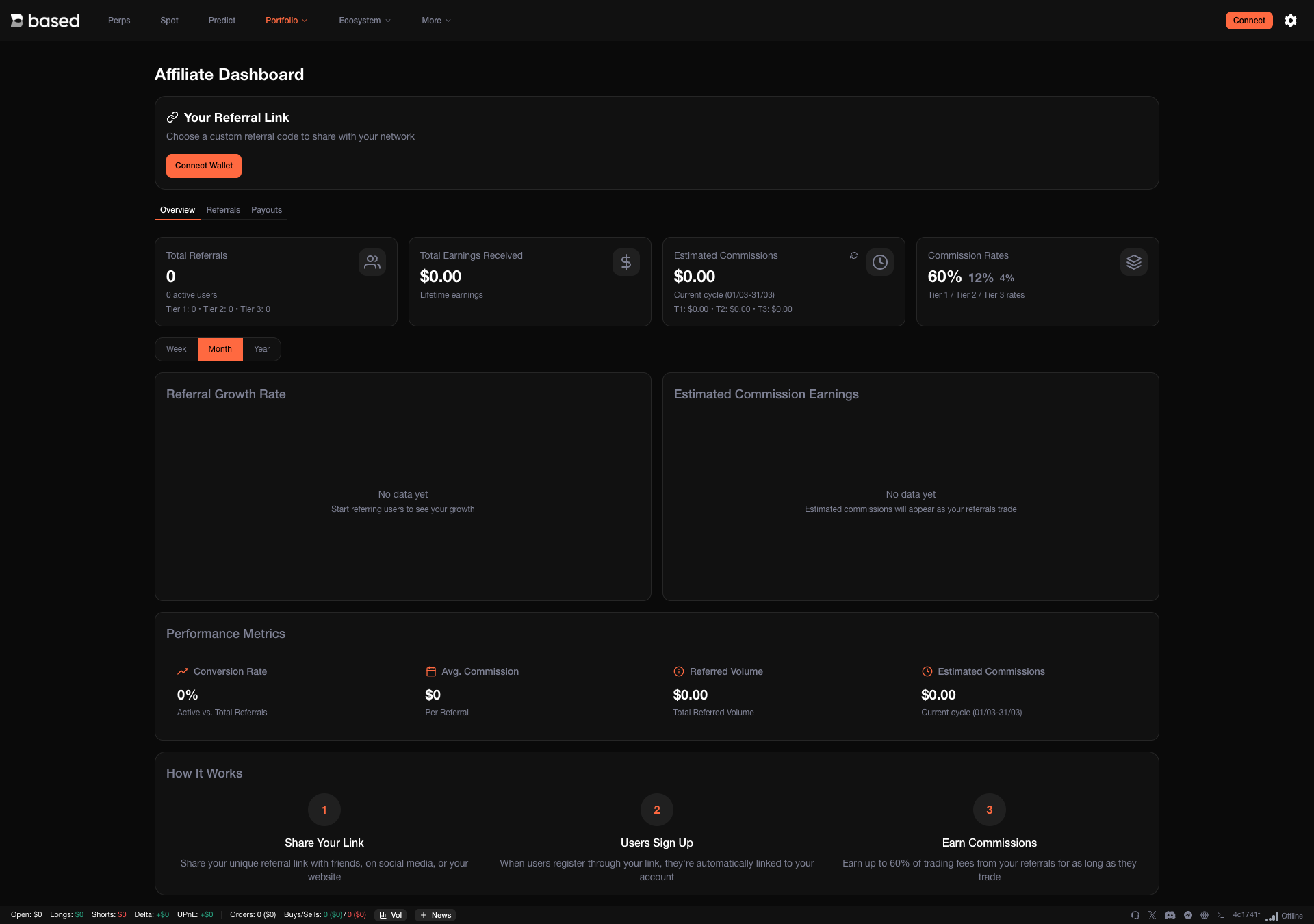
## Affiliate Dashboard

Track and optimize your referral performance with the affiliate dashboard.

<figure><img src="https://893698931-files.gitbook.io/~/files/v0/b/gitbook-x-prod.appspot.com/o/spaces%2FD195DGgjp8wD1XdWWTcZ%2Fuploads%2Fgit-blob-344937747720bd29436174a044901b0c798a2afc%2Faffiliate-dashboard.png?alt=media" alt=""><figcaption><p>Affiliate dashboard</p></figcaption></figure>

Key metrics include:

* **Referral Growth Rate** — How quickly your network is expanding
* **Conversion Rate** — How many users sign up and trade after clicking your link
* **Average Commission Per User** — How much each referred user earns you
* **Total Referred Volume** — Cumulative trading volume from your referrals
* **Estimated Future Commissions** — Forecast based on usage patterns

***

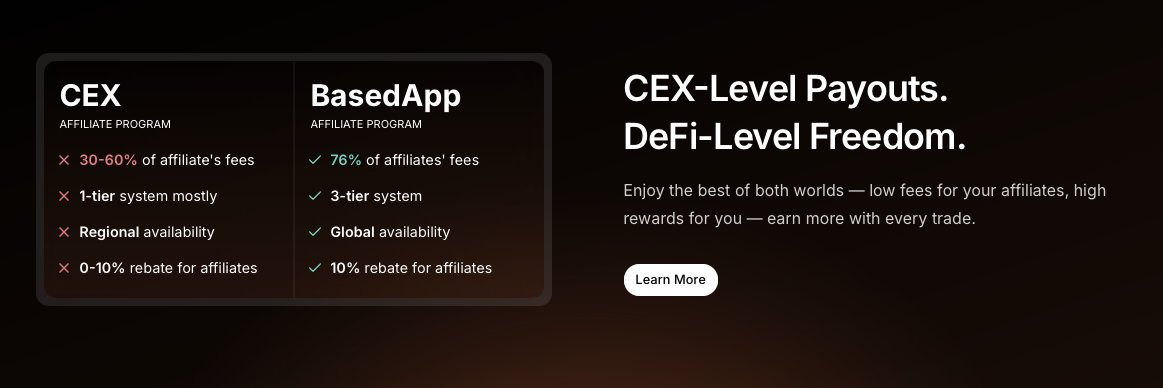
## Why Based Affiliate > CEX Affiliates

<figure><img src="https://893698931-files.gitbook.io/~/files/v0/b/gitbook-x-prod.appspot.com/o/spaces%2FD195DGgjp8wD1XdWWTcZ%2Fuploads%2Fgit-blob-93530631eb84cc4e35ec0ba82026be29ca69092a%2Faffiliate-cex-comparison.png?alt=media" alt=""><figcaption><p>CEX-level payouts, DeFi-level freedom</p></figcaption></figure>

* **Capital efficiency** — Earn Based XP on top of Hyperliquid Points. No sacrifices.
* **Higher payouts** — Based shares most of what the platform makes back to affiliates, comparable to or better than CEX affiliate programs.
* **Extended network matters** — The only platform where your second and third-degree connections earn you commissions for life.
* **Community-aligned** — Not extractive. If you help us grow, you share in the upside.

***

## Based Ambassadorship

Active affiliates can apply to become ambassadors. Contact us through our [contact page](/docs/others/contact-us).

Due to high signup rates, there is an ongoing waitlist.

***

{% hint style="warning" %}
This communication is not directed towards users in the United Kingdom and Singapore. This content is not directed at residents of Singapore and should not be construed as an invitation to use Based or to promote the use of Digital Payment Tokens (DPT) in Singapore.
{% endhint %}


# Funding Trading Account

Getting funds into your trading account should take seconds, not minutes of navigating menus. Based gives you two fast paths — transfer crypto you already own, or buy instantly with a card.

<figure><img src="https://893698931-files.gitbook.io/~/files/v0/b/gitbook-x-prod.appspot.com/o/spaces%2FD195DGgjp8wD1XdWWTcZ%2Fuploads%2FpVgVd9JxognSRNt9JGXL%2Fimage.png?alt=media&amp;token=24c2a82c-da6f-4c7c-9f51-0a68b6787855" alt=""><figcaption></figcaption></figure>

***

## Transfer Crypto

Send any supported token from your wallet or exchange — Based auto-detects the blockchain and generates a unique deposit address for you. No manual network selection, no copy-paste errors.

<figure><img src="https://893698931-files.gitbook.io/~/files/v0/b/gitbook-x-prod.appspot.com/o/spaces%2FD195DGgjp8wD1XdWWTcZ%2Fuploads%2F9svAykVz0ALDaQALLAWS%2Fimage.png?alt=media&amp;token=aed2ca7b-7ac7-4eab-b0d5-87549ef62a1c" alt=""><figcaption></figcaption></figure>

{% stepper %}
{% step %}
**Select your token and chain**

Pick the token you want to deposit and the blockchain you're sending from. Your unique deposit address appears instantly.
{% endstep %}

{% step %}
**Send and confirm**

Transfer from your wallet or exchange. Deposits typically arrive within 5 minutes.
{% endstep %}
{% endstepper %}

***

## Buy Crypto

Don't have crypto yet? Buy directly inside the app with your credit card, Apple Pay, Google Pay, PayPal, Venmo, or Revolut. Choose your amount, pick a provider, and you're funded — no need to leave Based.

<figure><img src="https://893698931-files.gitbook.io/~/files/v0/b/gitbook-x-prod.appspot.com/o/spaces%2FD195DGgjp8wD1XdWWTcZ%2Fuploads%2FVdvBMSBYROZqXzvmojtR%2Fimage.png?alt=media&amp;token=a285873a-8cbd-4b6f-8e75-f1018e10143a" alt=""><figcaption></figcaption></figure>

{% stepper %}
{% step %}
**Choose your amount**

Enter how much you'd like to purchase in your local currency.
{% endstep %}

{% step %}
**Select a provider and pay**

Pick your preferred payment provider and complete the purchase. Funds land in your trading account automatically.
{% endstep %}
{% endstepper %}

***

{% hint style="info" %}
Once funded, you're ready to trade Perps, Spot, and more — all from the same account. [Start trading now](https://github.com/fjchng/gitbook/blob/main/trading/README.md).
{% endhint %}


# Depositing from Binance

You can fund your Hyperliquid trading account seamlessly via the BASED mobile or web app. Here's a step-by-step guide on how to do it with your Binance Account.

{% stepper %}
{% step %}
**Click Deposit**

Click deposit, as shown in the top right hand corner.

<figure><img src="https://893698931-files.gitbook.io/~/files/v0/b/gitbook-x-prod.appspot.com/o/spaces%2FD195DGgjp8wD1XdWWTcZ%2Fuploads%2Ftf5hS8h66snYahUPR4KE%2Fimage.png?alt=media&amp;token=1f38d019-3f6b-4d40-b681-c72c7c6b4b22" alt=""><figcaption></figcaption></figure>
{% endstep %}

{% step %}
**Select Chain and Token**

Select your preferred chain and token of choice (in this case, USDC on Arbitrum).

<figure><img src="https://893698931-files.gitbook.io/~/files/v0/b/gitbook-x-prod.appspot.com/o/spaces%2FD195DGgjp8wD1XdWWTcZ%2Fuploads%2FFpHyLWd7UCyTZVRZU1FC%2Fimage.png?alt=media&amp;token=a5e21406-c353-4f76-899c-6ef69625a2d8" alt=""><figcaption></figcaption></figure>
{% endstep %}

{% step %}
**Copy the Wallet Address**

Copy the wallet address. This is the wallet address to send funds to.
{% endstep %}

{% step %}
**Send from Binance**

Head to Binance, paste the wallet address and select the right token on the right chain.

<figure><img src="https://893698931-files.gitbook.io/~/files/v0/b/gitbook-x-prod.appspot.com/o/spaces%2FD195DGgjp8wD1XdWWTcZ%2Fuploads%2FqFRVEJV9WtHIx38ernTE%2Fimage.png?alt=media&amp;token=8caa1c98-7ace-4ff0-8885-1d64ea51b790" alt=""><figcaption></figcaption></figure>
{% endstep %}

{% step %}
**Confirm Deposit**

Once done, give it a couple of minutes for the deposit to arrive. Then, click the deposit button again and the amount should show up in the same view as the screenshot in Step 2. Just click deposit and you're done!
{% endstep %}
{% endstepper %}


# Based Points

There are two categories of Based Points: XP (From use of Based Terminal) + Card Points (From use of Based Cards).

{% hint style="info" %}
Season 3 has concluded. Seasons 1 and 2 have also concluded.
{% endhint %}

## Season 3 — Based Diamond System (Concluded)

**End Date: 4 May 2026, 12:00 UTC**

Season 3 Diamonds rewarded users through activity and participation on Based.

### Phases

| Phase             | Period              | Total Issuance      |
| ----------------- | ------------------- | ------------------- |
| Phase 3.1 (Ended) | 5 Jan – 12 Feb 2026 | 15,000,000 Diamonds |
| Phase 3.2 (Ended) | 13 Feb – 4 May 2026 | 35,000,000 Diamonds |

### Earning Diamonds

* Each epoch lasts **1 day**, with **432,098 Diamonds** issued per epoch.
* Diamonds are **100% allocated to Hyperliquid-related trading activities** by default. Reward calculations reflect genuine trading activity, consistent with Seasons 1 and 2.
* Referrers and referees receive a **10% bonus** on Diamonds earned.
* **No Diamonds** are allocated for prediction market activity or PUP holders.

### Claiming

* Users who signed the Terms and Conditions during the Genesis Event will receive their tokens on **11 May 2026**. No further action is required.
* Users who have not yet signed must accept the Terms and Conditions by **4 June 2026**. Tokens for this group will be released on **7 June 2026**.

### Terms

* Based reserves the right to modify Season 3 rules, allocations, eligible activities, and timelines at its sole discretion.
* Depending on new product launches, additional eligible activities may be added to the Diamond allocation during the season. Changes apply to future earnings only and will not affect previously earned Diamonds.
* Notice will be provided ahead of any adjustments.
* Exact activity weightages will not be disclosed.

***

## Season 2 — Based Gold System (Concluded)

Season 2 introduced Based Gold as the progression system, replacing XP.

* Each epoch lasted **3 days**, with **10,000,000 Gold** issued per epoch.
* Gold was earned through trading activities, affiliate activities, PUP holdings, and card spending.
* Additional Gold was issued for HIP-3 partners and via Blind-boxes.
* Prediction market activity also earned Gold (see [Prediction Markets](/docs/based/prediction)).
* All Season 2 Gold is now **locked** — no new Gold will be issued.
* Holders of Season 2 Gold are eligible for airdrop allocation of the Based Token.

***

## Season 1 — XP System (Concluded)

* Users earned XP through activity, participation, and card spending on Based.
* All Season 1 XP is now **locked** — no new XP will be issued.
* Holders of Season 1 XP are eligible for airdrop allocation of the Based Token.


# $BASED Token

The native token that powers the Based ecosystem. It is designed to be a utility token used within the platform to access features, align incentives, and support long-term community ownership

{% hint style="info" %}
The $BASED Token Generation Event (TGE) took place on **30 March 2026**.
{% endhint %}

Based is operated by the [Based Foundation](https://basedfoundation.com/).

## Purpose

Holding or staking $BASED is intended to unlock benefits across the Based platform (subject to program terms and change over time), including:

* Reduced fees on trading and prediction markets
* Rewards on the Based Visa debit card (cashback and rebates, subject to program terms)
* Higher card limits at higher holding tiers
* Lower on/off-ramp fees
* Access to future project launchpools
* Discounts with Based Mall merchants
* Future tools with Based Mall
* Consumption credits for future agentic features

## Contract Addresses

| Chain       | Address                                                                                                                  |
| ----------- | ------------------------------------------------------------------------------------------------------------------------ |
| Ethereum    | [0x4f2b33840227ddd0e28da8d4185d6fa07adfed87](https://etherscan.io/token/0x4f2b33840227ddd0e28da8d4185d6fa07adfed87)      |
| BSC         | [0x1d28d989f9e3ccb8b15d0cec601734514f958e4d](https://bscscan.com/token/0x1d28d989f9e3ccb8b15d0cec601734514f958e4d)       |
| Hyperliquid | [0x053f6755320d06b8fd6675581b0475b2e32399b1](https://hyperevmscan.io/address/0x053f6755320d06b8fd6675581b0475b2e32399b1) |

## Exchanges

### Spot

| Exchange                                                                                         | Pair       |
| ------------------------------------------------------------------------------------------------ | ---------- |
| [Binance Alpha](https://www.binance.com/en/alpha/bsc/0x1d28d989f9e3ccb8b15d0cec601734514f958e4d) | BASED/BNB  |
| [Bybit](https://www.bybit.com/en/trade/spot/BASED/USDT)                                          | BASED/USDT |
| [Hyperliquid](https://app.based.one/BASED/USDC)                                                  | BASED/USDC |
| [Kraken](https://pro.kraken.com/app/trade/based-usd)                                             | BASED/USD  |
| [OKX](https://okx.com/en-sg/trade-spot/based-usdt)                                               | BASED/USDT |

### Futures / Perps

| Exchange                                                            | Pair       |
| ------------------------------------------------------------------- | ---------- |
| [Binance](https://www.binance.com/en/futures/BASEDUSDT)             | BASED/USDT |
| [OKX](https://www.okx.com/en-ae/trade-swap/based-usdt-swap)         | BASED/USDT |
| [Bybit](https://www.bybit.com/trade/usdt/BASEDUSDT)                 | BASED/USDT |
| [Coinbase](https://www.coinbase.com/advanced-trade/spot/BASED1-USD) | BASED/USD  |

## Bridge

Built on the [LayerZero OFT](https://layerzero.network/) standard, $BASED is natively transferable across Ethereum, BSC, and Hyperliquid. Bridge $BASED via [Stargate](https://stargate.finance):

* [Bridge from Ethereum to HyperEVM](https://stargate.finance/?srcChain=ethereum\&srcToken=0x4f2b33840227DDD0e28da8d4185D6fa07ADfed87\&dstChain=hyperliquid\&dstToken=0x053f6755320d06b8fd6675581b0475B2E32399b1)
* [Bridge from BSC to HyperEVM](https://stargate.finance/?srcChain=bsc\&srcToken=0x1d28D989F9e3CCb8B15D0cec601734514f958E4D\&dstChain=hyperliquid\&dstToken=0x053f6755320d06b8fd6675581b0475B2E32399b1)

## Supply

The $BASED supply is fixed at 1,000,000,000 tokens.

<figure><img src="https://893698931-files.gitbook.io/~/files/v0/b/gitbook-x-prod.appspot.com/o/spaces%2FD195DGgjp8wD1XdWWTcZ%2Fuploads%2FPzlsRotIeuRHYSC3elu9%2Fimage.png?alt=media&amp;token=01d2d133-c2fb-4e08-9834-42a28a9cf6cf" alt="" width="563"><figcaption></figcaption></figure>

## Allocation

**Fixed Total Supply: 1,000,000,000 $BASED**

| Category             | Allocation | Tokens      | Vesting                             |
| -------------------- | ---------- | ----------- | ----------------------------------- |
| Genesis Distribution | 36.00%     | 360,000,000 | See breakdown below                 |
| Ecosystem & Rewards  | 23.64%     | 236,400,000 | Managed by Based Foundation         |
| Investors            | 20.36%     | 203,600,000 | 1-year lock + 2-year monthly unlock |
| Core Contributors    | 20.00%     | 200,000,000 | 1-year lock + 2-year monthly unlock |

### Genesis Distribution Breakdown

| Group                                    | Allocation | Unlock Schedule                                                              |
| ---------------------------------------- | ---------- | ---------------------------------------------------------------------------- |
| Based Community (S1, S2, PUPs, BasedPal) | 23.5%      | Fully unlocked at TGE                                                        |
| Ethena Community                         | 7.0%       | 0.5% at TGE; 20% over 3 months; 80% after 1-year cliff                       |
| Season 3 Participants                    | 5.0%       | Released 11 May 2026 (Genesis signers) / 7 June 2026 (post-deadline signers) |

## Claims & Eligibility

All airdrop tokens will be distributed directly to your Hyperliquid Core wallet. No manual claiming is required.

The window to convert $PUP to $BASED closed on **April 3, 2026**.

## Key Dates

* Season 1 & 2 terms signing deadline closed on February 8, 2026
* **TGE (Token Generation Event) took place on 30 March 2026**
* Season 3 end date: May 4, 2026
* Season 3 distribution (Genesis signers): 11 May 2026
* Season 3 Terms and Conditions signing deadline (for those who haven't signed): 4 June 2026
* Season 3 distribution (post-deadline signers): 7 June 2026

For more details, read the post here: <https://x.com/BasedFnd/status/2020489920222282164>

***

### Legal Disclaimer

*$BASED is a utility token, not a security or investment product. It provides access to Based platform features and carries no promise of profits, dividends, or returns. Any governance functionality (if/when enabled) does not confer ownership, voting, or management rights over the Foundation or its affiliates. The information provided herein is for informational purposes only and does not constitute financial, investment, tax, or legal advice. You should consult appropriate professional advisors before making any decisions related to $BASED. By participating in any $BASED token distribution, claiming an airdrop, or otherwise acquiring $BASED tokens, you acknowledge that you are solely responsible for complying with all applicable laws and regulations in your jurisdiction, including tax reporting and payment obligations.*


# Staking $BASED

Stake your $BASED to earn rewards, unlock trading fee discounts, access the Based Launchpool, and qualify for upcoming benefits including the Based Visa Card.

Staking is available at [basedfoundation.com/genesis](https://basedfoundation.com/genesis).

***

## Benefits Overview

| Benefit                          | Status                   |
| -------------------------------- | ------------------------ |
| Staking yield (emission rewards) | Live                     |
| Trading fee discounts            | Live                     |
| Visa card & cashback             | Live (HYPE & Based Gold) |
| Launchpool access                | Coming soon              |
| On/off-ramp discounts            | Coming soon              |
| Agentic AI credits               | Coming soon              |

***

## Staking Tiers

There are three staking tiers. OG and Based have limited capacity. Normie is uncapped.

| Tier   |               Cap | APR     |
| ------ | ----------------: | ------- |
| OG     | 40,000,000 $BASED | Highest |
| Based  | 40,000,000 $BASED | Mid     |
| Normie |         Unlimited | Base    |

**How tier selection works:**

* You choose which tier to stake into at the time of staking.
* Tiers are first-come, first-served. Once a tier reaches its cap, it is no longer available.
* If a slot opens (e.g., someone unstakes from OG), any user can stake into it manually. There are no automatic tier upgrades.

***

## Emission Rates

Rewards are distributed pro-rata to all stakers based on your staked balance and tier. APR is dynamic — it decreases as more $BASED is staked across the protocol.

The table below is **illustrative** and shows how APR varies by tier and total staked amount:

| Total Staked |    OG APR | Based APR | Normie APR |
| -----------: | --------: | --------: | ---------: |
|   10,000,000 | 1,946.67% | 1,825.00% |  1,703.33% |
|   20,000,000 | 1,095.00% |   973.33% |    851.67% |
|   40,000,000 |   669.17% |   547.50% |    425.83% |
|   80,000,000 |   456.25% |   334.58% |    212.92% |
|  120,000,000 |   385.28% |   263.61% |    141.94% |
|  150,000,000 |   356.89% |   235.22% |    113.56% |

These figures are for illustration purposes only. Actual rates depend on real-time protocol conditions.

***

## Unstaking & Claiming

| Parameter        | Value  |
| ---------------- | ------ |
| Unstake cooldown | 3 days |
| Claim cooldown   | 1 hour |

{% hint style="warning" %}
Tokens stop earning rewards during the unstake cooldown.
{% endhint %}

* After initiating an unstake, your tokens are released once the cooldown period ends.
* After claiming rewards, you must wait 1 hour before claiming again.

***

## Trading Fee Discounts

Staking $BASED unlocks tiered discounts on Based builder fees across Hyperliquid perps, spot, and Polymarket. These tiers are based solely on your staked amount and are separate from the staking tiers above (OG/Based/Normie).

| Tier    | $BASED Staked | Fee Discount |
| ------- | ------------: | -----------: |
| —       |      < 60,000 |           0% |
| Silver  |       60,000+ |          30% |
| Gold    |      300,000+ |          60% |
| Diamond |      600,000+ |         100% |

{% hint style="info" %}
Discounts apply to Based builder fees only. Hyperliquid base exchange fees are set by Hyperliquid and are not affected.
{% endhint %}

**Example** — 0.025% builder fee on perps:

| Tier           | Builder Fee | Savings |
| -------------- | ----------: | ------: |
| No stake       |      0.025% |       — |
| Silver (60K)   |     0.0175% |     30% |
| Gold (300K)    |      0.010% |     60% |
| Diamond (600K) |          0% |    100% |

***

## Based Visa Card

The only way to get a Based Visa card is through staking $BASED. You must complete KYC before you can stake for a card. Higher staking amounts unlock higher card tiers with greater cashback rates.

When you redeem a card, part of your staked balance is locked for **21 days** from the time of card redemption:

* **Based Gold** locks 100,000 $BASED
* **HYPE** locks 10,000 $BASED

**What this means:**

* Locked tokens cannot be unstaked during the 21-day lock period
* Any staked tokens above the locked amount remain available for unstaking as normal
* After the 21-day lock expires, the previously locked tokens become available for unstaking
* Once unlocked, they still follow the standard **3-day** unstake cooldown after an unstake request is made

{% hint style="warning" %}
All card rewards and benefits (cashback, fee discounts, entertainment rebates, etc.) will cease once unstaking is initiated. You can still use your Based Visa card to spend as normal — only the rewards and benefits stop.
{% endhint %}

| Card         | $BASED Lockup | Cashback | Monthly Cap | FX Markup |
| ------------ | ------------: | -------: | ----------: | --------: |
| Based Orange |             — |        — |           — |      2.5% |
| HYPE         |        10,000 |       2% |         $20 |      1.5% |
| Based Gold   |       100,000 |       4% |        $100 |        0% |

HYPE and Based Gold cards are available now. Based Orange is coming soon.

**HYPE perks:**

* **AI subscription rebates (up to $10/month):** Eligible for Claude and ChatGPT subscriptions.

**Based Gold perks:**

* **Entertainment rebates (up to $20/month):** Eligible for Netflix, Spotify, and YouTube subscriptions.
* **AI subscription rebates (up to $100/month):** Eligible for Claude and ChatGPT subscriptions.
* **Airport lounge access (4 visits/year):** Details on how to access your lounge visits will be sent via email after successful card application and issuance.

Cashback and rebates are paid out in $BASED at the start of each month, covering the previous cycle (e.g., an **Apr 1** payout covers spending from **Feb 15 – Mar 15**).

**Total value summary** (maximum monthly value at full caps):

| Card         | Cashback | Entertainment | AI Rebates | **Monthly Total** | **Annual Total** |
| ------------ | -------: | ------------: | ---------: | ----------------: | ---------------: |
| Based Orange |        — |             — |          — |             **—** |            **—** |
| HYPE         |      $20 |             — |        $10 |           **$30** |         **$360** |
| Based Gold   |     $100 |           $20 |       $100 |          **$220** |       **$2,640** |

Based Gold holders also receive **4 airport lounge visits per year**.

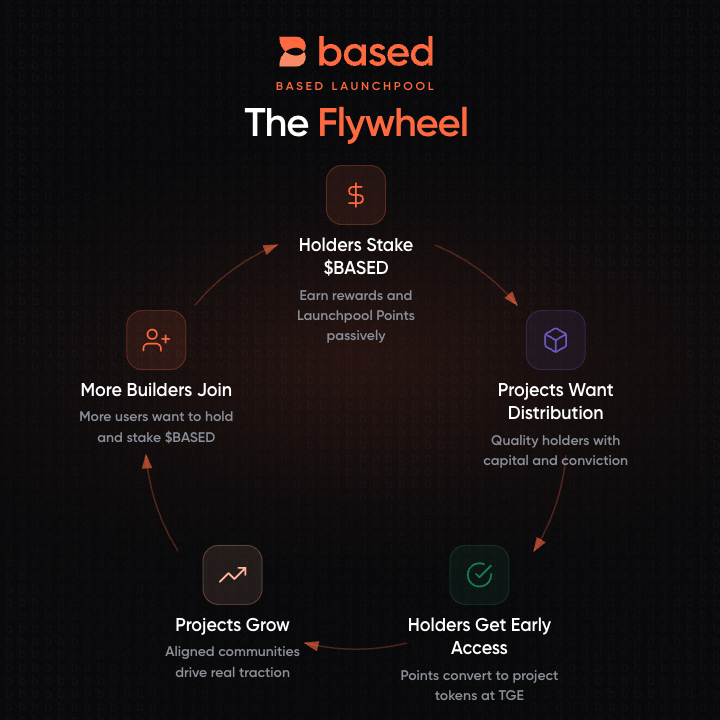
Every card issued means more $BASED staked and locked. More locked supply reinforces ecosystem value. And stakers unlock even more perks over time. This is the flywheel — you spend, you earn, the ecosystem compounds.

HYPE and Based Gold are just the beginning. More card tiers, more perks, and more reasons to stake are on the way.

See the full [Card Types](/docs/card/card-types) page for details.

***

## Other Upcoming Benefits

| Benefit               | Details                                                                   |
| --------------------- | ------------------------------------------------------------------------- |
| On/off-ramp discounts | Lower fees for moving funds in and out of the ecosystem                   |
| Agentic AI credits    | Stakers will receive AI inference credits powered by the Based AI Gateway |
| Mall discounts        | Special offers and merchant discounts in the Based Mall                   |
| Governance            | Direct voice in platform direction and evolution                          |

***

## How to Stake

### Staking Natively (with $BASED already on Hyperliquid Core)

{% stepper %}
{% step %}
**Go to Based Foundation**

Visit [basedfoundation.com/genesis](https://basedfoundation.com/genesis) and connect your wallet.
{% endstep %}

{% step %}
**Select a staking tier**

Choose OG, Based, or Normie depending on available capacity.
{% endstep %}

{% step %}
**Stake your $BASED**

Enter the amount you want to stake and confirm the transaction.
{% endstep %}

{% step %}
**Start earning**

Rewards begin accruing immediately. Trading fee discounts and Launchpool eligibility are active.
{% endstep %}
{% endstepper %}

### Staking from Ethereum

If your $BASED tokens are on Ethereum, you can stake directly at [basedfoundation.com/genesis](https://basedfoundation.com/genesis) — no bridging required. Connect your wallet on Ethereum, choose a tier, and confirm the transaction.

### Staking from BSC

If your $BASED tokens are on BSC, you will need to bridge them to HyperEVM first, then transfer to Hyperliquid Core before staking. $BASED uses the [LayerZero OFT](https://layerzero.network/) standard for cross-chain transfers.

{% hint style="info" %}
For contract addresses on each chain, see the [$BASED Token](/docs/based/based-token#contract-addresses) page.
{% endhint %}

{% stepper %}
{% step %}
**Bridge to HyperEVM via Stargate**

Go to [Stargate](https://stargate.finance/?srcChain=bsc\&srcToken=0x1d28D989F9e3CCb8B15D0cec601734514f958E4D\&dstChain=hyperliquid\&dstToken=0x053f6755320d06b8fd6675581b0475B2E32399b1) and connect your wallet. Confirm the source is **BSC** and the destination is **HyperEVM**. Enter the amount of $BASED you want to bridge, approve the token, and confirm the transaction. The transfer typically takes a few minutes.
{% endstep %}

{% step %}
**Transfer from HyperEVM to Hyperliquid Core**

{% hint style="warning" %}
You will need a small amount of $HYPE on HyperEVM to pay for the transfer gas fee.

Your Hyperliquid account must be activated before you can transfer to Core. Deposit at least **$1** on [app.based.one](https://app.based.one) or [app.hyperliquid.xyz](https://app.hyperliquid.xyz) to activate your account. This is a Hyperliquid requirement.
{% endhint %}

Go to [app.based.one](https://app.based.one) and connect your wallet. Navigate to the **Portfolio** page, find $BASED in your HyperEVM balance, and click **Transfer** to move your $BASED from HyperEVM to Hyperliquid Core.

<figure><img src="https://893698931-files.gitbook.io/~/files/v0/b/gitbook-x-prod.appspot.com/o/spaces%2FD195DGgjp8wD1XdWWTcZ%2Fuploads%2Fgit-blob-0bf60eef7d3b3b5fa5b01c8c08a260b2b1d565cc%2Ftransfer-from-portfolio-page.png?alt=media" alt="Transfer $BASED from HyperEVM to Hyperliquid Core on app.based.one"><figcaption></figcaption></figure>
{% endstep %}

{% step %}
**Stake on Based Foundation**

Go to [basedfoundation.com/genesis](https://basedfoundation.com/genesis) and follow the [staking steps above](#how-to-stake).
{% endstep %}
{% endstepper %}

***

{% hint style="info" %}
**Disclaimer:** All staking tiers, emission rates, APRs, lockup requirements, cooldown periods, card rewards, rebates, fee discounts, caps, eligibility criteria, and other program terms described on this page are provided for informational purposes only and are subject to change at any time without prior notice. Based reserves the right to modify, suspend, or discontinue any feature, benefit, or program at its sole discretion. Participation is subject to applicable program terms and local laws. Check [basedfoundation.com/genesis](https://basedfoundation.com/genesis) for the latest details.
{% endhint %}


# Telegram Bot

<figure><img src="https://893698931-files.gitbook.io/~/files/v0/b/gitbook-x-prod.appspot.com/o/spaces%2FD195DGgjp8wD1XdWWTcZ%2Fuploads%2F3TPccfUmZFcig2jI5S1x%2FScreenshot%202025-08-21%20at%202.39.00%E2%80%AFPM.png?alt=media&amp;token=880d1364-21fa-4d89-9874-b8ed3059be02" alt="" width="375"><figcaption></figcaption></figure>

Meet Based Bot - one of the fastest, most advanced trading bots on Hyperliquid.

* Real-time balance & positions
* Execute longs/shorts
* Close single or all trades
* View ratio & interval charts
* Add to group & create leaderboard

And more.

{% hint style="info" %}
Click here to get access to the telegram bot: <https://t.me/based_one_bot>
{% endhint %}

<figure><img src="https://893698931-files.gitbook.io/~/files/v0/b/gitbook-x-prod.appspot.com/o/spaces%2FD195DGgjp8wD1XdWWTcZ%2Fuploads%2FHsZHR14QLHn2be77E7Oq%2FScreenshot%202025-08-21%20at%202.39.16%E2%80%AFPM.png?alt=media&amp;token=f28c902d-8138-484f-b49a-3e4d9d22d8cc" alt="" width="375"><figcaption></figcaption></figure>

## Based Trading Bot Commands

### Trading

`/positions` - View your open positions `/balance` - Check account balance

### Opening Positions

`/long SYMBOL AMOUNT` - Open long position (buy) `/short SYMBOL AMOUNT` - Open short position (sell) `/close SYMBOL AMOUNT` - Close existing position

### Format Options

* Token amounts: `/long ETH 0.5`, `/short BTC 0.01`
* Dollar amounts: `/long ETH $100`, `/short BTC $500`
* Close all: `/close ETH all`

### Interactive Mode (Private Chat Only)

* `/long` - Step-by-step long position
* `/short` - Step-by-step short position
* `/close` - Step-by-step position closing

### Charts

`/chart SYMBOL INTERVAL` - Generate price charts

### Chart Types

* Price charts: `/chart BTC`, `/chart ETH 4h`
* Ratio charts: `/chart BTC/ETH`, `/chart ETH/SOL 1d`
* Available intervals: 1m, 5m, 15m, 30m, 1h, 4h, 1d

### Popular Ratios

* `/chart BTC/ETH` - Digital gold vs smart contracts
* `/chart ETH/SOL` - Layer 1 competition
* `/chart SOL/AVAX` - High-performance chains

### Account

`/profile` - View your profile `/notifications` - Toggle notifications `/unlink` - Unlink your wallet

### Group Commands

Add me to a group to access:

* `/join` - Subscribe to group features
* `/members` - View group members
* `/leaderboard` - Group rankings

### Information

`/help` - Show this help message

### Tips

* Use inline buttons for quick actions
* Join groups to compete with friends
* Enable notifications for real-time updates


# Desktop

Based is proud to introduce Based Desktop App, a platform created for Low-Latency Trades.

The benefits of trading with desktop include:

* 30% more performant than browser
* Advanced trading orders exclusive to Desktop
* Runs in the background without pausing
* Native notifications on fills & liquidations

Download Based Desktop App here: <https://based.one/desktop>


# Card Types

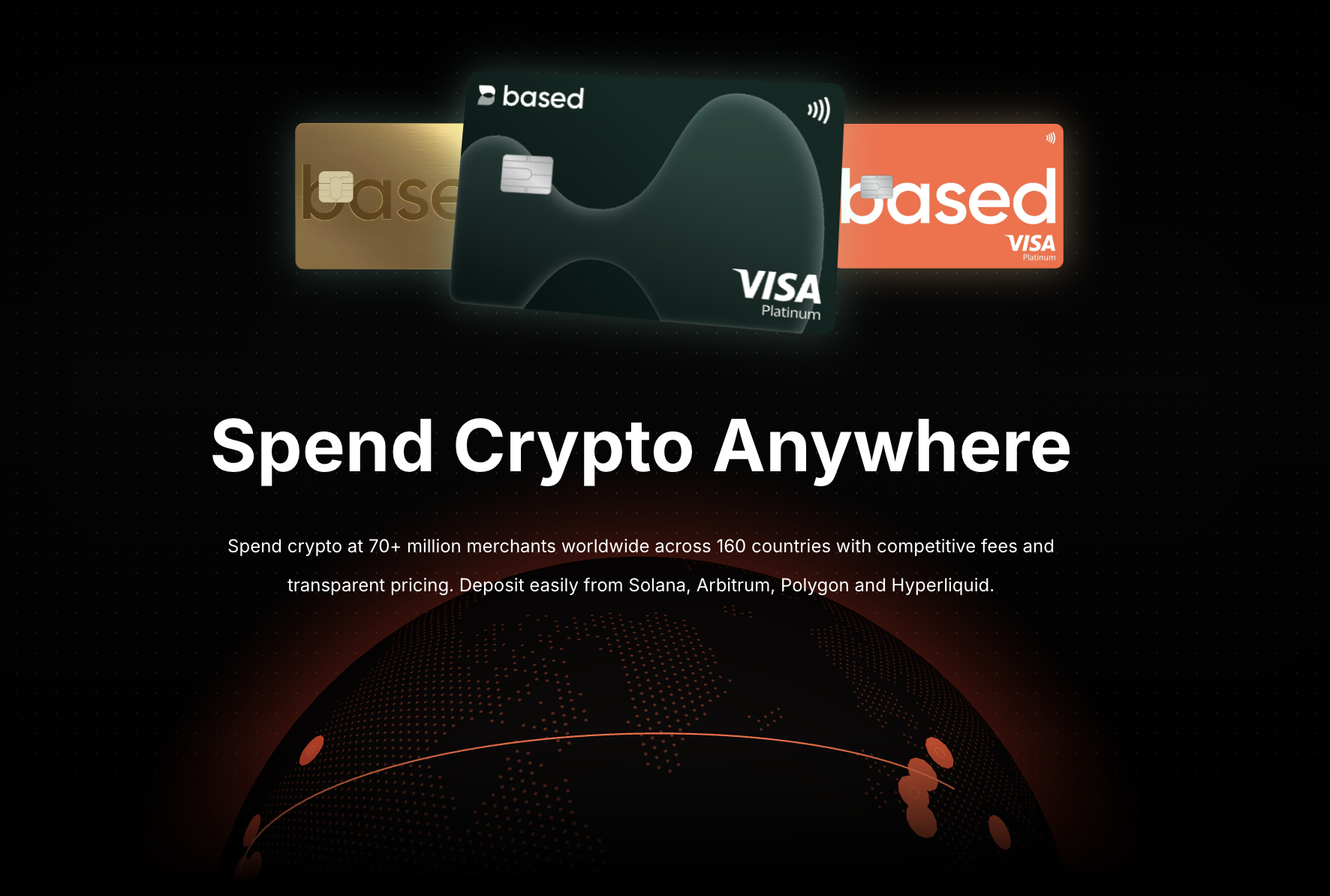
<figure><img src="https://893698931-files.gitbook.io/~/files/v0/b/gitbook-x-prod.appspot.com/o/spaces%2FD195DGgjp8wD1XdWWTcZ%2Fuploads%2Fgit-blob-ef6d86ff32f7b201509005889f0dbb170acff575%2Fcard-hero.png?alt=media" alt="Spend Crypto Anywhere with Based Visa Cards"><figcaption></figcaption></figure>

Your crypto shouldn't be locked away on a chain. With a Based Visa card, it becomes spendable instantly, globally, and without friction.

Three card tiers. One goal: make your crypto work in the real world.

Every Based Visa card auto-converts your crypto into local fiat currency the moment you tap to pay. No off-ramps, no manual conversions, no delays. Your on-chain balance is your spending balance.

<a href="https://basedfoundation.com/genesis" class="button primary">Get Your Card</a>

***

## How to Get a Based Visa Card

The only way to get a Based Visa card is through staking $BASED. There are no signup fees and no way to purchase a card directly.

{% stepper %}
{% step %}
**Complete KYC on the Based app**

Download the Based app ([iOS](https://apps.apple.com/us/app/basedapp-crypto-wallet/id6747331142) / [Android](https://play.google.com/store/apps/details?id=com.basedapp.basedsuperapp)) and submit a short KYC form. You will need a government-issued photo ID (passport or national ID card). Driver's licenses and voter IDs are not accepted.
{% endstep %}

{% step %}
**Stake $BASED to get a promo code**

Go to [basedfoundation.com/genesis](https://basedfoundation.com/genesis) and stake $BASED. Your staked amount determines which card tier you qualify for (HYPE requires 10,000 $BASED, Based Gold requires 100,000 $BASED). Once staked, you will receive a promo code for your card. If your $BASED is on BSC or Ethereum, see the [bridging guide](/docs/based/staking#staking-from-bsc-or-ethereum) first.

When you redeem a card, part of your staked balance is locked for **21 days** from the time of card redemption:

* **Based Gold** locks 100,000 $BASED
* **HYPE** locks 10,000 $BASED

**What this means:**

* Locked tokens cannot be unstaked during the 21-day lock period
* Any staked tokens above the locked amount remain available for unstaking as normal
* After the 21-day lock expires, the previously locked tokens become available for unstaking
* Once unlocked, they still follow the standard **3-day** unstake cooldown after an unstake request is made

{% hint style="warning" %}
All card rewards and benefits (cashback, fee discounts, entertainment rebates, etc.) will cease once unstaking is initiated.
{% endhint %}
{% endstep %}

{% step %}
**Apply for your card using the promo code**

Go through the card checkout flow in the Based app and enter your promo code at the end to complete your application.
{% endstep %}

{% step %}
**KYC approval**

Your application is subject to KYC approval. Screening typically completes within 3 days. If additional documents are needed, the team will contact you at <compliance@basedapp.io>.
{% endstep %}

{% step %}
**Receive your card**

Once approved, your virtual card is issued instantly through the Based app. Physical cards (where available) will be shipped separately.
{% endstep %}
{% endstepper %}

{% hint style="info" %}
HYPE and Based Gold cards are available now. Based Orange is coming soon.

If you encounter issues with KYC, contact [support](/docs/others/contact-us) or email <compliance@basedapp.io>.
{% endhint %}

### Country Availability

Based Visa cards are available worldwide except in the following countries (Effective 01 August 2026):

<details>

<summary>Restricted countries</summary>

Afghanistan, Albania, Algeria, Australia, Bangladesh, Barbados, Belarus, Bhutan, Bosnia and Herzegovina, Botswana, Burkina Faso, Burundi, Cambodia, Cameroon, Canada, Central African Republic, Chile, China, Cuba, Democratic Republic of the Congo, Ecuador, Egypt, Equatorial Guinea, Eritrea, Ethiopia, Gambia, Grenada, Guinea, Guinea-Bissau, Haiti, Hong Kong, India, Indonesia, Iran, Iraq, Israel, Jamaica, Jordan, Kenya, Kosovo, Lebanon, Liberia, Libya, Macau, Madagascar, Maldives, Mali, Morocco, Mozambique, Myanmar, Nepal, New Zealand, Nicaragua, Niger, Nigeria, North Korea, North Macedonia, Oman, Pakistan, Palestine, Papua New Guinea, Russian Federation, Saudi Arabia, Senegal, Seychelles, Singapore, Slovenia, Solomon Islands, Somalia, South Africa, South Sudan, Sri Lanka, Sudan, Suriname, Syria, Taiwan, Tanzania, Togo, Tonga, Trinidad and Tobago, Tunisia, Turkey, Turks and Caicos Islands, Uganda, Ukraine, United States of America, Vanuatu, Venezuela, Vietnam, Western Sahara, Yemen, Zimbabwe.<br>

</details>

You may wish to also verify with this site for the latest updates: <https://based.one/cash/availability>

***

## Card Tiers

### Based Orange

<figure><img src="https://893698931-files.gitbook.io/~/files/v0/b/gitbook-x-prod.appspot.com/o/spaces%2FD195DGgjp8wD1XdWWTcZ%2Fuploads%2Fgit-blob-65d661a146dbce6069422925af646530dfb5cc63%2Forange-card.png?alt=media" alt="Based Orange Card" width="300"><figcaption></figcaption></figure>

Orange plastic card, virtual only — no physical card. No $BASED lockup required. 2.5% FX markup. No cashback. Good for casual spending and getting started with the Based ecosystem.

{% hint style="warning" %}
Based Orange is not yet available. Release date TBA.
{% endhint %}

### HYPE

<figure><img src="https://893698931-files.gitbook.io/~/files/v0/b/gitbook-x-prod.appspot.com/o/spaces%2FD195DGgjp8wD1XdWWTcZ%2Fuploads%2Fgit-blob-ddccedfe15c5e5630e6c511a726f0fbe7142bb66%2Fteal-card.svg?alt=media" alt="HYPE Card" width="300"><figcaption></figcaption></figure>

Hype plastic card, virtual + physical. Requires 10,000 $BASED lockup. 1.5% FX markup. 2% cashback. Up to $10/month AI subscription rebates (Claude, ChatGPT). Good for everyday spending.

### Based Gold

<figure><img src="https://893698931-files.gitbook.io/~/files/v0/b/gitbook-x-prod.appspot.com/o/spaces%2FD195DGgjp8wD1XdWWTcZ%2Fuploads%2Fgit-blob-677befdc74ea809abe523cff128d2ef5be8bb6a6%2Fgold-card-chip.webp?alt=media" alt="Based Gold Card" width="300"><figcaption></figcaption></figure>

Gold mirror finish metal card. Requires 100,000 $BASED lockup. 0% FX markup. 4% cashback. Up to $20/month entertainment rebates (Netflix, Spotify, YouTube). Up to $100/month AI subscription rebates (Claude, ChatGPT). 4 airport lounge visits per year.

**Airport lounge access:** Details on how to access your lounge visits will be sent via email after successful card application and issuance.

***

## Existing Card Holders — Activate Rewards

Already have a HYPE or Based Gold card? To activate your card rewards and benefits (cashback, entertainment rebates, lounge access, etc.), complete the [staking process](#how-to-get-a-based-visa-card) to obtain a valid promo code, then contact our card support team via Intercom with:

* Your registered **email address**
* Your **promo code**

The team will help to apply the rewards and benefits to your existing card.

***

## Core Benefits

Every Based Visa card, regardless of tier, comes with:

{% columns %}
{% column %}
**Instant Crypto Spending**

Tap your card and your crypto converts to fiat automatically. No pre-funding, no off-ramp waiting periods. Transactions settle in real time.

**Zero Deposit Fees**

Deposit USDT, USDC, and other supported stablecoins with no added fees. What you deposit is what you spend.

**Multi-Network Deposits**

Fund your card from Solana, Arbitrum, Polygon, or Hyperliquid. Use whichever chain your funds are already on.
{% endcolumn %}

{% column %}
**Global Acceptance**

Accepted at over 150 million Visa merchants across 160+ countries. If it takes Visa, it takes your Based card.

**Digital Wallet Ready**

Add your card to Apple Pay or Google Pay the moment you receive it. Tap to pay from your phone, watch, or tablet.

**Competitive FX Rates**

Based Orange: 2.5%, HYPE: 1.5%, Based Gold: 0% markup above Visa's exchange rates.
{% endcolumn %}
{% endcolumns %}

***

## Compare Cards

| Feature                                         | Based Orange   | HYPE            | Based Gold               |
| ----------------------------------------------- | -------------- | --------------- | ------------------------ |
| Card type                                       | Orange plastic | Hype plastic    | Gold mirror finish metal |
| Release date                                    | TBA            | Available now   | Available now            |
| Virtual card                                    | Yes            | Yes             | Yes                      |
| Physical card                                   | No             | Yes             | Yes                      |
| Shipping                                        | —              | $50             | Free                     |
| Availability                                    | Public         | Public          | Public                   |
| $BASED lockup                                   | —              | 10,000          | 100,000                  |
| Cashback                                        | —              | 2%              | 4%                       |
| Monthly cashback cap                            | —              | $20             | $100                     |
| Entertainment rebates (Netflix/Spotify/YouTube) | None           | None            | Up to $20/month          |
| AI subscription rebates (Claude/ChatGPT)        | None           | Up to $10/month | Up to $100/month         |
| Airport lounge                                  | No             | No              | 4 visits/year            |
| Foreign currency markup                         | 2.5%           | 1.5%            | 0%                       |

{% hint style="info" %}
Card tiers no longer have signup fees or annual fees. Qualification is based on $BASED lockup.

Cashback and rebates are paid out in $BASED at the start of each month, covering the previous cycle (e.g., an **Apr 1** payout covers spending from **Feb 15 – Mar 15**).

Foreign currency rates are quoted by Visa. The Based team reserves the right to update card fees from time to time. See the full [fees breakdown](https://github.com/fjchng/gitbook/blob/main/card/card-benefits-and-fees/what-are-the-fees-for-the-card.md) for details.
{% endhint %}

***

## Total Value Summary

Maximum monthly value from cashback and rebates (at full monthly caps):

<table data-header-hidden><thead><tr><th width="93.9921875"></th><th width="107.96875" align="right"></th><th width="141.14453125" align="right"></th><th width="103.765625" align="right"></th><th width="92.65625" align="right"></th><th width="126.39453125" align="right"></th></tr></thead><tbody><tr><td>Card</td><td align="right">Cashback</td><td align="right">Entertainment</td><td align="right">AI Rebates</td><td align="right"><strong>Monthly Total</strong></td><td align="right"><strong>Annual Total</strong></td></tr><tr><td>Based Orange</td><td align="right">—</td><td align="right">—</td><td align="right">—</td><td align="right"><strong>—</strong></td><td align="right"><strong>—</strong></td></tr><tr><td>HYPE</td><td align="right">$20</td><td align="right">—</td><td align="right">$10</td><td align="right"><strong>$30</strong></td><td align="right"><strong>$360</strong></td></tr><tr><td>Based Gold</td><td align="right">$100</td><td align="right">$20</td><td align="right">$100</td><td align="right"><strong>$220</strong></td><td align="right"><strong>$2,640</strong></td></tr></tbody></table>

Based Gold holders also receive **4 airport lounge visits per year**.

***

## Who Is It For?

* **Crypto traders** who want to spend profits without off-ramping through an exchange
* **Stablecoin holders** looking for a direct path from on-chain balance to real-world purchases
* **Frequent travelers** who need a card that works across borders without currency conversion headaches
* **DeFi users** who want their yield to be spendable, not just claimable
* **Anyone tired of the gap** between holding crypto and actually using it

***

## Supported Tokens and Networks

| Tokens       | Networks    |
| ------------ | ----------- |
| USDT         | Solana      |
| USDC         | Arbitrum    |
| XSGD         | Polygon     |
| Major tokens | Hyperliquid |

***

## The Flywheel

Every card issued means more $BASED staked and locked. More locked supply reinforces ecosystem value. And stakers unlock even more perks over time.

You spend. You earn. The ecosystem compounds.

HYPE and Based Gold are just the beginning. More card tiers, more perks, and more reasons to stake are on the way. Stay tuned.

<a href="https://basedfoundation.com/genesis" class="button primary">Stake & Get Your Card</a>

***

{% hint style="info" %}
**Disclaimer:** All card tiers, rewards, cashback rates, rebates, caps, fees, FX markups, lockup requirements, eligibility criteria, promotional offers, and other program terms described on this page are provided for informational purposes only and are subject to change at any time without prior notice. Based reserves the right to modify, suspend, or discontinue any card tier, benefit, reward, or program at its sole discretion. Card issuance and participation are subject to KYC approval, applicable program terms, and local laws.
{% endhint %}


# Top up & Spend

No off-ramps. No preloading fiat. Just tap your Based Visa card and your crypto is converted instantly at the point of sale.

## Your Crypto, Ready to Spend

<figure><img src="https://893698931-files.gitbook.io/~/files/v0/b/gitbook-x-prod.appspot.com/o/spaces%2FD195DGgjp8wD1XdWWTcZ%2Fuploads%2Fgit-blob-5ef91983fe6d6fb70fdd39834cadb34525b65cd9%2Fcard.PNG?alt=media" alt="Card home screen" width="300"><figcaption></figcaption></figure>

Your total balance, recent transactions, and quick actions -- all in one place. Open the Cash tab in the Based mobile app and you're ready to go.

***

## Fund Your Card in Seconds

<figure><img src="https://893698931-files.gitbook.io/~/files/v0/b/gitbook-x-prod.appspot.com/o/spaces%2FD195DGgjp8wD1XdWWTcZ%2Fuploads%2Fgit-blob-b19cc5828fec68b5c3eb35856a2bc19b36c2f6e2%2Fdeposit-to-card.png?alt=media" alt="Deposit to card" width="300"><figcaption></figcaption></figure>

{% stepper %}
{% step %}
**Pick your deposit method**

* **From Hyperliquid** -- Move funds straight from your trading account
* **From External Wallet** -- Send crypto from any wallet you use
* **From Bank Account** -- Wire transfer (coming soon)

Minimum deposit is just $10 USD. Funds arrive in under 10 minutes.
{% endstep %}

{% step %}
**Tap and pay**

Tap your Visa card -- physical or digital -- and Based handles the rest. Your crypto converts to fiat in real time, automatically. No extra steps, no waiting.
{% endstep %}

{% step %}
**Stay on top of every transaction**

Track your balance and spending history from the Based mobile or web app. Always know where your money goes.
{% endstep %}
{% endstepper %}

***

## Spending Priority (The Order of Assets)

Your card account can hold multiple assets at once. When you make a purchase, the Based card automatically draws from your balances in a fixed sequence designed to protect your volatile assets and minimize fees.

| Order | Asset                              | Notes                                                            |
| ----- | ---------------------------------- | ---------------------------------------------------------------- |
| **1** | **Stablecoins** (USDT, USDC, XSGD) | Spent first. No Smart Convert fee, no price volatility.          |
| **2** | **SOL**                            | Spent next once stablecoins are exhausted.                       |
| **3** | **HYPE** ($HYPE token)             | Spent after SOL.                                                 |
| **4** | **BASED** ($BASED token)           | Spent last to preserve your $BASED position as long as possible. |

* **Automatic waterfall:** If your stablecoin balance is insufficient, the card automatically flows to the next asset in the order to complete the payment.
* **Partial draws:** A single transaction can pull from multiple balances. For example, on a $100 purchase where you hold $40 in stablecoins, the card uses that $40 fee-free and converts $60 worth of SOL (with the Smart Convert fee) to cover the rest.
* **Full transparency:** Transaction details in the Based app show exactly which balances were used and the conversion rates applied to each.

{% hint style="info" %}
Card-account $BASED is a spending balance and is separate from **staked $BASED**. Spending from the card does not touch your staked position or affect your tier qualification.
{% endhint %}

***

## Price Locking

The conversion rate for non-stablecoins ($SOL, $HYPE, $BASED) is determined at the exact point of spend — not at the end of the day or billing cycle.

To guarantee fair, accurate market valuation in real time, Based uses a mixture of Chainlink price oracles and the Hyperliquid on-chain price, with the rate locked at the moment you swipe or tap.

***

## Full Control at Your Fingertips

<figure><img src="https://893698931-files.gitbook.io/~/files/v0/b/gitbook-x-prod.appspot.com/o/spaces%2FD195DGgjp8wD1XdWWTcZ%2Fuploads%2Fgit-blob-6faeeff691c2ba65b2cabe2001ede53d636e34f1%2Fmanage-card.png?alt=media" alt="Card management options" width="300"><figcaption></figcaption></figure>

* **Freeze instantly** -- Lock your card in one tap if something doesn't look right
* **Set your PIN** -- Choose or update your PIN for in-person purchases
* **Add to Apple Pay / Google Pay** -- Go contactless from your phone, wherever you are

***

## Why Traders Love It

* **Zero top-up fees** -- Every dollar you deposit is a dollar you can spend
* **Spend directly from on-chain** -- Your crypto balance is your spending balance
* **150M+ Visa merchants worldwide** -- Accepted everywhere Visa is
* **Apple Pay & Google Pay ready** -- Tap to pay from day one


# Card Basics

## How to Register

{% stepper %}
{% step %}
**Complete KYC on the Based app**

Download the Based app ([iOS](https://apps.apple.com/us/app/basedapp-crypto-wallet/id6747331142) / [Android](https://play.google.com/store/apps/details?id=com.basedapp.basedsuperapp)) and submit a short KYC form. You will need a government-issued photo ID (passport or national ID card). Driver's licenses and voter IDs are not accepted.
{% endstep %}

{% step %}
**Stake $BASED to get a promo code**

Go to [basedfoundation.com/genesis](https://basedfoundation.com/genesis) and stake $BASED. Your staked amount determines which card tier you qualify for (HYPE requires 10,000 $BASED, Based Gold requires 100,000 $BASED). Once staked, you will receive a promo code for your card.

The staked amount required for your card tier is locked for **21 days** from card redemption. Any excess remains available for unstaking as normal. See the [Staking](/docs/based/staking#based-visa-card) page for full details.
{% endstep %}

{% step %}
**Apply for your card using the promo code**

Go through the card checkout flow in the Based app and enter your promo code at the end to complete your application.
{% endstep %}

{% step %}
**KYC approval**

Your application is subject to KYC approval. Screening typically completes within 3 days. If additional documents are needed, the team will contact you at <compliance@basedapp.io>.
{% endstep %}

{% step %}
**Receive your card**

Once approved, your virtual card is issued instantly through the Based app. Physical cards (where available) will be shipped separately.
{% endstep %}
{% endstepper %}

{% hint style="info" %}
If you encounter issues with KYC, contact [support](/docs/others/contact-us) or email <compliance@basedapp.io>.
{% endhint %}

***

## Where Can I Use the Card?

You can use your Based Visa card anywhere Visa is accepted, both online and in-store.

| Payment Method | Status                                                   |
| -------------- | -------------------------------------------------------- |
| Virtual card   | Available (issued by default, works for online payments) |
| Physical card  | Available upon request (additional charges may apply)    |
| Google Pay     | Available                                                |
| Apple Pay      | Available                                                |

{% hint style="warning" %}
ATM withdrawals are not enabled at this time.
{% endhint %}

***

## Card Tiers

Based offers three card tiers: Based Orange, HYPE, and Based Gold. Cards are obtained through staking $BASED — no signup fees or annual fees.

* **Based Orange** — Virtual only, no physical card. No $BASED lockup required. 2.5% FX markup. No cashback. Good for casual spending. Coming soon.
* **HYPE** — Virtual + physical card. 10,000 $BASED lockup. 1.5% FX markup. 2% cashback. Up to $10/month AI subscription rebates (Claude, ChatGPT). Good for everyday spending. Available now.
* **Based Gold** — Gold mirror finish metal card. 100,000 $BASED lockup. 0% FX markup. 4% cashback. Up to $20/month entertainment rebates (Netflix, Spotify, YouTube). Up to $100/month AI subscription rebates (Claude, ChatGPT). 4 lounge visits/year. Available now.

### Total Value Summary

Maximum monthly value from cashback and rebates (at full monthly caps):

| Card         | Cashback | Entertainment | AI Rebates | **Monthly Total** | **Annual Total** |
| ------------ | -------: | ------------: | ---------: | ----------------: | ---------------: |
| Based Orange |        — |             — |          — |             **—** |            **—** |
| HYPE         |      $20 |             — |        $10 |           **$30** |         **$360** |
| Based Gold   |     $100 |           $20 |       $100 |          **$220** |       **$2,640** |

Based Gold holders also receive **4 airport lounge visits per year**.

See the full [Card Types](/docs/card/card-types) page for a detailed comparison.

***

## Country Availability

Based Visa cards are available worldwide except in the following countries:

<details>

<summary>Restricted countries</summary>

Afghanistan, Albania, Algeria, Bangladesh, Barbados, Belarus, Bhutan, Bosnia and Herzegovina, Botswana, Burkina Faso, Burundi, Cambodia, Cameroon, Canada, Central African Republic, Chile, China, Cuba, Democratic Republic of the Congo, Ecuador, Equatorial Guinea, Eritrea, Ethiopia, Gambia, Grenada, Guinea, Guinea-Bissau, Haiti, India, Indonesia, Iran, Iraq, Israel, Jamaica, Jordan, Kenya, Kosovo, Lebanon, Liberia, Libya, Madagascar, Mali, Morocco, Mozambique, Myanmar, Nepal, Nicaragua, Niger, Nigeria, North Korea, North Macedonia, Pakistan, Palestine, Papua New Guinea, Russian Federation, Senegal, Seychelles, Singapore, Slovenia, Solomon Islands, Somalia, South Africa, South Sudan, Sudan, Suriname, Syria, Tanzania, Togo, Tonga, Trinidad and Tobago, Turkey, Turks and Caicos Islands, Uganda, Ukraine, United States of America, Vanuatu, Venezuela, Western Sahara, Yemen, Zimbabwe.

</details>

***

## Withdrawals

Direct withdrawals from the Based card are not available at this time. This feature is planned for a future release.

***

## Card Refunds

Based processes refunds as soon as they are received from the merchant. Refunds typically appear in your account within 2 weeks.

If you are expecting a significant refund that has not arrived after a few days, contact [support](/docs/others/contact-us).

***

## FX Adjustments

You may occasionally see small FX adjustments on transactions made in foreign currencies. For example, a purchase in JPY may show a primary charge followed by a small adjustment a few days later.

This happens due to:

* **Fluctuating exchange rates** between the time of purchase and final processing
* **Processing delays** where rates shift before settlement
* **Visa's currency conversion** introducing minor variations
* **Dynamic Currency Conversion (DCC)** if selected at the merchant terminal

{% hint style="info" %}
These adjustments are normal and typically small. Monitor your transactions and contact support if anything looks unexpected.
{% endhint %}

### Crypto Conversion Rate (Price Locking)

The conversion rate for non-stablecoins ($SOL, $HYPE, $BASED) is determined at the exact point of spend — not at the end of the day or billing cycle. Based uses a mixture of Chainlink price oracles and the Hyperliquid on-chain price, with the rate locked at the moment you swipe or tap. This is separate from the Visa FX adjustments described above, which apply to foreign-currency fiat conversion.

***

{% hint style="info" %}
**Disclaimer:** All card tiers, rewards, cashback rates, rebates, caps, fees, lockup requirements, eligibility criteria, and other program terms described on this page are provided for informational purposes only and are subject to change at any time without prior notice. Based reserves the right to modify, suspend, or discontinue any card tier, benefit, or program at its sole discretion. Card issuance and participation are subject to KYC approval, applicable program terms, and local laws.
{% endhint %}


# Card Benefits

{% hint style="info" %}
**Disclaimer:** All card benefits, cashback rates, rebates, caps, fees, FX markups, promotional offers, and other program terms described on this page are provided for informational purposes only and are subject to change at any time without prior notice. Based reserves the right to modify, suspend, or discontinue any benefit, reward, fee schedule, or program at its sole discretion. Participation is subject to applicable program terms and local laws.
{% endhint %}

## Benefits

{% columns %}
{% column %}
**Instant Crypto Spending**

Tap your card and your crypto converts to fiat automatically. No pre-funding, no off-ramp waiting periods. Transactions settle in real time.

**Zero Deposit Fees**

Deposit USDT, USDC, and other supported stablecoins with no added fees. What you deposit is what you spend.

**Multi-Network Deposits**

Fund your card from Solana, Arbitrum, Polygon, or Hyperliquid. Use whichever chain your funds are already on.
{% endcolumn %}

{% column %}
**Global Acceptance**

Accepted at 150M+ Visa merchants across 160+ countries, both online and in-store.

**Digital Wallet Ready**

Add your Based card to Apple Pay or Google Pay the moment you receive it. Tap to pay from your phone, watch, or tablet.

**Competitive FX Rates**

Based Orange: 2.5%, HYPE: 1.5%, Based Gold: 0% markup above Visa's exchange rates.
{% endcolumn %}
{% endcolumns %}

***

## Total Value Summary

Maximum monthly value from cashback and rebates (at full monthly caps):

<table><thead><tr><th width="92.40625">Card</th><th width="112.8984375">Cashback</th><th width="143.92578125">Entertainment</th><th width="123.76953125">AI Rebates</th><th>Monthly Total</th><th>Annual Tota</th></tr></thead><tbody><tr><td>Based Orange</td><td>-</td><td>-</td><td>-</td><td>-</td><td>-</td></tr><tr><td>Hype</td><td>$20</td><td>0</td><td>$10</td><td>$30</td><td>$360</td></tr><tr><td>Based Gold</td><td>$100</td><td>$20</td><td>$100</td><td>$220</td><td>$2,640</td></tr></tbody></table>

## Cashback and Rebates

{% hint style="info" %}
**Payout timeline:** Cashback are paid out in $BASED and paid monthly. Rebates are paid out in USDC to your card wallets and on 15th of each month, covering the previous cycle. For example, an **Apr 15** payout covers spending from **Mar 1 – Mar 31**. These will be credited to the staking balance of the email wallet associated with the card. Staking balance can be found on Based Foundation Website: <https://basedfoundation.com/genesis>.
{% endhint %}

### Cashback

| Card         | Cashback | Monthly Cap |
| ------------ | -------: | ----------: |
| Based Orange |        — |           — |
| HYPE         |       2% |         $20 |
| Based Gold   |       4% |        $100 |

* To view staking requirements, view [here](/docs/based/staking).
* A minimum of $5 is required for cashback each cycle.

***

## Rebates

### Entertainment Rebates (Based Gold only)

Based Gold holders receive up to **$20/month** in rebates for Netflix, Spotify, and YouTube subscriptions.

### AI Subscription Rebates

Rebates on Claude and ChatGPT subscriptions:

* **HYPE:** up to $10/month
* **Based Gold:** up to $100/month

Rebates do not stack across cards and are only up to the maximum tier.

### Third-Party Payment Claims

Some subscriptions (e.g., Spotify) restrict payment methods based on your account region or plan, which can prevent direct card use. If you pay through a third-party service like PayPal with your Based card set as the funding source, the merchant won't appear as Netflix, Spotify, YouTube, Claude, or ChatGPT on your statement — so the rebate isn't applied automatically.

To claim manually, submit your claim through the in-app intercom support channel within **60 days of the spend date**, including:

* Transaction date and amount
* Subscription merchant (Netflix, Spotify, YouTube, Claude, or ChatGPT)
* Proof of payment from the third-party service (e.g., PayPal receipt) showing the subscription charge

Approved claims are paid out on the standard schedule and count toward your monthly rebate cap.

### Airport Lounge Access (Based Gold only)

Based Gold holders receive **4 airport lounge visits per year**. Details on how to access your lounge visits will be sent via email after successful card application and issuance.

***

## Total Value Summary

Maximum monthly value from cashback and rebates (at full monthly caps):

<table data-header-hidden><thead><tr><th></th><th width="104.41796875" align="right"></th><th width="142.29296875" align="right"></th><th align="right"></th><th align="right"></th><th align="right"></th></tr></thead><tbody><tr><td>Card</td><td align="right">Cashback</td><td align="right">Entertainment</td><td align="right">AI Rebates</td><td align="right"><strong>Monthly Total</strong></td><td align="right"><strong>Annual Total</strong></td></tr><tr><td>Based Orange</td><td align="right">—</td><td align="right">—</td><td align="right">—</td><td align="right"><strong>—</strong></td><td align="right"><strong>—</strong></td></tr><tr><td>HYPE</td><td align="right">$20</td><td align="right">—</td><td align="right">$10</td><td align="right"><strong>$30</strong></td><td align="right"><strong>$360</strong></td></tr><tr><td>Based Gold</td><td align="right">$100</td><td align="right">$20</td><td align="right">$100</td><td align="right"><strong>$220</strong></td><td align="right"><strong>$2,640</strong></td></tr></tbody></table>

Based Gold holders also receive **4 airport lounge visits per year**.

***

## Unstaking

{% hint style="warning" %}
All card rewards and benefits (cashback, fee discounts, entertainment rebates, etc.) will cease once unstaking is initiated. You can still use your Based card to spend as normal — only the rewards and benefits stop.
{% endhint %}

See the [Staking $BASED](/docs/based/staking) page for more details.

***


# Fee Schedule

Card tiers no longer have signup fees or annual fees. Qualification is based on [$BASED lockup](/docs/based/staking). See the [Card Types](/docs/card/card-types) page for a detailed comparison.

| Fee                           | Amount |
| ----------------------------- | ------ |
| Deposit fees                  | None   |
| Smart convert: crypto to fiat | 1%     |
| Smart convert: fiat to fiat   | 0.5%   |
| Swap fee: crypto to fiat      | 1%     |
| Swap fee: fiat to fiat        | 0.5%   |

### Foreign Currency Markup by Tier

| Card         | FX Markup |
| ------------ | --------- |
| Based Orange | 2.5%      |
| HYPE         | 1.5%      |
| Based Gold   | 0%        |

{% hint style="info" %}
**Smart convert** applies automatically when your card balance asset falls below the required transaction amount.

**Swap fees** apply within the card UI and do not apply to the self-custodial Polygon wallet.

**Pro-tip:** To avoid the 1% Smart Convert fee, keep a balance of USD stablecoins (USDC, USDT, XSGD) in your card account — stablecoins are always spent first.

**Minimum Spending Clause:** If a card remains inactive for **6 months**, a maintenance fee of **$5 per month** will be charged until the deposit reaches $0, at which point the card will be terminated.

Foreign currency rates are quoted by Visa.
{% endhint %}

***

{% hint style="info" %}
**Disclaimer:** All card benefits, cashback rates, rebates, caps, fees, FX markups, promotional offers, and other program terms described on this page are provided for informational purposes only and are subject to change at any time without prior notice. Based reserves the right to modify, suspend, or discontinue any benefit, reward, fee schedule, or program at its sole discretion. Participation is subject to applicable program terms and local laws.
{% endhint %}


# Cashback Exclusions

There are certain exclusions that will not earn cashback, due to bank and system limitations.

### Exclusion on Merchant Categories

Cashback is **not** earned on transactions in the following merchant category codes (MCCs). These categories are typically cash-like, high-risk, or regulated, and are excluded by our financial service provider:

| Category                  | Excluded MCCs                                                                                                                                                                                                           |
| ------------------------- | ----------------------------------------------------------------------------------------------------------------------------------------------------------------------------------------------------------------------- |
| Cash & cash equivalents   | 6010 (manual cash disbursements), 6011 (ATM withdrawals), 6012 (financial institution merchandise/services), 6050 (quasi-cash – financial institution), 6051 (quasi-cash – e.g. foreign currency, crypto, money orders) |
| Stored value loading      | 6529 (remote stored-value load – financial institution), 6530 (remote stored-value load – merchant), 6540 (stored-value card load – non-financial institution)                                                          |
| Money transfers           | 4829 (money transfers / wire transfers)                                                                                                                                                                                 |
| Gambling & betting        | 7800 (government-owned lotteries), 7801 (online gambling / casinos), 7802 (government-licensed horse/dog racing), 7995 (betting, casinos, lottery tickets, wagers)                                                      |
| Investments               | 6211 (securities – brokers/dealers)                                                                                                                                                                                     |
| Direct marketing          | 5966 (outbound telemarketing), 5967 (inbound teleservices), 5968 (continuity / subscription merchants)                                                                                                                  |
| Dating services           | 7273 (dating & escort services)                                                                                                                                                                                         |
| Pharmaceuticals & tobacco | 5122 (drugs & pharmaceuticals – wholesale), 5912 (drug stores & pharmacies), 5993 (cigar stores & stands)                                                                                                               |

{% hint style="info" %}
The merchant category is set by the merchant and their acquiring bank, not by Based. A purchase that falls under any excluded MCC will not earn cashback even if it would otherwise qualify.
{% endhint %}

### Exclusion on Reversal and Authorized & Completion Transactions

Transactions that are partialy/fully reversed, as well as transactions that undergo a hold-and-complete system will not have the entire transaction cashback.&#x20;

***

{% hint style="info" %}
**Disclaimer:** All card benefits, cashback rates, rebates, caps, fees, FX markups, promotional offers, and other program terms described on this page are provided for informational purposes only and are subject to change at any time without prior notice. Based reserves the right to modify, suspend, or discontinue any benefit, reward, fee schedule, or program at its sole discretion. Participation is subject to applicable program terms and local laws.
{% endhint %}


# Card Security

## Spending Limits

Based Orange and HYPE cards have a daily spending limit of S$3,000. Based Gold has a higher daily limit.

{% hint style="info" %}
If you need a higher spending limit, contact us via [in-app support](/docs/others/contact-us)
{% endhint %}

***

## Transaction Declines

Transactions may be declined for the following reasons:

* Insufficient funds in your account
* Spending at a prohibited merchant category (imposed by the financial service provider)
* Transaction amount exceeded your daily card limit
* Transaction flagged as high-risk by Visa

{% hint style="info" %}
If you believe a transaction was declined in error, contact support via the [in-app chat](/docs/others/contact-us) or email <compliance@based.one>&#x20;
{% endhint %}

***

## Lost or Stolen Card

If you lose your physical card:

1. Log in to the Based app immediately and report the card as lost. Your card will be locked to prevent unauthorized spending.
2. Contact [support](/docs/others/contact-us) to request a replacement. Replacement cards typically arrive within 2 weeks. A card replacement fee may apply.

***

## Fraudulent Transactions

Based uses fraud-detection systems to proactively protect cardholders. If you notice a fraudulent transaction:

{% stepper %}
{% step %}
**Freeze your card**

Immediately lock your card through the Based app to prevent further unauthorized use.
{% endstep %}

{% step %}
**Report to support**

Contact the [support team](/docs/others/contact-us) to report the fraudulent activity. The team will assist with initiating a dispute or chargeback process according to Visa's regulations.
{% endstep %}
{% endstepper %}

{% hint style="info" %}
Based facilitates dispute processes in line with industry standards and Visa's network rules. Based does not directly cover financial losses from fraudulent transactions. Most disputes can be successfully contested based on our experience.
{% endhint %}

Disputes may not be successful in certain situations:

* Failure to promptly report the unauthorized transaction
* Transactions you authorized, even if the purchase was unsatisfactory or involves a merchant dispute
* Insufficient documentation or evidence during the dispute process

{% hint style="warning" %}
Fraudulent or unjustified claims may incur fees or penalties as defined by Visa's policies.
{% endhint %}

***

## Cancelling Your Card

To cancel your card, contact [support](/docs/others/contact-us) via in-app chat. Cancellation permanently deactivates the card and no new transactions can be made.

If you change your mind after cancellation, a card replacement fee will apply. Contact support to reapply.


# Card FAQ

Please see [FAQ](/docs/guides-and-faq/faq) for card-related questions.


# Trading Interface

An overview of the key sections in the BasedApp trading terminal. Understanding the interface helps you monitor positions, manage orders, and track performance efficiently.

## Markets

Browse all available trading pairs across Perps, Spot, and Equities. View key metrics including last price, 24h change, 24h volume, open interest, and funding rates at a glance.

<figure><img src="https://893698931-files.gitbook.io/~/files/v0/b/gitbook-x-prod.appspot.com/o/spaces%2FD195DGgjp8wD1XdWWTcZ%2Fuploads%2Fgit-blob-db621172f13f41dffb6c3c9283c5a866e3f253a0%2Fmarkets.png?alt=media" alt=""><figcaption></figcaption></figure>

## Watchlist

Pin your favourite markets to the watchlist bar for quick access. Displays the ticker, current price, and 24h change for each watched asset.

<figure><img src="https://893698931-files.gitbook.io/~/files/v0/b/gitbook-x-prod.appspot.com/o/spaces%2FD195DGgjp8wD1XdWWTcZ%2Fuploads%2Fgit-blob-af818354f0067066868fcd46c5e8a4aba7bdc254%2Fwatchlist.png?alt=media" alt=""><figcaption></figcaption></figure>

## Market Info

The market info bar at the top of the chart shows real-time data for the selected pair — mark price, oracle price, 24h change, 24h volume, open interest, and the funding rate with countdown to the next settlement.

<figure><img src="https://893698931-files.gitbook.io/~/files/v0/b/gitbook-x-prod.appspot.com/o/spaces%2FD195DGgjp8wD1XdWWTcZ%2Fuploads%2Fgit-blob-30b9336eb051c987db070fe4b4aa5de0f9e1c3b4%2Fmarket-info.png?alt=media" alt=""><figcaption></figcaption></figure>

## Chart

The TradingView chart displays price action and lets you draw on it, add indicators, and manage positions visually. TP/SL and order levels appear as draggable lines directly on the chart.

<figure><img src="https://893698931-files.gitbook.io/~/files/v0/b/gitbook-x-prod.appspot.com/o/spaces%2FD195DGgjp8wD1XdWWTcZ%2Fuploads%2Fgit-blob-ab1a7f8b205cd6c3a423bf1e39a7816df9438d34%2Fchart-position-tpsl.png?alt=media" alt=""><figcaption></figcaption></figure>

## Order Book & Trades

The order book shows resting limit orders on both sides of the market, giving you a view of current liquidity and depth. The trades tab displays a live feed of executed trades with price, size, and timestamp.

<figure><img src="https://893698931-files.gitbook.io/~/files/v0/b/gitbook-x-prod.appspot.com/o/spaces%2FD195DGgjp8wD1XdWWTcZ%2Fuploads%2Fgit-blob-6afa0ac1cfa266b64dddbf977e9c7de214f41038%2Forderbook.png?alt=media" alt="" width="375"><figcaption></figcaption></figure>

<figure><img src="https://893698931-files.gitbook.io/~/files/v0/b/gitbook-x-prod.appspot.com/o/spaces%2FD195DGgjp8wD1XdWWTcZ%2Fuploads%2Fgit-blob-307a179862ed2784d3624f6e5320089b2256879d%2Ftrades.png?alt=media" alt="" width="375"><figcaption></figcaption></figure>

## Account Overview

The main trading dashboard provides a snapshot of your account equity, margin usage, and key performance metrics. Use this view to quickly assess your overall account health and available trading capacity.

<figure><img src="https://893698931-files.gitbook.io/~/files/v0/b/gitbook-x-prod.appspot.com/o/spaces%2FD195DGgjp8wD1XdWWTcZ%2Fuploads%2Fgit-blob-b47710374a527d57a5be3fc4d2b469d49531871e%2Faccount-overview.png?alt=media" alt=""><figcaption></figcaption></figure>

## Positions

Shows all open positions including entry price, size, unrealized PnL, liquidation price, and margin details. You can manage TP/SL, adjust margin (for isolated positions), and close positions directly from this panel.

<figure><img src="https://893698931-files.gitbook.io/~/files/v0/b/gitbook-x-prod.appspot.com/o/spaces%2FD195DGgjp8wD1XdWWTcZ%2Fuploads%2Fgit-blob-aabee424a8761af61373d673186cab520db14837%2Fpositions.png?alt=media" alt=""><figcaption></figcaption></figure>

## Open Orders

Displays all active orders including limit, stop, TP/SL, and scale orders. You can modify or cancel orders from this panel.

<figure><img src="https://893698931-files.gitbook.io/~/files/v0/b/gitbook-x-prod.appspot.com/o/spaces%2FD195DGgjp8wD1XdWWTcZ%2Fuploads%2Fgit-blob-0db3a1f8ec5f1ef2d2e5dd3a29a69b68d63d64f9%2Forders.png?alt=media" alt=""><figcaption></figcaption></figure>

## Order History

A complete log of all orders placed, including filled, cancelled, and expired orders. Useful for reviewing execution and strategy performance.

<figure><img src="https://893698931-files.gitbook.io/~/files/v0/b/gitbook-x-prod.appspot.com/o/spaces%2FD195DGgjp8wD1XdWWTcZ%2Fuploads%2Fgit-blob-c9c75f39c19ac66eaf962b808a620a0d0a6895b5%2Forder-history.png?alt=media" alt=""><figcaption></figcaption></figure>

## Trade History

Shows individual trade fills with execution price, size, fees, and timestamps. Each fill corresponds to a matched order on the book.

<figure><img src="https://893698931-files.gitbook.io/~/files/v0/b/gitbook-x-prod.appspot.com/o/spaces%2FD195DGgjp8wD1XdWWTcZ%2Fuploads%2Fgit-blob-d96a1a21488e7fcdba1e449bf4c9c68426a2f40f%2Ftrade-history.png?alt=media" alt=""><figcaption></figcaption></figure>

## Balances

Displays your account balances including available margin, total equity, and cross/isolated margin allocation.

<figure><img src="https://893698931-files.gitbook.io/~/files/v0/b/gitbook-x-prod.appspot.com/o/spaces%2FD195DGgjp8wD1XdWWTcZ%2Fuploads%2Fgit-blob-bf9fcacf8eda9f811bc7abc199a3ce00a917e787%2Fbalances.png?alt=media" alt=""><figcaption></figcaption></figure>

{% hint style="info" %}
All data in the trading interface updates in real-time. Unrealized PnL, margin ratios, and liquidation prices refresh continuously as market prices change.
{% endhint %}


# Types of Order

<figure><img src="https://893698931-files.gitbook.io/~/files/v0/b/gitbook-x-prod.appspot.com/o/spaces%2FD195DGgjp8wD1XdWWTcZ%2Fuploads%2Fgit-blob-452089d79b813ed6a9b6f082f8f2f2072ebcb960%2Forder-types.png?alt=media" alt=""><figcaption></figcaption></figure>

## Basic Order Types

* **Market Order:** Executes immediately at the current best available price. Market orders prioritize speed of execution over price, making them ideal when you need to enter or exit a position right away. The final fill price may differ slightly from the displayed price due to slippage.

<figure><img src="https://893698931-files.gitbook.io/~/files/v0/b/gitbook-x-prod.appspot.com/o/spaces%2FD195DGgjp8wD1XdWWTcZ%2Fuploads%2Fgit-blob-a421b4a9ad9d82277860bfe93c855f2b835f9602%2Fmarket-order.png?alt=media" alt="" width="375"><figcaption></figcaption></figure>

* **Limit Order:** Executes only at the specified limit price or a better price. Limit orders give you precise control over your entry or exit price, though there is no guarantee the order will be filled if the market never reaches your limit. They are commonly used by traders who want to target a specific price level.

<figure><img src="https://893698931-files.gitbook.io/~/files/v0/b/gitbook-x-prod.appspot.com/o/spaces%2FD195DGgjp8wD1XdWWTcZ%2Fuploads%2Fgit-blob-a2401a173434cc79e29f7f903509974fc9d4602d%2Flimit-order.png?alt=media" alt="" width="375"><figcaption></figcaption></figure>

* **Stop Market Order:** Triggered when the asset reaches a specified stop price, at which point it becomes a market order. Stop market orders are commonly used to limit losses or lock in profits on an existing position. Once triggered, the order executes at the best available price.

<figure><img src="https://893698931-files.gitbook.io/~/files/v0/b/gitbook-x-prod.appspot.com/o/spaces%2FD195DGgjp8wD1XdWWTcZ%2Fuploads%2Fgit-blob-ff23a9633b68698065c6e5f7612f0de0d54548c0%2Fstop-market-order.png?alt=media" alt="" width="375"><figcaption></figcaption></figure>

* **Stop Limit Order:** Similar to a stop market order, but once the stop price is reached it becomes a limit order instead of a market order. This gives you more control over the execution price after the trigger, though the order may not fill if the market moves past your limit. It is useful when you want downside protection with tighter price constraints.

<figure><img src="https://893698931-files.gitbook.io/~/files/v0/b/gitbook-x-prod.appspot.com/o/spaces%2FD195DGgjp8wD1XdWWTcZ%2Fuploads%2Fgit-blob-562f5b7e9ed2a570ba6987ee86f34e45c11b5ac2%2Fstop-limit-order.png?alt=media" alt="" width="375"><figcaption></figcaption></figure>

* **Scale Order:** Places a series of limit orders distributed across a defined price range. Scale orders allow you to build or reduce a position gradually at different price levels, helping to achieve a better average entry or exit. For more details, see [Scale Orders](/docs/trading/scale-order).

<figure><img src="https://893698931-files.gitbook.io/~/files/v0/b/gitbook-x-prod.appspot.com/o/spaces%2FD195DGgjp8wD1XdWWTcZ%2Fuploads%2Fgit-blob-4e6c8a3bfe3c16f15971ff73a04590fd220f8bbb%2Fscale-order.png?alt=media" alt="" width="375"><figcaption></figcaption></figure>

* **TWAP (Time-Weighted Average Price):** Splits a large order into smaller chunks executed over time, with a new suborder placed every 30 seconds to minimize market impact. Each suborder is limited to a maximum slippage of 3%, ensuring controlled execution even in volatile conditions. For more details, see [TWAP](/docs/trading/twap).

<figure><img src="https://893698931-files.gitbook.io/~/files/v0/b/gitbook-x-prod.appspot.com/o/spaces%2FD195DGgjp8wD1XdWWTcZ%2Fuploads%2Fgit-blob-df5c3680b43dc5c8c465d739d041c45ef90dc079%2Ftwap-order.png?alt=media" alt="" width="375"><figcaption></figcaption></figure>

* **Scalp Order:** Designed for rapid position entry and exit. A scalp order lets you quickly open and close positions within tight price ranges, ideal for short-term scalping strategies. This order type streamlines the workflow for traders who need to act fast and capture small price movements. For more details, see [Scalp Orders](/docs/trading/scalp-order).

<figure><img src="https://893698931-files.gitbook.io/~/files/v0/b/gitbook-x-prod.appspot.com/o/spaces%2FD195DGgjp8wD1XdWWTcZ%2Fuploads%2Fgit-blob-0940bcd7aba462659d1633c443ac63fa8e17143e%2Fscalp-order.png?alt=media" alt="" width="375"><figcaption></figcaption></figure>

## Additional Order Options

* **Reduce Only:** Ensures the order only decreases an existing position rather than opening a new one or flipping your direction. This is a safety mechanism to prevent accidental position increases when managing exits.
* **Good Til Canceled (GTC):** Remains active on the order book until it is either fully filled or manually canceled by the trader. GTC is the default order duration for most limit orders.
* **Post Only (ALO):** Adds the order to the book without matching immediately, ensuring maker-only execution. If the order would immediately match with an existing order, it is rejected instead. This guarantees you receive maker fees rather than taker fees.
* **Immediate or Cancel (IOC):** Attempts to execute the order immediately at the specified price or better; any unfilled portion is canceled instantly. IOC orders are useful when you want immediate execution without leaving resting orders on the book.
* **Take Profit (TP):** Triggers a market order when the target profit price is reached, helping lock in gains automatically. TP orders can be customized to close all or part of your position at the specified trigger price.
* **Stop Loss (SL):** Triggers a market order when the price hits a specified loss threshold, limiting downside risk. Like TP orders, SL orders can be configured to affect a specific portion of your position.

{% hint style="info" %}
TP and SL orders are typically used to automate trade exits. You can customize the trigger price, limit price, and the portion of your position to be affected.
{% endhint %}


# Scale Orders

## What is a Scale Order?

A scale order automatically places multiple limit orders distributed across a user-defined price range. This allows traders to build or exit a position gradually at different price levels, achieving a better average entry or exit price rather than committing to a single price point.

<figure><img src="https://893698931-files.gitbook.io/~/files/v0/b/gitbook-x-prod.appspot.com/o/spaces%2FD195DGgjp8wD1XdWWTcZ%2Fuploads%2Fgit-blob-4e6c8a3bfe3c16f15971ff73a04590fd220f8bbb%2Fscale-order.png?alt=media" alt="" width="375"><figcaption></figcaption></figure>

***

## How Scale Orders Work

{% stepper %}
{% step %}
**Price Range**

Set the upper and lower price bounds for your orders. This defines the full range over which your limit orders will be distributed.
{% endstep %}

{% step %}
**Number of Orders**

Choose how many individual limit orders to place within the range. More orders provide finer granularity across the price range.
{% endstep %}

{% step %}
**Order Size**

Define the total size, which is distributed across the individual orders. Each order receives a portion of the total size based on the chosen distribution.
{% endstep %}

{% step %}
**Distribution**

Orders can be evenly spaced or weighted toward one end of the range. Weighting lets you concentrate more size at price levels you consider more favorable.
{% endstep %}

{% step %}
**Execution**

Each limit order rests on the book independently and fills when its price is reached. Orders do not depend on each other — any single order can fill without affecting the rest.
{% endstep %}
{% endstepper %}

***

## Example

For example, if you want to buy 10 ETH between $2,000 and $2,100 with 5 orders, the system places buy orders at $2,000, $2,025, $2,050, $2,075, and $2,100 — each for 2 ETH.

***

## When to Use Scale Orders

* Building a position over a price range without committing to a single entry point
* Taking profit gradually at ascending price levels
* Providing liquidity across a range
* Reducing slippage on large orders by spreading across multiple price levels

***

## Scale Orders vs. TWAP

* Scale orders distribute across **price levels** (spatial). TWAP distributes across **time** (temporal).
* Scale orders rest as limit orders on the book. TWAP sends market orders at intervals.
* Use scale orders when you want to define exact price levels. Use TWAP when you want to minimize time-based market impact.

For time-based execution, see [TWAP](/docs/trading/twap).

***

{% hint style="info" %}
Scale orders are individual limit orders — each one can be partially filled or cancelled independently. Monitor your open orders to track execution progress.
{% endhint %}


# Scalp Orders

## What is a Scalp Order?

A scalp order is a specialized order type designed for rapid position entry and exit. It provides a streamlined interface for traders who need to open and close positions quickly within tight price ranges, making it ideal for short-term scalping strategies.

Unlike standard order forms, the scalp order panel displays both Long and Short sides simultaneously, allowing you to enter or exit in either direction without switching tabs.

<figure><img src="https://893698931-files.gitbook.io/~/files/v0/b/gitbook-x-prod.appspot.com/o/spaces%2FD195DGgjp8wD1XdWWTcZ%2Fuploads%2Fgit-blob-0940bcd7aba462659d1633c443ac63fa8e17143e%2Fscalp-order.png?alt=media" alt="" width="375"><figcaption></figcaption></figure>

***

## How Scalp Orders Work

{% stepper %}
{% step %}
**Set Your Size**

Enter the position size in the asset (e.g. BTC) or in USDC. Use the percentage slider to quickly allocate a portion of your available funds.
{% endstep %}

{% step %}
**Configure Ticks**

Set the number of **ticks** for each side. Ticks determine how far from the current price your order will be placed. A lower tick value means tighter entry closer to the market price.
{% endstep %}

{% step %}
**Choose Direction**

Click **Buy / Long** or **Sell / Short** to place your order. Both sides are visible at once, showing the estimated entry price for each direction.
{% endstep %}

{% step %}
**Optional: Reduce & TP/SL**

Enable **Reduce** to ensure the order only closes an existing position. Enable **TP/SL** to attach take profit and stop loss levels to the order automatically.
{% endstep %}
{% endstepper %}

***

## Key Features

* **Dual-side panel** — Long and Short entry are displayed side by side, so you can react instantly in either direction.
* **Tick-based pricing** — Set your entry offset in ticks rather than absolute prices, which is faster for rapid trading.
* **Hotkey support** — Assign hotkeys to the Buy/Long and Sell/Short buttons for one-click execution without using the mouse.
* **Reduce Only** — Available on both sides independently, preventing accidental position flips.
* **Built-in TP/SL** — Attach take profit and stop loss to each scalp order without opening a separate form.
* **Margin estimates** — Estimated liquidation price, order value, and margin required are shown for both sides before you place the order.

***

## When to Use Scalp Orders

* Capturing small price movements in volatile markets
* Rapidly entering and exiting positions during high-frequency trading
* Trading around key support and resistance levels with tight entries
* Situations where speed matters more than precise limit price control

***

## Scalp Orders vs. Other Order Types

|                    | Scalp Order                  | Market Order        | Limit Order             |
| ------------------ | ---------------------------- | ------------------- | ----------------------- |
| **Speed**          | Fastest (dual-side, hotkeys) | Fast                | Slower (waits for fill) |
| **Price control**  | Tick-based offset            | No control          | Exact price             |
| **Best for**       | Rapid in-and-out             | Immediate execution | Targeted entries        |
| **TP/SL built-in** | Yes                          | No                  | Optional                |

{% hint style="info" %}
Scalp orders are optimized for speed and convenience. For larger positions or precise price targeting, consider using [Limit Orders](/docs/trading/types-of-order) or [Scale Orders](/docs/trading/scale-order) instead.
{% endhint %}


# TWAP

## What is TWAP?

TWAP (Time-Weighted Average Price) is an order execution strategy that breaks a large order into smaller trades, executed at regular intervals over a set duration.

Instead of placing one large order that may impact price, TWAP helps smooth execution, reducing slippage and market impact.

<figure><img src="https://893698931-files.gitbook.io/~/files/v0/b/gitbook-x-prod.appspot.com/o/spaces%2FD195DGgjp8wD1XdWWTcZ%2Fuploads%2Fgit-blob-df5c3680b43dc5c8c465d739d041c45ef90dc079%2Ftwap-order.png?alt=media" alt="" width="375"><figcaption></figcaption></figure>

***

## How TWAP Works

{% stepper %}
{% step %}
**Order Size**

The user specifies the total amount to buy/sell.
{% endstep %}

{% step %}
**Duration**

The time over which the order will be executed.
{% endstep %}

{% step %}
**Intervals**

The order is split into smaller chunks, executed evenly at each interval.
{% endstep %}

{% step %}
**Execution**

Orders are placed automatically until the total size is filled.
{% endstep %}
{% endstepper %}

For example: Buying 100 ETH over 1 hour with 12 intervals means the system executes \~8.33 ETH every 5 minutes.

<figure><img src="https://893698931-files.gitbook.io/~/files/v0/b/gitbook-x-prod.appspot.com/o/spaces%2FD195DGgjp8wD1XdWWTcZ%2Fuploads%2Fgit-blob-bc6655d4342bc1ef28b261e5734e75494174d2fe%2Ftwap.png?alt=media" alt=""><figcaption></figcaption></figure>

{% hint style="info" %}
Each TWAP suborder has a maximum slippage of 3%. If a suborder cannot fill within this limit, it will be skipped and the algorithm will attempt to catch up in subsequent intervals (up to 3x the standard suborder size).
{% endhint %}

***

## Minimum Requirements

TWAP orders have a minimum duration of 5 minutes and a minimum order size that varies by asset. The system will reject orders that don't meet these thresholds.

***

## Reduce-Only Mode

When Reduce-Only is enabled:

* The TWAP will only reduce your current position.
* It prevents the strategy from flipping your position (e.g., closing a long and accidentally opening a short).
* If no position exists, no orders are executed.

This ensures TWAP is used strictly for scaling out, not scaling in.

***

## Randomize Mode

When Randomize is enabled:

* The system slightly varies the size and/or timing of each order.
* This makes execution less predictable and harder to track.
* Helps mitigate predatory algorithms or bots attempting to anticipate TWAP orders.

Example: Instead of executing exactly 10 ETH every 5 minutes, the bot may execute 8.5 ETH, then 11.2 ETH, with timing offsets of a few seconds.

***

## Privacy TWAP

Normal TWAPs are executed fully on-chain, which makes them visible to everyone. Large players (whales) dislike this because:

* Their execution path can be tracked.
* They are vulnerable to frontrunning and other predatory trading behavior.

Privacy TWAP executes trades client-side, directly inside the user's browser:

* Local Execution -- Orders are created and sent from your browser only.
* No Visibility -- Neither the trading terminal nor external observers can see or frontrun your order path.
* True Privacy -- Even we, as the trading platform, cannot track or manipulate your order flow.

{% hint style="warning" %}
Since orders run locally, if you refresh or close the terminal, the TWAP pauses. Execution resumes only while the terminal/browser is active.
{% endhint %}

This design ensures maximum privacy and security for users executing large trades.


# Take Profit / Stop Loss

Take Profit and Stop Loss (TP/SL) are the most common risk management tools in perpetual trading. They allow you to automatically close positions at predefined profit targets or loss limits, helping you lock in gains and cap downside without needing to monitor the market around the clock.

## Take Profit and Stop Loss (TP/SL) Orders

TP/SL orders are used to automatically close a position once it reaches a certain profit or loss level. These are triggered using the mark price.

You can place and adjust TP/SL orders directly on the TradingView chart. If you drag an order to a level where it would instantly execute, an error will appear — this is to prevent accidental trades. If you do want it to execute immediately, you can close it manually via the position table or order form.

<figure><img src="https://893698931-files.gitbook.io/~/files/v0/b/gitbook-x-prod.appspot.com/o/spaces%2FD195DGgjp8wD1XdWWTcZ%2Fuploads%2Fgit-blob-6ac0906d619a361b0776e74b94a8d88b3a33efd3%2Fposition-tpsl.png?alt=media" alt="" width="375"><figcaption></figcaption></figure>

## Market vs Limit TP/SL Orders

<figure><img src="https://893698931-files.gitbook.io/~/files/v0/b/gitbook-x-prod.appspot.com/o/spaces%2FD195DGgjp8wD1XdWWTcZ%2Fuploads%2Fgit-blob-2f6634b13bef4202eb0c7a0e5d21a3a1616f25f8%2Flimit-order-tpsl.png?alt=media" alt="" width="375"><figcaption></figcaption></figure>

You can choose between market or limit TP/SL orders:

* Market TP/SL orders have a default slippage tolerance of 10%.
* Limit TP/SL orders allow you to control slippage by setting a custom price.

For example, let's say you have a long position and set a stop loss with:

* Trigger price: $10
* Limit price: $10

If the price drops quickly from $11 to $9, the SL may not fill — it will rest at $10. But if you set the limit price lower (e.g. $8), it's more likely to get filled, though potentially at a worse price.

{% hint style="warning" %}
Market TP/SL orders are more likely to fill but may execute at a worse price during high volatility. Limit TP/SL orders give you price control but risk not filling if the market moves too fast.
{% endhint %}

## TP/SL on the Chart

You can visualize and adjust your TP/SL levels directly on the TradingView chart. Drag an order line to reposition it, or click to edit the trigger and limit prices.

<figure><img src="https://893698931-files.gitbook.io/~/files/v0/b/gitbook-x-prod.appspot.com/o/spaces%2FD195DGgjp8wD1XdWWTcZ%2Fuploads%2Fgit-blob-ab1a7f8b205cd6c3a423bf1e39a7816df9438d34%2Fchart-position-tpsl.png?alt=media" alt=""><figcaption></figcaption></figure>

## TP/SL Tied to a Position

When you place TP/SL orders from the position form, they default to cover the entire position size. You can also set a fixed size manually — this will not adjust even if your position changes.

These are recommended for beginners due to their simplicity and ease of use.

## Multiple TP/SL Levels

You can set multiple Take Profit and Stop Loss levels on a single position. This allows you to take partial profits at different price targets or configure tiered stop losses to manage risk more granularly. For example, you might take 50% profit at one target and let the remaining 50% ride to a higher level, or set a tight stop loss on part of your position while giving the rest more room to breathe.

## TP/SL Linked to a Parent Order (OCO)

<figure><img src="https://893698931-files.gitbook.io/~/files/v0/b/gitbook-x-prod.appspot.com/o/spaces%2FD195DGgjp8wD1XdWWTcZ%2Fuploads%2Fgit-blob-749b7a2ee13d3819f3062c2a6a3e6dec45edb18d%2Flimit-order-tpsl-oco.png?alt=media" alt="" width="375"><figcaption></figcaption></figure>

TP/SL orders can also be attached to a parent order (this setup is also called one-cancels-other or OCO). These behave a bit differently:

* If the parent order fills fully, the TP/SL orders are immediately created.
* If the parent order is only partially filled, TP/SL orders remain inactive.
* If you cancel a partially filled parent order, the TP/SL orders are also cancelled.
* If the parent order is partially filled and then auto-cancelled due to insufficient margin, the TP/SL orders will still be placed — assuming a full fill.

{% hint style="info" %}
TP/SL orders tied to a parent order will only go live if the parent fully fills, or if it's partially filled and then cancelled due to margin limits. If the order is manually cancelled mid-fill, the linked TP/SL will not go through.
{% endhint %}


# Trailing Stop Loss

A trailing stop loss is a dynamic stop-loss order that moves with the market price, allowing you to lock in profits while still protecting against downside risk. Unlike a fixed stop loss, it automatically adjusts as the price moves in your favor — so you never have to manually drag your stop.

<figure><img src="https://893698931-files.gitbook.io/~/files/v0/b/gitbook-x-prod.appspot.com/o/spaces%2FD195DGgjp8wD1XdWWTcZ%2Fuploads%2Fgit-blob-e768fabdac4b4f804fb17a71bf1ed733ea414dd2%2Ftrailing-sl.png?alt=media" alt="" width="375"><figcaption></figcaption></figure>

***

## How Trailing Stop Loss Works

{% stepper %}
{% step %}
**Choose a trailing type**

Select **Percentage** or **Fixed Amount**. Percentage trails by a % of the current price. Fixed Amount trails by a dollar value.
{% endstep %}

{% step %}
**Set the trailing distance**

Define how far the stop trails behind the market price. For example, 5% or $500.
{% endstep %}

{% step %}
**Optionally set an activation price**

If set, trailing only begins once the market reaches this price. Without it, trailing starts immediately based on the current market price.
{% endstep %}

{% step %}
**Execution**

As the price moves in your favor, the stop price follows. If the price reverses by your trailing distance, the position is automatically closed.
{% endstep %}
{% endstepper %}

***

## Example (Long Position)

* You buy ETH at $3,000
* You set a $200 trailing stop loss
* Price rises to $3,400 — the stop trails up to $3,200
* Price drops from $3,400 to $3,200 — the position is closed, locking in $200 profit

If the price had continued to $4,000, the stop would have trailed to $3,800. The stop only moves up — never down.

***

## Percentage vs Fixed Amount

* **Percentage** — Trailing distance scales with the asset price. A 5% trail on a $60,000 asset is $3,000; on a $100 asset, it's $5. Better for volatile or high-priced assets.
* **Fixed Amount** — Trailing distance stays constant regardless of price. A $500 trail is always $500. Better when you want a specific dollar risk.

***

## When to Use It

* Protect profits in trending markets without manually adjusting stop levels
* Let winners run while capping downside on reversals
* Manage risk on volatile assets like crypto where prices move fast

***

## Trailing Stop Loss vs Fixed Stop Loss

* A fixed stop loss stays at the price you set — it never moves.
* A trailing stop loss moves with the market, only closing if the price reverses by the trailing distance.
* Use a fixed stop loss when you have a specific invalidation level. Use a trailing stop when you want to ride a trend.

For fixed stop loss orders, see [Take Profit / Stop Loss](/docs/trading/take-profit-stop-loss).

***

{% hint style="info" %}
Trailing stop loss orders use the mark price as the trigger. In fast-moving markets, the actual fill price may differ from the trigger due to slippage.
{% endhint %}


# Margining

BasedApp uses Hyperliquid's margining system. Margin calculations follow standard practices used by major centralized derivatives exchanges, ensuring a familiar and transparent experience for traders.

## Margin Modes

When opening a position, users must choose a margin mode:

<figure><img src="https://893698931-files.gitbook.io/~/files/v0/b/gitbook-x-prod.appspot.com/o/spaces%2FD195DGgjp8wD1XdWWTcZ%2Fuploads%2Fgit-blob-e16eb2f66dcbd1e390b9c1134ab6a2e6def8e7d5%2Fmargin-mode.png?alt=media" alt="" width="375"><figcaption></figcaption></figure>

* **Cross Margin** (default)

  Collateral is shared across all cross-margin positions, maximizing capital efficiency. Your entire available balance acts as margin, meaning unrealized gains from one position can offset losses from another. However, this also means a large loss on any single position can affect your overall account and other cross-margin positions.
* **Isolated Margin**

  Collateral is confined to a single position. The maximum you can lose is the margin allocated to that position. If the position is liquidated, it does not impact other positions — whether cross or isolated. Likewise, losses from elsewhere will not affect this position. Users can add or remove margin from an isolated position at any time after opening.

## Initial Margin & Leverage

<figure><img src="https://893698931-files.gitbook.io/~/files/v0/b/gitbook-x-prod.appspot.com/o/spaces%2FD195DGgjp8wD1XdWWTcZ%2Fuploads%2Fgit-blob-d765694f9bdecbc775ca37fc42754d2c342a2927%2Fleverage.png?alt=media" alt="" width="375"><figcaption></figcaption></figure>

* Users can set leverage to any integer between 1x and the asset's maximum leverage.
* The margin required to open a position is:

  **`Position Size × Mark Price ÷ Leverage`**
* In cross margin, the initial margin is locked and cannot be withdrawn.
* In isolated margin, users can adjust margin (add or remove) even after the position is opened.

For cross positions, unrealized PnL is available as initial margin for new positions. For isolated positions, unrealized PnL is applied as additional margin for the open position.

{% hint style="info" %}
Leverage is only checked when opening a position. The leverage of an existing position can be increased without closing it.
{% endhint %}

Users must monitor their risk and can adjust by:

* Closing part or all of the position
* Adding margin (if isolated)
* Depositing USDC (if cross)

## Maintenance Margin & Liquidation

<figure><img src="https://893698931-files.gitbook.io/~/files/v0/b/gitbook-x-prod.appspot.com/o/spaces%2FD195DGgjp8wD1XdWWTcZ%2Fuploads%2Fgit-blob-b47710374a527d57a5be3fc4d2b469d49531871e%2Faccount-overview.png?alt=media" alt="" width="375"><figcaption></figcaption></figure>

{% hint style="danger" %}
Cross positions are liquidated when your account value (including unrealized PnL) falls below the maintenance margin multiplied by total open notional. Maintenance margin is 50% of the initial margin at max leverage, which ranges from **1.25%** (at 40x max leverage) to **16.7%** (at 3x max leverage).
{% endhint %}

* Isolated positions follow the same logic, but only the isolated margin and notional value of that individual position are used in the calculation.
* The higher your max leverage, the lower the maintenance margin percentage — and the closer your liquidation price will be to your entry.

For more details on how liquidations are triggered and processed, see [Liquidation](/docs/trading/liquidation).

## Margin Tiers

Maximum leverage varies per asset. Higher-value positions may be subject to lower maximum leverage through tiered margining. This means that as your position size increases, the allowed leverage may decrease to ensure adequate margin coverage and reduce systemic risk.


# Funding Rate

The funding rate is a periodic payment exchanged between traders holding long and short positions in perpetual contracts. Its primary purpose is to keep the perpetual contract price (mark price) closely aligned with the underlying spot index price.

<figure><img src="https://893698931-files.gitbook.io/~/files/v0/b/gitbook-x-prod.appspot.com/o/spaces%2FD195DGgjp8wD1XdWWTcZ%2Fuploads%2Fgit-blob-513ffc7c217d5fbaca598319c250b290cbd74d09%2Ffunding.png?alt=media" alt=""><figcaption></figcaption></figure>

***

## What It Means

* If the funding rate is **positive**: traders holding long positions pay traders holding short positions.
* If the funding rate is **negative**: traders holding short positions pay traders holding long positions.

This mechanism ensures that if the price of the perpetual diverges from spot (due to demand imbalance), there is a financial incentive for traders to take the opposite side, pulling prices back in line.

***

## How It Works on Hyperliquid

* Funding is calculated and settled every hour. This is more frequent than many other platforms, helping to maintain tighter alignment with the index price.
* Funding is purely peer-to-peer — no fees are collected by the platform.
* You only pay or receive funding if you're holding a position at the funding timestamp.
* The amount you pay/receive is proportional to your position size and the prevailing funding rate.

### Funding Rate Components

The total funding rate is composed of two parts:

**Interest Rate Component**\
Fixed at 0.01% every 8 hours (0.00125% per hour, approximately 11.6% APR). This component is always paid from longs to shorts and represents the cost difference between borrowing USD and holding the underlying crypto asset.

**Premium Component**\
Varies based on the difference between the perpetual contract price and the spot oracle price. When the perpetual price is above the oracle price, the premium is positive (longs pay shorts). When the perpetual price is below the oracle price, the premium is negative (shorts pay longs).

The total funding rate for each interval is calculated as:

> **Funding Rate = Interest Rate + Premium**

Funding is added to or subtracted from your balance at each hourly funding interval.

***

## Funding Rate History

You can view historical funding rates for each asset in the BasedApp terminal. Reviewing past funding trends helps inform position decisions, identify recurring patterns, and anticipate potential costs or earnings from holding positions.

***

## Strategies Around Funding

* Traders can earn funding by taking the side that receives payments. For example, shorting when the funding rate is highly positive allows you to collect recurring payments from long holders.
* High funding rates can signal over-leveraged markets and potential price reversals, making them a useful sentiment indicator.
* Funding costs should be factored into any position held for extended periods, as they can significantly impact overall profitability.

***

## Why It Matters

Funding rate directly affects your profit and loss (PnL) over time. Even if price doesn't move, a high funding rate can eat into returns (if you're paying), or enhance gains (if you're receiving).


# Liquidation

<figure><img src="https://893698931-files.gitbook.io/~/files/v0/b/gitbook-x-prod.appspot.com/o/spaces%2FD195DGgjp8wD1XdWWTcZ%2Fuploads%2Fgit-blob-aabee424a8761af61373d673186cab520db14837%2Fpositions.png?alt=media" alt=""><figcaption></figcaption></figure>

A liquidation occurs when a trader's account equity drops below the required maintenance margin, which is set at 50% of the initial margin at maximum leverage. Depending on the asset, this margin can range from 1.25% (for 40x leverage) to 16.7% (for 3x leverage).

When this threshold is breached:

1. The system attempts to close positions by placing market orders for the full position size.
2. If sufficient capital is recovered and margin requirements are restored, any leftover collateral stays with the trader.
3. If liquidation through the market fails and account equity falls below two-thirds of the maintenance margin, a backstop liquidation occurs through the Liquidator Vault.

* **Cross Margin:** In backstop events, all cross margin and positions are transferred to the liquidator. If no isolated positions exist, the trader's account equity becomes zero.
* **Isolated Margin:** Only the isolated position and its margin are transferred. Other assets and cross positions remain unaffected.

In backstop scenarios, maintenance margin is not returned to the trader — this buffer ensures liquidations remain profitable for the Liquidator Vault.

{% hint style="warning" %}
To avoid backstop liquidation, traders are advised to use stop loss orders or manually exit before their mark price hits the liquidation threshold.
{% endhint %}

***

## Liquidation Price

The liquidation price for a position is calculated as follows:

```
liq_price = price - side * margin_available / position_size / (1 - l * side)
```

Where:

* `l` = `1 / MAINTENANCE_LEVERAGE`
* `side` = `1` for long, `-1` for short
* For **cross margin**: `margin_available = account_value - maintenance_margin_required`
* For **isolated margin**: `margin_available = isolated_margin - maintenance_margin_required`

{% hint style="info" %}
**Cross margin:** The actual liquidation price is **not** directly dependent on the leverage you set. Choosing a lower leverage simply means more collateral is utilized upfront, but the liquidation threshold is calculated from total account value.

**Isolated margin:** The liquidation price **is** influenced by the leverage you select, because leverage determines the amount of isolated margin allocated to the position.
{% endhint %}

***

## Estimated vs. Actual Liquidation Price

The liquidation price displayed in the interface is an estimate and may differ from the actual liquidation price at the time of execution. Several factors can cause this discrepancy:

* **Dynamic order book liquidity:** Market conditions change continuously. The available liquidity at the time of liquidation may differ from when the estimate was calculated.
* **Funding payments:** Ongoing funding rate payments can gradually increase or decrease your effective margin, shifting the true liquidation threshold over time.
* **Unrealized PnL in other cross positions:** For cross-margin accounts, gains or losses in other open positions affect your total account equity, which in turn moves the liquidation price for all cross positions.

{% hint style="info" %}
If there is not enough margin available to execute a trade, the displayed liquidation price estimate assumes the account will be topped up with additional collateral.
{% endhint %}

***

## Mark Price & Robust Liquidation

BasedApp uses Hyperliquid's mark price system — an aggregated value based on both external CEX data and internal book state — making it more reliable than relying solely on a volatile order book price. This improves fairness and helps prevent unnecessary liquidations during sudden market spikes or thin order book conditions.

To learn more, see the [Hyperliquid Liquidation Docs](https://hyperliquid.gitbook.io/hyperliquid-docs/trading/liquidations).


# Entry Price / PnL

<figure><img src="https://893698931-files.gitbook.io/~/files/v0/b/gitbook-x-prod.appspot.com/o/spaces%2FD195DGgjp8wD1XdWWTcZ%2Fuploads%2Fgit-blob-aabee424a8761af61373d673186cab520db14837%2Fpositions.png?alt=media" alt=""><figcaption></figcaption></figure>

## Entry Price and PnL

{% hint style="info" %}
Entry price, unrealized PnL, and closed PnL are client-side calculations meant for user clarity — they are not part of the protocol's on-chain accounting, which is instead based solely on margin (for perps) or balances (for spot) and executed trades.
{% endhint %}

***

## Perpetuals (Perps)

### Opening vs. Closing Trades

* An **opening trade** increases the absolute size of your position — e.g., going longer while already long, or adding to a short.
* A **closing trade** reduces your position size in the opposite direction.

For example, if you are long 1 ETH and buy 0.5 more ETH, this is an opening trade. If you then sell 0.5 ETH, this is a closing trade.

### Entry Price Logic

* For opening trades, the entry price is recalculated using a size-weighted average of the current entry price and the new trade price.
* For closing trades, the entry price remains unchanged.

### Unrealized PnL

```
Unrealized PnL = side * (mark_price - entry_price) * position_size
```

Where `side` = 1 for long, -1 for short.

### Closed PnL

For closing trades:

```
Closed PnL = fee + side * (mark_price - entry_price) * position_size
```

For opening trades, the closed PnL equals only the fee paid — there is no exit price calculation since no position is being reduced.

## Spot

Spot PnL calculations follow similar logic to perps with a few key differences:

* Buys are treated as opening trades, and sells as closing trades.
* Transfers are treated as buys or sells at the current mark price.

{% hint style="info" %}
UBTC on Hyperliquid always matches the BTC held in custody, maintaining a 1:1 peg.
{% endhint %}

***

## Viewing Your PnL

You can view your account balance, unrealized PnL, and trade history directly in the BasedApp terminal.

<figure><img src="https://893698931-files.gitbook.io/~/files/v0/b/gitbook-x-prod.appspot.com/o/spaces%2FD195DGgjp8wD1XdWWTcZ%2Fuploads%2Fgit-blob-2b4dfac9e1f85630eeaffe0720d27ac5cc989adb%2Fpnl.png?alt=media" alt=""><figcaption></figcaption></figure>


# About

AI-powered infrastructure for the Hyperliquid economy.

Based AI is a suite of products that bring artificial intelligence into the core of trading, spending, and building on Hyperliquid. As AI models become more capable and AI inference demand doubles every two months, Based is positioning at the intersection of AI, liquidity, and commerce.

![Based AI dashboard](https://893698931-files.gitbook.io/~/files/v0/b/gitbook-x-prod.appspot.com/o/spaces%2FD195DGgjp8wD1XdWWTcZ%2Fuploads%2Fgit-blob-dc0017cef28dff3a4af6865c563b1e43140247f0%2Fdashboard.png?alt=media)

***

## The Thesis

Software is no longer a moat — AI makes it easy for anyone to build fast. Value is shifting to distribution, ecosystems, liquidity, and products that directly impact user behavior and commerce. Based is built for this shift.

Two trends drive the opportunity:

1. **AI inference demand is accelerating**, doubling roughly every two months as models become more useful and more integrated into daily workflows.
2. **AI usage hasn't reached daily commerce yet.** Most people interact with AI through chat interfaces. As AI evolves from "something you chat with" to "something that helps you decide, transact, and execute," usage will jump by an order of magnitude.

When that happens, the commerce layer around AI becomes a critical place to build.

***

## What Based Is Building

### 1. AI Liquidity Layer

AI inference is the foundation of all agentic use cases. For agents to operate at scale, inference must be easy to consume, easy to pay for, and easy to embed into workflows.

Based has built a commoditized AI inference gateway with pay-per-use billing settled via x402 micro-transactions on Hyperliquid. Access all major AI models through a single integration — from the browser or via API.

<a href="https://ai.based.one/" class="button primary">Launch AI Gateway</a>

[Learn more about the AI Inference Gateway →](/docs/based-ai/ai-inference-gateway)

### 2. Consumer AI Products

Infrastructure alone is not enough. Based is releasing consumer-facing products on top of the inference layer to drive real usage. Consumer demand fuels infrastructure usage, creating a flywheel.

* [**Chat**](/docs/based-ai/chat) — Talk to any supported model directly in the browser
* [**Based Page**](/docs/based-ai/based-page) — Deploy web content to live URLs directly from AI conversations
* [**Agent Mail**](/docs/based-ai/agent-mail) — Email mailboxes for agents at @basedmail.ai

<a href="https://based.page/" class="button primary">Explore Based Page</a>

### 3. Commerce Interface (Planned)

The long-term opportunity is owning the interface where intelligence becomes action. If AI makes more decisions, the most valuable layer is the system that translates intents into execution across trading, payments, purchases, and financial actions.

* **Trade Everything:** Not just perps, spot, or prediction markets — any significant economic decision as executable intent.
* **Spend Everywhere:** Not just cards or checkouts — seamless value transfer between humans and agents.
* **Intelligence Embedded:** AI built directly into commerce to help users and agents optimize every action.

***

## Why Hyperliquid

Based is making a clear bet: Hyperliquid will become a dominant chain for AI commerce. Agentic commerce — programmatic payments for goods, services, and commodities via AI — requires a chain with gasless UX, instant finality, and high throughput. Hyperliquid provides the most credible foundation for high-frequency, always-on commerce where agents can operate continuously.

***

## Products

| Product    | Description                                                    | Status |
| ---------- | -------------------------------------------------------------- | ------ |
| AI Gateway | Commoditized AI inference with x402 settlement on Hyperliquid  | Live   |
| Chat       | Browser-based AI chat with any supported model                 | Live   |
| Based Page | Deploy web content to live URLs directly from AI conversations | Live   |
| Agent Mail | Email mailboxes for agents at @basedmail.ai                    | Live   |

<a href="https://ai.based.one/" class="button primary">Get Started</a>

***

{% hint style="info" %}
Products, features, and mechanics described on this page are subject to change as the Based AI ecosystem evolves.
{% endhint %}


# AI Inference Gateway

The first commoditized AI gateway on Hyperliquid, with instant settlement via x402 payments.

Based AI Gateway turns AI inference into a pay-as-you-use commodity. Hold USDC in your self-custodial wallet and start consuming AI models instantly — no subscriptions, no credit purchases, no KYC required.

Get started at <https://ai.based.one/>.

![Dashboard — account overview and inference usage at a glance](https://893698931-files.gitbook.io/~/files/v0/b/gitbook-x-prod.appspot.com/o/spaces%2FD195DGgjp8wD1XdWWTcZ%2Fuploads%2Fgit-blob-dc0017cef28dff3a4af6865c563b1e43140247f0%2Fdashboard.png?alt=media)

## How It Works

{% stepper %}
{% step %}
**Hold a balance**

Hold **>$1 in USDC** in your self-custodial wallet, or top up your credit balance with a credit card.
{% endstep %}

{% step %}
**Call the gateway**

Use the built-in Chat interface, or call the API directly with any supported model.
{% endstep %}

{% step %}
**Pay per request**

Your balance is deducted automatically per request. Track spending in real time on the Usage page.
{% endstep %}
{% endstepper %}

Powered by Privy and Hyperliquid. Settlement happens via x402 micro-transactions on-chain.

## Chat

Chat with any supported model directly in your browser — no API key or code required. Select a model, type a message, and start a conversation.

![Chat — talk to any model directly from the dashboard](https://893698931-files.gitbook.io/~/files/v0/b/gitbook-x-prod.appspot.com/o/spaces%2FD195DGgjp8wD1XdWWTcZ%2Fuploads%2Fgit-blob-699c0ed7fd577fff0c7920333690f30bfaf83083%2Fchat.png?alt=media)

Suggested prompts help you get started quickly:

* Create a Based Page for your project
* Write a Python script to call the API
* Ask what models are available
* Deploy a landing page

## API Access

For programmatic access, create API tokens from the dashboard. Use them as Bearer tokens in the Authorization header to call the gateway from your own code or agents.

![API Tokens — create and manage tokens for programmatic access](https://893698931-files.gitbook.io/~/files/v0/b/gitbook-x-prod.appspot.com/o/spaces%2FD195DGgjp8wD1XdWWTcZ%2Fuploads%2Fgit-blob-9abef07272a26834bfc3ba1212686243145a667f%2Fapi.png?alt=media)

The Quick Start section on the API Tokens page provides a ready-to-use `curl` command you can copy and run immediately.

Because the gateway is OpenAI-compatible, you can also drop it into existing tools and agents. See [Hermes Agent](/docs/based-ai/hermes-agent) for a step-by-step example of connecting a third-party CLI agent to Based AI.

## One Gateway, All Models

Based AI Gateway is a single integration point for all major AI models.

* One API integration for access to all supported models
* Freedom to route, switch, and experiment across providers without rebuilding your stack
* API endpoints compatible with all major AI provider formats

## Why a Gateway on Hyperliquid

Agentic commerce is programmatic payments for goods, services, and commodities via AI. For this to work, two primitives are needed:

1. **Programmatic, per-action settlement** — Hyperliquid provides this with gasless UX, instant finality, and high throughput
2. **Intelligence as a commodity** — Based AI Gateway delivers this with pay-per-use inference

Traditional AI billing is SaaS-based, which works when humans make a few requests per day. It does not work when agents fire off thousands of decisions across multiple models in real time. Based AI Gateway is designed for continuous, high-frequency consumption by both humans and AI agents.

## Billing

Manage your balance and payment methods from the Billing page. Based AI Gateway supports two funding methods:

![Billing — wallet balance, credit balance, and payment methods](https://893698931-files.gitbook.io/~/files/v0/b/gitbook-x-prod.appspot.com/o/spaces%2FD195DGgjp8wD1XdWWTcZ%2Fuploads%2Fgit-blob-98757a4f2b03c021a989028578242bc4f21fe3de%2Fbilling.png?alt=media)

{% tabs %}
{% tab title="On-chain" %}
Deposit USDC directly from your wallet on HyperLiquid Core L1. You can also withdraw to another address at any time.

**How to deposit:**

1. Transfer USDC to your wallet on HyperLiquid Core L1
2. Send to your wallet address above using [app.hyperliquid.xyz](https://app.hyperliquid.xyz)
3. Your balance updates in the dashboard
   {% endtab %}

{% tab title="Credit Card" %}
Top up your credit balance with a credit card. All requests are billed against your credit balance when available.

**Auto Top-Up:** Enable automatic top-up to recharge your USDC credit balance when it falls below a threshold — so you never run out mid-workflow.
{% endtab %}
{% endtabs %}

## Usage

Track your API request history and spending in real time. The Usage page shows daily model usage broken down by model, request count, tokens consumed, and cost.

![Usage — daily model usage breakdown and spending](https://893698931-files.gitbook.io/~/files/v0/b/gitbook-x-prod.appspot.com/o/spaces%2FD195DGgjp8wD1XdWWTcZ%2Fuploads%2Fgit-blob-123f35821628e40388536904b3fc80af30151cc7%2Fusage.png?alt=media)

## Agent Mail

Send and receive email at your agents via API. Each agent gets its own mailbox at `@basedmail.ai` — no server or mail infrastructure required.

![Mail — manage agent mailboxes and email](https://893698931-files.gitbook.io/~/files/v0/b/gitbook-x-prod.appspot.com/o/spaces%2FD195DGgjp8wD1XdWWTcZ%2Fuploads%2Fgit-blob-0eaa498c9245c02b2ad6060ca767afed60f09586%2Fagent-mail.png?alt=media)

* Create up to 300 mailboxes
* Send and receive programmatically via the API
* Read and compose from the built-in mail client

## Privacy Cloud

Most AI services route your requests through third parties, leaving you uncertain about what is stored, logged, or reused.

For privacy workloads, Based runs open-weight models on a self-hosted GPU cluster with a simple guarantee:

* Requests are **not stored**
* Logs are **not retained**
* **No caches** — raw input in, raw output out

There are no opt-out settings to find. AI inference through Privacy Cloud is not attributable to you.

## Summary

| Feature        | Detail                                       |
| -------------- | -------------------------------------------- |
| Payment        | On-chain (USDC) or credit card               |
| Settlement     | x402 micro-transactions on Hyperliquid       |
| Billing model  | Pay-per-use, no subscriptions                |
| Models         | All major AI models via one integration      |
| Access         | Browser chat or API tokens                   |
| Agent Mail     | Email mailboxes for agents at @basedmail.ai  |
| Privacy option | Self-hosted GPU cluster, zero data retention |
| KYC            | Not required                                 |

## Get Started

Start using AI inference on Hyperliquid — no KYC, no card required:

<a href="https://ai.based.one/" class="button primary">Launch AI Gateway</a>

{% hint style="info" %}
Pricing, supported models, and mechanics described on this page are subject to change. Visit [ai.based.one](https://ai.based.one/) for the latest details.
{% endhint %}


# Chat

Talk to any AI model directly in your browser — powered by the Based AI Gateway.

Based Chat is a general-purpose AI agent interface built into the Based AI dashboard. Ask questions, write code, analyze data, or deploy a live website to [Based Page](/docs/based-ai/based-page) — all from a single conversation.

<a href="https://ai.based.one/" class="button primary">Open Chat</a>

![Chat — talk to any model directly from the Based AI dashboard](https://893698931-files.gitbook.io/~/files/v0/b/gitbook-x-prod.appspot.com/o/spaces%2FD195DGgjp8wD1XdWWTcZ%2Fuploads%2Fgit-blob-699c0ed7fd577fff0c7920333690f30bfaf83083%2Fchat.png?alt=media)

## Why Based Is Building This

Most AI chat interfaces are walled gardens tied to a single provider. You pay a monthly subscription for one model, and switching means signing up somewhere else.

Based Chat is different:

* **All models, one interface.** Access every model available on the Based AI Gateway — switch freely mid-conversation without leaving the app.
* **Pay per use, not per month.** No subscription. Every message is billed at cost via x402 micro-transactions on Hyperliquid.
* **From chat to commerce.** Chat is the first place most people interact with AI. By embedding it into the Based ecosystem, every conversation can lead to real action — deploying a page, calling an API, or triggering an agent workflow.

The goal is not to compete with ChatGPT on chat UX. The goal is to make AI chat a native part of the Hyperliquid economy — where intelligence flows into deployment, commerce, and execution without friction.

***

## What You Can Do

{% tabs %}
{% tab title="General AI" %}
Use Chat as a general-purpose AI assistant:

* Ask questions, brainstorm, and research
* Write and review code
* Analyze data and documents
* Summarize, translate, and rewrite content

Select any model from the model picker at the bottom of the chat window. Switch models at any time — your conversation history stays intact.
{% endtab %}

{% tab title="Deploy to Based Page" %}
Chat can deploy web content directly to a live URL on [Based Page](/docs/based-ai/based-page):

* Describe what you want — a landing page, dashboard, portfolio site, or demo
* Chat builds the HTML, CSS, and JavaScript
* Deploy to `{slug}.based.page` in a single conversation turn

No build pipeline, no hosting configuration, no git push. Go from idea to live URL without leaving the chat.
{% endtab %}
{% endtabs %}

## Model Selection

Pick the right model for the task. The model selector at the bottom of the chat window shows all available models, including privacy-enabled options.

All models are served through the [Based AI Gateway](/docs/based-ai/ai-inference-gateway) — one integration, all providers, pay-per-use pricing.

## Get Started

Open the Based AI dashboard and start chatting — no setup required:

<a href="https://ai.based.one/" class="button primary">Open Chat</a>

{% hint style="info" %}
Available models and features are subject to change as the Based AI ecosystem evolves.
{% endhint %}


# Based Page

Deploy web content from AI conversations to live URLs in seconds.

Based Page is an MCP server that lets you build and publish web content directly from AI coding assistants like Claude Code, Cursor, and other MCP-compatible clients. Every deployment gets its own subdomain at `{slug}.based.page` — no servers, no build pipeline, no DevOps required.

<a href="https://based.page/" class="button primary">Explore Based Page</a>

## How It Works

Based Page integrates as an MCP tool into your AI coding assistant. Once connected, your assistant can:

* **Deploy static sites, landing pages, and web apps** to a live URL in seconds
* **Iterate in real time** — update content through conversation and redeploy instantly
* **Publish under your own slug** at `{slug}.based.page`

The workflow is as simple as describing what you want and telling your AI assistant to deploy. No git push, no CI/CD, no hosting configuration.

## Managing Deployments

View and manage all your deployments from the Pages section in the Based AI dashboard. Each deployment shows its slug, live URL, storage used, status, and creation date.

![Pages — manage your Based Page deployments](https://893698931-files.gitbook.io/~/files/v0/b/gitbook-x-prod.appspot.com/o/spaces%2FD195DGgjp8wD1XdWWTcZ%2Fuploads%2Fgit-blob-866eb8b6a3a374a50763976232ee2ffba9f0db8a%2Fpages.png?alt=media)

Click any deployment to view details and manage settings. Archive deployments you no longer need, or redeploy updated content at any time.

## Forms and Counters

Every Based Page deployment comes with built-in forms and counters — no server, no database, no config required.

![Forms and counters — collect data and track engagement on any deployment](https://893698931-files.gitbook.io/~/files/v0/b/gitbook-x-prod.appspot.com/o/spaces%2FD195DGgjp8wD1XdWWTcZ%2Fuploads%2Fgit-blob-7f8bf9b87cb361215c2514a7981ba8e6f7a64a58%2Fforms.png?alt=media)

{% tabs %}
{% tab title="Forms" %}
Add a contact form, signup list, or feedback box to any page. Every submission is stored under your deployment — no server or database needed.

* Read responses from your dashboard or pull them via API
* Rate limited to 100 requests/min per IP
* Max 10KB per submission, 2,000 chars per field
  {% endtab %}

{% tab title="Counters" %}
Track anything on your page — increment or decrement a named counter with a click. The number updates in real time and persists across every visit.

Use counters for page views, likes, votes, or download counts. Rate limited to 100 requests/min per IP.
{% endtab %}
{% endtabs %}

## Explore

Browse pages built and published by the community on the Explore page at [based.page](https://based.page).

![Explore — discover pages published by the community](https://893698931-files.gitbook.io/~/files/v0/b/gitbook-x-prod.appspot.com/o/spaces%2FD195DGgjp8wD1XdWWTcZ%2Fuploads%2Fgit-blob-276a7fa66d04cec09ea38aeca36a33350ee9ae94%2Fexplore-pages.png?alt=media)

## Key Features

| Feature              | Detail                                                                   |
| -------------------- | ------------------------------------------------------------------------ |
| Zero infrastructure  | No servers to manage, no build steps to configure                        |
| AI-native deployment | Purpose-built for agentic workflows, not retrofitted onto legacy tooling |
| Instant publishing   | Go from idea to live URL in a single conversation turn                   |
| Clean URLs           | Every deployment lives at a memorable `based.page` subdomain             |
| Built-in forms       | Collect contact info, signups, and feedback with no backend              |
| Built-in counters    | Track page views, reactions, and clicks in real time                     |
| Explore gallery      | Discover and browse community-published pages                            |

Whether you are shipping a project landing page, a quick demo, a data dashboard, or a personal site, Based Page turns your AI assistant into a full deployment pipeline.

{% hint style="info" %}
Features and mechanics described on this page are subject to change as Based Page evolves.
{% endhint %}


# Agent Mail

Give your AI agents their own email address — send and receive at `@basedmail.ai` via API.

Agent Mail lets you create mailboxes for your agents, bots, and workflows. Every mailbox gets a real email address that can send and receive messages — no mail server, no DNS records, no infrastructure required.

<a href="https://ai.based.one/" class="button primary">Create a Mailbox</a>

![Mail — manage agent mailboxes and email from the dashboard](https://893698931-files.gitbook.io/~/files/v0/b/gitbook-x-prod.appspot.com/o/spaces%2FD195DGgjp8wD1XdWWTcZ%2Fuploads%2Fgit-blob-0eaa498c9245c02b2ad6060ca767afed60f09586%2Fagent-mail.png?alt=media)

## Why Based Is Building This

Agents that can only talk to APIs are limited. The real world still runs on email — customer support, notifications, approvals, reports, onboarding flows, and human-in-the-loop workflows all happen over email.

For agents to participate in commerce and communication at scale, they need an email identity:

* **Agents need to reach humans where they are.** Not everyone has an API. Email is the universal communication protocol — every person, every business, every system can receive an email.
* **Email is a trigger for agentic workflows.** An incoming email can kick off research, generate a report, place a trade, or deploy a page. Agent Mail turns email into a programmable event source.
* **Identity matters.** A dedicated `@basedmail.ai` address gives your agent a persistent, recognizable identity — not a throwaway address from a transactional email service.

Agent Mail is part of a broader vision: AI agents as first-class participants in commerce and communication, with their own addresses, their own inboxes, and their own ability to act.

***

## How It Works

{% stepper %}
{% step %}
**Create a mailbox**

Create a mailbox from the dashboard. Choose a name and get an address at `@basedmail.ai`.
{% endstep %}

{% step %}
**Send and receive**

Use the API to send emails from your agent, or receive incoming messages programmatically.
{% endstep %}

{% step %}
**Read from the dashboard**

Use the built-in mail client to read and compose emails — useful for testing and monitoring agent activity.
{% endstep %}
{% endstepper %}

## Key Features

| Feature              | Detail                                 |
| -------------------- | -------------------------------------- |
| Mailbox addresses    | `{name}@basedmail.ai`                  |
| API access           | Send and receive programmatically      |
| Built-in mail client | Read and compose from the dashboard    |
| Mailbox limit        | Up to 300 mailboxes per account        |
| No infrastructure    | No mail server, no DNS, no SMTP config |

## Use Cases

* **Customer-facing agents** — Let your agent send follow-ups, confirmations, and reports to real email addresses
* **Inbound triggers** — Use incoming emails to start agent workflows, parse requests, or route tasks
* **Notifications** — Send alerts, summaries, and status updates from your agents to your team
* **Human-in-the-loop** — Allow humans to respond to agents via email, keeping the loop simple and familiar

## Get Started

Create your first agent mailbox from the Based AI dashboard:

<a href="https://ai.based.one/" class="button primary">Create a Mailbox</a>

{% hint style="info" %}
Features and limits are subject to change as Agent Mail evolves.
{% endhint %}


# Hermes Agent

Connect Nous Research's Hermes Agent CLI to the Based AI Inference Gateway as a custom OpenAI-compatible endpoint.

[Hermes Agent](https://hermes-agent.nousresearch.com/) is a CLI AI assistant from Nous Research that helps with coding, research, file management, and web browsing. Because Based AI exposes an [OpenAI-compatible Chat Completions API](/docs/based-ai/ai-inference-gateway), you can point Hermes at the Based AI Gateway and run any of its supported models — billed pay-per-use against your gateway balance.

This guide walks through adding Based AI as a **custom (direct API)** provider in Hermes.

## Prerequisites

* **Hermes Agent installed** — follow the [Hermes install guide](https://hermes-agent.nousresearch.com/docs/).
* **A Based AI API key** — create one at [ai.based.one/api-tokens](https://ai.based.one/api-tokens). You'll paste it during setup.
* **A funded balance** — hold >$1 in USDC/USDH or top up a credit balance so requests can settle. See [AI Inference Gateway](/docs/based-ai/ai-inference-gateway#billing).

{% hint style="info" %}
Based AI uses the OpenAI Chat Completions format. The base URL is `https://ai.based.one/v1` and requests go to the `/chat/completions` endpoint.
{% endhint %}

## Setup

{% stepper %}
{% step %}
**Start the model setup**

Run the guided setup from your terminal:

```bash
hermes setup model
```

When asked to **Select provider**, choose **`custom (direct API)`**.

![Select custom (direct API) as the Hermes provider](https://893698931-files.gitbook.io/~/files/v0/b/gitbook-x-prod.appspot.com/o/spaces%2FD195DGgjp8wD1XdWWTcZ%2Fuploads%2Fgit-blob-3b5d5c66b12d10733fe8f89f15e1b84b3777ed08%2F1.png?alt=media)
{% endstep %}

{% step %}
**Enter the Based AI base URL**

At the `API base URL` prompt, enter the Based AI Gateway endpoint:

```
https://ai.based.one/v1
```

![Enter https://ai.based.one/v1 as the API base URL](https://893698931-files.gitbook.io/~/files/v0/b/gitbook-x-prod.appspot.com/o/spaces%2FD195DGgjp8wD1XdWWTcZ%2Fuploads%2Fgit-blob-81a265115e390851dfe7f95b7f4ba98f611653fa%2F2.png?alt=media)
{% endstep %}

{% step %}
**Paste your API key**

At the `API key [optional]` prompt, paste the token you created at [ai.based.one/api-tokens](https://ai.based.one/api-tokens).

![Paste your Based AI API key](https://893698931-files.gitbook.io/~/files/v0/b/gitbook-x-prod.appspot.com/o/spaces%2FD195DGgjp8wD1XdWWTcZ%2Fuploads%2Fgit-blob-bca13bffb9cbe537c62cf944bf47b1b2491381c7%2F3.png?alt=media)

Hermes verifies the endpoint and confirms the models available on your account.
{% endstep %}

{% step %}
**Choose Chat Completions compatibility**

When prompted to **Select API compatibility mode**, choose **`2. Chat Completions`**. This routes requests to `/chat/completions`, the standard OpenAI-compatible path that Based AI uses.

![Select Chat Completions as the API compatibility mode](https://893698931-files.gitbook.io/~/files/v0/b/gitbook-x-prod.appspot.com/o/spaces%2FD195DGgjp8wD1XdWWTcZ%2Fuploads%2Fgit-blob-4d756be89c37b4d98c3cb540408e0a3e3c405530%2F4.png?alt=media)
{% endstep %}

{% step %}
**Pick a model**

Select a model by number, or type its name directly (for example `moonshotai/kimi-k2.5`).

![Select a model from the Based AI gateway](https://893698931-files.gitbook.io/~/files/v0/b/gitbook-x-prod.appspot.com/o/spaces%2FD195DGgjp8wD1XdWWTcZ%2Fuploads%2Fgit-blob-2c6dddb235fccde0030499508bc59cd809d0b71d%2F5.png?alt=media)
{% endstep %}

{% step %}
**Set context length and display name**

Leave **Context length** blank to let Hermes auto-detect it.

![Leave context length blank for auto-detect](https://893698931-files.gitbook.io/~/files/v0/b/gitbook-x-prod.appspot.com/o/spaces%2FD195DGgjp8wD1XdWWTcZ%2Fuploads%2Fgit-blob-c4963ca67d2501ba8e4591b7650096bb413ea1fa%2F6.png?alt=media)

Give the provider a **Display name** so it's easy to recognize later — for example `BasedAI`.

![Set a display name such as BasedAI](https://893698931-files.gitbook.io/~/files/v0/b/gitbook-x-prod.appspot.com/o/spaces%2FD195DGgjp8wD1XdWWTcZ%2Fuploads%2Fgit-blob-14935b83a4c02e41219f6ac221e04036f7cfb3e4%2F7.png?alt=media)
{% endstep %}

{% step %}
**Done**

Hermes saves the configuration to your custom providers and sets the model as default.

![Configuration complete — saved to custom providers as BasedAI](https://893698931-files.gitbook.io/~/files/v0/b/gitbook-x-prod.appspot.com/o/spaces%2FD195DGgjp8wD1XdWWTcZ%2Fuploads%2Fgit-blob-2a8ed4e0845fa5e31762e0ee7369a017976cea6b%2F8.png?alt=media)
{% endstep %}
{% endstepper %}

## Start chatting

Hermes is now running on Based AI. Send a message and your selected model responds — every request settles against your gateway balance.

![Hermes running on a Based AI model](https://893698931-files.gitbook.io/~/files/v0/b/gitbook-x-prod.appspot.com/o/spaces%2FD195DGgjp8wD1XdWWTcZ%2Fuploads%2Fgit-blob-1c8b20f0b0108252e155aa075b874323adff5c6f%2F9.png?alt=media)

## Manage the connection

* **Switch models or update settings** — re-run `hermes setup model`, or edit the saved provider in your Hermes `config.yaml`.
* **Track spending** — view request history, token counts, and cost on the [Usage page](/docs/based-ai/ai-inference-gateway#usage) at [ai.based.one](https://ai.based.one/).
* **Rotate keys** — manage or revoke tokens anytime at [ai.based.one/api-tokens](https://ai.based.one/api-tokens).

{% hint style="info" %}
Supported models and pricing change over time. Check [ai.based.one](https://ai.based.one/) for the current model list and rates.
{% endhint %}


# About

Stake $BASED. Earn Launchpool Points. Receive project tokens.

Based Launchpool gives $BASED stakers early access to tokens from new projects launching in the Based ecosystem — before they reach the open market.

Visit the Launchpool at [based.one/launchpool](https://based.one/launchpool).

## How It Works

{% stepper %}
{% step %}
**Stake $BASED**

Stake on [basedfoundation.com/genesis](https://basedfoundation.com/genesis) to start earning Launchpool Points.
{% endstep %}

{% step %}
**Earn Launchpool Points**

Points accrue automatically based on the amount of $BASED you stake. No additional actions required.
{% endstep %}

{% step %}
**Receive project tokens at TGE**

When the featured project launches, your Launchpool Points convert pro-rata into the project's token allocation and are distributed directly to you.
{% endstep %}
{% endstepper %}

The more $BASED you stake, the more Launchpool Points you earn. Every $BASED staking pool earns points at the same rate — there is no bonus emission for any specific pool.

{% hint style="success" %}
Launchpool token allocations distributed by Based are **fully unlocked at TGE**. No vesting. No cliffs.
{% endhint %}

## Why Launchpool Is Different

Most launchpads reward capital with lockups, vesting, and lottery allocations. Based Launchpool rewards staking directly. If you're already staked, you're already earning — no waitlists, no lottery, no extra steps.

## The Launchpool Flywheel

<figure><img src="https://893698931-files.gitbook.io/~/files/v0/b/gitbook-x-prod.appspot.com/o/spaces%2FD195DGgjp8wD1XdWWTcZ%2Fuploads%2Fgit-blob-55900e74c1ddc9ead4140f09fe4155191fcf2f77%2Flaunchpool-flywheel.png?alt=media" alt="Based Launchpool Flywheel"><figcaption></figcaption></figure>

Launchpool creates value in both directions.

**For projects:** Based has one of the most valuable user bases in the ecosystem — a large community of active users with meaningful $BASED staked and a strong restaking rate. Capital, conviction, and a mid- to long-term orientation. For strong builders, that kind of distribution and holder quality is extremely difficult to manufacture on their own.

**For $BASED holders:** instead of simply holding and waiting, stakers gain ongoing exposure to the builders, products, and revenue systems growing around Based — a second engine of upside, powered by the ecosystem itself.

Holders stake $BASED → strong projects want access to our distribution → Launchpool allocates meaningful access to holders → projects grow with aligned communities and strong support → more builders want to launch through Based → more users want to hold and stake $BASED.

As more strong projects choose to launch through Based, the value of the distribution increases. As that value increases, more users want to hold and stake $BASED to access future ecosystem upside. Over time, holding and staking $BASED becomes increasingly valuable — not because we say so, but because the ecosystem earns it.

## Partner Points Campaigns

Launchpool projects may run their own points campaigns alongside Launchpool Points. These partner points are separate from Launchpool Points, and any tokens earned through a partner campaign are distributed directly by the partner under its own rules and schedule.

Participating in a partner campaign is optional and does not affect the Launchpool Points you earn from staking $BASED.

## Getting Started

{% stepper %}
{% step %}
**Stake your $BASED**

Stake at [basedfoundation.com/genesis](https://basedfoundation.com/genesis).
{% endstep %}

{% step %}
**Track your Launchpool Points**

View your Launchpool Points and estimated allocation on the [Launchpool page](https://based.one/launchpool).
{% endstep %}

{% step %}
**Receive your tokens at TGE**

When the project launches, your allocation is distributed directly to your wallet.
{% endstep %}
{% endstepper %}

{% hint style="info" %}
Launchpool mechanics described on this page are subject to change. Check [based.one/launchpool](https://based.one/launchpool) for the latest details.
{% endhint %}


# Participate

The rationale behind our launchpad is simple: it creates value for both projects and users.

* **For projects** -- Launching with us provides instant visibility and wide distribution across the Hyperliquid ecosystem. They gain access to a strong user base, liquidity, and credibility from being featured on our platform.
* **For users** -- It opens the door to exclusive token launches they wouldn't normally have access to. By participating early, they benefit from being part of high-potential projects from the very start.
* **For loyal users** -- A portion of each sale will be whitelist-only, ensuring our long-term supporters get priority access and rewards for their commitment.

## Sale structure

Sales of tokens will be split into two sections:

1. **Private Sales** -- Available to qualified participants. Participants can commit HYPE up to the maximum commit limit if they are whitelisted.
2. **Public Sales** -- Upheaval launchpad employs the "Fairshare" sale technique, where customers can subscribe to the launchpad for any amount they choose. When the sale finishes, tokens are allocated depending on the percentage of funds they provide compared to all funds supplied by users. Users receive any remaining HYPE tokens.


# FairShare

**Example: FairShare Launchpad**

* A project is raising 1,000 UP tokens at 1 UP = 1 HYPE.
* This means the target raise = 1,000 HYPE.

## Participants

* Alice commits 500 HYPE
* Bob commits 1,500 HYPE
* Carol commits 3,000 HYPE
* Dave commits 5,000 HYPE

Total committed = 10,000 HYPE

{% hint style="info" %}
Since the raise target is only 1,000 HYPE, the sale is 10x oversubscribed.
{% endhint %}

## Allocations

* Alice: 500 ÷ 10,000 = 5% → gets 50 UP
* Bob: 1,500 ÷ 10,000 = 15% → gets 150 UP
* Carol: 3,000 ÷ 10,000 = 30% → gets 300 UP
* Dave: 5,000 ÷ 10,000 = 50% → gets 500 UP

## Refunds (FairShare)

Each participant gets their leftover HYPE refunded automatically:

* Alice committed 500, used 50 → refunded 450
* Bob committed 1,500, used 150 → refunded 1,350
* Carol committed 3,000, used 300 → refunded 2,700
* Dave committed 5,000, used 500 → refunded 4,500


# Builder-on-Builder Program

The Builder-on-Builder Program enables external teams and developers to build directly on top of Based infrastructure -- creating a composable sub-ecosystem within Hyperliquid.

Rather than building core trading infrastructure from scratch, builders can plug into Based's existing stack and focus on what they do best: building products that serve traders.

## What You Can Build

{% tabs %}
{% tab title="Trading Tools" %}

* Custom trading bots and automation
* Smart order routing strategies
* Position management utilities
* Risk management dashboards
  {% endtab %}

{% tab title="Social & Community" %}

* Community trading interfaces
* Copy trading and social feeds
* Leaderboards and competitions
* Group portfolio trackers
  {% endtab %}

{% tab title="Analytics & Data" %}

* Analytics dashboards and data products
* Trading signal services
* On-chain data aggregation
* Performance tracking tools
  {% endtab %}

{% tab title="Infrastructure" %}

* Wallets that route through Based
* On-chain automation layers
* Custom notification systems
* API integrations and middleware
  {% endtab %}
  {% endtabs %}

## Why Build on Based

{% columns %}
{% column %}
**Skip the infrastructure work**

Core UI, wallet integration, and order routing are already built. Start from a working foundation instead of from zero.

**Access an existing user base**

Tap into Based's active trader community from day one, rather than bootstrapping users on your own.

**Aligned revenue model**

Earn through builder fees and affiliate incentives -- up to 76% of affiliate fees from trading volume you generate.
{% endcolumn %}

{% column %}
**Faster time to market**

Launch and iterate quickly without managing infrastructure, security, or exchange connectivity.

**Ecosystem network effects**

Benefit from an integrated ecosystem where tools, bots, and strategies complement each other.
{% endcolumn %}
{% endcolumns %}

## The Vision

Just as protocols build on blockchains, the Builder-on-Builder Program enables teams to build on applications. This creates a new layer of app-native ecosystems -- where specialized tools and strategies thrive on top of an established trading platform.

The goal is to establish a composable builder ecosystem on Hyperliquid, where each new integration strengthens the network for everyone.

## Who This Is For

* Trading tool and bot developers
* Quantitative and strategy teams
* Smart contract engineers
* Product builders with UI/UX ideas
* Developers building utilities for Hyperliquid traders

## Get Involved

{% hint style="info" %}
We are looking for **partnership and integration opportunities**, not hiring builders or issuing grants.

**If you already have an application with users** or a dApp that is currently running, you can integrate Based into your platform to earn affiliate fees from users trading through Based.

**If you are building something new** (e.g., a Telegram bot or analytics tool) and want to use Based as the backend trading layer, we'd like to hear from you as well.

Reach out to the team [here](/docs/others/contact-us) to start a conversation.
{% endhint %}


# Builder API access

## Methodology

* We use actual Hyperliquid builder trade data published by Hyperliquid, which is subject to a 48-hour time lag.
* To provide near real-time accuracy, we fill in the most recent 48-hour gap using our own live trade tracking system, which may carry a small margin of error.

{% hint style="warning" %}
When calculating commissions, we do not use the real-time (rolling) data. Only confirmed on-chain data is used once it becomes available through Hyperliquid's official stream.
{% endhint %}

## Builders Referrals API Documentation

This API provides access to referral data and trading volume information for specific referral codes. All endpoints are read-only and require API key authentication.

### Base URL

```
https://app.based.one/api/builders/referrals
```

### Authentication

All API requests must include a valid API key in the request headers.

#### Header Required

```
x-api-key: YOUR_API_KEY
```

#### Authentication Error Response

```json
{
  "error": "Invalid or missing API key"
}
```

***

### 1. Get All Referrals by Code

Retrieve a complete list of all referrals (tier 1, 2, and 3) under a specific referral code with their trading performance and commission data.

#### Endpoint

```
GET /api/builders/referrals/[code]
```

#### Parameters

* `code` (path parameter, required): The referral code to query

#### Query Parameters

* `sortBy` (optional): Sort field - `registrationDate`, `totalTraded`, `commissionEarned` (default: `registrationDate`)
* `sortDirection` (optional): Sort direction - `asc`, `desc` (default: `desc`)
* `tier` (optional): Filter by tier - `all`, `tier1`, `tier2`, `tier3` (default: `all`)

#### Sample Request

```bash
curl -X GET "https://app.based.one/api/builders/referrals/ABC123?sortBy=totalTraded&sortDirection=desc&tier=tier1" \
  -H "x-api-key: YOUR_API_KEY"
```

#### Sample Response

```json
{
  "success": true,
  "data": {
    "referralCode": "ABC123",
    "referralOwner": {
      "username": "trader_pro",
      "address": "0x1234567890abcdef1234567890abcdef12345678"
    },
    "referrals": [
      {
        "address": "0xabcdef1234567890abcdef1234567890abcdef12",
        "registrationDate": "2024-01-15T10:30:00.000Z",
        "totalTraded": 15750.25,
        "commissionEarned": 945.02,
        "builderFees": 1575.03,
        "tier": 1,
        "commissionRate": 60
      },
      {
        "address": "0x9876543210fedcba9876543210fedcba98765432",
        "registrationDate": "2024-02-01T14:20:00.000Z",
        "totalTraded": 8420.50,
        "commissionEarned": 101.05,
        "builderFees": 842.05,
        "tier": 2,
        "commissionRate": 12
      }
    ],
    "summary": {
      "tier1Count": 15,
      "tier2Count": 8,
      "tier3Count": 3,
      "totalTier1Commission": 2450.75,
      "totalTier2Commission": 245.30,
      "totalTier3Commission": 48.15,
      "commissionRates": {
        "tier1": 60,
        "tier2": 12,
        "tier3": 4
      }
    }
  }
}
```

***

### 2. Get 30-Day Rolling Volume by Code

Retrieve referral data showing only the last 30 days of trading volume and commission earnings.

#### Endpoint

```
GET /api/builders/referrals/volume_30d/[code]
```

#### Parameters

* `code` (path parameter, required): The referral code to query

#### Query Parameters

* `sortBy` (optional): Sort field - `registrationDate`, `totalTraded`, `commissionEarned` (default: `registrationDate`)
* `sortDirection` (optional): Sort direction - `asc`, `desc` (default: `desc`)
* `tier` (optional): Filter by tier - `all`, `tier1`, `tier2`, `tier3` (default: `all`)

#### Sample Request

```bash
curl -X GET "https://app.based.one/api/builders/referrals/volume_30d/ABC123" \
  -H "x-api-key: YOUR_API_KEY"
```

#### Sample Response

```json
{
  "success": true,
  "data": {
    "referralCode": "ABC123",
    "referralOwner": {
      "username": "trader_pro",
      "address": "0x1234567890abcdef1234567890abcdef12345678"
    },
    "period": {
      "startDate": "2024-12-06T01:45:59.378Z",
      "endDate": "2025-01-05T01:45:59.378Z",
      "days": 30
    },
    "referrals": [
      {
        "address": "0xabcdef1234567890abcdef1234567890abcdef12",
        "registrationDate": "2024-01-15T10:30:00.000Z",
        "totalTraded": 5240.75,
        "commissionEarned": 314.45,
        "builderFees": 524.08,
        "tier": 1,
        "commissionRate": 60
      }
    ],
    "summary": {
      "totalVolume": 12450.50,
      "totalCommission": 745.25,
      "tier1Count": 12,
      "tier2Count": 5,
      "tier3Count": 2,
      "totalTier1Commission": 620.30,
      "totalTier2Commission": 98.45,
      "totalTier3Commission": 26.50,
      "commissionRates": {
        "tier1": 60,
        "tier2": 12,
        "tier3": 4
      }
    }
  }
}
```

***

### 3. Get Individual User Volume by Address

Retrieve detailed trading volume and commission data for a specific user address under a referral code, including trade history and asset breakdown.

#### Endpoint

```
GET /api/builders/referrals/[code]/user/[address]
```

#### Parameters

* `code` (path parameter, required): The referral code to query
* `address` (path parameter, required): The wallet address of the specific user

#### Query Parameters

* `days` (optional): Number of days to look back (default: `30`)
* `includeAllTime` (optional): Set to `true` to get all-time data instead of a rolling window (default: `false`)

#### Sample Request

```bash
curl -X GET "https://basedapp.io/api/builders/referrals/ABC123/user/0xabcdef1234567890abcdef1234567890abcdef12?days=7" \
  -H "x-api-key: YOUR_API_KEY"
```

#### Sample Response

```json
{
  "success": true,
  "data": {
    "referralCode": "ABC123",
    "referralOwner": {
      "username": "trader_pro",
      "address": "0x1234567890abcdef1234567890abcdef12345678"
    },
    "user": {
      "address": "0xabcdef1234567890abcdef1234567890abcdef12",
      "registrationDate": "2024-01-15T10:30:00.000Z",
      "tier": 1,
      "commissionRate": 60
    },
    "period": {
      "type": "rolling_days",
      "days": 7,
      "startDate": "2024-12-29T01:49:03.790Z",
      "endDate": "2025-01-05T01:49:03.790Z"
    },
    "summary": {
      "totalVolume": 2450.75,
      "totalBuilderFees": 61.27,
      "totalCommission": 36.76,
      "tradeCount": 15,
      "assetBreakdown": {
        "BTC": {
          "volume": 1500.50,
          "builderFees": 37.51,
          "commission": 22.51,
          "tradeCount": 8
        },
        "ETH": {
          "volume": 950.25,
          "builderFees": 23.76,
          "commission": 14.25,
          "tradeCount": 7
        }
      }
    },
    "trades": [
      {
        "source": "TraderTrade",
        "tradeTime": "2025-01-05T01:30:00.000Z",
        "volume": 250.50,
        "builderFee": 6.26,
        "commissionEarned": 3.76,
        "coin": "BTC",
        "side": "B"
      },
      {
        "source": "BuilderTrade",
        "tradeTime": "2025-01-04T18:45:00.000Z",
        "volume": 180.25,
        "builderFee": 4.51,
        "commissionEarned": 2.70,
        "coin": "ETH",
        "side": "S"
      }
    ]
  }
}
```

***

### Error Responses

All endpoints return consistent error responses:

#### 401 Unauthorized

```json
{
  "error": "Invalid or missing API key"
}
```

#### 400 Bad Request

```json
{
  "error": "Referral code is required"
}
```

#### 403 Forbidden

```json
{
  "error": "User is not a referral under this referral code"
}
```

#### 404 Not Found

```json
{
  "error": "Referral code not found"
}
```

#### 500 Internal Server Error

```json
{
  "error": "An error occurred while fetching referrals"
}
```

***

### Data Definitions

#### Commission Rates

* **Tier 1** (Direct referrals): 60% of builder fees
* **Tier 2** (Sub-referrals): 12% of builder fees
* **Tier 3** (Sub-sub-referrals): 4% of builder fees

#### Data Sources

* **BuilderTrade**: Historical trading data (cleaned, up to cutoff date)
* **TraderTrade**: Recent trading data (real-time, from cutoff date onwards)

#### Volume Calculation

All volume figures represent the total USD value of trades (price x size) executed by the referral users within the specified time period.

***

### Getting API Access

To obtain an API key for accessing these endpoints, please contact the development team. API keys are issued for legitimate business use cases.

### Rate Limits

These endpoints currently have no rate limits, but reasonable usage is expected. For high-volume integrations, please contact support.

### Support

For API support, API key requests, or questions, please contact the development team [here](/docs/others/contact-us).


# Based Cloud

Launch a fully branded trading exchange powered by Hyperliquid -- without building one from scratch. Based Cloud provides the infrastructure to deploy, customize, and scale a performant exchange with minimal setup.

<a href="https://based.one/cloud" class="button primary">Get Started</a>

## Why Based Cloud?

Trading volume is steadily shifting toward decentralized venues, and Hyperliquid is at the center of that movement. For teams and communities looking to offer their own trading experience, the challenge has traditionally been cost, complexity, and time.

Based Cloud addresses this by providing a turnkey deployment layer on top of Hyperliquid. Similar to how Shopify simplifies launching an e-commerce store, Based Cloud simplifies launching a trading platform -- across Web, Desktop, Mobile, and Telegram.

![](https://893698931-files.gitbook.io/~/files/v0/b/gitbook-x-prod.appspot.com/o/spaces%2FD195DGgjp8wD1XdWWTcZ%2Fuploads%2Fgit-blob-1855c4e84e97df984b09a4c2f1b3f078af000110%2Fblocks.png?alt=media)

Based One supports a range of trader profiles -- from web-based day trading to mobile and Telegram-based workflows. Based Cloud makes this same multi-platform experience available to any team that wants to offer it under their own brand.

## Who Is It For?

* **Crypto influencers** -- Offer a branded exchange to your audience
* **NFT projects** -- Provide your community with trading access while generating treasury revenue
* **HIP-3 launchers** -- Deploy without integrating directly with Hyperliquid APIs
* **Web2 fintech companies** -- Add a crypto trading vertical to your existing product
* **Communities and DAOs** -- Give your members a dedicated trading environment

## What's Included

{% tabs %}
{% tab title="Omnichannel Deployment" %}
Deploy across Web, Desktop, Mobile, and Telegram from a single configuration. Each channel is fully functional and optimized for its platform.
{% endtab %}

{% tab title="Advanced Branding" %}
Customize the interface through a built-in panel -- logo, color scheme, layout, and more. No code changes required.
{% endtab %}

{% tab title="Plugin System" %}
Add or remove functionality through a modular plugin system:

* HIP-3 DEX
* Points system
* Affiliate system
* Virtual bank accounts
* VISA card programs
* Leaderboards
* And more
  {% endtab %}

{% tab title="Admin Panel" %}
Monitor your users, manage rewards, and configure settings from a centralized dashboard.
{% endtab %}

{% tab title="Mobile Apps" %}
Custom-branded mobile apps ready to distribute to your community.
{% endtab %}
{% endtabs %}

## How It Works

![Based Cloud architecture stack](https://893698931-files.gitbook.io/~/files/v0/b/gitbook-x-prod.appspot.com/o/spaces%2FD195DGgjp8wD1XdWWTcZ%2Fuploads%2Fgit-blob-ad3ebfd38e1c6675b51639814102c12c48b17591%2Fstack.png?alt=media)

{% stepper %}
{% step %}
**Configure Your Branding**

Set your logo, colors, and layout through the customization panel.
{% endstep %}

{% step %}
**Enable Plugins**

Select the features you need -- VISA cards, affiliates, leaderboards, HIP-3 DEX, and more.
{% endstep %}

{% step %}
**Deploy**

Launch across Web, Desktop, Mobile, and Telegram with a single deployment. No development work required.
{% endstep %}

{% step %}
**Earn**

Revenue is generated from trading activity on your exchange. Payouts are made daily after a 30% platform fee. No upfront costs.
{% endstep %}
{% endstepper %}

## Benefits for Builders

* **No upfront costs** -- Setup is free. You only share revenue from active trading
* **XP eligibility** -- Users on your exchange qualify for Based XP
* **Revenue alignment** -- A portion of builder incentives is set aside so that growth is shared
* **Reduced development time** -- A comparable build could take 6+ months and significant engineering investment. Based Cloud removes that overhead
* **Proven UX patterns** -- The interface has been refined through extensive testing with real traders
* **Operational support** -- Engineering support is available during Hyperliquid maintenance windows or incidents
* **Shared growth model** -- Based Cloud succeeds when its partners succeed. Incentives are structurally aligned

## Growing the Hyperliquid Ecosystem

Based Cloud contributes to the broader adoption of Hyperliquid by making it easier to launch decentralized trading interfaces. Each new exchange deployed through Based Cloud creates an additional access point for users -- expanding Hyperliquid's reach while promoting self-custody.

The vision is straightforward: more accessible frontends lead to more users, which strengthens liquidity and infrastructure for everyone building on Hyperliquid.

{% hint style="info" %}
We are accepting launch partners to deploy through Based Cloud. For enquiries, visit [based.one/cloud](https://based.one/cloud). To see a working example, check out the demo at [acme.based.bond](https://acme.based.bond).
{% endhint %}

<a href="https://based.one/cloud" class="button primary">Launch Your Exchange</a>


# API Traders

You can also earn XP by trading via our API.

API traders can execute trades via Hyperliquid [exchange](https://hyperliquid.gitbook.io/hyperliquid-docs/for-developers/api/exchange-endpoint#place-an-order) endpoints with the Based builder code and client ID, allowing API trades to earn XP.

## Configuration

Based builder wallet:

```
0x1924b8561eeF20e70Ede628A296175D358BE80e5
```

Recommended builder fee: *0.025%* (perp), *0.1%* (spot)

Client ID (cloid):

```
0xba5ed11067f2cc08ba5ed10000ba5ed1
```

## Sample Perp Order

```markup
{
  "action": {
    "type": "order",
    "orders": [
      {
        "a": 0,
        "b": true,
        "p": "111951",
        "s": "0.0012",
        "r": false,
        "t": {
          "limit": {
            "tif": "Gtc"
          }
        },
        "c": "0xba5ed11067f2cc08ba5ed10000ba5ed1"
      }
    ],
    "grouping": "na",
    "builder": {
      "b": "0x1924b8561eef20e70ede628a296175d358be80e5",
      "f": 25
    }
  },
  "nonce": ..,
  "signature": {
    ...
  }
}
```

{% file src="/files/on43OMvEpQfTzwDAL6Rs" %}


# Based MCP

Trade Hyperliquid from your agent. Add one URL, sign in once in the browser, and ask in plain language. There is no API key to create.

**Endpoint:** `https://gateway.based.one/mcp`\
**Transport:** Streamable HTTP\
**Auth:** OAuth, scope `trade` (account reads and live orders)

## Before you connect

You need a Based account with funds on Hyperliquid. The first time a wallet is used, the sign-in page asks you to:

1. Deposit on Hyperliquid, if the address has no account yet.
2. Approve the Based builder fee. One signature.
3. Create an API wallet named for Based MCP. One signature. Based stores that key; your wallet key stays with you.

Sign in with email, Google, a browser wallet, or the Based mobile app (scan the QR, or use **Continue on phone**).

You can attach up to 10 wallets before you press **Allow**. Consent covers exactly the wallets on that screen.

## Connect

Use Streamable HTTP. A client that opens the URL as SSE will not connect: this server answers tool calls on `POST` only.

Request scope `trade` only. Any other scope is rejected.

### Claude Code

Run this in a terminal, outside a Claude session:

```sh
claude mcp add --scope user --transport http based https://gateway.based.one/mcp
```

`--scope user` registers it for every project. Omit that flag to keep it in the current project only.

Start Claude Code, run `/mcp`, select **based**, and choose **Authenticate**. Finish sign-in in the browser.

### Codex

Run this in a terminal:

```sh
codex mcp add based --url https://gateway.based.one/mcp
```

### Hermes

Add this to `~/.hermes/config.yaml`:

```yaml
mcp_servers:
  based:
    url: "https://gateway.based.one/mcp"
    auth: oauth
    oauth:
      scope: trade
```

Then, from a terminal:

```sh
hermes mcp login based
```

Approve the link in the browser. Start a new session, or run `/reload-mcp` in one that is already open.

Hermes registers itself. You do not create an OAuth app.

### OpenClaw

```sh
openclaw mcp add based \
  --url https://gateway.based.one/mcp \
  --transport streamable-http \
  --auth oauth \
  --oauth-scope trade

openclaw mcp login based
```

`--transport streamable-http` is required. Without a transport, OpenClaw uses SSE.

Finish the browser sign-in, then confirm with:

```sh
openclaw mcp doctor based --probe
```

### Any other MCP client

Add `https://gateway.based.one/mcp` as a remote Streamable HTTP server and complete the OAuth sign-in the client opens. The client registers itself and stores the token. No local bridge and no header secret.

## What to ask

Start with a read, then trade:

* “Which wallets are connected, and what are their accounts?”
* “What’s my balance and open positions?”
* “What’s BTC at, and what’s the minimum size?”
* “Buy 0.01 BTC with a 10% take-profit and a 5% stop.”
* “Cancel my open BTC order.”

| Tool              | What it does                                                                  |
| ----------------- | ----------------------------------------------------------------------------- |
| `get_accounts`    | Wallets on this connection, and each wallet’s trading accounts                |
| `get_balance`     | Account value, margin, and spot balances                                      |
| `get_positions`   | Open perp positions                                                           |
| `get_open_orders` | Resting orders, including ones you placed elsewhere                           |
| `get_markets`     | Symbols, size precision, and mark price. Perps are `BTC`; spot is `HYPE/USDC` |
| `place_order`     | Limit or market order. Optional take-profit and stop-loss on perps            |
| `place_tp_sl`     | Take-profit or stop-loss on an existing perp position                         |
| `cancel_order`    | Cancel one resting order. Cancelling an entry also cancels its attached TP/SL |
| `get_order`       | Status of one order placed through Based                                      |

The agent must pass a `wallet_address` from `get_accounts` and an `account_id` from that wallet. Sizes and prices are decimal strings (`"0.01"`, `"60000"`).

## While it trades

Orders are live on Hyperliquid. Confirm size, side, and price before you let the agent send.

Saying “buy” twice places two orders. If a placement comes back unknown, ask the agent to check that order with `get_order` before placing it again.

Take-profit and stop-loss apply to perps. Attach them on the entry, or add them later to a position you already hold.

Your client refreshes access on its own. Sign in again when it asks — that is expected after the connection sits unused for about a month.

## Disconnect

Remove the server in the client. That stops new calls:

```sh
claude mcp remove based
```

```sh
openclaw mcp logout based && openclaw mcp unset based
```

In Hermes, disable or delete the `based` entry under `mcp_servers`, then `/reload-mcp`.

The API wallet approved during setup remains on the account until you revoke it on Hyperliquid.


# Mobile Mini Apps

Architectural design docs for the **Based Mini-Apps** platform — a sandboxed, JS-runtime-based mini-app system embedded in the Based Super App, modeled loosely on WeChat Mini-Programs.

{% hint style="info" %}
**Status:** Design phase. Nothing in this directory is implemented yet. These documents define the target architecture; they will be revised as we prototype.
{% endhint %}

***

## Why this exists

The Based app is a multi-tenant crypto super-app (trading, prediction markets, credit cards, e-commerce). To scale beyond first-party features without inflating the binary, slowing review cycles, or coupling partner code to our internals, we need a way for **third-party developers and internal feature teams to ship sandboxed UI experiences that run inside the host app**.

We chose **Option C — Embedded JS Runtime** (over server-driven UI and compile-time modules) because the long-term north star is a WeChat-style ecosystem: dozens of independent mini-apps, partner-built, hot-updatable, sandboxed, against a stable API surface that we control.

***

## Reading order

If you're new to this project, read in this order. Earlier docs are prerequisites for later ones.

| #  | Doc                                                                                                 | What it covers                                      |
| -- | --------------------------------------------------------------------------------------------------- | --------------------------------------------------- |
| 00 | [README.md](/docs/integrations/mini-apps-platform)                                                  | This file                                           |
| 01 | [01-overview.md](/docs/integrations/mini-apps-platform/01-overview)                                 | Goals, non-goals, success metrics, WeChat parallels |
| 02 | [02-architecture.md](/docs/integrations/mini-apps-platform/02-architecture)                         | System layers and data flow                         |
| 03 | [03-host-contract.md](/docs/integrations/mini-apps-platform/03-host-contract)                       | `BasedMiniAppHost` Dart interface                   |
| 04 | [04-manifest.md](/docs/integrations/mini-apps-platform/04-manifest)                                 | `based.json` manifest schema                        |
| 05 | [05-js-runtime.md](/docs/integrations/mini-apps-platform/05-js-runtime)                             | QuickJS runtime, isolates, lifecycle                |
| 06 | [06-bridge-and-codegen.md](/docs/integrations/mini-apps-platform/06-bridge-and-codegen)             | Dart↔JS bridge protocol                             |
| 07 | [07-ui-nodes-and-renderer.md](/docs/integrations/mini-apps-platform/07-ui-nodes-and-renderer)       | `UiNode` tree and widget catalog                    |
| 08 | [08-security-and-sandbox.md](/docs/integrations/mini-apps-platform/08-security-and-sandbox)         | Threat model and sandbox guarantees                 |
| 09 | [09-distribution-and-updates.md](/docs/integrations/mini-apps-platform/09-distribution-and-updates) | Bundles, CDN, signing, kill switch                  |
| 10 | [10-developer-experience.md](/docs/integrations/mini-apps-platform/10-developer-experience)         | CLI, templates, simulator, docs site                |
| 11 | [11-roadmap-and-milestones.md](/docs/integrations/mini-apps-platform/11-roadmap-and-milestones)     | Phased plan and risk register                       |
| 12 | [12-open-questions.md](/docs/integrations/mini-apps-platform/12-open-questions)                     | Unresolved decisions and decision log               |
| 13 | [13-changelog.md](/docs/integrations/mini-apps-platform/13-changelog)                               | Partner-facing SDK changelog                        |
| 14 | [14-breaking-change-policy.md](/docs/integrations/mini-apps-platform/14-breaking-change-policy)     | Semver and deprecation policy                       |

***

## Glossary

* **Host app** — the Based super-app binary (`flutter/based_app/`). Owns auth, signing, networking, native APIs.
* **Mini-app** — a third-party or first-party UI experience packaged as a JS bundle + manifest, executed inside the host. Sandboxed.
* **Host contract** (`BasedMiniAppHost`) — the Dart interface that defines every native capability a mini-app can request. Equivalent of WeChat's `wx.*`.
* **Bridge** — the Dart↔JS message channel that exposes `BasedMiniAppHost` to mini-app code as a `based.*` global.
* **Manifest** (`based.json`) — declarative metadata for a mini-app: id, version, permissions, entry point, theme overrides.
* **UiNode** — the renderable tree shape produced by mini-app code. Rendered natively by host using `based_ui` widgets.
* **Bundle** — the deployable artifact: `main.js` + `based.json` + assets, signed and distributed via CDN.
* **`based_ui`** — the host's shared widget library (extracted from `flutter/based_app/lib/presentation/widgets/common/`). Mini-apps render against this via `UiNode`.
* **`based_mini_app_sdk`** — the Dart package that defines the host contract, manifest parser, and permission enforcer.
* **`based_js_runtime`** — the Dart package that wraps the JS engine and runs mini-app bundles.

***

## Out of scope (for the design phase)

These are deliberately deferred until after the first runnable prototype:

* Mini-app marketplace / discovery UX
* Revenue share / billing
* Partner onboarding and review workflows
* Localization tooling for partner mini-apps
* Native module extension API (mini-apps calling custom platform code)

***

## How to contribute to these docs

1. Each doc owns a **Status** banner at the top: `Draft`, `Reviewed`, `Approved`.
2. Substantive changes to an `Approved` doc require a PR with at least one reviewer from the platform team.
3. Cross-cutting decisions go in [`12-open-questions.md`](/docs/integrations/mini-apps-platform/12-open-questions) as a numbered entry; resolved entries are moved to the relevant doc and crossed out in the decision log.


# Goals & non-goals

Goals, non-goals, success metrics, and the WeChat parallels that shaped the platform direction.

## What we're building

A **mini-app platform** embedded in the Based Super App. Third-party and first-party developers ship a JavaScript bundle plus a manifest. The Based host app loads the bundle into a sandboxed JS runtime, exposes a curated set of native capabilities through a `based.*` API, and renders the mini-app's UI declarations using the host's native Flutter widgets.

The closest analog is **WeChat Mini-Programs**: same goals (extensibility without binary growth, partner ecosystem, hot updates, sandboxed execution), adapted for Flutter and the crypto/finance domain.

## Goals

| #  | Goal                                                                                                                       | Why it matters                                                                                                                                              |
| -- | -------------------------------------------------------------------------------------------------------------------------- | ----------------------------------------------------------------------------------------------------------------------------------------------------------- |
| G1 | **Sandboxed execution** — partner code cannot reach native APIs, file system, or other mini-apps directly.                 | Lets us host third-party code without a per-partner audit of every release.                                                                                 |
| G2 | **Hot-updatable** — mini-apps update without an App Store / Play Store release.                                            | Partners ship at their own pace; we ship at ours.                                                                                                           |
| G3 | **Stable, versioned API contract** — `based.*` surface is semver'd and explicitly opted into via manifest.                 | Lets the host evolve internals freely while keeping mini-apps compatible.                                                                                   |
| G4 | **Native rendering quality** — mini-app UIs use the same widget library as first-party screens.                            | No "obviously embedded webview" feel; consistent theming across tenants.                                                                                    |
| G5 | **App Store compliant** — passes Apple guideline 4.7 and Google equivalents.                                               | Without this, the platform cannot ship.                                                                                                                     |
| G6 | **First-class crypto primitives** — signing, wallet selection, chain switching, balance reads exposed safely.              | This is what differentiates us from generic mini-app platforms.                                                                                             |
| G7 | **Based-tenant only** — the mini-app surface is gated to the Based tenant. Hyena and future tenants do not host mini-apps. | Scoping the platform reduces blast radius and review surface. The host still inherits tenant-aware theming for the Based theme variants (dark/light, etc.). |

## Non-goals

These are explicitly **not** what we're building, at least not in v1:

* **A general-purpose JS app platform.** Mini-apps are scoped to the host's domain (crypto, finance, commerce). We don't aim to compete with React Native or Capacitor.
* **A native code extension surface.** Mini-apps cannot ship native code in v1. (Maybe later, gated to first-party.)
* **Webview-based execution.** No `WebView`. The runtime is JS-only against a Dart-rendered widget tree.
* **Compile-time modularity.** Internal feature teams may still use compile-time melos modules; the mini-app platform is an *additional* path, not a replacement.
* **Multi-tenant hosting.** The Hyena tenant (or any future tenant) does not host mini-apps. The platform is Based-only by decision, gated at runtime via `tenantId == "based"`.
* **A reactive framework as expressive as React Native.** UI is intentionally constrained to a curated widget set. Partners trade flexibility for consistency, security, and updateability.

## Success metrics (target: 12 months post-launch)

| Metric                                              | Target                         |
| --------------------------------------------------- | ------------------------------ |
| Number of live mini-apps                            | 10+ (mix of 1st and 3rd party) |
| Median time from partner code change → user-visible | < 1 hour                       |
| P95 mini-app cold start (bundle already cached)     | < 800 ms                       |
| P95 mini-app cold start (bundle uncached)           | < 3 s on 4G                    |
| Sandbox escape incidents                            | 0                              |
| Host crashes attributable to mini-apps              | < 0.01% of host sessions       |

## Target users

There are three distinct audiences for this platform; the design must serve all three.

| Audience                                                       | What they need from us                                                                                     |
| -------------------------------------------------------------- | ---------------------------------------------------------------------------------------------------------- |
| **Internal feature teams** (e.g., the team that built `shop`)  | Faster release cadence, ability to iterate without app review, parity with native widget library.          |
| **Trusted partners** (DEXs, yield protocols, NFT marketplaces) | Stable API, predictable theme inheritance, signing flows that don't leak keys, simple distribution.        |
| **Long-tail third parties** (eventually)                       | Self-service docs, simulator, sandbox to develop in, clear permission model so users trust their mini-app. |

The first two are the v1 audience. Long-tail self-service is a v2 concern.

## WeChat parallels and divergences

We borrow heavily from WeChat's model. Where we diverge, it is deliberate.

| WeChat                              | Based mini-apps                                         | Note                                                                             |
| ----------------------------------- | ------------------------------------------------------- | -------------------------------------------------------------------------------- |
| WXML/WXSS DSL                       | TypeScript / JS calling `based.ui.*` builders           | We don't want to invent a markup language; the widget catalog is the constraint. |
| `wx.*` global                       | `based.*` global                                        | Same idea: a curated, manifest-gated surface.                                    |
| `app.json`                          | `based.json`                                            | Same idea; different schema.                                                     |
| Hosted in WeChat super-app          | Hosted in Based super-app                               | Same.                                                                            |
| Server-rendered + client logic      | Pure client-side                                        | We don't need WeChat's scale of server-driven state.                             |
| Native components (`<live-player>`) | Native widget catalog (`AppButton`, `AmountInput`, ...) | Aligned with `based_ui`.                                                         |

## High-level system diagram

```mermaid
flowchart TB
    subgraph host["Based Host App (flutter/based_app)"]
        FP["First-party screens<br/>(trade, predict, shop)"]
        UI["based_ui widget library<br/>(AppButton, AppCard…)"]
        CORE["based_core<br/>(auth, signing, http,<br/>storage, nav, theme)"]
        subgraph container["Mini-App Container"]
            REND["UiNodeRenderer<br/>(renders based_ui)"]
            JS["JS Runtime (QuickJS)<br/>main.js (partner code)<br/>based.* API"]
            HOSTIF["BasedMiniAppHost<br/>(permission-checked)"]
            JS -- "UiNode tree" --> REND
            HOSTIF -- "Dart↔JS bridge" --> JS
        end
        FP --> UI
        HOSTIF --> CORE
    end
    CDN["Mini-App CDN<br/>(signed bundles, versioned)"]
    host -- "fetch bundle + manifest" --> CDN
```

Each layer is detailed in the documents that follow. Architecture is in `02-architecture.md`.

## Key design principles

These principles are appealed to throughout the rest of the docs. When two designs conflict, the one more aligned with these principles wins.

1. **Sandbox by default, capability on request.** Mini-apps get nothing until the manifest declares it and the user (transitively) approves it.
2. **The host owns user trust.** Every signing, payment, or sensitive action is mediated by a host-controlled UI sheet — never rendered by mini-app code.
3. **Native rendering, declarative input.** Mini-apps describe what they want; the host decides how to render. This keeps the visual surface consistent and the attack surface small.
4. **Versioned, narrow API.** Every `based.*` method is versioned and minimal. We add slowly; we never silently break.
5. **Boring runtime.** QuickJS, JSON over a message channel, no exotic threading. Optimize the boring case.
6. **One bundle, one mini-app.** No dynamic module loading at runtime. Updates ship as new bundles.

Read [`02-architecture.md`](/docs/integrations/mini-apps-platform/02-architecture) next.


# Architecture

System layers, data flow, and the threading model behind the mini-app runtime.

## Layer model

The mini-app system is split into six layers, top to bottom. Each layer depends only on layers below it.

| Layer                  | Package                       | Purpose                                                          |
| ---------------------- | ----------------------------- | ---------------------------------------------------------------- |
| **L6 — Mini-App Code** | partner-owned                 | The JS bundle the partner ships. Calls `based.*`.                |
| **L5 — JS Runtime**    | `based_js_runtime`            | Wraps QuickJS, owns isolates, lifecycle, the `based.*` global.   |
| **L4 — Bridge**        | `based_js_runtime` (internal) | Marshals calls between Dart and JS. Codegen'd from L3.           |
| **L3 — Host Contract** | `based_mini_app_sdk`          | `BasedMiniAppHost` Dart interface + permission enforcer.         |
| **L2 — Host Services** | `based_core`, host app        | Auth, signing, http, storage, nav. The host's existing services. |
| **L1 — UI Library**    | `based_ui`                    | Shared Flutter widgets used to render `UiNode` trees.            |

Layer L4 is mostly invisible to humans — it's generated. Layer L3 is the doc the platform team maintains most carefully; it is the contract.

## Package layout

The host app and SDK packages live in a melos workspace under `flutter/`:

```
flutter/
├── melos.yaml
├── based_app/                 # the host app binary (today's flutter/based_app/)
├── packages/
│   ├── based_ui/              # widgets + theme  (extracted from presentation/widgets/common)
│   ├── based_core/            # shared services (auth, signing, http, storage)
│   ├── based_mini_app_sdk/    # host contract, manifest parser, permission enforcer
│   ├── based_js_runtime/      # QuickJS wrapper, bridge, lifecycle
│   └── based_ui_nodes/        # UiNode tree shape + renderer (uses based_ui)
└── tools/
    └── bridge_codegen/        # build_runner-based generator for L4
```

Partner mini-app code lives outside this repo entirely.

## Data flow — cold boot of a mini-app

Numbered steps; followed by sequence diagram.

1. User taps a mini-app entry (deep link, home screen tile, search result).
2. Host's `MiniAppLauncher` resolves the mini-app id → checks local cache → if missing, fetches bundle + manifest from CDN.
3. Manifest is validated (schema, signature, `minHostVersion`, permissions).
4. A new `MiniAppRuntime` instance is created with a fresh QuickJS isolate.
5. The bridge is installed: `based.*` becomes available to the JS context.
6. `main.js` is evaluated. The default export is a function `App(ctx)`.
7. `App(ctx)` returns a `UiNode` (synchronously or via a Promise).
8. The host's `UiNodeRenderer` mounts the node into the mini-app container `Widget`.
9. As the user interacts, events propagate JS → Dart through the bridge; state mutations trigger re-renders.

```mermaid
sequenceDiagram
    participant U as User
    participant H as Host
    participant C as Cache/CDN
    participant R as Runtime
    participant B as JS Bundle
    U->>H: tap
    H->>C: lookup
    C-->>H: miss
    H->>C: fetch
    C-->>H: bundle + signature
    Note over H: verify, parse manifest
    H->>R: boot
    Note over R: install bridge
    R->>B: eval main.js
    B-->>R: UiNode
    R-->>H: mount widget
    H-->>U: render
```

## Data flow — a `based.signing.signEvm()` call

This is the canonical "sensitive native call" flow. Every native capability with user-visible effect follows the same shape.

```mermaid
sequenceDiagram
    participant M as Mini-app (JS)
    participant Br as Bridge
    participant H as Host (Dart)
    participant S as ActiveSignerService
    participant U as User
    M->>Br: signEvm(req, { reason })
    Br->>H: permission check<br/>(manifest.permissions.signing.evm?)
    H->>U: host-rendered confirmation sheet<br/>(name, icon, reason, decoded tx)
    U-->>H: approve
    H->>S: sign(req)
    S-->>H: signed payload
    H-->>Br: resolve
    Br-->>M: signed payload (Promise resolves)
    Note over M: broadcast via based.http.post(...)<br/>(also bridge + permission checked)
```

Critical property: **at no point does the mini-app see a private key, a mnemonic, or a raw signer object.** Even if the JS context is compromised, it can only request signatures, not produce them.

## Threading and concurrency

| Concern            | Decision                                                                                                       |
| ------------------ | -------------------------------------------------------------------------------------------------------------- |
| JS engine isolate  | Runs on a **dedicated background isolate** (Dart isolate, not just a thread). One per active mini-app.         |
| Bridge transport   | Dart `SendPort` / `ReceivePort` between host UI isolate and mini-app isolate. Messages are JSON-serializable.  |
| UI rendering       | Host UI isolate. The renderer subscribes to `UiNode` updates from the bridge.                                  |
| Multiple mini-apps | At most one **foreground** mini-app at a time. Background mini-apps are paused (isolate frozen, see L5).       |
| Async API surface  | Every `based.*` method returns a Promise on the JS side, regardless of whether the Dart side is sync or async. |

This avoids the JS engine ever blocking the host's UI thread, and the isolate-per-mini-app model gives us a clean kill switch.

## Failure model

What happens when something goes wrong, by category:

| Failure                                     | What the host does                                                                                              |
| ------------------------------------------- | --------------------------------------------------------------------------------------------------------------- |
| Manifest fails validation                   | Refuse to launch. Show host-rendered error sheet. Log.                                                          |
| Bundle signature invalid                    | Refuse to launch. Treat as security incident.                                                                   |
| `minHostVersion` exceeds host version       | Show "Update Based to use this mini-app" prompt.                                                                |
| JS exception during boot                    | Show host-rendered error UI with mini-app id, version, brief message. Telemetry.                                |
| JS exception during interaction             | Caught at the bridge boundary. Mini-app sees a rejected Promise. Host renders a non-blocking toast if uncaught. |
| Memory limit exceeded                       | Isolate is killed. User sees host-rendered "this mini-app crashed" screen with a Retry button.                  |
| Permission violation (e.g. unlisted domain) | Bridge rejects the call with a typed error. Mini-app sees the rejection. Telemetry.                             |
| Bundle hot-update available                 | Downloaded in background. Applied at next cold boot, never mid-session.                                         |

## Versioning

Three versions matter:

* **Host version** — the Based app binary version (semver).
* **SDK version** — `based_mini_app_sdk` version. Compiled into the host. The host advertises it via `based.host.sdkVersion`.
* **Bundle version** — set by the partner in `based.json`.

A mini-app declares `minHostVersion` and `targetSdkVersion` in its manifest. The host refuses to run mini-apps whose `minHostVersion` exceeds the host's version. The bridge tolerates `targetSdkVersion < currentSdkVersion` by maintaining shims for deprecated APIs (with a deprecation telemetry event).

API removal is a multi-quarter process documented in `03-host-contract.md`.

## Cross-cutting decisions made here

These are referenced by later docs:

* **A1.** Each mini-app gets its own Dart isolate. (Not just a JS context — a real isolate.)
* **A2.** No webview. No DOM. The renderer is a Dart widget tree driven by `UiNode`.
* **A3.** All native capability is mediated through `BasedMiniAppHost`. There is no out-of-band path to native functionality.
* **A4.** The `based.*` global is **codegen'd** from `BasedMiniAppHost`. The bridge is not hand-written.
* **A5.** **Based-tenant only.** The mini-app platform is gated at runtime to `tenantId == "based"`. Other tenants (Hyena, future) do not host mini-apps. Mini-apps still see the Based theme variants (dark/light) via `based.theme`; only allowlisted theme tokens are overridable.
* **A6.** **Wallet rotation = hard restart.** When the user changes wallet, any running mini-app is silently killed and the user is returned to the host. There is no pause/resume across wallet identity changes; mini-app state is discarded. (Q2)

Read [`03-host-contract.md`](/docs/integrations/mini-apps-platform/03-host-contract) next.


# Host contract

The \`BasedMiniAppHost\` Dart interface — every method partners can call from JS.

The **host contract** is the Dart interface that defines every native capability a mini-app can request. It is the single source of truth for what `based.*` exposes; the JS bridge is generated from it.

This document is normative. Adding, removing, or changing a method here is a platform-level change that requires a versioning decision.

## Design rules

These rules apply to every method on `BasedMiniAppHost`:

1. **Permission-gated.** Every method declares which manifest permission it requires via a `@RequiresPermission` annotation. The bridge enforces this; implementations may double-check.
2. **No raw secrets.** Methods never expose private keys, mnemonics, full session tokens, or signer objects. They expose *operations* on those secrets.
3. **JSON-serializable arguments and returns.** Anything crossing the bridge must round-trip through JSON. Custom types must declare `fromJson` / `toJson`.
4. **Async by default.** Every method returns `Future<T>` on the Dart side, `Promise<T>` on the JS side. Even if the implementation is synchronous, the bridge enforces async semantics for forward compatibility.
5. **User-visible side effects require user confirmation.** Any method that signs, pays, posts, or persists user-visible state shows a host-controlled confirmation sheet before completing.
6. **Errors are typed.** Methods throw `MiniAppHostException` subclasses, which serialize across the bridge with a stable `code` string. JS sees `error.code === 'permission_denied'`, etc.

## Top-level shape

```dart
abstract class BasedMiniAppHost {
  BasedHostInfo  get host;       // host metadata: tenant, sdkVersion, locale, preferredChain
  BasedAuth      get auth;       // identity, accounts
  BasedSigning   get signing;    // signing operations (no key access)
  BasedTx        get tx;         // sign + broadcast in one call (host-routed)
  BasedHttp      get http;       // network, scope-checked
  BasedStorage   get storage;    // sandboxed key-value
  BasedNav       get nav;        // open route, close mini-app, deep-link
  BasedUI        get ui;         // host-rendered toast, sheet, confirm, haptics
  BasedAnalytics get analytics;  // telemetry
  BasedTheme     get theme;      // tenant theme tokens (read-only for mini-apps)
  BasedClipboard get clipboard;  // gated copy/paste
  BasedGyro      get gyro;       // inertial sensors (pull-based)
  BasedNotifications get notifications; // host-rendered banner + lock-screen entry
  BasedLiveActivity  get liveActivity;  // iOS Live Activities + Android Live Updates
}
```

Each sub-interface is described below. Method signatures use Dart conventions; JS equivalents are `camelCase` and Promise-based.

## `BasedHostInfo` — host metadata

Read-only.

```dart
abstract class BasedHostInfo {
  String get sdkVersion;        // e.g. "1.0.0"
  String get hostVersion;       // e.g. "2.5.3"
  String get tenantId;          // always "based" — platform is Based-only
  String get platform;          // "ios" | "android"
  Locale get locale;            // device locale, IETF tag
  Chain  get preferredChain;    // user's preferred chain at host level (read-only)
}
```

Permissions: none. Always available.

## `BasedAuth` — identity

```dart
abstract class BasedAuth {
  /// Returns a stable, mini-app-scoped pseudonymous user id.
  /// Different mini-apps see different ids for the same user (privacy).
  @RequiresPermission('auth.userId')
  Future<String> getUserId();

  /// Public addresses the user has authorized for this mini-app.
  /// Mini-app must declare which chains it wants in manifest.permissions.auth.
  @RequiresPermission('auth.addresses')
  Future<List<WalletAddress>> getAddresses({Set<Chain> chains});

  /// One-shot SIWE-style proof-of-ownership for a specific chain.
  /// Used by partner backends to verify identity without trusting the client.
  @RequiresPermission('auth.proof')
  Future<SignedProof> proveOwnership({
    required Chain chain,
    required String nonce,
    required String domain,
  });
}
```

Notes:

* `getUserId()` returns a **per-mini-app pseudonymous id**, not the global user id. This prevents cross-mini-app correlation. Implementation: `HMAC(globalUserId, miniAppId)`.
* Public addresses only — never private keys.
* `proveOwnership()` is the SIWE flow but mediated by the host. Mini-app gets a signed payload it can ship to its backend.

## `BasedSigning` — signing operations

This is the most security-sensitive surface. Every method shows a host-rendered confirmation sheet before completing.

```dart
abstract class BasedSigning {
  @RequiresPermission('signing.evm')
  Future<SignedTx> signEvm(
    EvmTxRequest req, {
    required String reason,
  });

  @RequiresPermission('signing.evm')
  Future<String> signEvmTypedData(
    EvmTypedData typedData, {
    required String reason,
  });

  @RequiresPermission('signing.hl')
  Future<SignedHlOrder> signHlOrder(
    HlOrderRequest req, {
    required String reason,
  });

  @RequiresPermission('signing.solana')
  Future<SignedSolanaTx> signSolana(
    SolanaTxRequest req, {
    required String reason,
  });

  @RequiresPermission('signing.message')
  Future<String> signMessage({
    required Chain chain,
    required String message,
    required String reason,
  });
}
```

Confirmation sheet contract:

* Sheet is rendered by the host using `based_ui` widgets — never by mini-app code.
* Sheet shows: mini-app `name` and `icon` (from manifest), the `reason` string, decoded transaction, gas / network fee, the destination address, and a clear "Approve" / "Reject" pair.
* The throttle on agent approval (10-second, see `TradingAgentService.canApproveAgent` in CLAUDE.md) applies to mini-app signing too.

Decoding: `EvmTxRequest` includes ABI metadata when known (we maintain a small registry of common contracts: ERC20, ERC721, common DEX routers). Unknown calls fall back to "raw call to `<address>`" with hex data — and the sheet warns the user explicitly.

## `BasedTx` — sign + broadcast in one call

Convenience surface that combines signing and broadcasting. Same security guarantees as `BasedSigning` (host-rendered confirmation sheet, no key exposure), with the host owning the broadcast path.

```dart
abstract class BasedTx {
  /// Sign and broadcast an EVM transaction.
  /// Host picks the default RPC for the chain.
  /// `relay` is optional and must be in `permissions.network` if provided.
  @RequiresPermission('signing.evm')
  Future<TxResult> sendEvm(
    EvmTxRequest req, {
    required String reason,
    String? relay,
  });

  /// Sign and broadcast a Solana transaction.
  @RequiresPermission('signing.solana')
  Future<TxResult> sendSolana(
    SolanaTxRequest req, {
    required String reason,
    String? relay,
  });
}

class TxResult {
  final String hash;
  final String? explorerUrl;
}
```

Broadcast routing rules:

* The host maintains a default RPC per chain. Partners do not need to specify one.
* If `relay` is provided, the URL's host must be in `manifest.permissions.network`. Otherwise the call rejects with `code: "permission_denied"`.
* `BasedTx` does **not** wait for inclusion — it returns the tx hash on broadcast acceptance. Partners poll for confirmation via their own backend or via `based.http.*`.
* HL orders use `BasedSigning.signHlOrder` + partner relay (HL has its own placement semantics); `BasedTx` is EVM/Solana only in v1.

## `BasedHttp` — network access

```dart
abstract class BasedHttp {
  @RequiresPermission('network')
  Future<HttpResponse> get(String url, {Map<String, String>? headers});

  @RequiresPermission('network')
  Future<HttpResponse> post(
    String url, {
    Object? body,
    Map<String, String>? headers,
  });

  // Restricted set of methods. No PUT/DELETE/PATCH initially.
}
```

Enforcement:

* The URL is parsed; the host extracts the host (domain).
* The domain must match an entry in `manifest.permissions.network` (exact match or `*.example.com` wildcard).
* Cookies are **not** sent. Each mini-app's HTTP client is cookie-jar-isolated.
* Headers are filtered: `Authorization`, `Cookie`, `X-Based-*` are stripped before send unless explicitly granted (`network.auth-headers` permission).
* Response body is capped (default 10MB; configurable).

## `BasedStorage` — sandboxed key-value

```dart
abstract class BasedStorage {
  @RequiresPermission('storage')
  Future<String?> get(String key);

  @RequiresPermission('storage')
  Future<void> set(String key, String value);

  @RequiresPermission('storage')
  Future<void> remove(String key);

  @RequiresPermission('storage')
  Future<List<String>> keys();

  @RequiresPermission('storage')
  Future<void> clear();
}
```

Implementation: a single MMKV instance per mini-app id, namespaced. Quota declared in manifest (`permissions.storage: "5MB"`). The host enforces the quota and rejects writes that would exceed it.

No structured types — values are strings. Mini-apps serialize their own JSON.

## `BasedNav` — navigation

```dart
abstract class BasedNav {
  /// Push a host-managed deep route. The route must be in the mini-app's
  /// declared `permissions.deepLinks` list, OR be one of the
  /// safe public routes (e.g. "/marketplace", "/discover").
  @RequiresPermission('nav.deepLink')
  Future<void> openDeepLink(String url);

  /// Close the mini-app and return to the host.
  Future<void> close({Map<String, dynamic>? result});

  /// Open another mini-app by id, optionally with params.
  /// Requires `nav.openMiniApp` permission *and* the target mini-app's id
  /// in `permissions.openMiniApps`.
  @RequiresPermission('nav.openMiniApp')
  Future<Map<String, dynamic>?> openMiniApp(
    String miniAppId, {
    Map<String, dynamic>? params,
  });
}
```

`close()` always works without permission — the user must always be able to leave a mini-app.

## `BasedUI` — host-rendered UI affordances

These are the "system-style" UI elements that the host renders on behalf of the mini-app, separate from the mini-app's own UI tree.

```dart
abstract class BasedUI {
  Future<void> toast(String message, {ToastVariant variant});

  Future<bool> confirm({
    required String title,
    String? body,
    String confirmLabel = 'Confirm',
    String cancelLabel = 'Cancel',
    bool destructive = false,
  });

  Future<String?> prompt({
    required String title,
    String? body,
    String? placeholder,
  });

  Future<void> haptic(HapticPattern pattern);
}
```

Permissions: none for these. They're considered low-risk and improve UX even without explicit grant.

## `BasedAnalytics` — telemetry

```dart
abstract class BasedAnalytics {
  /// Log an event. Mini-app id and version are auto-attached.
  /// Property values are coerced to strings; PII is rejected by name match.
  Future<void> track(String event, {Map<String, Object?>? properties});
}
```

No permission required. The host decides whether and where to forward events. Mini-apps cannot read analytics, only write.

## `BasedTheme` — theme tokens (read)

```dart
abstract class BasedTheme {
  /// All tenant theme colors as a flat map of token → hex string.
  /// Includes accent, background, surface, text, success, error, warning, etc.
  Map<String, String> get colors;

  /// Design system tokens: spacing, fontSize, borderRadius.
  Map<String, double> get tokens;

  /// True if dark mode is active.
  bool get isDark;

  /// Current locale (mirrors host.locale).
  Locale get locale;
}
```

Mini-apps **cannot** modify the active theme. They may declare static theme overrides in `manifest.theme.overrides`, applied only within the mini-app's own UI tree, and only for the allowlisted token set (see `04-manifest.md`).

## `BasedClipboard` — gated clipboard

```dart
abstract class BasedClipboard {
  @RequiresPermission('clipboard.read')
  Future<String?> read();

  @RequiresPermission('clipboard.write')
  Future<void> write(String text);
}
```

Clipboard reads always show a host-rendered toast ("MiniApp X read clipboard") so the user is aware. Some platforms enforce this natively (iOS) but we do it ourselves for consistency.

## `BasedGyro` — inertial sensors (pull-based)

```dart
abstract class BasedGyro {
  @RequiresPermission('gyro.read')
  Future<GyroSample> read();
}

class GyroSample {
  final SensorVector? accelerometer; // m/s², gravity included
  final SensorVector? gyroscope;     // rad/s
  final int timestampMs;
}

class SensorVector { final double x, y, z; }
```

One-shot read of the device's inertial sensors. The first call kicks off the host's sensor subscription; subsequent calls return cached values updated at the platform's native rate. Mini-apps that want continuous tilt-driven UI poll on a JS `setInterval` (30 Hz is plenty); the host streaming layer is owned by the host, not the call.

Either vector is `null` on platforms that don't expose the sensor (rare on phones, common on desktop).

The native `<CardTilt />` UiNode reads sensors directly inside the renderer via `package:sensors_plus` and does **not** require this permission — it lives entirely in the host process. Only direct `based.gyro.read()` calls from JS are gated.

## `BasedNotifications` — local system notifications

```dart
abstract class BasedNotifications {
  @RequiresPermission('notifications.local')
  Future<void> show({
    required String title,
    required String body,
    String? deepLink,
    Map<String, Object?>? data,
  });
}
```

Shows a host-rendered system notification (banner + lock-screen entry) in response to events the mini-app generates synchronously. Three guarantees the host enforces (mini-app code cannot bypass any of them):

1. **Brand prefix.** Title is auto-prepended with `[<displayName>]` from the manifest. `show({title: "Pull complete"})` renders as `[Pull] Pull complete`.
2. **Icon.** Pulled from the manifest registry — partner cannot supply a custom icon. Prevents a partner from spoofing other mini-apps or first-party host UI on the lock screen.
3. **Deep link.** Gated against `permissions.deepLinks`. URLs outside the allowlist are dropped silently rather than passed to the OS.

Use this for events that fire while the user is in another tab or has the app backgrounded. For events that need to be delivered when the app is fully closed, partners use the gateway push API (see [`17-partner-api.md`](/docs/integrations/mini-apps-platform/17-partner-api)) — that path has the same brand prefix and icon enforcement plus rate limiting.

## `BasedLiveActivity` — iOS Live Activities + Android Live Updates

```dart
abstract class BasedLiveActivity {
  @RequiresPermission('liveActivity')
  Future<Map<String, Object?>> start({
    required String template,        // 'progress' | 'status' | 'countdown'
    required String title,
    String? subtitle,
    required Map<String, Object?> state,
    int? ttlSeconds,                 // default 1800; max 28800 (Apple cap)
  });

  @RequiresPermission('liveActivity')
  Future<void> update({
    required String activityId,
    required Map<String, Object?> state,
  });

  @RequiresPermission('liveActivity')
  Future<void> end({
    required String activityId,
    Map<String, Object?>? finalState,
  });
}
```

iOS Live Activities (lock-screen + Dynamic Island cards) and the Android equivalent (high-priority progress notifications, rendered via `Notification.ProgressStyle` on Android 16+, falls back to a standard ongoing notification with progress bar otherwise). Same JS API on both platforms; the host picks the rendering.

**Templates.** Three are compiled into the host's iOS Widget Extension and Android renderer. Partners pick a template and supply a state shape; they cannot ship custom SwiftUI/Compose.

| Template    | State shape                                                                                   | Use case                                                             |
| ----------- | --------------------------------------------------------------------------------------------- | -------------------------------------------------------------------- |
| `progress`  | `{ stages: string[], currentStage: number, progress: number, statusText? }`                   | Multi-step flows: deposit confirming, mint progressing, pack opening |
| `status`    | `{ statusLabel: string, statusVariant: 'pending'\|'success'\|'warning'\|'error', footnote? }` | Single-state pill (Pending → Confirmed → Failed)                     |
| `countdown` | `{ deadline: string (ISO 8601), footnote? }`                                                  | Pack drops, auctions, sale windows                                   |

The fixed catalogue is what makes the threat model tractable — a partner can't visually impersonate the host or other mini-apps on the user's lock screen. The brand prefix from `displayName` and the manifest icon are still enforced.

**Background updates.** Foreground updates from inside the bundle flow through `update()`. Updates while the app is closed flow through the partner's backend hitting the gateway — see the push-to-LA / FCM data-message flow in [`17-partner-api.md`](/docs/integrations/mini-apps-platform/17-partner-api). The mini-app SDK does NOT see push tokens; the host registers them with the gateway on behalf of the user.

## Permission catalog

Full set of permission strings, in canonical order. The manifest declares which subset a mini-app needs.

| Permission             | Grants                                                                                                                                                                                   |
| ---------------------- | ---------------------------------------------------------------------------------------------------------------------------------------------------------------------------------------- |
| `auth.userId`          | `getUserId()`                                                                                                                                                                            |
| `auth.addresses`       | `getAddresses(chains)`                                                                                                                                                                   |
| `auth.proof`           | `proveOwnership(...)`                                                                                                                                                                    |
| `signing.evm`          | `signEvm`, `signEvmTypedData`                                                                                                                                                            |
| `signing.hl`           | `signHlOrder`                                                                                                                                                                            |
| `signing.solana`       | `signSolana`                                                                                                                                                                             |
| `signing.message`      | `signMessage`                                                                                                                                                                            |
| `network`              | `http.get`, `http.post` (against allowlisted domains)                                                                                                                                    |
| `network.auth-headers` | sending `Authorization`-class headers                                                                                                                                                    |
| `storage`              | `storage.*`                                                                                                                                                                              |
| `nav.deepLink`         | `nav.openDeepLink` (against allowlisted routes)                                                                                                                                          |
| `nav.openMiniApp`      | `nav.openMiniApp` (against allowlisted target ids)                                                                                                                                       |
| `clipboard.read`       | `clipboard.read`                                                                                                                                                                         |
| `clipboard.write`      | `clipboard.write`                                                                                                                                                                        |
| `gyro.read`            | `gyro.read` (does NOT gate the `<CardTilt />` UiNode)                                                                                                                                    |
| `notifications.local`  | `notifications.show` (host-rendered banner; brand prefix + icon enforced)                                                                                                                |
| `liveActivity`         | `liveActivity.start`, `liveActivity.update`, `liveActivity.end` (templated lock-screen card; APNs push-to-LA + Android FCM data messages are mediated by the gateway, not visible to JS) |

See [`04-manifest.md`](/docs/integrations/mini-apps-platform/04-manifest) for how these are declared.

## Versioning policy

The contract is semver'd at the package level (`based_mini_app_sdk@1.0.0`).

* **Patch** (1.0.0 → 1.0.1): bug fixes, no API change.
* **Minor** (1.0.0 → 1.1.0): additive only — new methods, new optional parameters. Mini-apps targeting older minor versions keep working.
* **Major** (1.0.0 → 2.0.0): breaking changes. Requires:
  * 2-quarter deprecation notice in writing to known partners.
  * Both versions of the API live simultaneously in the bridge for 1 quarter.
  * Telemetry on usage of deprecated methods to know when removal is safe.

A mini-app's `targetSdkVersion` is the SDK major.minor it was tested against. The bridge runs in **compatibility mode** for older targets, applying shims for renamed/removed methods where possible.

Read [`04-manifest.md`](/docs/integrations/mini-apps-platform/04-manifest) next.


# Manifest

The \`based.json\` schema partners ship alongside their bundle.

Every mini-app bundle ships with a `based.json` at its root. The manifest is parsed and validated by the host at install time and re-validated at boot time. Anything not declared in the manifest is denied at runtime.

## Full schema (annotated example)

```json
{
  "id": "com.partner.cool-yield",
  "version": "1.4.2",
  "name": "Cool Yield",
  "shortName": "Yield",
  "description": "Earn yield on USDC by staking into the Cool vault.",
  "icon": "assets/icon.png",
  "splash": "assets/splash.png",

  "entry": "main.js",
  "runtime": "js",
  "targetSdkVersion": "1.0",
  "minHostVersion": "2.5.0",

  "permissions": {
    "auth":     ["userId", "addresses", "proof"],
    "signing":  ["evm", "message"],
    "network":  ["api.coolyield.io", "*.coolyield.io"],
    "storage":  "5MB",
    "deepLinks": ["coolyield://*"],
    "openMiniApps": ["com.based.swap"],
    "clipboard": ["read", "write"]
  },

  "theme": {
    "inherit": "tenant",
    "overrides": {
      "accent":    "#00FF88",
      "accentText":"#001100"
    }
  },

  "supportedChains": ["ethereum", "base", "arbitrum"],

  "category": "defi",
  "tags": ["yield", "staking", "usdc"],

  "developer": {
    "name": "Cool Yield Inc.",
    "url":  "https://coolyield.io",
    "supportEmail": "support@coolyield.io"
  },

  "signature": {
    "algorithm": "ed25519",
    "publicKeyId": "based-platform-2026-04",
    "value": "base64-encoded-sig"
  }
}
```

## Required fields

| Field              | Type               | Notes                                                                                           |
| ------------------ | ------------------ | ----------------------------------------------------------------------------------------------- |
| `id`               | reverse-DNS string | Globally unique; immutable across versions. Must match `^[a-z][a-z0-9-]*(\.[a-z][a-z0-9-]*)+$`. |
| `version`          | semver             | The bundle's own version. Strictly increasing per `id`.                                         |
| `name`             | string             | Human-readable. Used in confirmation sheets, kill messages, list UIs.                           |
| `entry`            | path               | Relative to bundle root. Must end in `.js`.                                                     |
| `runtime`          | enum               | `"js"` for v1. Reserved: `"sdui"`.                                                              |
| `targetSdkVersion` | `<major>.<minor>`  | The SDK version the partner tested against.                                                     |
| `minHostVersion`   | semver             | Host refuses to run if its own version is lower.                                                |
| `permissions`      | object             | See **Permissions** below. Empty `{}` is valid (some mini-apps need nothing).                   |

## Optional fields

| Field             | Type             | Default                   | Notes                                                                                                                                                    |
| ----------------- | ---------------- | ------------------------- | -------------------------------------------------------------------------------------------------------------------------------------------------------- |
| `shortName`       | string           | `name`                    | Used where space is limited (badges, app drawer).                                                                                                        |
| `description`     | string           | empty                     | One-paragraph user-facing description.                                                                                                                   |
| `icon`            | path             | none                      | PNG/SVG. Required for any mini-app that ships to users; can be omitted in dev.                                                                           |
| `splash`          | path             | none                      | Optional splash image shown during cold boot.                                                                                                            |
| `theme`           | object           | `{ "inherit": "tenant" }` | See **Theme** below.                                                                                                                                     |
| `supportedChains` | array            | `[]`                      | Informational. Used to filter mini-apps in the UI when the user has only certain chains.                                                                 |
| `category`        | enum             | `"general"`               | One of `defi`, `gaming`, `commerce`, `social`, `tools`, `general`.                                                                                       |
| `tags`            | array of strings | `[]`                      | Free-form tags for search/discovery.                                                                                                                     |
| `developer`       | object           | none                      | Required for mini-apps shipped to production.                                                                                                            |
| `signature`       | object           | none                      | Required for mini-apps shipped to production. See [`09-distribution-and-updates.md`](/docs/integrations/mini-apps-platform/09-distribution-and-updates). |

## Permissions

The `permissions` object is the heart of the manifest. Every key corresponds to a category in the [Permission catalog](/docs/integrations/mini-apps-platform/03-host-contract#permission-catalog).

### `permissions.auth`

```json
"auth": ["userId", "addresses", "proof"]
```

Array of strings drawn from `{"userId", "addresses", "proof"}`. Each maps directly to the corresponding `auth.*` permission.

### `permissions.signing`

```json
"signing": ["evm", "message"]
```

Array drawn from `{"evm", "hl", "solana", "message"}`. **Asking for `signing.*` requires `auth.addresses` to be granted as well** — the host enforces this.

### `permissions.network`

```json
"network": ["api.coolyield.io", "*.coolyield.io", "ipfs.io"]
```

Array of domain patterns. Rules:

* Exact match: `"api.coolyield.io"` matches `https://api.coolyield.io/anything`.
* Wildcard: `"*.coolyield.io"` matches `app.coolyield.io`, `data.coolyield.io`, but **not** `coolyield.io` itself (use both forms if you need both).
* Schemes: only `https://` is allowed. `http://` is rejected at validation time. `ws://` and `wss://` are not yet supported (planned).
* IPs: not allowed in v1.
* The special token `"$host"` resolves to the host's own first-party domains and is reserved (denied to all third-party manifests).

### `permissions.storage`

```json
"storage": "5MB"
```

A size string: `"512KB"`, `"1MB"`, `"5MB"`, `"20MB"`. Capped at 50MB. The host reserves the right to evict storage of inactive mini-apps under disk pressure (with a 30-day grace period).

### `permissions.deepLinks`

```json
"deepLinks": ["coolyield://*", "https://coolyield.io/r/*"]
```

URL patterns that this mini-app may push via `nav.openDeepLink`. The host's *router* still has to know how to handle these — the manifest only declares intent. Custom schemes are limited to one prefix per mini-app, registered via the developer dashboard (out of scope for this doc).

### `permissions.openMiniApps`

```json
"openMiniApps": ["com.based.swap", "com.partner.bridge"]
```

Array of mini-app ids that this mini-app may launch via `nav.openMiniApp`. The launched mini-app must accept inter-mini-app launches (declared on its side via `permissions.acceptsLaunchFrom`, see below).

### `permissions.acceptsLaunchFrom`

```json
"acceptsLaunchFrom": ["com.partner.cool-yield", "*"]
```

Array of mini-app ids allowed to launch this mini-app. `"*"` means anyone. Useful for utility mini-apps (swap, bridge) that want to be embeddable.

### `permissions.clipboard`

```json
"clipboard": ["read", "write"]
```

### `permissions.notifications.local`

Grants `based.notifications.show(...)` — host-rendered system banners. Title is auto-prefixed `[<displayName>]` and the icon is taken from the manifest registry; both are enforced server- side (mini-app code can't override them).

```json
"notifications": { "local": true }
```

For partner-driven remote pushes (sent from the partner's backend while the app is closed), no manifest declaration is needed — those flow through the gateway with a separate `mp_*` API key, which is a server-side credential, not a mini-app permission.

### `permissions.liveActivity`

Grants `based.liveActivity.start/update/end(...)` — iOS Live Activities + Android Live Updates. Templates are compiled into the host (`progress` / `status` / `countdown`); partners pick a template, never ship layout code.

```json
"liveActivity": true
```

The host registers the per-activity push-to-LA token (iOS) or FCM token (Android) with the gateway on behalf of the user, so partner backends can drive background updates without ever seeing the token. See [`17-partner-api.md`](/docs/integrations/mini-apps-platform/17-partner-api) for the gateway endpoints.

### `permissions.gyro.read`

```json
"gyro": ["read"]
```

Grants `based.gyro.read()`. The native `<CardTilt />` UiNode does NOT require this permission — it reads sensors directly inside the renderer.

## Theme

```json
"theme": {
  "inherit": "tenant",
  "overrides": {
    "accent":     "#00FF88",
    "accentText": "#001100"
  }
}
```

* `inherit`: must be `"tenant"`. Reserved for future modes.
* `overrides`: a flat map of token → hex color. Only **allowlisted** tokens may be overridden:

  | Token                  | Purpose                                                                   |
  | ---------------------- | ------------------------------------------------------------------------- |
  | `accent`               | The mini-app's brand accent. Used on primary buttons inside the mini-app. |
  | `accentText`           | Text color on accent.                                                     |
  | `chartUp`, `chartDown` | Chart series colors.                                                      |

  All other tokens (background, surface, text, success/error/warning, dialog backgrounds, etc.) are owned by the tenant theme and cannot be overridden. This guarantees the mini-app looks at home in both Based and Hyena.

  Overrides are applied as a `ThemeExtension` scoped to the mini-app's container widget.

## Validation rules

The host validates the manifest in two stages.

### Static validation (at bundle install)

1. JSON parses cleanly.
2. All required fields present.
3. All field types correct.
4. `id` regex matches.
5. `version` is valid semver and strictly greater than the previously installed version (if any) for the same `id`.
6. `permissions` keys are all known.
7. `permissions.signing` does not appear without `permissions.auth.addresses`.
8. `permissions.network` patterns are syntactically valid.
9. `permissions.storage` quota is within bounds.
10. `theme.overrides` keys are all in the allowlist.
11. `signature` (when present) verifies against a trusted public key.

Any failure → installation rejected. The user sees a host-rendered error.

### Boot-time validation

1. `minHostVersion` ≤ current host version.
2. `targetSdkVersion` ≤ current SDK version.
3. Bundle hasn't been tampered with (re-verify signature).
4. Mini-app id is not on the kill list (see `09`).

## Permission grant model

There are two grant tiers in v1.

| Tier                        | What it means                                            | UX                                                               |
| --------------------------- | -------------------------------------------------------- | ---------------------------------------------------------------- |
| **Manifest-declared**       | The mini-app *requests* this.                            | Listed on the install / first-launch consent sheet.              |
| **Per-action confirmation** | The user must approve every individual sensitive action. | Modal sheet at call time (signing, opening external deep links). |

Manifest-declared permissions become **active** when the user first launches the mini-app and accepts the consent sheet. The user can revoke at any time from the mini-app's settings page (host-rendered, lists every granted permission with toggles).

Per-action confirmations are non-bypassable: even an "auto-trust" toggle would not skip them for `signing.*` or `nav.openDeepLink` for external schemes.

## Future fields (placeholders, not implemented)

These are reserved in the schema but rejected by the validator until implemented:

* `runtime: "sdui"` — server-driven UI fallback (Option B).
* `permissions.camera`, `permissions.location` — sensor access.
* `nativeExtensions` — first-party-only native module extension surface.

Read [`05-js-runtime.md`](/docs/integrations/mini-apps-platform/05-js-runtime) next.


# JS runtime

QuickJS engine, the dual-isolate model, lifecycle, and CPU watchdog.

How the JS engine works in practice: which package owns what, the dual-isolate model, the wire format on the SendPort, the boot/event/rerender flows, the CPU watchdog, and where the implementation diverges from spec aspirations.

If you are a partner shipping mini-app code, the parts you need are **Engine choice**, **Disallowed JS features**, and **Performance budget**. The rest is for engineers maintaining the runtime.

## Engine choice

**Decision: QuickJS via** [**`flutter_js`**](https://pub.dev/packages/flutter_js)**.**

| Engine                           | Pros                                                                                                | Cons                                                                                                                                                              | Decision    |
| -------------------------------- | --------------------------------------------------------------------------------------------------- | ----------------------------------------------------------------------------------------------------------------------------------------------------------------- | ----------- |
| **QuickJS** (via `flutter_js`)   | Tiny (\~210KB), spec-compliant ES2020, sync evaluation, mature Flutter binding, App Store-friendly. | No JIT (pure interpreter) — slower for heavy compute. No `JS_SetInterruptHandler` exposed by the Flutter binding, so CPU bounding has to happen at the Dart edge. | ✅ v1        |
| **JavaScriptCore** (iOS bundled) | Fast, JIT on iOS.                                                                                   | Android bundling cost, license/perf inconsistency.                                                                                                                | ❌           |
| **Hermes** (Meta's RN engine)    | Fast cold start, AOT bytecode.                                                                      | No clean Flutter binding; couples us to RN's release cadence.                                                                                                     | ❌           |
| **V8**                           | Fastest, JIT.                                                                                       | Massive binary cost; JIT is disallowed by Apple guideline 2.5.2 outside `WKWebView`.                                                                              | ❌           |
| **Wasm** (`wasm_run`)            | Type-safe, language-agnostic, sandboxed by spec.                                                    | Author DX rough today; toolchains not partner-friendly.                                                                                                           | Revisit v2. |

QuickJS has zero JIT, runs as a pure interpreter, and ships compiled into the host binary. This satisfies App Store guideline 4.7 (interpreted code is allowed) and removes the runtime-codegen risk entirely.

`getJavascriptRuntime()` dispatches by platform — `QuickJsRuntime2` (FFI) on Android/Windows/Linux, `JavascriptCoreRuntime` (FFI to system JSC) on iOS/macOS. Both are FFI-only — no platform channels — which is what lets the runtime live in a non-root Dart isolate without `BackgroundIsolateBinaryMessenger.ensureInitialized()`.

The interpreter is fast enough for UI logic, async network, and signing requests. It is **not** fast enough for:

* Heavy crypto (use `based.signing.*` host calls instead).
* Real-time charting compute (host renders charts; mini-apps pass data).
* Image decoding (host renders; mini-apps pass URLs).

These constraints are encoded in the widget catalog and host contract — partners don't need to worry about engine internals.

## Implementation layout

The runtime lives in `flutter/packages/based_js_runtime/`. Files relevant to this doc:

| File                                    | Owns                                                                                                                                                                       |
| --------------------------------------- | -------------------------------------------------------------------------------------------------------------------------------------------------------------------------- |
| `lib/src/runtime/mini_app_runtime.dart` | Public `MiniAppRuntime` class. Host-side proxy: spawns the worker, serializes events/rerenders, owns `vdom`/`state` notifiers, drives the bridge dispatcher.               |
| `lib/src/runtime/js_worker.dart`        | Worker-isolate top-level entrypoint. Owns the QuickJS engine, the three `sendMessage` channels (`based-bridge`, `based-console`, `based-rerender`), and microtask pumping. |
| `lib/src/runtime/js_shim.dart`          | The JS prelude (`basedRuntimePrelude`) injected before partner code. Defines `based.*`, `ui.*`, `state.*`, `__based_runtime__`.                                            |
| `lib/src/runtime/console_buffer.dart`   | Bounded ring buffer for `console.*` output.                                                                                                                                |
| `lib/src/runtime/runtime_state.dart`    | The `MiniAppRuntimeState` enum.                                                                                                                                            |
| `lib/src/bridge/bridge_message.dart`    | `BridgeCall` / `BridgeReply` / `BridgeEvent` wire types (the JSON over `based-bridge`).                                                                                    |
| `lib/src/bridge/dispatcher.dart`        | `BridgeDispatcher` — routes `(ns, method)` to handlers, runs permission + rate-limit checks.                                                                               |
| `lib/src/bridge/host_handlers.dart`     | Hand-written wiring from `BasedMiniAppHost` to the dispatcher. (Will be code-generated; see `06-bridge-and-codegen.md`.)                                                   |

All host services, the dispatcher, and the permission enforcer live on the **host (UI) isolate**. Only the JS engine itself lives in the worker.

## Two-isolate model

```mermaid
graph LR
    subgraph host["Host (UI) isolate"]
        MR["MiniAppRuntime"]
        VDOM["vdom: ValueNotifier&lt;UiNode?&gt;"]
        STATE["state: ValueNotifier&lt;State&gt;"]
        DISP["BridgeDispatcher<br/>(PermissionEnforcer + RateLimiter)"]
        SVC["host services<br/>(signing, http, etc.)"]
        PORTS["Isolate handle + SendPort/ReceivePort"]
        MR --> VDOM
        MR --> STATE
        MR --> DISP
        MR --> SVC
        MR --> PORTS
    end

    subgraph worker["Worker isolate"]
        ENTRY["miniAppJsWorkerEntrypoint"]
        QJS["QuickJS via flutter_js"]
        CHANS["onMessage channels:<br/>based-bridge / -console / -rerender"]
        COAL["rerender coalescer<br/>(1 in flight + dirty flag)"]
        SER["command serializer (Future tail)"]
        ENTRY --> QJS
        ENTRY --> CHANS
        ENTRY --> COAL
        ENTRY --> SER
    end

    PORTS <==>|SendPort / ReceivePort| ENTRY
```

Why a Dart isolate, not just a separate JS context?

1. **CPU isolation.** A JS infinite loop blocks the worker, never the host UI thread.
2. **Hard kill.** A runaway worker can be killed via `Isolate.kill(priority: Isolate.immediate)`. We use this on CPU-watchdog timeouts.
3. **Memory boundary.** A runaway QuickJS heap can't drag down host memory; the isolate is freed on dispose/kill.
4. **Forced async.** Even a synchronous-looking JS handle has to round-trip through `SendPort`, which serializes naturally.
5. **Future parallelism.** The boundary already exists when v2 wants backgrounded mini-apps streaming alongside an interactive one.

Cost: spawning an isolate is \~10–30ms on modern devices. We don't pre-warm today; first launch pays the spawn cost.

## Wire format (host ↔ worker)

Plain Maps over `SendPort`/`ReceivePort`. Messages are tagged by `t` (type). All values are `dart:core` types so they pass between isolates without `Isolate.exit` transfer hacks.

### Host → worker (commands)

| `t`          | Fields                       | Purpose                                                                                                                                  |
| ------------ | ---------------------------- | ---------------------------------------------------------------------------------------------------------------------------------------- |
| `boot`       | `id`, `source`               | Evaluate the bundle source (prelude + partner code), pump microtasks, then call `__based_runtime__.callApp()` and return the first tree. |
| `fire-event` | `id`, `eventRef`, `argsJson` | Invoke the JS-side closure registered for an `evt:N` ref. Returns the post-handler tree.                                                 |
| `rerender`   | `id`                         | Re-evaluate `__based_runtime__.callApp()` and return the new tree. (Public `MiniAppRuntime.rerender()`.)                                 |
| `reply`      | `callId`, `escaped`          | Resolve a previously-issued bridge call. `escaped` is the JSON reply, double-encoded as a JS string literal.                             |
| `shutdown`   | —                            | Dispose the JS context and call `Isolate.exit()`.                                                                                        |

### Worker → host (events / replies)

| `t`           | Fields                    | Purpose                                                                                                      |
| ------------- | ------------------------- | ------------------------------------------------------------------------------------------------------------ |
| `ready`       | `port`                    | Handshake. Worker's command port. Sent once on spawn.                                                        |
| `eval-done`   | `id`, `isError`, `result` | Correlated reply for `boot` / `fire-event` / `rerender`.                                                     |
| `tree-push`   | `isError`, `result`       | **Autonomous** rerender result: produced when JS-side `state.set` fires `based-rerender`. No correlation id. |
| `bridge-call` | `raw`                     | Raw JSON of a `BridgeCall` (JS asked the host for something).                                                |
| `console`     | `level`, `message`        | `console.{log,warn,error,info,debug}` output.                                                                |
| `fatal`       | `message`                 | The worker's command handler caught an exception.                                                            |

Two important properties of this format:

1. **JS-side bridge calls are forwarded raw**, not re-typed at the worker. The worker doesn't know about `BridgeCall`; it just hands the JSON to the host.
2. **Bridge replies are double-encoded.** The host JSON-encodes the reply, then JSON-encodes that string, so it can be embedded as `__based_runtime__.deliverReply(id, "<escaped>")` without escaping pain.

Inside the worker, command handling is serialized via a Future tail (`tail = tail.then(...)`) so two commands can't interleave their `evaluateAsync` and `pumpMicrotasks` calls. On the host, `_fireEvent` is also serialized via `_fireEventTail` so vdom updates land in dispatch order even when taps arrive faster than the worker round-trips.

## Boot flow

```mermaid
sequenceDiagram
    participant H as Host
    participant W as Worker
    H->>W: Isolate.spawn(entrypoint, sendPort)
    Note over W: ReceivePort +<br/>getJavascriptRuntime(xhr:false)<br/>register based-bridge / -console / -rerender
    W-->>H: {t:'ready', port}
    H->>W: {t:'boot', id, source}
    Note over W: js.evaluate(source)<br/>(prelude + bundle, sync)
    Note over W: pumpMicrotasks()<br/>(drain top-level Promise resolutions)
    Note over W: await js.evaluateAsync('__based_runtime__.callApp();')
    Note over W: pumpMicrotasks()
    W-->>H: {t:'eval-done', id, isError, result}
    Note over H: decode UiNode → vdom.value<br/>state.value = mounted
```

`xhr: false` is passed to `getJavascriptRuntime()` so the JS context has no `fetch`/`XMLHttpRequest`. All network goes through `host.http.*` over the bridge. Disabling `xhr` keeps the worker FFI-only.

The whole boot (parse + first `App()`) is bounded by `_bootTimeout` (5s default). Previously only the `App()` call was bounded — a stuck parse used to hang the UI forever; with the worker we can let the host time out and kill.

## Bridge round-trip

A typical `await based.http.get(url)` inside a mini-app:

```mermaid
sequenceDiagram
    participant JS as JS (worker)
    participant WC as Worker code
    participant H as Host (UI)
    JS->>WC: based.http.get(url)<br/>via __basedCall<br/>(returns Promise)
    Note over JS: sendMessage('based-bridge',<br/>BridgeCall JSON)
    WC->>H: post {t:'bridge-call'}
    Note over H: BridgeMessage.fromJson
    Note over H: _dispatcher.dispatch:<br/>• enforcer.check (permissions)<br/>• rateLimiter.record<br/>• host.http.get(url)
    Note over H: BridgeReply built
    H-->>WC: {t:'reply', callId, escaped}
    WC-->>JS: deliverReply(id, json)
    Note over JS: resolves Promise<br/>(microtasks pumped)
```

Permission and rate-limit checks happen **before** the host method runs. An unlisted domain or a method the manifest didn't declare fails with `MiniAppHostException` before any host code touches user data. Rate-limit buckets are namespace-scoped (`signing`/`tx` 30/min, `nav.openDeepLink` 10/min, `analytics` 200/min, `global` 1000/min).

Note that `flutter_js`'s `sendMessage` callback is **synchronous** — it can't `await`. The JS shim (`js_shim.dart`) records the call as a pending Promise keyed by id, fires `sendMessage` as fire-and-forget, and waits for `__based_runtime__.deliverReply(id, replyJson)` to resolve it. That call is what the `reply` command makes the worker do; `pumpMicrotasks()` runs straight after to advance the resolved Promise's `.then` continuations.

## Rerender flow

There are two paths to `vdom`:

### Autonomous (the common case)

A JS event handler calls `state.set(k, v)`. The shim coalesces multiple `state.set` calls in the same tick into one microtask, which fires `sendMessage('based-rerender', null)`. The worker's `based-rerender` listener:

1. If a rerender is already in flight, set a `dirty` flag and return — the in-flight one will repeat.
2. Otherwise, mark in-flight and run a loop: `evaluateAsync('__based_runtime__.callApp();')` → pump microtasks → post `tree-push` → if `dirty` was set, repeat.

This **coalescing** is the worker-side defence against burst traffic. Without it, a rapid `state.set` loop produced one `tree-push` per call and piled them up in the host's SendPort queue. With it, at most one in-flight evaluation per cycle.

### Explicit (`fire-event`, `rerender`, `boot`)

The host issues a correlated command. The worker evaluates and posts `eval-done` with the same `id`. The host reads `eval-done.result` directly into `vdom.value`. No coalescing needed — these are user-driven, one-at-a-time.

In sync event handlers, the JS shim's `__fireEvent` already returns the post-handler tree, so the `eval-done` for `fire-event` carries the new tree. The autonomous `based-rerender` from `state.set` may also fire shortly after, producing one redundant `tree-push`. This is a known double-evaluation; the trees are identical, so the second `vdom.value =` is a no-op for Flutter (same structural diff).

## Event flow

```mermaid
sequenceDiagram
    participant U as User
    participant R as UiNodeRenderer
    participant MR as MiniAppRuntime
    participant W as Worker
    U->>R: tap (Button)
    R->>MR: UiRenderContext.onEvent(ref, args)
    Note over MR: _fireEventTail = _fireEventTail.then(_doFireEvent)<br/>(host-side serialization)
    MR->>W: {t:'fire-event', id, eventRef, argsJson}
    Note over W: js.evaluateAsync<br/>__based_runtime__.fireEvent("evt:N", {...})<br/>pump microtasks
    W-->>MR: {t:'eval-done', id, result}
    Note over MR: _pending[id] completes<br/>decode tree → vdom.value = newTree
```

JS-side closures cannot serialize across the bridge. The shim stores them in a numeric table; only the integer id crosses, encoded as `{ "$ref": "evt:<id>" }` in `UiNode` JSON. The renderer carries refs as opaque strings; `UiRenderContext.onEvent` is what dereferences them back through `__based_runtime__.fireEvent`.

## CPU watchdog (Dart-side, post-spec)

{% hint style="info" %}
**Spec aspiration:** install `JS_SetInterruptHandler` and have QuickJS abort runaway code with `InterruptedError`.
{% endhint %}

{% hint style="warning" %}
**Reality:** `flutter_js` does not expose `JS_SetInterruptHandler`. We bound CPU at the Dart edge.
{% endhint %}

`MiniAppRuntime._sendEval` wraps the `Completer` for each `eval-done` in a `.timeout(budget)`:

| Op           | Default budget |
| ------------ | -------------- |
| `boot`       | 5 s            |
| `fire-event` | 200 ms         |
| `rerender`   | 200 ms         |

On `TimeoutException`:

1. Remove the pending Completer (the late `eval-done` will be ignored).
2. Append a `CPU budget exceeded during "<op>"` line to the console buffer.
3. **Hard-kill the worker** via `Isolate.kill(priority: Isolate.immediate)`.
4. Mark `_terminated = true`, fail any other pending Completers (so awaiters unblock), set `_state = errored`.
5. Throw `MiniAppHostException(code: timeout)` so the calling path can render the error.

After termination the host stays alive — `vdom`/`state` notifiers are still alive and the screen sees `state == errored`. The user has to back out and re-enter to relaunch. There is no auto-recovery; a hung mini-app should not silently restart.

## Worker error and exit handling

`Isolate.spawn` is called with `errorsAreFatal: true`, plus `onError` and `onExit` ports. Two listeners on the host:

* **`errorPort`** — fires on uncaught Dart errors inside the worker (FFI crash, bug in the worker handler). The host calls `_terminate('worker error')`.
* **`exitPort`** — fires on isolate exit. The graceful shutdown path (`dispose() → 'shutdown' command → Isolate.exit()`) also fires this; `_terminate` is idempotent against `_disposed`, so the cleanup short-circuits. Unexpected exits (OOM, killed by OS) trigger termination the same way.

`_terminate` is the single chokepoint: kill the isolate (no-op if already dead), fail all pending Completers, set state errored, log the reason, close listener ports. Both `dispose()` and `_terminate()` are idempotent.

## Lifecycle states

Defined in `runtime_state.dart`:

| State      | Reachable today | Notes                                                                                                              |
| ---------- | --------------- | ------------------------------------------------------------------------------------------------------------------ |
| `idle`     | ✓               | Constructor returns here.                                                                                          |
| `booting`  | ✓               | Set at the start of `boot()`, before `Isolate.spawn`.                                                              |
| `loading`  | ✓               | Worker is up; bundle being evaluated.                                                                              |
| `mounted`  | ✓               | First `UiNode` in `vdom`. Steady state for foreground use.                                                         |
| `active`   | ✗               | **Defined but unreachable in v1.** Reserved for the foreground/active distinction once host-driven pause is wired. |
| `paused`   | ✗               | **Defined but unreachable in v1.** Reserved for backgrounded mini-apps.                                            |
| `errored`  | ✓               | Set on boot failure, fire-event JS error, CPU timeout, worker error/exit.                                          |
| `disposed` | ✓               | Set in `dispose()`. The notifiers are torn down after this; further setters are guarded.                           |

`active` and `paused` will become live once we add `onPause`/`onResume` lifecycle hooks (see Mini-app side hooks below). For now, `mounted` is the steady state.

### Mini-app side hooks

The mini-app default export is an object:

```js
export default {
  // Required — first render.
  App({ ui, state, host }) { ... },

  // Optional — called when the mini-app is mounted.
  onMount({ host }) { ... },          // not yet wired
  onPause({ host }) { ... },          // not yet wired
  onResume({ host }) { ... },         // not yet wired
  onDispose({ host }) { ... },        // not yet wired
};
```

Only `App` is invoked today. The other hooks are reserved.

## Resource limits

Spec defaults; configurable per mini-app via tier:

| Resource                   | Standard                                       | Verified                | First-party             | Enforced today?                                                                      |
| -------------------------- | ---------------------------------------------- | ----------------------- | ----------------------- | ------------------------------------------------------------------------------------ |
| JS heap                    | 32 MB                                          | 96 MB                   | 96 MB                   | ✗ (would need QuickJS heap-limit FFI binding)                                        |
| JS stack depth             | 1024 frames                                    | 1024                    | 1024                    | partial — `flutter_js` honors a stack-size constructor arg, not exposed at our layer |
| CPU per op                 | 200 ms                                         | 200 ms                  | 200 ms                  | ✓ (Dart `.timeout()` + `Isolate.kill`, see above)                                    |
| Active timers              | 64                                             | 256                     | 256                     | ✗                                                                                    |
| HTTP concurrency           | 8                                              | 16                      | 16                      | ✗ — but bridge-call rate is limited (`global` 1000/min)                              |
| Total HTTP bytes / session | 50 MB                                          | 200 MB                  | 200 MB                  | ✗                                                                                    |
| Storage quota              | per manifest (≤ 50 MB)                         | per manifest (≤ 200 MB) | per manifest (≤ 200 MB) | ✗                                                                                    |
| Bundle size                | 4 MB / 16 MB                                   | 8 MB / 32 MB            | 8 MB / 32 MB            | ✗ — should be enforced at install                                                    |
| Bridge call rate           | namespace token bucket (e.g. `signing` 30/min) | same                    | same                    | ✓ (`RateLimiter`)                                                                    |

Tier is platform-side, not in the manifest. The CPU watchdog and bridge rate limiter are the two enforced gates today; the rest are planned.

## Error handling

Three sources of error:

1. **JS exceptions inside `App`/event handlers** — caught by the JS shim's `__reportError`/`__errorTree` helpers and rendered as a contained error subtree (`__errorTree`) instead of crashing the runtime. The host console buffer gets a structured trace.
2. **Bridge errors** — type mismatches, permission violations, schema failures. Surfaced pre-emptively: the call never reaches the host method. The dispatcher returns a `BridgeReply.err` with a stable `code` that the JS shim turns into a thrown `Error` with `e.code`/`e.message`/`e.details`.
3. **Host errors** — exceptions in Dart `BasedMiniAppHost` impls. Wrapped in `MiniAppHostException` with a stable `code`, serialized over the bridge, surfaced to JS the same way.

Stable codes are documented in `13-changelog.md` and never repurposed; new codes are additive only.

Partner-facing error contract:

```js
try {
  await based.signing.signEvm(req, { reason: 'Stake' });
} catch (e) {
  // e.code: stable string, e.g. 'permission_denied', 'user_rejected', 'network'
  // e.message: human-readable, may be tenant-localized
  // e.details: optional structured payload
}
```

## Disallowed JS features

Blocked at bundle build time (CLI, future) and re-checked at install:

* `eval()`, `new Function(...)` — disallowed. Bundles parsed at install fail validation if these strings appear in non-string-literal positions.
* Dynamic `import()` — disallowed.
* Any access to `globalThis` keys not on the allowlist:
  * Provided: `based`, `console`, `setTimeout`, `setInterval`, `clearTimeout`, `clearInterval`.
  * Standard ECMAScript: `Promise`, `JSON`, `Math`, `Date`, `Map`, `Set`, `WeakMap`, `WeakSet`, `Symbol`, `Reflect`, `Proxy`, `Error` and subclasses, `Number`, `String`, `Boolean`, `Array`, `Object`, `RegExp`, `BigInt`, `ArrayBuffer`, `Uint8Array` family, `TextEncoder`, `TextDecoder`, `URL`, `URLSearchParams`.
  * `Intl.*` — `NumberFormat`, `DateTimeFormat`, `RelativeTimeFormat`, `PluralRules`, `Collator`. Where QuickJS lacks ICU data, the runtime falls back to a small host-mediated polyfill matching the host's locale.
* Native module access — none. There is no FFI surface from mini-app JS.

These restrictions exist because hot-loading new code (Apple guideline 4.7) is allowed only for *interpreted* code that doesn't dynamically generate further code at runtime. Banning `eval` keeps us safely on the right side.

## Performance budget (informational)

| Operation                             | Target              | Notes                                                                        |
| ------------------------------------- | ------------------- | ---------------------------------------------------------------------------- |
| Cold isolate spawn                    | < 30 ms             | Today: pays full spawn on first launch (no pre-warm).                        |
| Boot (cached bundle, warm process)    | < 150 ms            | After first launch; QuickJS context creation + parse + first `App()`.        |
| Boot (fresh 1MB bundle)               | < 400 ms            | Parse-dominated.                                                             |
| `based.*` round trip (Dart sync impl) | < 2 ms              | Two SendPort hops + JSON round-trip + dispatcher.                            |
| `based.http.get` round trip           | network bound       |                                                                              |
| State change → re-render              | < 16 ms (one frame) | Ceiling: full-tree re-serialization. Large trees (>1000 nodes) regress this. |

The isolate move (`feat(mini-apps/A1)`) shifts the JS work off the UI thread but does **not** change the per-render serialization cost. The next-tier optimizations are tree-diff on the bridge and a `ListView.builder` wrapper in the renderer; both deferred until devtools traces show them as the bottleneck.

## Partner hot-reload (development mode)

In dev mode partners point the host at a local dev server (CLI command in `10-developer-experience.md`). The host:

1. Subscribes to a websocket pushed by the dev server.
2. On bundle change, the server pushes a notification.
3. Host disposes the current runtime and re-launches with the fresh bundle.
4. State is preserved opt-in by hashing storage and restoring it.

Dev mode requires a debug-build host; not available in production.

## Source maps

Production bundles are minified and ship `main.js.map` alongside.

* The host downloads but does not parse source maps for normal execution.
* On uncaught error, the runtime resolves stack frames against the source map before sending to telemetry. Partners get readable stacks in their dashboards.
* Source maps are not exposed to the running mini-app (no `eval`-style introspection).

## Gaps vs. spec

Tracked here so they don't get lost:

* **Pre-warmed isolate pool.** Spec says "pre-warm one idle isolate at host start so the first mini-app launches near-instantly." Today we spawn on demand. Each first launch pays \~10–30 ms.
* **QuickJS interrupt callback.** Bypassed via Dart timeout + `Isolate.kill`. Real fix is an upstream `flutter_js` change to expose `JS_SetInterruptHandler`. Today's behavior is a strict superset: the worker dies if the budget is exceeded, the host recovers cleanly.
* **Heap limit.** Not enforced. Needs `flutter_js` to expose QuickJS memory-limit API or we wrap the FFI ourselves.
* **Timer caps / HTTP concurrency / storage quota / bundle size at install.** All planned, none enforced.
* **`active` / `paused` lifecycle states.** Defined in the enum but never assigned. Will go live with `onMount`/`onPause`/`onResume` hooks.
* **Source map parsing for telemetry.** Not implemented.
* **CLI bundle validation** (no `eval`, no dynamic imports). Not implemented; today bundles are trusted at load time.

## Cross-references

* Architecture: [`02-architecture.md`](/docs/integrations/mini-apps-platform/02-architecture)
* Host contract: [`03-host-contract.md`](/docs/integrations/mini-apps-platform/03-host-contract)
* Manifest: [`04-manifest.md`](/docs/integrations/mini-apps-platform/04-manifest)
* Bridge JSON shape: [`06-bridge-and-codegen.md`](/docs/integrations/mini-apps-platform/06-bridge-and-codegen)
* UI nodes / renderer: [`07-ui-nodes-and-renderer.md`](/docs/integrations/mini-apps-platform/07-ui-nodes-and-renderer)
* Sandbox: [`08-security-and-sandbox.md`](/docs/integrations/mini-apps-platform/08-security-and-sandbox)


# Bridge & codegen

JSON wire format for Dart ↔ JS calls, replies, and events; codegen plan.

The bridge is the layer that lets JS in the mini-app isolate call Dart methods on `BasedMiniAppHost`. It is a generated artifact, not hand-written, and it is the single point at which permission enforcement and message validation happen.

## Wire protocol

Every interaction on the bridge is a JSON message. Two message types: `call` and `event`.

### `call` — JS → Dart

```json
{
  "kind": "call",
  "id": 42,
  "ns": "signing",
  "method": "signEvm",
  "args": [
    { "to": "0xVault…", "data": "0x…", "value": "0x0" },
    { "reason": "Stake USDC" }
  ],
  "miniAppVersion": "1.4.2",
  "targetSdkVersion": "1.0"
}
```

| Field              | Purpose                                                                                                                          |
| ------------------ | -------------------------------------------------------------------------------------------------------------------------------- |
| `kind`             | Always `"call"`.                                                                                                                 |
| `id`               | Caller-assigned integer; reply messages echo it.                                                                                 |
| `ns`               | The sub-interface namespace: `auth`, `signing`, `tx`, `http`, `storage`, `nav`, `ui`, `analytics`, `theme`, `clipboard`, `host`. |
| `method`           | The method name within the namespace.                                                                                            |
| `args`             | JSON array of arguments. Schema is generated from the Dart method signature.                                                     |
| `miniAppVersion`   | The mini-app's own version (from manifest). For telemetry.                                                                       |
| `targetSdkVersion` | The SDK version the mini-app was authored against. The bridge applies compat shims based on this.                                |

### Reply — Dart → JS

```json
{ "kind": "reply", "id": 42, "ok": true,  "value": { "signed": "0x…" } }
```

or

```json
{ "kind": "reply", "id": 42, "ok": false, "error": { "code": "user_rejected", "message": "User rejected the signing request" } }
```

### `event` — Dart → JS

For host-pushed events (route changes, theme updates, mini-app pause/resume).

```json
{ "kind": "event", "topic": "theme.changed", "payload": { "isDark": true } }
```

Mini-apps subscribe via `based.on('theme.changed', cb)`. Topics are documented; arbitrary topics are not allowed.

## Message validation

Every incoming `call` is validated **before** dispatching to the host method:

1. **Schema validation** — `ns.method` exists; `args` matches the generated parameter schema (types, lengths, regexes). Mismatch → reject with `code: "schema"`.
2. **Permission check** — generated from the method's `@RequiresPermission` annotation. Manifest check, then per-action check if any. Reject with `code: "permission_denied"`.
3. **Rate limit** — per namespace and global. Reject with `code: "rate_limited"`.
4. **Compat shim** — if `targetSdkVersion < currentSdkVersion`, apply argument transformations for renamed params, defaults, etc.
5. **Dispatch** — call the Dart method, await, marshal the result.

```mermaid
flowchart TB
    IN["Incoming call (JSON)"]
    S["1. Schema validation"]
    P["2. Permission check"]
    R["3. Rate limit"]
    C["4. Compat shim"]
    D["5. Dispatch to host method"]
    REJ["Reject with stable code<br/>(schema / permission_denied /<br/>rate_limited)"]
    IN --> S
    S -- ok --> P
    P -- ok --> R
    R -- ok --> C
    C --> D
    S -- fail --> REJ
    P -- fail --> REJ
    R -- fail --> REJ
```

Validation is rejection-only: a malformed call cannot reach a host method. This is the security boundary.

## Codegen

The bridge is **generated from the `BasedMiniAppHost` Dart interface** by a custom `build_runner` source generator (`tools/bridge_codegen/`).

### What is generated

For each method on `BasedMiniAppHost` (and sub-interfaces):

* A **Dart dispatcher** entry: registers `(ns, method) → (args, miniAppCtx) => Future<dynamic>`.
* A **JSON schema fragment** for the args (used at validation time).
* A **TypeScript declaration** for the JS API surface, shipped to partners as `@based/sdk-types`.
* A **JS shim** for the `based.<ns>.<method>` call, including:
  * argument marshalling (Dart-friendly JSON shapes),
  * Promise-based return,
  * typed error throwing (`{ code, message, details }`),
  * JSDoc / TSDoc with the same docs the Dart interface has.

### Source of truth

The Dart interface in `based_mini_app_sdk` is the single source of truth. Codegen runs on every build and on CI; PRs that change the interface without regenerating fail CI.

### Generated TS example (illustrative)

For:

```dart
abstract class BasedSigning {
  @RequiresPermission('signing.evm')
  Future<SignedTx> signEvm(EvmTxRequest req, {required String reason});
}
```

The generator produces:

```ts
// @based/sdk-types — generated, do not edit
export interface EvmTxRequest {
  to: `0x${string}`;
  data: `0x${string}`;
  value?: `0x${string}`;
  // …
}
export interface SignedTx { signed: `0x${string}`; hash?: string }

export interface BasedSigning {
  /** Requires permission: signing.evm */
  signEvm(req: EvmTxRequest, opts: { reason: string }): Promise<SignedTx>;
  // …
}
```

…and the runtime JS shim:

```js
based.signing.signEvm = (req, opts) =>
  __based_call('signing', 'signEvm', [req, opts]);
```

Partners get full type-check + autocomplete in TypeScript, with the same field names and docs as Dart.

## Type marshalling

| Dart type           | JSON representation | JS / TS type                         |
| ------------------- | ------------------- | ------------------------------------ |
| `int`, `double`     | number              | `number`                             |
| `String`            | string              | `string`                             |
| `bool`              | bool                | `boolean`                            |
| `List<T>`           | array               | `T[]`                                |
| `Map<String, V>`    | object              | `Record<string, V>`                  |
| `Decimal`           | string              | `string` (annotated `@MoneyString`)  |
| `BigInt`            | string (decimal)    | `string` (annotated `@BigIntString`) |
| `DateTime`          | ISO 8601 string     | `string` (annotated `@IsoDateTime`)  |
| `Uint8List`         | hex string `0x…`    | `string` (annotated `@HexBytes`)     |
| `enum`              | string              | TS string union                      |
| custom freezed type | object              | TS interface                         |

Notes:

* `Decimal` always crosses as a string. **Never floating-point money.** This is a hard rule across the codebase (CLAUDE.md) and the bridge enforces it.
* Hex bytes always carry the `0x` prefix.
* The TS types use string template literal types (e.g. `` `0x${string}` ``) where it gives partners stronger typing without runtime cost.

## Promise / async semantics

* Every `based.*` method returns a Promise on the JS side.
* The Dart side returns `Future<T>`. Synchronous Dart implementations are wrapped: `Future.value(...)` is fine.
* Resolution and rejection are pushed via the bridge's `reply` message.
* Order of reply is **not** guaranteed across different `id`s — callers identify replies by `id`.

## Event subscription

`based.on(topic, callback)` subscribes; `based.off(topic, callback)` unsubscribes. The Dart side maintains a subscription set per mini-app; on dispose, all subscriptions are torn down.

Topics in v1:

| Topic            | Payload                                              | Description                                                                 |
| ---------------- | ---------------------------------------------------- | --------------------------------------------------------------------------- |
| `theme.changed`  | `{ isDark: boolean, colors: Record<string,string> }` | Tenant theme switched; rebuild UI.                                          |
| `locale.changed` | `{ locale: string }`                                 | Device locale changed.                                                      |
| `auth.changed`   | `{ hasUser: boolean }`                               | User logged in/out at host level. Mini-app may need to re-authenticate.     |
| `app.paused`     | `{}`                                                 | The mini-app is being backgrounded. Equivalent to `onPause` lifecycle hook. |
| `app.resumed`    | `{}`                                                 | Foregrounded.                                                               |

## Rate limiting

Rate limits exist to prevent abuse (e.g. flooding `analytics.track`, hammering `signing.signEvm` to nag the user).

| Namespace          | Limit | Window | Notes                                                           |
| ------------------ | ----- | ------ | --------------------------------------------------------------- |
| `signing.*`        | 30    | 60 s   | Confirmation sheets are user-driven anyway; this is a backstop. |
| `tx.*`             | 30    | 60 s   | Same envelope as `signing.*` — counts shared.                   |
| `nav.openDeepLink` | 10    | 60 s   | Prevents redirect-loop attacks.                                 |
| `nav.openMiniApp`  | 5     | 60 s   | Prevents launch-loop attacks.                                   |
| `analytics.track`  | 200   | 60 s   | Generous; partner analytics is fine.                            |
| Global (any call)  | 1000  | 60 s   | Catch-all.                                                      |

When exceeded, the call rejects with `code: "rate_limited"` and a `retryAfter` in details.

## Compatibility shims

When `targetSdkVersion` is older than the host's SDK, the bridge applies shims to keep the mini-app working without partner intervention.

Shim shapes:

* **Renamed param**: old name accepted, mapped to new.
* **Removed param**: silently dropped (with telemetry).
* **Renamed method**: old name routes to new.
* **New required param**: a default is supplied.
* **Removed method**: rejects with `code: "deprecated_removed"` and a deprecation message pointing to the docs. (Only after the deprecation window described in `03-host-contract.md`.)

Shims live alongside the codegen output, in `bridge/compat/v<major>_<minor>.dart`. Each shim has a kill date and a target removal version.

## Threading

Bridge messages flow over isolate `SendPort`s. All marshalling is done on the *sending* side; the receiving side parses and dispatches.

* Dart UI isolate ↔ mini-app isolate uses paired `ReceivePort`s set up at runtime spawn.
* The mini-app isolate runs an event loop that pumps incoming bridge messages into QuickJS, and outgoing JS calls back through the port.

There is no shared memory between isolates. All payloads are JSON. This is the cost of safety; it's also why we cap response sizes (10MB) and avoid pushing image bytes through the bridge — those are referenced by URL and the host renders them.

## What is not in the bridge

These are explicitly handled outside the bridge so the bridge stays minimal and auditable:

* **Image rendering** — the renderer fetches images directly via the host's image cache; the mini-app passes URLs.
* **Animations** — animations are local to the renderer's widget tree; mini-apps describe target states, not per-frame deltas.
* **WebSocket streaming** — v1 omits this. v2 may add a `based.ws.*` namespace; details deferred.

Read [`07-ui-nodes-and-renderer.md`](/docs/integrations/mini-apps-platform/07-ui-nodes-and-renderer) next.


# UI nodes & renderer

The \`UiNode\` tree shape, the widget catalog, and the renderer.

Mini-apps describe their UI as a tree of `UiNode`s. The host's `UiNodeRenderer` walks the tree and instantiates Flutter widgets from `based_ui`. Mini-app code never touches Flutter directly.

This is the design choice that gives us:

* **Visual consistency** — every mini-app looks like a Based mini-app, not a webview.
* **Tenant theming for free** — the renderer pulls colors from the active tenant theme.
* **Small surface for security review** — partners can only render from a known catalog.

## The `UiNode` type

```dart
@freezed
class UiNode with _$UiNode {
  const factory UiNode({
    required String type,                  // catalog kind
    String? key,                            // optional stable key for diffing
    Map<String, dynamic>? props,            // type-specific props
    List<UiNode>? children,                 // nested children, if applicable
  }) = _UiNode;

  factory UiNode.fromJson(Map<String, dynamic> json) => _$UiNodeFromJson(json);
}
```

Mini-apps build these in JS using helper builders:

```js
import { ui } from 'based';

const node = ui.Screen({
  header: { title: 'Stake USDC', showBack: true },
  body: [
    ui.Card([
      ui.Text('Earn yield', { style: 'h2' }),
      ui.Button({ label: 'Stake', onTap: () => stake() }),
    ]),
  ],
});
```

`ui.Screen`, `ui.Card`, etc. are pure JS factory functions that return `UiNode` JSON. No DOM, no React, no JSX runtime needed (though we will support a JSX preset in the partner CLI).

## Catalog (v1)

The widget catalog maps directly to existing `based_ui` widgets. Mini-apps cannot create types outside this list.

### Layout

| Type       | Maps to                     | Notable props                                                   |
| ---------- | --------------------------- | --------------------------------------------------------------- |
| `Screen`   | `Scaffold` + `ScreenHeader` | `header`, `body`, `safeArea`, `backgroundColor`                 |
| `Column`   | `Column`                    | `children`, `spacing`, `mainAxis`, `crossAxis`, `padding`       |
| `Row`      | `Row`                       | same                                                            |
| `Stack`    | `Stack`                     | `children`, `alignment`                                         |
| `Padding`  | `Padding`                   | `child`, `padding`                                              |
| `Sized`    | `SizedBox`                  | `child`, `width`, `height`                                      |
| `Spacer`   | `Spacer` / `SizedBox`       | `flex` or `size`                                                |
| `Center`   | `Center`                    | `child`                                                         |
| `Expanded` | `Expanded`                  | `child`, `flex`                                                 |
| `Scroll`   | `SingleChildScrollView`     | `child`, `direction`                                            |
| `List`     | `ListView.builder`          | `items`, `itemBuilder` (mini-app-side), `divider`, `onLoadMore` |
| `Pager`    | `PageView`                  | `pages`, `index`, `onIndexChanged`                              |
| `Tabs`     | `TabBar` + `TabBarView`     | `tabs`, `index`, `onIndexChanged`                               |

### Display

| Type             | Maps to                      | Notable props                                                        |
| ---------------- | ---------------------------- | -------------------------------------------------------------------- |
| `Text`           | `Text`                       | `value`, `style` (`h1`/`h2`/`h3`/`body`/`caption`), `align`, `color` |
| `Image`          | host `NetworkImage`          | `url`, `width`, `height`, `fit`, `placeholder`                       |
| `Icon`           | `Icon` (catalog only)        | `name` (allowlisted), `size`, `color`                                |
| `Badge`          | `PnlBadge` / generic         | `text`, `variant`                                                    |
| `Divider`        | `Divider`                    | `thickness`, `color`                                                 |
| `SkeletonLoader` | `SkeletonLoader`             | `width`, `height`, `lines`                                           |
| `EmptyState`     | host empty state             | `icon`, `title`, `body`, `cta`                                       |
| `Markdown`       | restricted markdown renderer | `value`. Subset: bold/italic/links/lists. **No raw HTML.**           |

### Form / interactive

| Type               | Maps to             | Notable props                                                                                   |
| ------------------ | ------------------- | ----------------------------------------------------------------------------------------------- |
| `Button`           | `AppButton`         | `label`, `variant` (`primary`/`secondary`/`ghost`/`destructive`), `enabled`, `loading`, `onTap` |
| `TextField`        | `AppTextField`      | `value`, `placeholder`, `onChanged`, `keyboard`, `obscure`, `maxLength`, `error`                |
| `AmountInput`      | `AmountInput`       | `value`, `token`, `usdEquivalent`, `onChanged`                                                  |
| `Toggle`           | `AppToggle`         | `value`, `onChanged`, `label`                                                                   |
| `Slider`           | `Slider`            | `value`, `min`, `max`, `onChanged`                                                              |
| `SegmentedControl` | host segmented      | `options`, `value`, `onChanged`                                                                 |
| `Picker`           | bottom-sheet picker | `options`, `value`, `onChanged`                                                                 |

### Crypto-specific

| Type           | Maps to           | Notable props                                       |
| -------------- | ----------------- | --------------------------------------------------- |
| `TokenImage`   | `TokenImage`      | `symbol`, `chain`, `size`                           |
| `AddressShort` | host address chip | `address`, `chain`, `copyable`                      |
| `Chart`        | host chart        | `series`, `kind` (`line`/`candle`/`area`), `xRange` |
| `OrderBook`    | host order book   | `bids`, `asks`, `decimals`                          |
| `Receipt`      | host receipt      | `lines`, `totals`                                   |

### Surfaces

| Type     | Maps to     | Notable props                                                 |
| -------- | ----------- | ------------------------------------------------------------- |
| `Card`   | `AppCard`   | `children`, `padding`, `elevated`                             |
| `Sheet`  | host sheet  | imperative — pushed via `ui.openSheet(node)`, not declarative |
| `Dialog` | host dialog | imperative — pushed via `ui.openDialog(node)`                 |

### Animation, effects & sensor-driven widgets (post-v1 additions)

These primitives shipped after the initial v1 catalog and are part of the live SDK surface (`targetSdkVersion: '1.0'`). They map to bespoke widgets inside `based_ui_nodes/lib/src/widgets/`.

| Type                 | Maps to               | Notable props                                                                                                       |
| -------------------- | --------------------- | ------------------------------------------------------------------------------------------------------------------- |
| `Motion`             | `MotionWidget`        | `initial`, `animate`, `exit`, `transition`, `whileHover`, `whileTap`, `key`                                         |
| `AnimatePresence`    | host equivalent       | `children` (each requires a stable `key`)                                                                           |
| `Gradient`           | `GradientBox`         | `kind` (`linear`/`radial`), `stops`, `begin`/`end`, `center`, `radius`                                              |
| `Blur`               | `BlurBox`             | `sigmaX`, `sigmaY`                                                                                                  |
| `DropShadow`         | `DropShadowBox`       | `color`, `blur`, `spread`, `offsetX`, `offsetY`                                                                     |
| `AspectRatio`        | `AspectRatio`         | `ratio`                                                                                                             |
| `PositionedAbsolute` | `Positioned`          | `left`, `top`, `right`, `bottom`                                                                                    |
| `SafeArea`           | `SafeArea`            | `top`, `bottom`, `left`, `right`                                                                                    |
| `Marquee`            | host scroller         | `pixelsPerSecond`, `gap`                                                                                            |
| `IgnorePointer`      | `IgnorePointer`       | `ignoring`                                                                                                          |
| `Video`              | `VideoNode`           | `src`, `autoplay`, `loop`, `muted`                                                                                  |
| `WebView`            | `WebViewNode`         | `url`, `onUrlChange`                                                                                                |
| `BottomNavBar`       | `BottomNavigationBar` | `items`, `activeId`, `iconSize`, `showLabels`, `onTap`                                                              |
| `CardTilt`           | `CardTilt`            | `front` (UiNode), `back?` (UiNode), `width`, `height`, `tiltMaxRadians`, `glareOpacity`, `borderRadius`, `showBack` |

`<CardTilt />` deserves a separate note: it reads the device accelerometer directly inside the renderer via `package:sensors_plus` and applies a perspective `Matrix4.rotateX/rotateY` plus a radial-gradient glare overlay that tracks the tilt. This is what the gacha mini-app's card-detail sheet uses for its "3D" view mode — the literal three.js / WebGL viewer the web app uses isn't portable to QuickJS, so we faked the effect with native primitives. Auto-orbits when no sensor is available; clamps to zero when the OS reduce-motion setting is on. **No permission required** — sensor access happens out-of-band of the bridge. (Mini-apps that want raw sensor access for their own logic use `based.gyro.read()` instead, which is gated by `gyro.read`.)

### Hex colour convention

All `color` / `backgroundColor` / `borderColor` props accept the same CSS-style hex format: `#RRGGBB`, `#RRGGBBAA` (alpha last), or the 3-char shorthand `#RGB`. Effects widgets (`Gradient`, `DropShadow`, `Blur`, `CardTilt`) use the same parser as the layout/text widgets — earlier internal versions of the renderer treated 8-char hex as ARGB inside `Gradient`/`DropShadow`, which silently mis-coloured every alpha-suffix stop. Fixed in the host. If you see a green hue where you expected pink, you're on a stale host build.

### Text overflow

`Text` accepts two extra props for narrow-screen ellipsis behaviour:

| prop       | values                                           | default            | notes                                                                    |
| ---------- | ------------------------------------------------ | ------------------ | ------------------------------------------------------------------------ |
| `maxLines` | `number`                                         | `null` (unlimited) | hard cap on line count                                                   |
| `overflow` | `'clip'` / `'ellipsis'` / `'fade'` / `'visible'` | `'clip'`           | tail handling when content exceeds `maxLines` or the row's bounded width |

Use `maxLines: 1` + `overflow: 'ellipsis'` on label rows that share a `Row` with other intrinsic-width children — wrap the Text in `ui.Expanded(...)` so it gets the leftover width.

Imperative surfaces are pushed by calling `based.ui.openSheet(node)` etc., which returns a Promise resolving to the sheet's result. The body of the sheet is itself a `UiNode` tree.

## Events

Event handlers are not closures across the bridge — JS owns the closure, Dart only knows the event ID.

In JS:

```js
ui.Button({
  label: 'Stake',
  onTap: () => onStake(),    // JS function, scoped to mini-app code
})
```

The builder rewrites this to:

```json
{
  "type": "Button",
  "props": { "label": "Stake", "onTap": { "$ref": "evt:7" } }
}
```

`"evt:7"` is a handle managed by `based-runtime/dist/events.js`. When the user taps the button:

1. Renderer fires `onEvent("evt:7")`.
2. Bridge dispatches as a special `event-fire` message into the mini-app isolate.
3. JS runtime invokes the registered closure.

```mermaid
sequenceDiagram
    participant U as User
    participant R as UiNodeRenderer
    participant Br as Bridge
    participant JS as JS Runtime
    U->>R: tap (Button)
    R->>Br: onEvent("evt:7")
    Br->>JS: event-fire message
    JS->>JS: invoke registered closure
    JS-->>R: new UiNode tree
    R-->>U: re-render
```

Closures are GC'd when their parent `UiNode` is unmounted. The runtime tracks references to prevent leaks.

## State and reactivity

Two reactivity models are supported; mini-apps pick one per screen.

### `state` API (built-in, simple)

```js
export default function App({ state }) {
  const count = state.use('count', 0);

  return ui.Column([
    ui.Text(`Count: ${count}`),
    ui.Button({ label: '+1', onTap: () => state.set('count', count + 1) }),
  ]);
}
```

`state` is a tiny key-value store with subscription. Setting a key triggers re-invocation of `App()`. Suitable for screens with a handful of pieces of state.

### Reactive primitives (advanced)

For more complex apps, the SDK exposes a minimal reactive primitive (`signal`, `computed`, `effect`) inspired by Solid:

```js
import { signal, computed } from 'based';

export default function App() {
  const count = signal(0);
  const doubled = computed(() => count() * 2);

  return () => ui.Column([
    ui.Text(`${count()} → ${doubled()}`),
    ui.Button({ label: '+1', onTap: () => count.set(count() + 1) }),
  ]);
}
```

When `App` returns a function, the renderer treats it as reactive — re-invoking only the parts of the tree that depend on changed signals.

We deliberately avoid bundling React or Vue — adds binary weight, depends on DOM-shaped APIs, and pulls partners into a framework we'd then have to keep in lockstep with the host. A small bespoke reactive primitive (\~200 LOC) is enough for our scope.

## Diffing

Re-renders produce a new `UiNode` tree. The renderer:

1. Walks old and new trees in parallel, keyed by `key` if present, otherwise positional.
2. For each pair: if `type` differs, replace; if same, diff `props`, recursively diff `children`.
3. Patches translate to widget rebuilds via Flutter's normal mechanism — `Element.update`.

For `List`, virtualization is mandatory: only nodes for visible items are materialized. The mini-app provides an `itemBuilder(index)` callback (which is itself an event ref); the host invokes it lazily.

## Theming

Mini-apps inherit the active tenant theme automatically. The renderer wraps the mini-app's container in a `Theme` widget configured from `BasedTheme.colors` and any `manifest.theme.overrides`.

Mini-app code may *read* the active theme via `based.theme.colors` and use those values in props (e.g. `ui.Text('hi', { color: based.theme.colors.accent })`). It may not change the theme.

When the host's tenant theme changes (rare — only on tenant switch, which restarts the host), or dark/light flips, an `event` of topic `theme.changed` is pushed. Reactive mini-apps handle this automatically; non-reactive ones receive it via the `state` API's `host.onThemeChanged` hook.

## Animations

V1 supports declarative animations on a small set of properties:

* Implicit transitions on `opacity`, `transform`, `color`, `width`, `height`.
* Pre-baked entrances/exits: `fadeIn`, `slideIn`, `scaleIn`.

Mini-apps don't write animation curves. They request named animations:

```js
ui.AnimatedSwitcher({
  child: showLoading ? ui.SkeletonLoader() : ui.Text('Done'),
  duration: 300, curve: 'easeOut',
})
```

Custom per-frame animation is not supported in v1. Use cases that need it (e.g. scroll-driven parallax) get a host-implemented native widget with declarative inputs (`<ParallaxScroll>` in v2).

## Accessibility

Every interactive node has accessibility props:

```js
ui.Button({
  label: 'Stake',
  a11y: { semanticsLabel: 'Stake 100 USDC into Cool Yield', hint: 'Opens confirmation' },
  onTap: ...,
})
```

The renderer applies these via Flutter's `Semantics` widget. The CLI lints for missing labels on interactive nodes.

## Localization

Mini-apps own their strings. The catalog includes a `ui.t(key, params)` helper that the partner CLI bundles from a `locales/<lang>.json` file. The host provides the active locale via `based.host.locale`.

Mini-apps cannot read host strings (no shared string table), but they can inherit number/date formatting via `based.intl.formatNumber(...)` etc. (TBD; see `12-open-questions.md`).

## What's deliberately out of scope

* **Custom widget types.** Partners cannot extend the catalog. If a use case is unmet, we add to `based_ui` and surface it.
* **Per-pixel canvas drawing.** No `<Canvas>` in v1. Charts go through the catalog `Chart` widget.
* **Custom fonts.** Mini-apps use the host's font stack. Custom fonts would balloon bundle size and undermine visual consistency.
* **Modal stacking >2 deep.** Sheets-on-sheets-on-sheets is a UX trap; the host caps at 2.

Read [`08-security-and-sandbox.md`](/docs/integrations/mini-apps-platform/08-security-and-sandbox) next.


# Security & sandbox

Threat model and the guarantees the sandbox does and does not make.

This document is the threat model and the set of guarantees the platform makes. Every other doc references this one for security-affecting decisions.

## Threat model

Adversaries we design against, in roughly increasing order of capability:

| #  | Adversary                       | Typical motivation                                       | Capability                                                                       |
| -- | ------------------------------- | -------------------------------------------------------- | -------------------------------------------------------------------------------- |
| T1 | Buggy first-party mini-app      | n/a                                                      | Crashes, leaks.                                                                  |
| T2 | Sloppy third-party mini-app     | n/a                                                      | Mishandles user data, leaks via analytics.                                       |
| T3 | Adversarial partner             | Profit, account takeover, drain wallets                  | Full control of the JS bundle they ship; access to whatever the manifest grants. |
| T4 | Compromised CDN / MITM          | Inject malicious updates                                 | Can replace bundles in transit if signing is weak.                               |
| T5 | Compromised partner credentials | Push a malicious update to a previously-trusted mini-app | Can sign a bundle as a known good partner.                                       |
| T6 | Cross-mini-app attacker         | Read another mini-app's storage, impersonate user        | Has a foothold via T3 or T5.                                                     |
| T7 | Sandbox escape                  | Native code execution, key extraction                    | Most-capable.                                                                    |

Our defenses must hold against T1–T6 by design. T7 is mitigated through defense-in-depth and a kill switch.

## Guarantees the platform makes

The platform provides these guarantees to users (and to ourselves, for review):

| #   | Guarantee                                                                         | Mechanism                                                                                                                   |
| --- | --------------------------------------------------------------------------------- | --------------------------------------------------------------------------------------------------------------------------- |
| G1  | A mini-app cannot read or write a private key, mnemonic, or session token.        | The bridge does not expose them. Signing operations return signed payloads only.                                            |
| G2  | A mini-app cannot make a network request to a domain not in its manifest.         | Bridge validates URL host against `permissions.network`; unmatched → reject.                                                |
| G3  | A mini-app cannot read another mini-app's storage.                                | Per-mini-app MMKV namespace; storage operations carry mini-app id.                                                          |
| G4  | A mini-app cannot launch arbitrary deep links or other mini-apps.                 | Both `nav.openDeepLink` and `nav.openMiniApp` are allowlisted in manifest, with target consent for inter-mini-app launches. |
| G5  | A mini-app cannot impersonate the user without explicit, per-action confirmation. | Every signing/payment shows a host-rendered confirmation sheet outside mini-app control.                                    |
| G6  | A mini-app cannot crash or hang the host UI.                                      | Runs in a separate Dart isolate with CPU/memory limits and a watchdog.                                                      |
| G7  | A mini-app cannot ship code that wasn't validated and signed at install time.     | Bundles are signature-verified at install + boot; `eval()` and dynamic `import()` are banned.                               |
| G8  | A mini-app cannot persist beyond its declared lifetime/quota.                     | Storage quotas; eviction policy; explicit user-revocable permissions.                                                       |
| G9  | A mini-app cannot identify the same user across mini-apps.                        | `auth.userId` returns `HMAC(globalUserId, miniAppId)`.                                                                      |
| G10 | A revoked or kill-listed mini-app cannot run.                                     | Kill list checked at boot; cached bundles invalidated; isolate refuses to spawn.                                            |

These guarantees are normative. A change that would weaken one requires explicit platform-level review.

## Sandbox boundaries

The sandbox has four boundaries, arranged outward from the JS heap:

```mermaid
flowchart TB
    subgraph B1["B1 — Language-level: QuickJS heap (mini-app code)"]
        B2["B2 — API surface: globalThis allowlist<br/>(based, console, setTimeout, …)"]
    end
    B3["B3 — Capability gating: Bridge dispatcher (Dart)<br/>• schema validation<br/>• permission check<br/>• rate limiting"]
    B4["B4 — Implementation-level: BasedMiniAppHost implementations<br/>(still defensive — never trusts caller)"]
    B1 -- "JSON over SendPort" --> B3
    B3 --> B4
```

### B1 — Language-level

* QuickJS interpreter, no JIT, no native code generation.
* No `eval`, no `new Function`, no dynamic `import` (banned at bundle build time and re-checked at install).
* Strict mode enforced on all bundles.

### B2 — API surface

* The JS context starts with a minimal `globalThis`. We delete `globalThis.process`, `globalThis.require`, and unbind any QuickJS-specific globals.
* The only added globals are: `based`, `console`, `setTimeout`, `setInterval`, `clearTimeout`, `clearInterval`, plus standard ECMAScript globals (`Promise`, `JSON`, `Math`, `Date`, `Map`, `Set`, etc.).
* `console.*` is rerouted to a buffered, telemetry-bounded channel; partners see logs in their dashboards.

### B3 — Capability gating

The bridge is the most-tested boundary. Every host method:

* Has its required permission encoded in metadata, checked before dispatch.
* Has its argument schema validated.
* Has rate limits applied.
* Logs any rejection with sufficient detail for forensic review (mini-app id, version, method, reason).

### B4 — Implementation-level

Even though calls reaching this layer are validated, the implementations remain defensive:

* Never trust the caller's data shape — re-parse.
* Never assume the caller has the permission claimed — re-check at the implementation when the cost is meaningful.
* Use existing host services (`ActiveSignerService`, `BasedHttp` interceptors) so that mini-app calls reuse the same hardened paths as host calls.

## Signing — the highest-stakes flow

The signing flow is the most security-critical part of the platform. It earns its own subsection because the threat is direct: a malicious mini-app whose only goal is to drain the wallet.

### Invariants

1. **Mini-app code never sees a private key, ever.** The signer object is held only by `ActiveSignerService` in the host process.
2. **Every signing operation shows a host-rendered confirmation sheet.** The sheet is composed entirely by the host using `based_ui` widgets — the mini-app cannot inject content into it.
3. **The sheet always shows three things, prominently:**
   * The mini-app `name` and `icon` from the manifest (so the user knows who is asking).
   * The `reason` string passed to the call (truncated to 200 chars; HTML-stripped).
   * A decoded summary of the transaction (recipient, amount, function name when known, gas).
4. **Unknown contracts get a warning banner.** The sheet shows "This mini-app is requesting a raw transaction we can't decode. Approve only if you trust the developer." with the destination address and a hex-data preview.
5. **No trust escalation.** A user cannot "always allow signing for this mini-app" — every signing call requires confirmation. (This is non-negotiable.)
6. **No double-spend on confirmation.** The throttle from `TradingAgentService.canApproveAgent` (10 s) applies. A second sheet for the same mini-app within the throttle window is queued, not auto-approved.

### Network broadcasting

After signing, the mini-app receives the signed payload and is expected to broadcast it via `based.http.post(...)`. The broadcast endpoint must be in `permissions.network`. The host does *not* broadcast on the mini-app's behalf; we want the partner backend in the loop (it usually wants to log + relay).

There is a future host-broadcast option for chains where MEV protection or private-relay broadcast matters. Out of scope for v1.

## Bundle integrity

Bundles must be **signed by the platform** to install. This is non-negotiable for production.

* Algorithm: Ed25519.
* Signing key: managed by the platform team in HSM-backed storage; rotated annually.
* The signature covers a content hash of the entire bundle (manifest + JS + assets), built deterministically.
* Public keys are pinned in the host binary; rotation requires a host release.
* Boot-time re-verification: the cached bundle's signature is re-checked on every boot, not just at install. This catches local-disk tampering on rooted devices.

Partner-side workflow:

1. Partner uploads built bundle to platform's CI.
2. Platform CI runs static checks (eval-free, schema-valid, etc.).
3. On approval, platform signs and publishes the signed bundle.

For dev mode, signature verification is bypassed but a dev-mode banner is shown across the mini-app continuously, and no signing-class permissions can be used against mainnet.

## Kill list

The platform maintains a centrally-published kill list:

* Endpoint: `GET https://miniapps.based.app/v1/killlist`
* Polled by host on app foreground (with a backoff and cache).
* Kill entries: `{ "id": "com.partner.x", "reason": "abuse", "fromVersion": "1.0.0" }`.
* Match: a mini-app whose `id` matches and whose `version >= fromVersion` will refuse to run.
* Boot path always re-checks the cached kill list, then opportunistically refreshes.

A killed mini-app shows a host-rendered explanatory screen instead of mounting.

## Cross-mini-app interactions

When mini-app A launches mini-app B:

* Both must declare the relationship: A in `permissions.openMiniApps`, B in `permissions.acceptsLaunchFrom`.
* Params crossing the boundary go through JSON serialization (no shared object refs).
* B has *no* implicit access to A's storage, A's user id (B sees its own pseudonymous id), or A's signing permissions.
* Returned results follow the same path back: serialized, validated.

This makes inter-mini-app calls effectively the same trust boundary as a network call — no implicit transitive trust.

## App Store / Play Store compliance

We are running interpreted code that is downloaded after install. The relevant rules:

* **Apple guideline 4.7** ("HTML5, JavaScript, CSS apps"): allowed, provided the code only enables features and functionality consistent with the developer-account-listed app, and does not provide a store, change the app's primary purpose, or create platforms within platforms.
  * We satisfy this because mini-apps are scoped to the host app's domain (crypto/finance/commerce as listed by Based), and do not constitute a general app store.
  * We must still review every mini-app for appropriateness; this is a platform team responsibility.
* **Apple guideline 2.5.2** ("Apps must be self-contained… should not download, install, or execute code that introduces or changes features or functionality of the app, including other apps"): we comply because mini-apps execute *interpreted* code in a contained sandbox and cannot change host features.
* **Apple guideline 4.7 (sub-rule)**: mini-apps may not contain links to alternative payment systems or attempt to bypass IAP for digital goods. The platform review enforces this.

For Play Store (Google), the equivalent rules are looser; our compliance posture is well within their requirements.

## Privacy

* **Per-mini-app pseudonymous user id.** No mini-app sees the global user id; cross-mini-app correlation requires partner cooperation.
* **No silent device fingerprinting.** Mini-apps do not see device identifiers, advertising id, user agent, screen dimensions beyond layout-relevant abstractions, or IP (the host's HTTP client masks the source).
* **Analytics events are opt-in per-event-name.** A mini-app's `analytics.track` events go through a host filter that drops events whose names contain forbidden tokens (configured patterns).

## Defense-in-depth checklist (for review)

Each item is a tripwire we maintain:

* Static analyzer scans bundles for `eval`, `new Function`, `import(`, `Function(` (false-positive whitelist exists).
* Bundle hash + signature pinned at install; re-verified at boot.
* Kill list polled at app foreground, every cold boot, and on failed verification.
* Permission grants displayed at first launch and revocable from settings.
* Per-action confirmation sheets for signing and external nav.
* Bridge rejection telemetry alerted on anomaly (a mini-app suddenly producing 1000× more `permission_denied` errors).
* Storage quota enforced at write; bundle size enforced at install.
* Network deny-by-default; explicit allowlist required.
* Inter-mini-app launches require both-sides consent.
* Cookie jar isolated per mini-app; no shared session.
* HTTP `Authorization` headers stripped unless explicitly granted.

## Unresolved security questions

These are tracked in `12-open-questions.md` but flagged here:

* Should a mini-app's per-mini-app pseudonymous id be revealed to its own backend, or only to the local mini-app code? (Trade-off: usability vs. cross-app correlation via partner backend.)
* How do we handle wallet-rotation: a user changes wallet, what happens to a mini-app currently running with that wallet's permissions?
* Should we have a "trusted partner" tier with relaxed limits (higher heap, larger storage, additional permissions like WS), and how is that earned?

Read [`09-distribution-and-updates.md`](/docs/integrations/mini-apps-platform/09-distribution-and-updates) next.


# Distribution & updates

Bundle format, CDN, signing, hot-update flow, and the kill switch.

How a mini-app gets from a partner's machine to a user's device, how it's updated, how we revoke it, and how it behaves offline.

## Bundle format

A bundle is a zip file with a fixed structure:

```
my-mini-app-1.4.2.basedapp/
├── based.json            # manifest (required)
├── main.js               # entry script (required, compiled from TS)
├── locales/
│   ├── en.json
│   └── ja.json
├── assets/
│   ├── icon.png
│   └── splash.png
└── BASED-SIG/
    ├── manifest.sha256   # SHA-256 of manifest, hex
    ├── content.sha256    # SHA-256 of canonical content tree, hex
    └── signature         # Ed25519 signature over content.sha256
```

Source maps are **not** part of the public bundle. They are uploaded to the platform side-channel during publish, kept private, and used only to symbolicate errors in partner dashboards. The CDN never serves `.map` files.

* **Maximum size:** 4MB compressed, 16MB uncompressed.
* **Compression:** standard zip with deflate; no external compression.
* **File names:** ASCII only; lowercase recommended; no symlinks.
* **Asset manifest:** all asset paths referenced from the manifest must resolve to a real file in the bundle.

The bundle is referred to with a `.basedapp` extension. It's still a zip — `unzip foo.basedapp` works for inspection.

### Canonicalization

To make signatures stable across compressors, we compute the **content hash** over a canonical representation:

1. Sort all paths lexicographically.
2. For each path, append `<path>\n<sha256-of-bytes-as-hex>\n` to a buffer.
3. The content hash is `sha256(buffer)`.

The signature is over this content hash, not the zip bytes themselves. Re-zipping with a different compressor doesn't invalidate the signature.

## Build pipeline (partner-side)

```mermaid
flowchart LR
    SRC["Source code (TS/JS)"]
    MF["based.json"]
    AS["locales/, assets/"]
    CLI["based-cli build<br/>(esbuild + checks)"]
    OUT["unsigned .basedapp"]
    SRC --> CLI
    MF --> CLI
    AS --> CLI
    CLI --> OUT
```

What `based-cli build` does:

1. Refuses to build if the project has no `tsconfig.json` or has runtime `.js` source (TypeScript is required — see `10-developer-experience.md`).
2. Runs TS type-check against `@based/sdk-types`.
3. Bundles via esbuild from `.ts`/`.tsx`: target ES2020, no externals, no `eval` references.
4. Generates source maps (kept private — uploaded side-channel during publish, never served from CDN).
5. Static checks: forbidden globals, bundle size cap, manifest schema.
6. Lints: missing accessibility labels, unhandled `Promise` rejections, suspect `console.log` in prod build.
7. Writes the zipped `.basedapp` (unsigned).

Partners then upload to the platform CI for review and signing.

## Sign and publish (platform-side)

```mermaid
flowchart LR
    UP["Partner upload"]
    CI["Platform CI"]
    SG["Sign"]
    CDN["Publish to CDN"]
    CHK["static checks (re-run)<br/>malware scan<br/>manifest review (manual for first-time)<br/>approval queue"]
    UP --> CI
    CI --> CHK
    CI --> SG
    SG --> CDN
```

Platform CI:

1. Re-runs all static checks.
2. Runs a malware/virustotal-style scan.
3. For first releases, a human review is required (platform team SLA).
4. For subsequent versions, automated checks plus a diff review for material changes (new permissions, new domains, etc.).
5. On approval, the bundle is signed: platform's Ed25519 private key signs the canonical content hash. Signature is written to `BASED-SIG/signature` and a re-zipped `.basedapp` is produced.
6. Bundle is uploaded to CDN at `https://miniapps.based.app/v1/bundles/<id>/<version>.basedapp`.
7. Manifest entry added to the registry index.

## Registry index

The registry is the catalog the host queries to discover, install, and update mini-apps.

```
GET https://miniapps.based.app/v1/registry?since=<timestamp>
```

Response:

```json
{
  "asOf": "2026-04-26T12:00:00Z",
  "entries": [
    {
      "id": "com.partner.cool-yield",
      "version": "1.4.2",
      "minHostVersion": "2.5.0",
      "size": 482910,
      "sha256": "…",
      "url": "https://miniapps.based.app/v1/bundles/com.partner.cool-yield/1.4.2.basedapp",
      "manifest": { … inline summary … },
      "channels": ["stable"],
      "rollout": { "percent": 100, "tenants": ["based","hyena"] }
    }
  ]
}
```

Entries are immutable. A new version → new entry. Removal is via the kill list, not by deleting the entry.

The registry is the **source of truth** for what's available; the bundle URL is just where to fetch.

## Channels

Three channels exist:

* `stable` — what real users get.
* `beta` — opt-in via developer setting in host; partner can ship to beta first.
* `internal` — first-party only, used by host engineering teams pre-release.

A bundle can be published to multiple channels at different times (typical: beta → stable after 1 week of beta).

## Staged rollout

A registry entry's `rollout` field controls who receives a version:

```json
"rollout": {
  "percent": 25,
  "tenants": ["based"],
  "platforms": ["ios"],
  "minHostVersion": "2.6.0"
}
```

The host computes a stable hash of `(installId, miniAppId)` mod 100 and compares to `percent`. This gives consistent in/out membership without server cooperation; a user is either on the new version or not, deterministically.

Rollouts can be paused (`percent: 0`) to halt distribution while leaving the entry intact; existing installs of the version keep working.

## Install model

Two install patterns are supported:

| Pattern        | Trigger                                     | UX                                                                               |
| -------------- | ------------------------------------------- | -------------------------------------------------------------------------------- |
| **On-demand**  | First time the user navigates to a mini-app | Loading screen with progress; bundle fetched, verified, cached.                  |
| **Pre-cached** | First-party "featured" mini-apps            | Background-fetched on app start; user sees a prompt list of installed mini-apps. |

In both cases, the cache stores the verified bundle keyed by `(id, version)`.

## Update model

Updates are **fetch-at-foreground, apply-at-cold-boot**. Specifically:

1. On host foreground, the host polls the registry (with cache and exponential backoff: 5 min → 1 hr).
2. For each installed mini-app, if a newer version exists in the appropriate channel and the user is in the rollout cohort:
   * The new bundle is fetched in the background.
   * It is verified (signature + manifest).
   * It is staged in the cache as `pending`.
3. On the next cold boot of that mini-app, the pending version is promoted; the previous version is kept for one more boot for fast rollback.
4. After successful boot of the new version, the old one is deletable.

We deliberately do **not** apply updates mid-session. That avoids:

* The mini-app's state machine being inconsistent across versions.
* Surprising the user with a UI change while they're in the middle of a flow.

## Rollback

If the new version fails to boot (manifest validation, signature mismatch, JS exception during boot, host crash within first 5s), the host:

1. Marks the new version as `quarantined` for this device.
2. Reverts to the previous cached version automatically.
3. Reports a `boot_failed` telemetry event.
4. After 3 quarantines from different installs, the platform team is paged.

Manual rollback is also possible via the registry: re-publish the previous version with a higher version number, or use the kill list to invalidate the bad version.

## Kill switch

The kill list (described in `08-security-and-sandbox.md`) is the platform's emergency lever:

* Endpoint: `GET https://miniapps.based.app/v1/killlist`
* Polled on host foreground (\~5 min cache, but cache-bypassed on suspected compromise).
* Each entry: `{ id, fromVersion, reason, scope: "tenant" | "all" }`.
* A killed mini-app: refuses to launch, shows a host-rendered notice, optionally clears its storage.

Kill is reversible — removing the entry from the list lets the mini-app run again on next poll. For irrevocable removal (legal, severe abuse), publish a permanent block via a separate `revoked` registry table.

## Offline behavior

When the device is offline:

* Cached mini-apps **boot and run** offline if their last successful boot succeeded.
* Network calls fail with `code: "network"` — partners are expected to handle this gracefully (skeleton, retry button, degraded mode).
* Updates are skipped silently; they're retried at next foreground.
* The kill list cache is honored. If a kill entry was already cached, the mini-app refuses to boot offline. (Cannot bypass kill by going offline.)

## Cache management

Cache eviction policy:

* Bundles last accessed > 30 days ago are eligible for eviction under disk pressure.
* Mini-apps the user has explicitly "favorited" are pinned and not evicted.
* Eviction logs a telemetry event so we can detect bad cache thrash.

Storage (the per-mini-app KV store) follows a separate, slower eviction policy:

* Storage is **never** evicted automatically. Quota enforcement on write is the sole gate.
* Users can clear a mini-app's storage manually from the mini-app's settings.
* When a mini-app is uninstalled, its storage is deleted after a 30-day grace period (in case the user re-launches).

## Telemetry channels

Four telemetry streams flow back to the platform:

| Stream         | What it carries                                                             | Sampling                  |
| -------------- | --------------------------------------------------------------------------- | ------------------------- |
| **Boot**       | Boot duration, success/fail, version, host version, tenant, rollout cohort. | 100%                      |
| **Errors**     | Uncaught JS errors, bridge rejections, signature failures.                  | 100%                      |
| **Permission** | Calls denied by permission/scope.                                           | 100% (rate-limited)       |
| **Usage**      | Mini-app foreground time, screen counts, partner-emitted analytics.         | 10% sample (configurable) |

All streams scrub PII. Partners get aggregate dashboards; platform team gets full streams.

## Versioning across host upgrades

When the host updates and bumps `sdkVersion`:

* All cached mini-apps are re-validated against the new `minHostVersion` requirement.
* Mini-apps targeting older `targetSdkVersion` continue to work via compat shims (see `06-bridge-and-codegen.md`).
* The host emits a one-time event letting installed mini-apps know `sdkVersion` changed (rare; informational).

When the host downgrades (rare; rollback):

* Mini-apps with `minHostVersion` exceeding the downgraded host are unrunnable.
* Cache is preserved; the mini-app reports "Update Based to use this mini-app" until host catches up.

Read [`10-developer-experience.md`](/docs/integrations/mini-apps-platform/10-developer-experience) next.


# Developer experience

The partner CLI, project templates, simulator, and docs site.

The platform succeeds or fails on whether partners enjoy building mini-apps. This document covers the partner-facing surface: CLI, project template, local dev loop, simulator, type packages, docs site.

## Languages and toolchain

Mini-apps are **required** to be written in TypeScript. The CLI rejects pure-JS bundles at `based build`. The published output is ES2020 JS (TS is compiled away by esbuild), but the source-of-truth is TS — `tsconfig.json` is part of the project template and `@based/sdk-types` is a required dev dependency.

We officially support:

* TypeScript 5.x (required; minimum 5.4)
* Optional JSX preset for `ui.*` builders, so partners can write `<Button label=... />` if preferred. JSX compiles to `ui.Button({ label: ... })`. **Off by default**; opt in via `based init --jsx`.

## `based-cli`

The partner-facing CLI is a single Node binary distributed via npm:

```
npm install -g @based/cli
based login                # browser-based OAuth to platform dashboard
based init my-mini-app     # scaffold a project
cd my-mini-app
based dev                  # start dev server + simulator host
based build                # produce unsigned .basedapp
based publish              # upload to platform CI for sign + review
based versions             # list versions of your mini-app
based promote 1.4.2 stable # promote a beta to stable (queues review)
based logs --tail           # tail telemetry/error stream for your mini-app
```

Auth uses an OAuth flow against the partner dashboard. Tokens are scoped per mini-app id.

## Project template (`based init`)

Generated structure:

```
my-mini-app/
├── package.json
├── tsconfig.json
├── based.json              # manifest, with sane dev defaults
├── src/
│   ├── App.ts              # entry — exports default { App, onMount, … }
│   ├── screens/
│   │   └── Home.ts
│   └── api.ts              # partner backend client
├── locales/
│   ├── en.json
│   └── ja.json
├── assets/
│   ├── icon.png            # placeholder
│   └── splash.png
├── .basedignore
└── README.md
```

`package.json` has:

```json
{
  "scripts": {
    "dev": "based dev",
    "build": "based build",
    "test": "based test"
  },
  "dependencies": {
    "@based/sdk": "^1.0.0"          // the runtime helpers (ui builders, signal, t)
  },
  "devDependencies": {
    "@based/sdk-types": "^1.0.0",   // generated TS types for based.*
    "@based/cli": "^1.0.0",
    "typescript": "^5.4.0"
  }
}
```

## Local dev loop

```
$ based dev
[based] Bundling src/App.ts → .based/dev/main.js          (412 ms)
[based] Watching src/**, locales/**, assets/**, based.json
[based] Dev server  on  http://localhost:7373
[based] Simulator   on  ws://localhost:7373/ws

  Open the Based app on a connected device, then:
    iOS:     Settings → Developer → Mini-App Dev → paste URL
    Android: Settings → Developer → Mini-App Dev → scan QR
    Or:       open  basedapp://dev?url=http%3A%2F%2Flocalhost%3A7373
```

The dev server:

1. Watches source files; rebundles on change.
2. Pushes a notification over a websocket to any connected host.
3. Serves the bundle and source maps from `.based/dev/`.
4. Bypasses signature verification (host enforces dev-mode signed-out).
5. Logs every `based.*` call from the connected host with arguments and results.

The host running in **dev mode** subscribes to the websocket and reloads on push. State preservation across reloads is opt-in.

## Debug error overlay

Mini-app development often produces Flutter framework errors that bury themselves in console logs (the most common is the `semantics.parentDataDirty` assertion fired by certain `Row` + `Expanded` patterns inside `Card`/`Padding`). The host surfaces these on screen via a debug-only overlay so the developer doesn't have to grep stack traces to find what broke.

### Architecture

Three pieces, all under `flutter/based_app/lib/presentation/screens/mini_apps/`:

| Component                                             | Responsibility                                                                                                                                                                                                                                                                                                             |
| ----------------------------------------------------- | -------------------------------------------------------------------------------------------------------------------------------------------------------------------------------------------------------------------------------------------------------------------------------------------------------------------------- |
| `mini_app_error_bus.dart` (`MiniAppErrorBus`)         | Singleton `ChangeNotifier` that captures every `FlutterErrorDetails` raised while the mini-app is mounted. Coalesces consecutive identical errors (Flutter assertions can fire every frame until the offending widget unmounts). Caps history at 50 entries.                                                               |
| `mini_app_error_overlay.dart` (`MiniAppErrorOverlay`) | Stateful widget that listens to the bus. Empty bus → renders nothing. Non-empty → red banner pinned to the bottom; tap to expand into a scrollable list of every captured error with summary + filtered stack frames. **Short-circuits to `SizedBox` in non-debug builds** (`!kDebugMode`), so release has zero footprint. |
| `_MiniAppErrorBoundary` (in `mini_app_screen.dart`)   | While mounted, scopes `ErrorWidget.builder` to a contained crash tile and chains `FlutterError.onError` to push into the bus. Restores the previous handlers on unmount.                                                                                                                                                   |

### Lifecycle

* **Bus is cleared** on `_boot()` (start of every mini-app session) and on `dispose()` (pop back). Errors are session-scoped — a fresh launch starts clean.
* **Errors are captured globally** via the chained `FlutterError.onError`, but only while a `MiniAppScreen` is mounted (because `_MiniAppErrorBoundary` installs and uninstalls the chain on its lifecycle).
* **Forwarding is preserved**: the previous handler (Sentry, console logging, etc.) is still called after the bus push, so captured errors don't disappear from your normal pipeline.

### Stack-frame filtering

The expanded view filters Flutter internals out of each stack and shows only frames that match:

* `package:based_ui_nodes/`
* `package:based_js_runtime/`
* `package:based_mini_app_sdk/`
* `package:based_app/services/mini_apps`
* `package:based_app/presentation/screens/mini_apps`

If no frame matches (e.g. a low-level layout assertion deep in `package:flutter/`), it falls back to showing the top three raw frames.

### Visibility envelope

| Build mode        | Capture            | Overlay rendered?        |
| ----------------- | ------------------ | ------------------------ |
| `kDebugMode`      | yes                | yes                      |
| Profile / release | yes (history kept) | no — `SizedBox.shrink()` |

The overlay never replaces the renderer; it stacks on top. If a layout error nukes the mini-app subtree, you still see the framework's own red error widget *plus* the overlay's banner with the assertion message and stack.

### What the overlay does NOT do

* It does not catch errors **thrown in JavaScript** (App() throwing, event handler throwing). Those are caught upstream by the JS shim's try/catch and re-emitted via `MiniAppHostException` — they show up in the host's normal error UI, not the overlay.
* It does not catch **layout-phase errors per widget**. Flutter's `parentDataDirty`-class assertions bubble through `FlutterError.onError` globally — there's no clean per-widget try/catch for them. The overlay shows them, but they still trip the framework's frame-abort behaviour.
* It does not surface errors raised **outside the mini-app screen** (host home, settings, etc.). The error chain is installed only while `_MiniAppErrorBoundary` is mounted.

### Extending it

If you want to forward overlay errors to telemetry or a dev-time websocket so partners running their own host see them in the CLI's `based dev` log:

```dart
MiniAppErrorBus.instance.addListener(() {
  for (final e in MiniAppErrorBus.instance.history) {
    devChannel.send({'type': 'flutter_error', 'message': e.details.exceptionAsString()});
  }
});
```

This is the natural integration point for `based logs --tail`.

## Simulator

There are two simulator paths. We support both because they cover different needs.

### Path A — Connected device (recommended)

The partner runs the actual Based host on iOS Simulator / Android Emulator / a physical device, and points it at `localhost:7373`. This is the most realistic environment.

### Path B — Standalone simulator

`based-cli` ships with a **headless mini-host**: a Flutter desktop app that embeds the runtime and renderer with a stub `BasedMiniAppHost`. It runs on macOS/Linux/Windows.

```
$ based sim
[based] Launching simulator at  http://localhost:7374
```

What the standalone simulator gives you:

* All `based.ui.*` widgets render natively on desktop.
* `based.signing.*` calls are stubbed with a clearly-labeled fake signing sheet that returns canned signed payloads.
* `based.http.*` works against real domains in your manifest.
* Theme switcher: flip tenant, dark/light, locale.
* Permission inspector: see every call, denial reason, decoded args.
* Rate-limit and CPU-budget visualizations.

The standalone simulator never connects to a real wallet. It is for UI/UX development and integration testing of the partner's logic, not for verifying signing flows. For those, use Path A on a real device with a test wallet.

## Type packages

Two npm packages are published by the platform:

| Package            | Contents                                                                                                | Source                                            |
| ------------------ | ------------------------------------------------------------------------------------------------------- | ------------------------------------------------- |
| `@based/sdk-types` | TS declarations for `based.*`, all data types, error codes.                                             | Generated from `BasedMiniAppHost` Dart interface. |
| `@based/sdk`       | Runtime helpers: `ui.*` builders, `signal`/`computed`, `t()`, `formatNumber()`. Pure JS, no host calls. | Hand-written.                                     |

Versioning:

* `@based/sdk-types` major matches the SDK's major: `@based/sdk-types@1.x` is for SDK 1.x.
* `@based/sdk` matches similarly.
* Partners pin major; the CLI warns when a new minor is available.

## Editor experience

We do not ship our own editor. We ship enough type info that VS Code (or any TS-aware editor) just works:

* Full autocomplete on `based.*` driven by `@based/sdk-types`.
* Hover docs (TSDoc) include the same description as the Dart interface, plus the required permission for each method (auto-injected by codegen).
* A bundled VS Code snippet pack (`based.snippets.json`) ships with the CLI; running `based init` proposes installing it.
* For IntelliJ users, the type info works out of the box; no extra plugin.

A future `@based/eslint-config` is planned but not v1.

## Testing

Partners test mini-apps at three levels:

| Level       | Tool                                                      | Coverage                                                      |
| ----------- | --------------------------------------------------------- | ------------------------------------------------------------- |
| Unit        | Jest / Vitest, via `based test`                           | Pure JS logic, builders, helpers. Stub `based.*` is provided. |
| Integration | Playwright-style harness against the standalone simulator | UI flows, deterministic signing stubs.                        |
| Manual      | Path A connected device                                   | Real signing, real network, edge cases.                       |

The `based test` runner is just Jest pre-wired with the `based.*` stub. We don't reinvent test infrastructure.

## Partner docs site

The docs site is a first-class platform deliverable. It lives at `https://miniapps.based.app/docs` and is built from the same source-of-truth artifacts as the SDK:

| Page set           | Source                                                                  | Notes                                                                          |
| ------------------ | ----------------------------------------------------------------------- | ------------------------------------------------------------------------------ |
| Getting started    | hand-written in `docs/mini-apps/site/getting-started/`                  | Five-page walkthrough: install CLI → init → run → sign one tx → publish.       |
| API reference      | generated from `BasedMiniAppHost`                                       | Mirrors the doc-comments on the Dart interface. Permission badges, type links. |
| Widget catalog     | generated from the `UiNode` catalog with live previews via `widgetbook` | Each widget has live knobs, dark/light/tenant variants.                        |
| Manifest reference | hand-written + JSON Schema                                              | Linked validation against `based.json`.                                        |
| Concepts           | hand-written                                                            | Threat model summary, performance budgets, lifecycle, theming.                 |
| Recipes            | hand-written                                                            | "Stake into a vault", "Display order book", "Cross-tenant theming"…            |
| Changelog          | generated from SDK release notes                                        | Per-major migration guides.                                                    |

Tech stack: Docusaurus or Mintlify (TBD; tracked in `12-open-questions.md`). Live widget previews use `widgetbook` exported as a web app and embedded in iframes.

## Submission and review

Partner submission flow:

```mermaid
flowchart LR
    PUB["based publish 1.4.2"]
    UP["Upload to CI"]
    AC["automated checks"]
    Q["enter review queue"]
    DASH["checks panel in dashboard"]
    PUB --> UP --> AC
    AC -- "pass" --> Q
    AC -- "fail" --> DASH
```

Review SLAs (proposed):

* First-time submission: up to 5 business days, manual review.
* Subsequent submissions with no permission diff: 1 business day, mostly automated.
* Permission additions or new domains: up to 3 business days, manual review.
* Hotfix channel for urgent security fixes: 24 hours, expedited review.

A submission status page in the partner dashboard shows the queue position, reviewer notes, and any required changes. Rejections are itemized.

## Partner dashboard

Out of scope for this doc to fully spec, but the dashboard provides:

* Overview of installed mini-apps, versions, rollout state.
* Telemetry: boot success rate, error rate, p95 boot time, MAU.
* Logs: tail of error/permission/console events.
* Channel management: stable/beta/internal promotion controls.
* Domain management: registered network domains, deep link prefixes.
* Team and key management: signing key rotation, team members.

## Migration from older SDK versions

When a partner targets an older SDK and the host has moved on:

* The CLI warns at `based build` if `targetSdkVersion` is more than one minor behind.
* The CLI provides a `based migrate <fromVersion>` command that applies known mechanical migrations.
* The docs site has a migration page per minor version with manual steps.

Partners are not forced to upgrade — compat shims keep them running. But the warning ensures they know.

Read [`11-roadmap-and-milestones.md`](/docs/integrations/mini-apps-platform/11-roadmap-and-milestones) next.


# Roadmap & milestones

Phased delivery plan, milestone gates, and the risk register.

A phased plan to get from "nothing" to a partner-shippable v1, then to a third-party-ready platform. Numbers are estimates, not commitments; they assume a 2–3 person platform team plus support from feature teams as called out.

## High-level shape

```mermaid
flowchart LR
    P0["Phase 0<br/>Workspace prep<br/>2 weeks"]
    P1["Phase 1<br/>Foundation packages<br/>4–6 weeks"]
    P2["Phase 2<br/>Runtime &amp; bridge<br/>8–10 weeks"]
    P3["Phase 3<br/>First-party mini-app<br/>4–6 weeks"]
    P4["Phase 4<br/>Partner pilot<br/>~3 months"]
    P5["Phase 5<br/>External GA<br/>~3 months"]
    P0 --> P1 --> P2 --> P3 --> P4 --> P5
```

Total to GA: \~9–12 months, depending on partner pilot velocity and how much of the host work overlaps with the broader Flutter migration.

***

## Phase 0 — Workspace prep (2 weeks)

**Goal:** convert `flutter/based_app/` into a melos workspace with one package, no behavior change, CI green.

### Tasks

* Set up `melos.yaml`; move `based_app` under `flutter/based_app/` (already there).
* Add `packages/` directory with empty package skeletons: `based_ui`, `based_core`, `based_mini_app_sdk`, `based_js_runtime`, `based_ui_nodes`.
* Configure shared `analysis_options.yaml`, `dart_test.yaml`, build\_runner config.
* Update CI to run `melos bootstrap`, `melos test`, `melos analyze`.
* Update `make run-based`, `make run-hyena`, `make build-*` to work under melos.

### Exit criteria

* All existing tests pass.
* `make run-based` and `make run-hyena` still work.
* `flutter test` runs across all packages via `melos test`.

### Risks

* Code generation paths (`build.yaml`) must be moved/updated. Tracked in MEMORY.md.
* Tenant flavor build steps may need adjustment.

***

## Phase 1 — Foundation packages (4–6 weeks)

**Goal:** extract `based_ui` and `based_core` from the host app, with no v1 mini-app code yet.

### `based_ui` (3 weeks)

* Move `presentation/widgets/common/*` to `packages/based_ui/lib/`.
* Move `theme/app_colors.dart`, `theme/app_theme.dart`, `theme/design_system.dart` to `packages/based_ui/lib/theme/`.
* Make tenant theme an injected dependency, not an internal Riverpod read. The `based_ui` package must build standalone without Riverpod.
* Set up `widgetbook` in `packages/based_ui/example/` for live previews.
* Migrate host imports.

### `based_core` (2 weeks)

* Extract networking (Dio interceptors, error types, response models).
* Extract storage abstractions (MMKV wrapper, key namespacing).
* Extract logging.
* `ActiveSignerService` stays in host app for now (it's tied to the wallet; we'll wrap it for `BasedSigning` later in phase 2).

### Exit criteria

* `based_app` depends on `based_ui` and `based_core` instead of internal paths.
* `widgetbook` boots locally and shows ≥ 80% of common widgets.
* No regression in tests.
* Snapshot tests for top-10 most-used widgets across both tenants.

### Risks

* Decoupling `based_ui` from Riverpod may surface widgets that secretly read providers — surfacing is expected, refactoring is a one-time cost.
* Decoupling theme from the active tenant widget tree means a per-tenant `Theme` boundary; we already have this via `app.dart`.

***

## Phase 2 — Runtime and bridge (8–10 weeks)

**Goal:** runnable JS mini-apps in a debug build of the host. No partner audience yet; this is internal validation.

### Tracks (parallelizable)

#### Track A — `based_mini_app_sdk` (4 weeks)

* Define the `BasedMiniAppHost` Dart interface and all sub-interfaces.
* Manifest parser + JSON schema.
* Permission enforcer.
* Compat-shim framework (empty for now).
* Stub implementations for testing.

#### Track B — `based_js_runtime` (6 weeks)

* Integrate `flutter_js` (QuickJS).
* Per-mini-app isolate spawn + lifecycle.
* Bridge transport (`SendPort` pair, JSON encoding).
* CPU watchdog (interrupt callback).
* Heap and bundle size limits.
* `console.*` redirection, error capture.
* Pre-warmed isolate pool.

#### Track C — Bridge codegen (3 weeks; starts in week 3)

* `tools/bridge_codegen/` build\_runner generator.
* Generates: Dart dispatcher table, JS shim, JSON schema, TS declarations.
* Wired into CI; PRs that change the interface without regenerating fail.

#### Track D — `based_ui_nodes` + renderer (4 weeks)

* `UiNode` freezed type.
* Catalog implementations mapping each `type` to a `based_ui` widget.
* Renderer with diffing.
* Event ref system (handles, GC).
* Reactive primitive (signal/computed) — small, \~200 LOC.

### Exit criteria

* A handwritten "hello world" JS bundle boots in a debug host build, renders a screen with a button, clicking the button shows a host-rendered toast via `based.ui.toast`.
* A second test bundle exercises `based.signing.signMessage` against a test wallet, and the confirmation sheet renders correctly with the manifest's name and reason.
* `based.http.get` round-trips with permission allowlist enforced (call with disallowed domain rejects with stable error code).
* Memory + CPU watchdogs verified by intentionally-pathological test bundles.

### Risks

* `flutter_js` + isolates: there may be platform-channel quirks getting QuickJS to run in a non-main isolate. Plan a 1-week spike at the start of track B to de-risk.
* Codegen complexity: generating both Dart, JSON schema, and TS from one source needs care. Start with manual hand-written for one method, then generalize.

***

## Phase 3 — First-party mini-app pilot (4–6 weeks)

**Goal:** ship one real first-party feature as a mini-app inside the production host (behind a feature flag).

### Pick the right mini-app

Selection criteria:

* Must be self-contained (no live websocket; no chained signing flows).
* Must be visible enough to learn from real usage.
* Must be backed by an internal team that can re-author the feature in TS.

Candidate features ranked:

| Candidate                        | Verdict                                                 |
| -------------------------------- | ------------------------------------------------------- |
| `referral` (refer-a-friend flow) | ✅ Best — self-contained, low traffic, low risk.         |
| `shop` cart/checkout             | ⚠️ Possible — depends on commerce APIs already in host. |
| Promo / "earn" landing pages     | ✅ Excellent — content-heavy, lightweight signing.       |
| `trade`                          | ❌ Worst — websockets, real-time data, complex state.    |
| `predict`                        | ❌ Bad — same reasons as trade.                          |

**Recommendation: start with promo/earn-style mini-apps**, then graduate to `referral`.

### Tasks

* Re-author the chosen feature as a mini-app in TS.
* Stand up the internal CDN endpoint and a stub registry index.
* Implement on-demand install and cold-boot timing in the host.
* Behind feature flag, route the chosen feature through the mini-app path; keep the native version available as fallback.

### Exit criteria

* The mini-app is in production, behind a flag.
* A/B telemetry between native and mini-app paths shows: parity in conversion, p95 boot < 800ms (cached), error rate within 2× of native.
* Internal team is willing to re-author a second feature.

### Risks

* "Native vs mini-app" parity is harder than it sounds. Expect 2 weeks of polishing animation/layout edge cases.
* The internal team may discover catalog gaps. Catalog additions go through the same review as third-party requests but with faster turnaround.

### Status

Phase 3 has shipped end-to-end as of the 2026-04 / 2026-05 batch:

* Two production mini-apps live in the home-screen carousel: **Pull.Fun** (gacha), **AI Assistant** (chat + billing). Both partner-hosted; bundles fetched from CDN at runtime, no host rebuild required to ship updates.
* Generic launch route `/mini-apps/launch?manifest=<url>` replaced the per-mini-app routes — the host derives the bundle URL from the manifest's `entry` field.
* Whitelisted registry (`mini_app_registry.dart`) drives the home carousel; "Open by URL" sheet handles power-user / partner-dev launches.
* Auto-hiding drag-to-dismiss grabber (iOS modal idiom) gives users a discoverable exit on every mini-app surface.
* Notifications surface (Phases 1–3) shipped: local push via `based.notifications.show`, partner-mediated remote push via the gateway, iOS Live Activities + Android Live Updates with a templated catalogue.

***

## Phase 4 — Partner pilot (\~3 months)

**Goal:** 3–5 trusted external partners shipping mini-apps to a beta channel of users.

### Tasks

* Build the partner dashboard (basic version: submission, status, telemetry).
* Build `based-cli` and the standalone simulator.
* Stand up the docs site (auto-generated reference + 5–10 hand-written guides).
* Stand up the platform CI for partner submissions.
* Set up the kill list endpoint and rotation procedures.
* Onboard 3–5 partners; weekly check-ins.

### Exit criteria

* 3+ partners have shipped to beta.
* Real partner mini-apps are running in production for opted-in users.
* Bridge has stabilized: < 5 breaking change proposals/month.
* We have a documented partner playbook from the support burden we've seen.

### Risks (these are the big ones)

| Risk                                                          | Mitigation                                                                                               |
| ------------------------------------------------------------- | -------------------------------------------------------------------------------------------------------- |
| **Partners hit catalog gaps faster than we can add widgets.** | Triaged backlog, fast-path additions, willing to add an "experimental" namespace for non-stable widgets. |
| **The bridge surface mutates more than expected.**            | Compat shim discipline; semver pain is now, not after GA.                                                |
| **App Store review of host updates becomes a chokepoint.**    | Cache compat shims aggressively; minimize host-version dependencies in mini-apps.                        |
| **A partner ships abuse and we discover monitoring gaps.**    | Pre-define the alert thresholds before partner pilot starts. Run a tabletop drill.                       |

***

## Phase 5 — External GA (\~3 months)

**Goal:** open the platform to long-tail third-party developers (with review).

### Tasks

* Self-service partner onboarding (KYC, account, key generation).
* Public docs site with full reference and migration guides.
* Marketplace / discovery UX in the host (probably a small new screen).
* Reviewer tooling: queue management, diff review for permission changes, automated triage.
* Public changelog and breaking-change policy doc.
* A second tier ("verified partner") with relaxed limits, earned via track record.

### Exit criteria

* 10+ live mini-apps from a mix of first/third party.
* Self-service flow works without platform-team intervention for a typical submission.
* Sandbox escape incidents: 0 over the last 90 days.

***

## Cross-cutting workstreams

These run across multiple phases.

### Security review

* Phase 1: threat model finalized (this doc + `08`).
* Phase 2: third-party security audit of the bridge and runtime before any external partner is onboarded.
* Phase 3: ongoing — every PR to `based_mini_app_sdk` or `based_js_runtime` requires platform-team review.
* Phase 4: full audit before public GA.

### Performance budget

* Phase 2: instrument boot, bridge round-trip, render diff times.
* Phase 3: enforce budget per-PR via a perf CI job (best-effort).
* Phase 4: per-mini-app perf telemetry + alerting.

### Documentation

* Each phase ends with the relevant docs in this directory updated from `Draft` → `Reviewed` (and eventually `Approved`).
* Public docs site (phase 4+) is auto-deployed from a `docs-public/` directory; internal docs (this directory) stay in-repo.

***

## Decision points

These are the moments where we explicitly stop and decide whether to continue. The platform team commits to a written go/no-go at each:

| Point          | Question                                                                                 | If no-go, what then                                                                              |
| -------------- | ---------------------------------------------------------------------------------------- | ------------------------------------------------------------------------------------------------ |
| End of phase 2 | Did the runtime hit the perf budget? Is the security model holding up under team review? | Re-scope: drop catalog items, defer features, extend phase.                                      |
| Mid-phase 3    | Does the first mini-app feel as good as the native version?                              | Polish more in phase 3 before opening phase 4; don't onboard partners on an unfinished platform. |
| End of phase 4 | Are partners productive? Are they willing to extend beyond beta?                         | Iterate on DX in a smaller, longer phase 4 before considering GA.                                |

***

## What this plan deliberately doesn't include

* A revenue/billing model. Out of scope until phase 5+.
* A native module extension API. Out of scope for v1.
* A websocket bridge (`based.ws.*`). Deferred to v2.
* A WeChat-style "swipe out of mini-app to go back" gesture. Nice-to-have; tracked separately.
* iOS / Android widgets ("home screen extensions" backed by mini-apps). Plausible v3.

Read [`12-open-questions.md`](/docs/integrations/mini-apps-platform/12-open-questions) next.


# Open questions

Unresolved design decisions and the decision log.

A running list of unresolved decisions. Each entry has an `id`, the question, options, current leaning, and resolution. Resolved entries are crossed out and moved into the relevant doc.

## Open

(none — all questions resolved through 2026-05-10)

***

## Resolved (decision log)

### ~~Q1 — Pseudonymous user id visibility to partner backend~~ — RESOLVED 2026-04-26

**Decision: Option A.** Pseudonymous id is local-only. Partner backends identify users by wallet address (when granted) or by their own login. Codified in `03-host-contract.md` (`BasedAuth.getUserId`).

### ~~Q2 — Wallet rotation mid-session~~ — RESOLVED 2026-04-26

**Decision: Option C.** Hard-restart the mini-app silently on wallet change. Simpler than the pause-and-prompt path; mini-apps must be designed to boot quickly and any in-progress work is lost (signing flows are user-initiated and short-lived, so this is acceptable). Codified in `02-architecture.md` (lifecycle) and `05-js-runtime.md`.

### ~~Q3 — Verified partner tier — what unlocks?~~ — RESOLVED 2026-04-26

**Decision: Sensible defaults.** Verified tier unlocks: heap (32MB → 96MB), storage quota (50MB → 200MB), faster review SLA, featured placement. No native extensions ever. No `based.ws.*` tier-gated. Codified as defaults in `05-js-runtime.md` and `09-distribution-and-updates.md`.

### ~~Q4 — Number/date formatting~~ — RESOLVED 2026-04-26

**Decision: Standard `Intl.*` first, polyfill if needed.** Expose the standard ECMAScript `Intl.NumberFormat`, `Intl.DateTimeFormat`, `Intl.RelativeTimeFormat`, `Intl.PluralRules`, and `Intl.Collator`. If QuickJS lacks ICU data for a given locale, the runtime falls back to a small host-mediated polyfill that matches the host's locale. No `based.intl.*` namespace. Codified in `05-js-runtime.md` (globals allowlist) and `07-ui-nodes-and-renderer.md` (Localization).

### ~~Q5 — Docs site stack~~ — RESOLVED 2026-04-26

**Decision: Docusaurus.** Codified in `10-developer-experience.md`. Re-evaluate at phase 5.

### ~~Q6 — JSX preset on by default?~~ — RESOLVED 2026-04-26

**Decision: Off by default; opt-in via `based init --jsx`.** Codified in `10-developer-experience.md`.

### ~~Q7 — Inter-mini-app result passing — schema?~~ — RESOLVED 2026-04-26

**Decision: Free-form `Map<String, dynamic>` for v1.** Add intent-style schemas in v2 if cross-mini-app traffic grows. Codified in `03-host-contract.md` (`BasedNav.openMiniApp`).

### ~~Q8 — Hot-reload of running mini-apps in production?~~ — RESOLVED 2026-04-26

**Decision: Never mid-session.** Cold-boot is the only update path. The kill list is the emergency lever. Codified as a platform principle in `09-distribution-and-updates.md` (Update model).

### ~~Q9 — How does a mini-app know the user's chain preferences?~~ — RESOLVED 2026-04-26

**Decision: Read-only via `based.host.preferredChain`.** Mini-apps may pre-select for smoother flow but must always show a chain picker before signing. Codified in `03-host-contract.md` (`BasedHostInfo`).

### ~~Q10 — TypeScript optionality for partners~~ — RESOLVED 2026-04-26

**Decision: REQUIRED.** Every mini-app must be authored in TypeScript. CLI rejects pure-JS bundles at build time. The published bundle is still ES2020 JS (TS is compiled away), but the source-of-truth is TS and `tsconfig.json` is part of the project template. Codified in `10-developer-experience.md` (Languages and toolchain).

### ~~Q11 — Should `based.signing.signEvm` ever auto-broadcast?~~ — RESOLVED 2026-04-26

**Decision: Add it for v1.** A new `based.tx.send(req)` method signs and broadcasts in one call. Implementation note: the host owns broadcast routing per chain (we pick a default RPC; partners can override per-call with a `relay` field that must be in their `permissions.network` allowlist). Spec to be added to `03-host-contract.md` as `BasedTx`.

### ~~Q12 — Bundle source map exposure~~ — RESOLVED 2026-04-26

**Decision: Private by default.** Source maps are stored on the platform side for partner dashboards only; not served from the public bundle CDN path. Codified in `09-distribution-and-updates.md` and `05-js-runtime.md` (Source maps).

### ~~Q13 — Tenant-restricted mini-apps~~ — RESOLVED 2026-04-26

**Decision: Based-only, forever.** The mini-app platform is a Based-tenant feature only. Hyena and any future tenants do not get the mini-app surface. The host gates the entire platform on `tenantId == "based"`. Codified in `01-overview.md` and `02-architecture.md`.

### ~~Q14 — Push notification model — partner-driven or client-driven?~~ — RESOLVED 2026-05-10

**Decision: Both, layered.** Partners drive remote pushes via a server-to-server API (`/api/partners/notifications/push`) with `mp_*` API keys. The mini-app's JS bundle additionally has `based.notifications.show()` for local banners. Tokens never reach mini-app code in either path. Brand prefix + icon enforced server-side. Codified in `15-notifications.md`, `17-partner-api.md`, and the new `permissions.notifications.local` field in `04-manifest.md`.

### ~~Q15 — iOS Live Activities — custom layouts per mini-app, or fixed catalogue?~~ — RESOLVED 2026-05-10

**Decision: Fixed catalogue.** Three templates (`progress` / `status` / `countdown`) compiled into the host's Widget Extension. Partners pick a template + supply state; they cannot ship custom SwiftUI. Same templates render on Android via the platform's progress-notification idiom (or `Notification.ProgressStyle` on Android 16+). Avoids the "every partner runs custom Swift in the host process" threat model. Codified in `03-host-contract.md` (`BasedLiveActivity`), `15-notifications.md`, and the iOS Widget Extension at `flutter/based_app/ios/MiniAppLiveActivity/`.

### ~~Q16 — Should partners see push tokens?~~ — RESOLVED 2026-05-10

**Decision: No, never.** The gateway holds tokens; partners specify recipients by email or wallet address. The gateway resolves to internal user ids and dispatches via APNs / FCM. Prevents token exfiltration / sale, and lets us revoke an individual user's notifications without partner cooperation. Codified in `17-partner-api.md` (Threat model section).

***

## How to add an entry

1. Pick the next available `Q<n>`.
2. Add it under **Open** with: question, options, trade-off, current leaning.
3. When resolved, write the decision in 1–3 lines, link to the doc/section that codifies it, and move the entry to **Resolved** with strikethrough on the original question.


# Changelog

Partner-facing SDK changelog. Append-only once a version ships.

This is the partner-facing changelog for `based_mini_app_sdk` and the `based.*` JS surface. It mirrors the npm-published `@based/sdk-types` versions.

The changelog is **append-only** for resolved entries. Anything still in flight lives in `12-open-questions.md`.

## v1.0.0 — Unreleased (Phase 5 / GA)

Initial GA. The full surface listed in [`03-host-contract.md`](/docs/integrations/mini-apps-platform/03-host-contract) ships under SDK 1.0.0. From this version on:

* `targetSdkVersion: "1.0"` is supported by host versions that advertise `sdkVersion ≥ "1.0.0"`.
* API additions are minor-version bumps (1.1, 1.2, …); breaking changes are major-version bumps following the deprecation policy in [`14-breaking-change-policy.md`](/docs/integrations/mini-apps-platform/14-breaking-change-policy).

## v0.x — Pre-GA

The 0.x series is reserved for the Phase 4 partner pilot. Bundles built against `targetSdkVersion: "0.x"` are accepted by the bridge in **strict compat mode**, with no shims — partners are expected to track latest 0.x during the pilot.

| Version | Date             | Notes                                                                                           |
| ------- | ---------------- | ----------------------------------------------------------------------------------------------- |
| 0.1.0   | 2026-Q4 (target) | First partner pilot; full host contract minus `nav.openMiniApp` and `signing.signEvmTypedData`. |
| 0.0.x   | 2026-04 →        | Internal pre-pilot series. Phase 2/3 work.                                                      |

## Significant changes — 2026-04 batch (current 0.0.x snapshot)

This catches the docs up with everything that's landed in the host + SDK + JS-runtime since the last formal review. None of these are breaking under `targetSdkVersion: '0.x'`; partners on 1.0 will pick them up at major release time.

### Runtime / engine

* **QuickJS now runs in a dedicated Dart isolate** (architecture spec A1, implemented). `MiniAppRuntime` is a host-side proxy; the engine, the three `sendMessage` channels (`based-bridge` / `based-console` / `based-rerender`), and microtask pumping all live in `js_worker.dart`. JS no longer blocks the UI isolate. See [`05-js-runtime.md`](/docs/integrations/mini-apps-platform/05-js-runtime).
* **CPU watchdog hard-kills the worker** on `TimeoutException` via `Isolate.kill(priority: Isolate.immediate)`, freeing the host instead of pinning it forever. Pending Completers unwind so awaiters don't hang.
* **Rerender coalescing** in the worker: at most one in-flight `App()` evaluation; bursts collapse to a "dirty" flag and one trailing rerun.
* **Host-side fire-event serialization** via a Future tail so vdom updates land in dispatch order even with rapid taps.
* **Worker error / exit listeners** route uncaught isolate errors through a single `_terminate(reason)` chokepoint.

### UI catalog additions

The renderer's case dispatch now covers a substantial post-v1 catalog. Every type below is shipped, doc'd in [`07-ui-nodes-and-renderer.md`](/docs/integrations/mini-apps-platform/07-ui-nodes-and-renderer), and exposed via the SDK type declarations:

* **Animation:** `Motion` (initial/animate/exit/transition with `repeat: 'reverse' | 'loop'`), `AnimatePresence`.
* **Effects:** `Gradient` (linear + radial), `Blur`, `DropShadow`, `AspectRatio`, `PositionedAbsolute`, `SafeArea`, `IgnorePointer`, `Marquee`.
* **Media:** `Video`, `WebView`.
* **Chrome:** `BottomNavBar`.
* **Sensor-driven:** **`CardTilt`** — gyro-driven 2.5D parallax tilt for a single card image. Reads `sensors_plus` natively in the renderer, applies a perspective `Matrix4` + radial-gradient glare overlay that tracks the tilt. Auto-orbits when no sensor is available and clamps to zero when reduce-motion is on. **No permission required** — sensor access is out-of-band of the bridge.

### `BasedGyro` namespace (new)

```ts
based.gyro.read(): Promise<{
  accelerometer: { x, y, z } | null;
  gyroscope:     { x, y, z } | null;
  timestampMs:   number;
}>
```

Pull-based one-shot read. The first call kicks off the host's sensor stream; subsequent calls return cached samples updated at the platform's native rate. Mini-apps wanting continuous updates poll on `setInterval` (30 Hz is plenty). New permission **`gyro.read`**.

The native `<CardTilt />` UiNode does **not** use this namespace and does **not** require the permission — it lives entirely in the renderer.

### `Text` props

Two new props on every `Text` UiNode:

* `maxLines: number` — hard cap on line count.
* `overflow: 'clip' | 'ellipsis' | 'fade' | 'visible'` — tail handling when content exceeds `maxLines` or the bounded row width.

Use `maxLines: 1` + `overflow: 'ellipsis'` inside `ui.Expanded(...)` for narrow-row labels.

### Hex colour parser fix (renderer)

The `Gradient` / `DropShadow` parser previously treated 8-char hex as ARGB while every other color prop in the renderer treated it as RRGGBBAA (CSS convention, alpha last). All effects widgets now use the RRGGBBAA convention consistently. If a partner sees pink-spec'd gradients render green, they're on a stale host build.

### JSX runtime

The partner CLI's esbuild config and `tsconfig.json` template ship with `jsxFactory: 'h'` wired by default. The mini-app project template provides `src/jsx-runtime.ts` plus `src/jsx-ui.ts` so partners can write `<Column spacing={0}>{kids}</Column>` instead of `ui.Column(kids, { spacing: 0 })` without adding a build step. JS-side authoring style is partner choice; both factory-call and JSX produce identical UiNode JSON.

### Public points leaderboard endpoint (partner backend, parity-only)

`GET /api/public/leaderboard/points?period=weekly|all&limit=10` — public mirror of the web's `getPointsLeaderboard` server actions. Returns `{ id, username, displayName, avatarUrl, points }`. Privacy-aware via `publicIdentity`. Used by the gacha mini-app's leaderboard tab. Not part of the SDK surface — listed here so partners aren't surprised by the new route.

### Card detail surface (partner-side polish, no SDK change)

The pack-detail public route now selects `psaCertNumber` alongside the existing `condition` / `cardNumber` / `language` / `year` fields. Partners that build a card-detail sheet against `LiveCard` should expect those fields to be populated; types in the project template were updated. Renderer-side the gacha mini-app's sheet now offers a **2D / 3D toggle** (3D = `<CardTilt />`).

## Significant changes — 2026-05 batch

This batch is heavy on the surface-area side: notifications, Live Activities, a generic launch route, and several UX polish items. Backwards-compatible under `targetSdkVersion: '0.x'`.

### `BasedNotifications` namespace (new)

```ts
based.notifications.show({
  title:    "Pull complete",
  body:     "You pulled a holographic Charizard!",
  deepLink: "basedapp://miniapp/<id>/pulls/123",
  data:     { pullId: "123" },
});
```

Local system banner. Title is auto-prefixed `[<displayName>]` ; icon comes from the manifest registry. Both enforced server-side — partners can't override. Deep link gated against `permissions.deepLinks`.

New permission **`notifications.local`**. Spec'd in [`03-host-contract.md`](/docs/integrations/mini-apps-platform/03-host-contract#basednotifications--local-system-notifications) and [`15-notifications.md`](/docs/integrations/mini-apps-platform/15-notifications).

### `BasedLiveActivity` namespace (new)

```ts
const { activityId } = await based.liveActivity.start({
  template: "progress",
  title:    "Deposit pending",
  state:    { stages: ["Pending","Confirming","Completed"], currentStage: 0, progress: 0 },
});
await based.liveActivity.update(activityId, { /* updated state */ });
await based.liveActivity.end(activityId);
```

iOS Live Activities (lock-screen + Dynamic Island) and Android Live Updates (progress notifications). Three templates compiled into the host: `progress`, `status`, `countdown`. Partners pick a template + supply state; they cannot ship layout code.

Background updates flow via the partner backend hitting the gateway — the host registers the iOS push-to-LA token and the Android FCM token with the gateway on the user's behalf, so partners never see tokens.

New permission **`liveActivity`**.

### Partner notification API (server-to-server)

`POST /api/partners/notifications/push` and three Live Activity endpoints (`POST` / `PATCH` / `DELETE /api/partners/live-activities/{id}`) on `app.based.one`. Authenticated by an `mp_<32-hex>` partner API key minted via the admin UI.

* Recipients by email or wallet (≤1000 each).
* Title auto-prefixed `[<displayName>]`.
* Tenant-scoped — Based partners can't push to Hyena users.
* Sliding-window rate limit (60/min, 10k/day defaults; tunable per partner).
* Idempotency-Key dedupe within 24h.
* Audit log (`MiniAppPushLog`) on every send.

Full reference in [`17-partner-api.md`](/docs/integrations/mini-apps-platform/17-partner-api).

### Generic mini-app launch route (replaces hardcoded routes)

Hardcoded `/dev/mini-apps/<slug>` GoRoutes are gone. One generic route now handles every launch:

```
/mini-apps/launch?manifest=<https-url>
```

`MiniAppScreen.fromUrl` fetches the manifest, derives the bundle URL by joining `manifest.entry` against the manifest URL, then boots the runtime. Whitelisted launches go through the home- screen carousel; arbitrary launches via the "Open by URL" sheet under the carousel header.

### Home-screen mini-apps carousel + "Open by URL"

New section above the More grid on the home screen. Tappable cards for whitelisted partners (Pull.Fun, AI Assistant initially); an "Open by URL" header action opens a paste-and-launch sheet for partner devs. The whitelist lives in `mini_app_registry.dart`; Phase 5's signed-registry rollout swaps the const list for a fetched + signed payload without changing the consumer shape.

### Auto-hiding drag-to-dismiss grabber

Every mini-app gets a 40×4pt iOS-style grabber painted in the status-bar inset gutter. Visible 2.5s after mount, fades out, re-fades back on touch. Three dismiss paths: tap the grabber, swipe down on the top band, or call `based.nav.close()` from inside the bundle. Replaces the floating ✕ button from earlier prototypes (which occluded partner toolbars).

### Android Google OAuth fix

`AndroidManifest.xml` now declares `com.linusu.flutter_web_auth_2.CallbackActivity` scoped to `basedapp://miniapp/*` so Chrome Custom Tabs can route OAuth redirects back into the app. Without it, Pull.Fun's Google sign- in tab opened, the user signed in, and the redirect landed nowhere. iOS unaffected (ASWebAuthenticationSession intercepts redirects natively).

### Bottom-nav padding (platform-aware)

`BasedBottomNavBar` now clamps the iOS home-indicator inset to 12pt (the indicator is decorative; no need for a 34pt gutter) but honours the full Android system-nav inset (gesture handle / 3-button bar is interactive UI we have to clear). Fixes the "labels render under the system buttons" bug on Android.

### `Image.color` SVG tint

The renderer's `Image` widget now accepts a `color` prop. Monochrome SVGs (e.g. Lucide icons) are tinted via `BlendMode.srcIn`. Used by the AI Assistant's hamburger menu / compose icon in the chat toolbar.

### iOS WidgetExtension target (host build)

The host's iOS project now ships a `MiniAppLiveActivityExtension` target (`ios/MiniAppLiveActivity/`) containing the three templates' SwiftUI views, shared `ActivityAttributes`, and a `MethodChannel` handler. Partners don't touch this code; setup is documented in `ios/MiniAppLiveActivity/README.md` for host engineers adding the target via Xcode.

## How partners track changes

* This file is the canonical source. The Docusaurus site (`docs/mini-apps-site/`) renders this as `Changelog`.
* Each minor release links to a migration page describing additive API surface and any new permissions.
* Major releases come with a per-major migration guide and a 2-quarter deprecation window for the methods being removed.


# Breaking change policy

Semver, deprecation windows, and the migration commitment we make to partners.

Once we ship SDK 1.0.0, the contract enters semver. This document is the public commitment about how breaking changes are handled.

## Definitions

* **Patch (1.0.0 → 1.0.1):** bug fixes; behavior matches docs better. No partner action required.
* **Minor (1.0.0 → 1.1.0):** additive only — new methods, new optional arguments, new permission keywords, new manifest fields. Bundles with `targetSdkVersion: "1.0"` continue to work without modification.
* **Major (1.0.0 → 2.0.0):** anything not covered above — renames, removals, semantic changes. Triggers the deprecation flow below.

## Pre-deprecation announcement

For any candidate breaking change, the platform team publishes:

* a written notice via the partner dashboard and email to all known partners;
* a target deprecation date;
* a migration guide before the announcement is published.

## Deprecation window

After the announcement:

| Phase             | Duration  | What happens                                                                                                                              |
| ----------------- | --------- | ----------------------------------------------------------------------------------------------------------------------------------------- |
| Soak              | 1 quarter | Method continues to work without warnings. Telemetry tracks usage.                                                                        |
| Warn              | 1 quarter | Method works, but emits a host-side warning event partners can see in dashboards. CLI lints flag usage.                                   |
| Remove (in major) | release   | Method either errors with `code: "deprecated_removed"` (carrying a link to the migration page) or is shimmed via the bridge compat layer. |

```mermaid
flowchart LR
    A["Announcement<br/>(notice + migration guide)"]
    S["Soak (1 quarter)<br/>works silently<br/>telemetry only"]
    W["Warn (1 quarter)<br/>works + warns<br/>CLI lint flags it"]
    R["Remove (next major)<br/>errors with<br/>deprecated_removed<br/>or shimmed"]
    A --> S --> W --> R
```

The shim path is preferred when the new behavior can be expressed mechanically from the old call shape; otherwise hard removal is used.

## Compat shims

The bridge maintains a per-major-version shim layer (see [`06-bridge-and-codegen.md`](/docs/integrations/mini-apps-platform/06-bridge-and-codegen#compatibility-shims)). Each shim has a documented kill date — typically **the next major version's release**. So a shim added in 2.0 to support 1.x callers is removed when 3.0 ships.

## Manifest schema changes

`based.json` follows the same policy as the API surface. Adding a new manifest field is a minor bump; removing or renaming one is a major bump.

The validator never silently ignores unknown fields, but it warns rather than rejects on **forward-compatible** unknown fields (those introduced in a later minor than the bundle's `targetSdkVersion`).

## What partners can rely on

Once a method or manifest field is documented in a 1.x release:

* **Patch / minor:** stays callable with the same arguments and same semantics until the next major.
* **Major:** at least 2 quarters of advance notice, a migration guide, a shim where mechanically possible.
* **Never:** silent removal, silent rename, silent semantic change.

## What partners cannot rely on

* Stable error `message` strings (they may be tenant-localized or reformatted). Always switch on `code`, never `message`.
* Stable telemetry event names emitted by the host on behalf of mini-apps.
* Stable internal field names in `based.theme.colors` beyond the documented allowlist (`accent`, `accentText`, `chartUp`, `chartDown`).

## Process

Internal change proposals that touch the contract follow this flow:

1. RFC PR against `docs/mini-apps/03-host-contract.md` or `docs/mini-apps/04-manifest.md`. Required reviewers: platform team lead + security reviewer for any signing/nav/permission change.
2. If RFC is breaking → schedule deprecation as above. Include the announcement draft in the RFC.
3. If RFC is additive → land in next minor; update `13-changelog.md` and the docs site reference.
4. Bridge codegen (planned Phase 4.5) regenerates types and shims from the Dart interface; no hand edits to generated files.


# Notifications & Live Activities

How partners signal their users — partner-mediated push, local notifications, Live Activities (iOS), Live Updates (Android).

Mini-apps don't get raw push tokens. The host mediates every notification surface so we control the threat model: rate limits, brand prefixing, icon enforcement, audit trails. This doc walks through the four notification surfaces in order of complexity.

## TL;DR

| Surface              | Trigger from             | Status                                                                                                                                    | Phase |
| -------------------- | ------------------------ | ----------------------------------------------------------------------------------------------------------------------------------------- | ----- |
| Partner remote push  | partner backend          | shipped end-to-end                                                                                                                        | 1     |
| Local notifications  | mini-app JS bundle       | shipped end-to-end                                                                                                                        | 2     |
| iOS Live Activities  | partner backend + bundle | shipped end-to-end (Widget Extension target lives at `ios/MiniAppLiveActivity/`)                                                          | 3     |
| Android Live Updates | partner backend + bundle | shipped (foreground + FCM data-message background path; uses `flutter_local_notifications` progress fallback until Android 16 stabilises) | 3     |

## Phase 1 — Partner remote push (shipped)

**Built**: `~/based-one-mono/apps/trading-web/src/app/api/partners/notifications/push/route.ts`

The mini-app's JS bundle does NOT push directly. The partner's **backend** calls a single endpoint on `trading-web` with the same recipients-by-email-or-wallet model the host uses internally:

```
POST https://based.one/api/partners/notifications/push
Authorization: Bearer mp_<api-key>
Content-Type: application/json
Idempotency-Key: <client-uuid>      // optional, 24h dedupe

{
  "recipients": {
    "emails":  ["alice@example.com"],
    "wallets": ["0xabc..."]
  },
  "title":    "Deposit pending",
  "body":     "Confirmations: 1/6",
  "deepLink": "basedapp://miniapp/<id>/deposits/0xabc",
  "data":     { "txHash": "0x..." }
}

→ {
    "requestId": "...",
    "sent":       2,
    "failed":     0,
    "recipients": 2,
    "missing":    { "emails": [], "wallets": [] }
  }
```

### Security model

* **No raw tokens leave the host.** Partners specify recipients by identifiers they already own (email / wallet); the gateway resolves to internal user IDs and looks up the user's push tokens. A compromised partner can't broadcast to non-customers, exfiltrate tokens, or push past their tenant boundary.
* **Tenant-scoped.** `MiniAppPartner.tenantId` clamps which users can be addressed. A Based partner can't push to Hyena users.
* **Brand-prefixed title.** The partner sends `"Deposit pending"`, the user sees `"[Pull] Deposit pending"`. Configured per-row in `MiniAppPartner.displayName`, partners can't override.
* **Icon is host-controlled.** The push payload carries `data.miniAppId`; the mobile host uses that to fetch the icon from the manifest registry at render time. Partners can't spoof the iOS app icon or other partners' branding.
* **Rate-limited per partner.** Default 60/min, 10000/day; tunable per-row by an admin. Sliding window over `MiniAppPushLog`.
* **Idempotency-Key**ed. Same key from same partner within 24h replays the original response without re-sending.
* **Auditable.** Every send writes a `MiniAppPushLog` row capturing inputs, recipient count, sent/failed split.

### How partners get a key

`POST /api/admin/mini-app-partners` with `{miniAppId, displayName, rateLimitPerMinute?, rateLimitPerDay?}`. Returns the plaintext `mp_<32-hex>` exactly once. Operator hands it to the partner over a secure channel. `DELETE /api/admin/mini-app-partners/<id>` soft-revokes via `revokedAt`. Phase 5's signed-registry rollout will automate issuance.

### Mobile host responsibilities

When a push arrives with `data.channel === "mini-app"` and a `data.miniAppId`:

1. Look up the icon from the local registry (already in-app — `MiniAppRegistryEntry.iconUrl` / `.icon`).
2. Render the system notification using that icon (NOT the host's default app icon and NOT anything from `data.icon` — partners don't supply one).
3. On tap: route to `/mini-apps/launch?manifest=<registry's manifestUrl>` and pass `data.deepLink` through so the mini-app bundle navigates to the right screen on boot.

### What it does not do (yet)

* No silent / background pushes. Pushes always show a banner.
* No push-to-Live-Activity payload type. Phase 3.
* No emoji / rich media in `body`. Phase 2 partner-comms ask.

## Phase 2 — Local notifications from the bundle

**Shipped.** `based.notifications.show()` lives in the SDK; host implementation in `services/mini_apps/mini_app_notifications.dart`.

For events the mini-app generates synchronously (e.g., a long- running operation completes while the user is in another tab), add a JS-side bridge:

```ts
await based.notifications.show({
  title:    "Pull complete",
  body:     "You pulled a holographic Charizard",
  deepLink: "basedapp://miniapp/fun.pull.gacha/pulls/123",
});
```

New permission `notifications.local`. Host wires to `flutter_local_notifications`. Same brand-prefix rule as Phase 1 (host injects `[Pull]` server-side... wait, no, the host injects it from the mini-app's manifest `name`/`shortName`). Same icon rule — host uses manifest icon, no partner override.

Lifetime: shown immediately, not updateable, dismissed by user tap or system swipe.

## Phase 3 — iOS Live Activities

**Shipped.** Implementation:

* Dart: `services/mini_apps/mini_app_live_activity.dart`
* Swift WidgetExtension: `ios/MiniAppLiveActivity/`
* Gateway endpoints: `/api/partners/live-activities` (start / PATCH update / DELETE end). See [`17-partner-api.md`](/docs/integrations/mini-apps-platform/17-partner-api).
* APNs HTTP/2 push-to-LA dispatcher: `lib/live-activities.ts` on the gateway side.

Live Activities are iOS 16.1+ ActivityKit. They render on the lock screen / Dynamic Island, can update in-flight, and can be driven by APNs push so they tick even when the app is fully killed.

### Apple's hard constraint: layouts must compile in

ActivityAttributes + the SwiftUI views that render them are compiled into the host's Widget Extension at build time. You cannot construct a Live Activity layout from JS at runtime.

So we ship a **fixed catalogue of templates** in Swift, and mini-apps pick one. Initial set:

| Template    | Use case                                         | Fields                                                               |
| ----------- | ------------------------------------------------ | -------------------------------------------------------------------- |
| `progress`  | Deposits, mints, multi-step flows                | title, subtitle, stages\[], currentStage, progress (0–1), statusText |
| `status`    | Single-state pill (Pending → Confirmed → Failed) | title, subtitle, statusLabel, statusVariant, footnote                |
| `countdown` | Pack drops, auctions                             | title, subtitle, deadline (ISO), footnote                            |

The Bybit screenshots in the original ask map cleanly onto `progress`.

### Partner-driven via APNs (no token leak)

Same model as Phase 1 — the partner's backend tells `trading-web` to start/update/end the activity:

```
POST /api/partners/live-activities
{
  "recipient": { "email" | "wallet": ... },
  "template":  "progress",
  "attributes": {
    "title":    "Deposit confirmation",
    "subtitle": "0x001...a3c31"
  },
  "state": {
    "stages":       ["Confirming", "Processing", "Completed"],
    "currentStage": 0,
    "progress":     0.16,
    "statusText":   "Confirmations: 1/6"
  },
  "ttlSeconds": 1800
}
→ { activityId: "..." }

POST /api/partners/live-activities/<activityId>/update
{ "state": { "currentStage": 2, "progress": 1.0, "statusText": "Completed" }, "alert": { "title": "Deposit complete", "body": "499998.96 USDC" } }

DELETE /api/partners/live-activities/<activityId>
```

The endpoint resolves the user → user's APNs push-to-LA token (separate from regular APNs token) → fires Apple's Live Activity push. Tokens never leave the host.

### Brand and icon rules apply

Same as Phase 1: `displayName` is rendered on the activity card; icon comes from the manifest. Templates in Swift hard-code the positions so partners can't visually impersonate the host or other mini-apps.

### Rate / lifecycle

* Max 1 active Live Activity per (user, mini-app) pair. Re-starting replaces the existing one.
* Default 30-min TTL; extendable to 8h max.
* Partners may not start an activity for a user without an existing in-app session — prevents lock-screen spam from a partner the user hasn't engaged with.

### Effort estimate

3–4 weeks. Two-thirds is Swift / WidgetExtension work and the APNs push-to-LA plumbing; remaining is the gateway endpoint and permission gating.

## Phase 3 (parallel) — Android Live Updates

**Shipped.** Implementation:

* Dart: `services/mini_apps/mini_app_live_activity.dart` (Android branch uses `flutter_local_notifications` with progress as the foreground render).
* Background data-message handler: `services/notifications/notification_service.dart` picks up FCM messages tagged with `miniAppId` + `template` and re-renders the ongoing notification from a top-level entry- point function (compatible with the Flutter background isolate).
* Gateway dispatcher: `sendFcmDataMessage()` in `lib/live-activities.ts` uses the existing `firebase-admin` setup. Same partner-facing endpoints as iOS — the gateway forks on the registered token's platform field.

Android doesn't have a 1:1 ActivityKit equivalent. Two mechanisms:

1. **Notification.ProgressStyle** (Android 16+): the closest match to a Live Activity card — system-rendered progress UI on the lock screen, updateable via FCM. New API in 16, not yet stable across OEM lock screens.
2. **Foreground Service notifications**: works on every Android from 8+, but requires a running service in the host app. Not suitable for a mini-app whose runtime is paused while the user navigates away.

The pragmatic answer is **option 1 with graceful degradation**: on Android 16+ devices the activity renders as a true live card; older Androids fall back to a regular updateable notification.

The partner-facing API is identical to iOS (Phase 3) — partners target a template + state, the host picks the right rendering for the device. Templates are designed to render on both platforms.

### Effort estimate

2 weeks behind the iOS work, mostly because the templates need to render on both platforms (additional Compose layouts) and the gateway endpoint needs to fork on platform.

## Schema reference

Tables added in `~/based-one-mono/packages/database/prisma/schema.prisma`:

* `MiniAppPartner` — one row per partner. Holds `miniAppId`, `displayName`, `apiKeyHash`, `tenantId`, rate limits, `revokedAt`.
* `MiniAppPushLog` — one row per send. Holds resolved recipient count, prefixed title, body, deepLink, data, sent/failed counts, optional `idempotencyKey`. Partition on `createdAt` once volume warrants.

## Outstanding work

The above three phases are shipped end-to-end. A few items remain before we can declare the surface complete:

* **Send-to-self from JS.** Phase 2 covers local notifications from the bundle, which subsumes the original "send-to-self" ask — the mini-app can already trigger a banner for the current user without a partner backend roundtrip. Time-shifted notifications (alarm-style, "remind me in 10 minutes") still need a `based.notifications.schedule(..., when)` extension; not yet built.
* **Per-mini-app opt-out.** `Settings → Notifications → Mini-apps` surface listing every partner the user has received a push from with a per-row toggle. Not yet built; planned before Phase 1 scales past the initial whitelist.
* **Signed push payloads.** Today the mobile host trusts any push bearing the right APNs/FCM topic. A signed envelope (HMAC over the body, key shared between gateway and host build) would let the host reject pushes injected by a compromised APNs sender. Not yet built; tracked as a follow-up before opening the partner API to the public.


# Env-var setup (APNs / FCM)

How to obtain and configure the env vars required for partner push notifications + Live Activities (iOS APNs and Android FCM).

End-to-end setup walkthrough for the gateway's notification endpoints. Covers four stacks:

1. **Partner push API** (`/api/partners/notifications/push`) — uses Expo Push Service. **No new credentials** needed beyond what's already configured for first-party pushes.
2. **iOS Live Activities** push-to-LA — requires an APNs auth key.
3. **Android Live Updates** FCM data messages — uses the existing `firebase-admin` credentials already configured.
4. **Mobile host** — already wired, no new env vars.

If you only care about Phase 1 (partner push), skip to [Sanity check](#sanity-check). The rest is for Live Activities.

## Where the env vars live

| Stack                                       | Local dev                              | Production                                       |
| ------------------------------------------- | -------------------------------------- | ------------------------------------------------ |
| Gateway (`based-one-mono/apps/trading-web`) | `.env.local` in the trading-web folder | Vercel env vars on the production deploy         |
| Mobile host                                 | Per-tenant `.env.based` / `.env.hyena` | Compile-time `--dart-define` from `make build-*` |
| Partners                                    | Their own infra                        | Their own infra                                  |

The gateway is what dispatches every push, so almost all secrets live there. The mobile host only needs to know which gateway to talk to (already configured via `BASED_TRADING_API_URL`).

***

## Phase 1 — Partner push (already configured)

The push API at `/api/partners/notifications/push` reuses the existing `NotificationService`, which uses `expo-server-sdk` to send through Expo Push Service (which proxies to APNs and FCM under the hood). If first-party pushes work today, partner push already works.

### What partners need (issued by you)

For each whitelisted partner, mint an `mp_*` API key:

```sh
curl -X POST https://app.based.one/api/admin/mini-app-partners \
  -H "Authorization: Bearer <admin-jwt>" \
  -H "Content-Type: application/json" \
  -d '{
    "miniAppId":   "fun.pull.gacha",
    "displayName": "Pull"
  }'
```

The response includes `apiKey: "mp_<32-hex>"` exactly once. Save it immediately — there's no second chance to retrieve it. Hand to the partner over a secure channel (1Password, Signal).

The partner sets it on their backend as e.g. `BASED_PUSH_API_KEY` and signs requests with `Authorization: Bearer mp_*`.

***

## Phase 3 — iOS Live Activities (APNs)

Live Activities use Apple Push Notification service's special push-to-LA flow. We use **Token Auth** with a `.p8` key (NOT certificate auth — Apple recommends token auth for new bundles and it makes secret rotation cleaner).

### Step 1 — Create the APNs key in Apple Developer

1. Go to <https://developer.apple.com> → **Account** → **Keys**.
2. Click `+` to create a new key.
3. Name it `Based App APNs Auth Key` (anything works).
4. Tick **Apple Push Notifications service (APNs)**.
5. *Continue → Register*. **Download the `.p8` file** — you can only download it ONCE. Save to 1Password.
6. Note the **Key ID** (10 chars, e.g. `ABC1234567`).
7. Note the **Team ID** (10 chars — top-right of the developer portal, also visible in your Xcode project's signing tab).

You should now have:

* `AuthKey_ABC1234567.p8` file
* Key ID: `ABC1234567`
* Team ID: `XYZ1234567`
* Bundle ID: `one.based.app` (or whatever's in your `Runner` target's `CFBundleIdentifier`)

### Step 2 — Add to Vercel env (production)

Navigate to your Vercel project → **Settings** → **Environment Variables**. Add four variables for the **Production** environment:

| Name             | Value                                                                                                                                                                                    |
| ---------------- | ---------------------------------------------------------------------------------------------------------------------------------------------------------------------------------------- |
| `APNS_KEY_P8`    | Paste the entire `.p8` file contents, including the `-----BEGIN PRIVATE KEY-----` and `-----END PRIVATE KEY-----` lines. Vercel handles multiline values fine; just paste with newlines. |
| `APNS_KEY_ID`    | `ABC1234567` (your 10-char Key ID)                                                                                                                                                       |
| `APNS_TEAM_ID`   | `XYZ1234567` (your 10-char Team ID)                                                                                                                                                      |
| `APNS_BUNDLE_ID` | `one.based.app` (must match Runner's bundle id)                                                                                                                                          |

Do **NOT** set `APNS_USE_SANDBOX` in production (default is the production endpoint).

For TestFlight builds, add the same four vars to the **Preview** environment AND set `APNS_USE_SANDBOX=true`.

### Step 3 — Add to local dev

In `~/based-one-mono/apps/trading-web/.env.local` (create if absent — the file is gitignored):

```
APNS_KEY_P8="-----BEGIN PRIVATE KEY-----
MIGTAgEAMBMGByqGSM49AgEGCCqGSM49AwEHBHkwdwIBAQQg...
...
-----END PRIVATE KEY-----"
APNS_KEY_ID=ABC1234567
APNS_TEAM_ID=XYZ1234567
APNS_BUNDLE_ID=one.based.app
APNS_USE_SANDBOX=true
```

When `APNS_*` is missing in dev, the gateway logs a warning and no-ops the dispatch (partners' endpoints still 200 — no broken local flows).

### Step 4 — Verify

```sh
# Trigger a push-to-LA on a real iPhone running a TestFlight build.
# After starting a Live Activity from Pull.Fun, run on the gateway:

curl -X PATCH https://app.based.one/api/partners/live-activities/<activity-id> \
  -H "Authorization: Bearer mp_<partner-key>" \
  -H "Content-Type: application/json" \
  -d '{
    "state": {
      "stages": ["Confirming","Processing","Completed"],
      "currentStage": 2,
      "progress": 1.0,
      "statusText": "Done"
    }
  }'
```

Lock screen card should update within \~2 seconds. If it doesn't, look at the gateway logs — `sendPushToLa` returns a status code from APNs which we surface in the error field.

***

## Phase 3 — Android Live Updates (FCM)

Uses the same `firebase-admin` setup the gateway already uses for everything else Firebase. Most likely already configured — verify with `vercel env ls`.

### Required env (already configured for Phase 1 + first-party)

| Name                                  | Value                                                                                                            | Source                                                                                                        |
| ------------------------------------- | ---------------------------------------------------------------------------------------------------------------- | ------------------------------------------------------------------------------------------------------------- |
| `NEXT_PUBLIC_FIREBASE_PROJECT_ID`     | `based-app-prod` (or your Firebase project id)                                                                   | Firebase console → Project settings → General                                                                 |
| `FIREBASE_CLIENT_EMAIL`               | `firebase-adminsdk-xxxxx@<project-id>.iam.gserviceaccount.com`                                                   | Firebase console → Project settings → Service accounts → "Generate new private key" → email field of the JSON |
| `FIREBASE_PRIVATE_KEY`                | The `private_key` field from the same JSON, with `\n` escapes preserved as literal `\n` (gateway code unescapes) | Same Firebase service-account JSON                                                                            |
| `NEXT_PUBLIC_FIREBASE_DATABASE_URL`   | `https://<project-id>.firebaseio.com`                                                                            | Firebase Realtime Database settings (even if you don't use Realtime DB; firebase-admin requires it)           |
| `NEXT_PUBLIC_FIREBASE_STORAGE_BUCKET` | `<project-id>.appspot.com`                                                                                       | Firebase Storage settings                                                                                     |

If first-party pushes deliver to Android devices today, all of the above are already set. The Live Update FCM dispatcher reuses `getFirebaseAdmin()` from `lib/firebaseAdmin.ts` — no new credentials.

### Verify

```sh
# Trigger from the same `PATCH /api/partners/live-activities/<id>`
# request as iOS — the dispatcher forks on the registered token's
# platform. On Android the gateway sends a high-priority,
# data-only FCM message.

# Mobile host's `firebaseMessagingBackgroundHandler` (in
# notification_service.dart) detects the `miniAppId` + `template`
# data fields and updates the ongoing notification.
```

The FCM data fields are flattened from the Live Activity state. You can inspect them in Android Studio's Logcat with the filter `tag:Notifications`.

***

## Mobile host — already wired

`MiniAppScreen.fromUrl(...)` reads the user's Shifu/SIWE JWT via `AuthInterceptor.getShifuToken()` and passes it to `HostMiniAppLiveActivity` as `tokenRegistrationAuth`. The token registration URL is built from `Env.tradingApiUrl` (already configured per-tenant in `.env.based` etc.).

No new env vars on the mobile side. Just rebuild (`make build-ios-based`, `make build-aab-based`).

***

## Sanity check

After setting up env vars, run these checks:

### Gateway

```sh
# Mint a test partner key (admin-only)
curl -X POST https://app.based.one/api/admin/mini-app-partners \
  -H "Authorization: Bearer <admin-jwt>" \
  -d '{"miniAppId":"test.partner","displayName":"Test"}'

# Save apiKey from response, then send a push:
curl -X POST https://app.based.one/api/partners/notifications/push \
  -H "Authorization: Bearer mp_..." \
  -H "Content-Type: application/json" \
  -d '{
    "recipients":{"emails":["you@yourdomain.com"]},
    "title":"Hello",
    "body":"Test push from partner API"
  }'
```

Notification arrives on devices logged in as `you@yourdomain.com` with the title `[Test] Hello`.

### iOS Live Activity (real device required)

```sh
# 1. From Pull.Fun mini-app, trigger a flow that calls
#    `based.liveActivity.start(...)`. Lock-screen card appears.
#
# 2. Inspect the gateway's MiniAppLiveActivityToken table:
psql "$DATABASE_URL" -c "select * from \"MiniAppLiveActivityToken\" order by \"createdAt\" desc limit 5;"
#    Should see a row with platform=ios and your activityId.
#
# 3. Use the activityId from that row:
curl -X PATCH https://app.based.one/api/partners/live-activities/<activityId> \
  -H "Authorization: Bearer mp_..." \
  -H "Content-Type: application/json" \
  -d '{"state":{"stages":["A","B","C"],"currentStage":2,"progress":1,"statusText":"Done"}}'
#    Lock-screen card updates within ~2s.
```

### Android Live Update

Same flow — start a Live Activity from a mini-app on Android, verify the row in `MiniAppLiveActivityToken` has `platform=android`, PATCH the activity, watch the ongoing notification update.

***

## Rotation

* **APNs key**: rotate every 12 months. Create a new key in Apple Dev portal, update `APNS_KEY_P8` + `APNS_KEY_ID`, redeploy. Old key keeps working until you revoke it from the portal.
* **Partner `mp_*` key**: rotate when a partner reports compromise. `DELETE /api/admin/mini-app-partners/<id>` soft-revokes; mint a new one with `POST`.
* **Firebase service account**: rotate via Firebase console → Service accounts → "Manage service account permissions" → generate a new key, update the three Firebase env vars, redeploy. Old key keeps working until removed in the IAM panel.

***

## Where things go wrong

| Symptom                                                  | Likely cause                                                                                                                                                                                                                                                                 |
| -------------------------------------------------------- | ---------------------------------------------------------------------------------------------------------------------------------------------------------------------------------------------------------------------------------------------------------------------------- |
| Phase 1 push 200's but no notification arrives           | Partner's recipient resolution turned up zero users in tenant. Check `MiniAppPushLog.recipientCount`.                                                                                                                                                                        |
| iOS Live Activity stays static after partner PATCH       | No row in `MiniAppLiveActivityToken` for the activity id. The mini-app needs to call `based.liveActivity.start()` in-app first; that's what causes ActivityKit to issue the push token.                                                                                      |
| iOS Live Activity push delivered=true but doesn't update | APNs delivered the push but ActivityKit dropped it. Usually means the bundle id in `APNS_BUNDLE_ID` doesn't match the `Runner` target's `CFBundleIdentifier`, OR the topic header is wrong (we always set `<bundle-id>.push-type.liveactivity`).                             |
| Android Live Update never arrives                        | Either the token isn't registered (check `MiniAppLiveActivityToken` for a row with `platform=android`), or the FCM data message was dropped because Android battery-optimised the app. The latter is normal on doze; surface a non-data fallback for critical state changes. |
| `429 Rate limit exceeded`                                | Partner is sending faster than 60/min. Crank `MiniAppPartner.rateLimitPerMinute` for trusted partners via direct DB update.                                                                                                                                                  |


# Partner API reference

Server-to-server reference for the partner notification + Live Activity API. Authentication, headers, rate limits, idempotency, error codes.

The partner API is server-to-server. It lives at `app.based.one` and is what a mini-app's **backend** calls when it wants to push a notification or update a Live Activity for one of its users. The mini-app's JS bundle never sees this API directly — there's no client-side equivalent to most of these endpoints, by design (see [Threat model](#threat-model)).

If you're writing the mini-app's frontend, you want [`03-host-contract.md`](/docs/integrations/mini-apps-platform/03-host-contract) instead. This doc is for the partner's server engineer.

## Quick reference

| Endpoint                                    | Purpose                                             |
| ------------------------------------------- | --------------------------------------------------- |
| `POST /api/partners/notifications/push`     | Send a system banner to one or more users           |
| `POST /api/partners/live-activities`        | Start a Live Activity (iOS) / Live Update (Android) |
| `PATCH /api/partners/live-activities/{id}`  | Update an in-flight activity                        |
| `DELETE /api/partners/live-activities/{id}` | End an activity                                     |

## Getting a key

Every partner gets exactly one `mp_<32-hex>` API key per mini-app id. Keys are minted by an internal admin via the [Mini-App Partners admin UI](https://app.based.one/admin?tab=mini-app-partners) (or the underlying `POST /api/admin/mini-app-partners` endpoint).

The plaintext is shown **once** at issuance — the DB stores only the SHA-256 hash. If the partner loses it, mint a new one.

Set it on the partner backend as e.g. `BASED_ONE_PUSH_API_KEY` and sign every request with `Authorization: Bearer mp_<...>`.

## Authentication

```
Authorization: Bearer mp_<32-hex>
```

Missing or malformed → `401 Unauthorized`. Revoked key → also `401`.

The key is bound to a single `MiniAppPartner` row, which carries:

* The associated `miniAppId` (must match the partner's `based.json` manifest id).
* The `displayName` used for brand prefixing (`[<displayName>]` prepended to every notification title — partners can't override).
* The `tenantId` the partner is scoped to. Recipients outside that tenant are silently filtered.
* Per-row rate limit overrides (defaults: 60/min, 10000/day).

## Push notifications

```
POST /api/partners/notifications/push
Authorization: Bearer mp_<...>
Content-Type: application/json
Idempotency-Key: <client-uuid>      # optional, 24h dedupe
```

```json
{
  "recipients": {
    "emails":  ["alice@example.com"],
    "wallets": ["0xabc...123"]
  },
  "title":    "Deposit pending",
  "body":     "Confirmations: 1/6",
  "deepLink": "basedapp://miniapp/<id>/deposits/0xabc",
  "data":     { "txHash": "0x..." }
}
```

Body limits:

* `recipients.emails`: ≤1000
* `recipients.wallets`: ≤1000 (each `0x` + 40 hex)
* `title`: ≤80 chars
* `body`: ≤250 chars

Title is **auto-prefixed**: `"Deposit pending"` arrives on the device as `"[Pull] Deposit pending"`. Icon is taken from the manifest registry — partners can't supply one.

Deep link is gated against the manifest's `permissions.deepLinks`; URLs outside the allowlist are silently dropped.

### Response

```json
{
  "requestId": "...",
  "sent":       2,
  "failed":     0,
  "recipients": 2
}
```

* `requestId` — primary key in `MiniAppPushLog`. Useful for audit-log lookups.
* `sent` / `failed` — Expo dispatch counts.
* `recipients` — distinct user IDs resolved from the inputs.

We deliberately do NOT echo back the list of unresolved emails/wallets — that would let a partner probe which addresses are registered in the tenant.

### Idempotency

Pass `Idempotency-Key: <your-uuid>` to dedupe within 24h. Same key from the same partner re-runs returns the original response with `replay: true` and no fan-out.

```http
Idempotency-Key: deposit:dep_abc123:completed
```

Recommended convention: `<flow>:<id>:<event>`. Cron retries and webhook redelivery are the typical use cases.

## Live Activities

iOS lock-screen cards + Dynamic Island, plus Android Live Updates (progress notifications). Same wire shape on both platforms.

### Start

```
POST /api/partners/live-activities
Authorization: Bearer mp_<...>
```

```json
{
  "recipient": { "wallet": "0xabc..." },
  "template":  "progress",
  "title":     "Deposit confirmation",
  "subtitle":  "USDC on Base",
  "state": {
    "stages":       ["Confirming", "Processing", "Completed"],
    "currentStage": 0,
    "progress":     0.0,
    "statusText":   "Awaiting on-chain transfer"
  },
  "ttlSeconds": 1800
}
```

Returns:

```json
{
  "activityId":  "la_<uuid>",
  "delivered":   true
}
```

`delivered: false` means we accepted and persisted the request, but couldn't dispatch — most often because the user has no registered push-to-LA token yet. The mobile host registers tokens when the user starts a Live Activity locally (via `based.liveActivity.start()` from inside the bundle), so the typical flow is:

1. User performs an action in the mini-app.
2. Mini-app calls `based.liveActivity.start({ ... })`. The host issues a card on the lock screen and registers the iOS push- to-LA token + Android FCM token with the gateway.
3. Partner backend later calls `PATCH /api/partners/live-activities/<id>` to drive remote updates. The gateway routes via APNs (iOS) or FCM data message (Android) — the partner never sees the token.

### Update

```
PATCH /api/partners/live-activities/{activityId}
```

```json
{
  "state": {
    "stages":       ["Confirming", "Processing", "Completed"],
    "currentStage": 2,
    "progress":     1.0,
    "statusText":   "Done"
  },
  "alert": {
    "title": "Deposit complete",
    "body":  "$499998.96 USDC"
  }
}
```

`alert` is optional; when set, the device plays a sound and shows a banner alongside the silent state update. Without it the lock- screen card just refreshes.

### End

```
DELETE /api/partners/live-activities/{activityId}
```

Returns `{ activityId, delivered }`. The card stays visible on the lock screen for \~4s holding the final state, then dismisses.

### Templates and state shapes

The mobile host has a fixed catalogue. Partners cannot ship custom layouts — that would require shipping Swift / Compose code.

| Template    | State shape                                                                                           |
| ----------- | ----------------------------------------------------------------------------------------------------- |
| `progress`  | `{ stages: string[≤6], currentStage: number, progress: 0..1, statusText?: string }`                   |
| `status`    | `{ statusLabel: string, statusVariant: 'pending'\|'success'\|'warning'\|'error', footnote?: string }` |
| `countdown` | `{ deadline: ISO8601, footnote?: string }`                                                            |

State is validated against the template at every start/update; mismatched shapes return `400 Validation failed`.

## Rate limits

| Limit                                   | Default          | Configurable |
| --------------------------------------- | ---------------- | ------------ |
| Push requests / minute / partner        | 60               | Yes (admin)  |
| Push requests / day / partner           | 10,000           | Yes (admin)  |
| Live Activity events / minute / partner | shared with push | Same row     |

Sliding window over `MiniAppPushLog.createdAt`. Exceeding either returns `429`. The check + audit-log INSERT happen in one serializable transaction so concurrent requests can't squeeze past the limit.

To increase a partner's limits, an admin updates `MiniAppPartner.rateLimitPerMinute` / `rateLimitPerDay` directly or via a future tenant-tier API.

## Error codes

| Status | Body                                                           | Cause                                                             |
| ------ | -------------------------------------------------------------- | ----------------------------------------------------------------- |
| `400`  | `{ error, details }`                                           | Body validation failed (`zod.flatten()` shape)                    |
| `400`  | `{ error: "Invalid state for template" }`                      | State doesn't match template's schema                             |
| `400`  | `{ error: "At least one email or wallet recipient required" }` | Empty recipients                                                  |
| `401`  | `{ error: "Unauthorized" }`                                    | Missing / malformed / revoked `mp_*`                              |
| `404`  | `{ error: "Activity not found" }`                              | Live Activity id is wrong, expired, or belongs to another partner |
| `429`  | `{ error: "Rate limit exceeded: …" }`                          | Per-minute or per-day cap                                         |
| `429`  | `{ error: "Rate limit conflict — retry" }`                     | Serializable conflict (rare; safe to retry)                       |

Successful but no-delivery responses (no recipients found, no push-to-LA token registered) return `200` with `sent: 0` / `delivered: false` so partners don't have to fork on success codes.

## Threat model

| Threat                               | Mitigation                                                                                                                                   |
| ------------------------------------ | -------------------------------------------------------------------------------------------------------------------------------------------- |
| Token exfiltration / sale to brokers | Tokens never leave the gateway. Partners specify recipients by identifiers they already own (email / wallet).                                |
| Cross-tenant spam                    | `MiniAppPartner.tenantId` clamps the recipient lookup. A Based partner can't push to Hyena users.                                            |
| Brand impersonation                  | `displayName` is server-side. `[Pull] ...` always renders, partners can't disable.                                                           |
| Icon spoofing                        | Mobile host pulls icon from the manifest registry, not from any partner-supplied field.                                                      |
| User-existence enumeration           | Push response omits `missing[]`. Partners get aggregate `sent`/`failed` counts only.                                                         |
| Rate abuse                           | Per-minute + per-day sliding window. Atomically reserved — concurrent requests can't TOCTOU past the limit.                                  |
| Replay attacks (cron retries)        | `Idempotency-Key` header dedupes within 24h. Recommended for all event-driven pushes.                                                        |
| Layout injection on Live Activities  | Templates are compiled into the host's Widget Extension; partners pick a template + supply state, can't ship layout code.                    |
| Compromised partner key              | `DELETE /api/admin/mini-app-partners/<id>` soft-revokes via `revokedAt`. Existing requests start failing within seconds. Audit log persists. |

## Schema reference

Three Postgres tables back the partner API:

* `MiniAppPartner` — one row per partner. Hashed key, brand prefix, tenant scope, rate-limit overrides, `revokedAt`.
* `MiniAppPushLog` — one row per send. Recipient inputs, resolved count, prefixed title, body, deep link, data, sent/failed counts, `idempotencyKey`. Indexed on `(partnerId, createdAt)` for the rate-limit window scan and `(partnerId, idempotencyKey)` for dedupe lookups.
* `MiniAppLiveActivityState` — one row per active LA. Persisted state for partial-state PATCH semantics + the one-active-LA-per-mini-app-per-user constraint.
* `MiniAppLiveActivityToken` — host-registered iOS push-to-LA / Android FCM tokens, indexed by `(userId, miniAppId, activityId)`.

## Code examples

### Node.js (server-side)

```ts
const res = await fetch("https://app.based.one/api/partners/notifications/push", {
  method: "POST",
  headers: {
    "content-type": "application/json",
    authorization: `Bearer ${process.env.BASED_ONE_PUSH_API_KEY}`,
    "idempotency-key": `deposit:${deposit.id}:completed`,
  },
  body: JSON.stringify({
    recipients: { wallets: [user.walletAddress] },
    title:      "Deposit complete",
    body:       `$${(deposit.amount / 100).toFixed(2)} added to your wallet`,
    deepLink:   `basedapp://miniapp/${miniAppId}/wallet`,
    data:       { depositId: deposit.id },
  }),
});
const { requestId, sent } = await res.json();
```

For Pull.Fun specifically there's a higher-level wrapper at `tcg-based/src/lib/based-one/` that handles activity-id persistence + idempotency keys; see the [Pull.Fun based-one client README](https://github.com/suberra/tcg-based/tree/main/src/lib/based-one) for the flow-helper API.

### curl (smoke test)

```bash
curl -X POST https://app.based.one/api/partners/notifications/push \
  -H "Authorization: Bearer mp_..." \
  -H "Content-Type: application/json" \
  -d '{
    "recipients": { "emails": ["you@yourdomain.com"] },
    "title":      "Test",
    "body":       "From the partner API"
  }'
```

## See also

* [`15-notifications.md`](/docs/integrations/mini-apps-platform/15-notifications) — phase plan and client-side surface.
* [`16-env-setup.md`](/docs/integrations/mini-apps-platform/16-env-setup) — APNs / FCM env-var setup walkthrough.
* [`08-security-and-sandbox.md`](/docs/integrations/mini-apps-platform/08-security-and-sandbox) — full sandbox threat model.


# About

Only the most Based will find this.

<figure><img src="https://893698931-files.gitbook.io/~/files/v0/b/gitbook-x-prod.appspot.com/o/spaces%2FD195DGgjp8wD1XdWWTcZ%2Fuploads%2FILyUx0dgGbKpLWRJfHAV%2FBasedPals%20Banner.jpg?alt=media&amp;token=58f18b33-ac0f-445b-8d25-560ebed1b22a" alt=""><figcaption></figcaption></figure>

BasedPals NFT is Based's genesis NFT, designed as an innovative element with art and tech utility packed into a digital collectible.

There are three ways to get a BasedPal:

* From Blind Boxes from trading on Based
* From our [X](https://x.com/BasedPalsNFT) campaigns on BasedPalsNFT -- there are more coming soon, livestreamers this is your chance to shine
* Purchase one on secondary: <https://opensea.io/collection/basedpals>


# Switching over from Legacy to HyperApp

{% hint style="warning" %} <mark style="color:$primary;">This page is only relevant for users who signed up for</mark> BASED <mark style="color:$primary;">before July 2025.</mark>
{% endhint %}

BASED accounts created before July 2025 are considered "Legacy" accounts. If you had an account then, you would most likely have logged in from app.based.one or have the PWA added to your phone. This is the wallet that was connected to a Safe wallet.

Moving forward, we are transitioning to a simpler architecture and there may be some action required on your end.

## What are the technical differences?

When we launched in 2023, we introduced a smart contract wallet (powered by Safe) that is connected to a Visa Debit Card. We pioneered the first non-custodial Visa Debit card back in 2023. Users could log in to BASED either by connecting through Web3 Wallets or by using Magic.link, an authentication provider.

Since July 2025, we have introduced a shift to a simpler architecture by completely removing the smart contract wallet layer. Users can still use a simple Web3 wallet to connect or use social logins. We also took the opportunity to switch from Magic to Privy for authentication. On the new HyperApp, you can log in with Google or Email. This service is provided by Privy (now part of Stripe). We no longer support phone number logins.

This change however has some implications, as many of our Visa card services were tied to the Safe smart contract layer. To continue using the BASED Visa Card on the new apps, you will have to go through a one-time setup process.

## Migration

To facilitate the change, our engineers worked on a smooth migration flow which automatically creates a linkage from the legacy account (Safe wallet) to the new HyperApp wallet.

If you logged in to BASED with an email or Google, you can simply log in with the same account and the linkage will be done automatically.

### Link Card Manually

{% hint style="info" %}
Linking card accounts requires logging in via email on the app.
{% endhint %}

You will have to link your card manually if you logged in to legacy BASED with:

* Web3 Wallet such as Metamask or Rabby
* Phone number
* An email address that you no longer wish to use

{% stepper %}
{% step %}
**Go to the Cash tab**

Go to the "Cash" tab and click on "Link Existing Card".

<figure><img src="https://893698931-files.gitbook.io/~/files/v0/b/gitbook-x-prod.appspot.com/o/spaces%2FD195DGgjp8wD1XdWWTcZ%2Fuploads%2Fzn1a8GqAQ6HlJxKXUhZo%2FIMG_2461.jpg?alt=media&amp;token=53931f72-eabb-4ec4-9939-2413a636267f" alt="" width="375"><figcaption></figcaption></figure>
{% endstep %}

{% step %}
**Connect to legacy BASED**

It will route you to a browser where you have to connect to legacy BASED. Click on "Link Card".

<figure><img src="https://893698931-files.gitbook.io/~/files/v0/b/gitbook-x-prod.appspot.com/o/spaces%2FD195DGgjp8wD1XdWWTcZ%2Fuploads%2F4OX3gsKy8rHYN2GybA8E%2FIMG_2462.PNG?alt=media&amp;token=cf96499c-b632-4993-b2a7-7e101bf926d3" alt="" width="375"><figcaption></figcaption></figure>
{% endstep %}

{% step %}
**Card linked successfully**

Your card is successfully linked!

<figure><img src="https://893698931-files.gitbook.io/~/files/v0/b/gitbook-x-prod.appspot.com/o/spaces%2FD195DGgjp8wD1XdWWTcZ%2Fuploads%2FYBsfli98HsZPSKgSQvXP%2FIMG_2463.PNG?alt=media&amp;token=d64594bd-4e0d-448e-ae52-ff611f13f5f0" alt="" width="375"><figcaption></figcaption></figure>
{% endstep %}
{% endstepper %}


# Adding Agent Wallet

{% stepper %}
{% step %}
**Visit the accounts page**

Go to <https://app.based.one/accounts> on your desktop.
{% endstep %}

{% step %}
**Add a Hyperliquid account**

Click **Add Hyperliquid account** and connect your MetaMask or browser wallet.
{% endstep %}

{% step %}
**Set a nickname**

Enter a nickname (e.g. "BasedApp") and click **Add**.
{% endstep %}

{% step %}
**Link via the mobile app**

Scan the QR code with the Based mobile app:

* Open **Home**
* Tap your display picture
* Select **Create new wallet**
* Choose **Link to Hyperliquid wallet**
  {% endstep %}

{% step %}
**Start trading**

You can now trade with multiple accounts on both the app and the web.
{% endstep %}
{% endstepper %}


# FAQ

This list is non-exhaustive and is updated from time to time.

## General

<details>

<summary>What is the difference between Based and Hyperliquid?</summary>

Based is a fully integrated trading terminal with omnichannel products that supports everything you can do on Hyperliquid's native UI, and more. Advanced tools and features are constantly being built to supercharge your trading.

You also receive Based benefits on top of whatever you earn on Hyperliquid. Referrers enjoy up to 76% of affiliate fees. We're also building a full ecosystem including MiniApps, Based Cloud, NFTs, cards, and more.

TLDR: Hyperliquid is the core engine. Based is the supercharged experience built on top of it.

</details>

<details>

<summary>Where can I get more information about my wallet?</summary>

Most information is available in the Based app. For additional data:

* [hypurrscan.io](https://hypurrscan.io/) (HyperCORE information)
* [hyperevmscan.io](https://hyperevmscan.io/) (HyperEVM information)
* [hyperdash.info](https://hyperdash.info/)
* [app.coinmarketman.com/hypertracker](https://app.coinmarketman.com/hypertracker)

</details>

<details>

<summary>Can I link accounts together or create sub-accounts?</summary>

This is not currently possible. However, you can connect multiple wallets [here](/docs/based/web-terminal).

</details>

<details>

<summary>Which wallets are not supported?</summary>

Most wallets are supported. Phantom wallet does not support HyperEVM, so you cannot sign transactions with it. We recommend Rabby or MetaMask.

If you deposited into a Phantom wallet by mistake, follow [this guide](https://help.phantom.com/hc/en-us/articles/23832021185555-How-to-recover-tokens-sent-to-unsupported-networks) to recover your funds.

</details>

<details>

<summary>How do I export my wallet's private keys (social login)?</summary>

1. Log in to Based with your social login method
2. Click your profile in the top right corner
3. Click "Export email private key" under your account owner
4. Copy the key and import it into your preferred wallet (MetaMask, Rabby, Coinbase Wallet)

Keep your private key safe. Alternatively, use the backup site at export.basedapp.io.

</details>

<details>

<summary>What can I do with an Agent Wallet?</summary>

Agent wallets **can**: trade perps (with perp balance), trade spot (with spot balance), swap spot tokens.

Agent wallets **cannot**: set trailing stop loss, transfer funds, withdraw funds, deposit via Arbitrum, or use the EVM browser. These functions should be performed on Hyperliquid's site.

</details>

<details>

<summary>I've been hacked or scammed. What should I do?</summary>

Act quickly. Blockchain transactions are irreversible.

1. Move your assets to a new secure wallet immediately
2. Stop using the compromised address permanently
3. Revoke access permissions at [revoke.cash](https://revoke.cash)
4. [Contact us](/docs/others/contact-us) with details so we can transfer your XP and referrals to your new wallet
5. Note that we cannot reverse blockchain transactions of lost assets

</details>

***

## Deposits & Withdrawals

<details>

<summary>My deposit is not showing up. What should I do?</summary>

Wait 5-10 minutes. If it still hasn't arrived:

**App deposits** (Deposit USDC / Deposit Crypto For Spot): Check that you deposited a supported token on a supported network. If you deposited an unsupported token (e.g., USDT instead of USDC on Arbitrum), export your private keys into MetaMask or Rabby to retrieve the funds. For unsupported chain deposits (e.g., ETH on Arbitrum), contact [Hyper Unit support](https://t.me/hyperunit).

**Web deposits**: [Contact us](/docs/others/contact-us) with your wallet address, destination chain, transaction hash, and a description of the issue.

</details>

<details>

<summary>Is there a minimum deposit?</summary>

Yes. If you deposited below the minimum via the app (Deposit USDC / Deposit Crypto For Spot), contact [Hyper Unit support](https://t.me/hyperunit) as the funds are held on their end. For web deposits, [contact us](/docs/others/contact-us).

</details>

<details>

<summary>Why can't I withdraw my funds?</summary>

Withdrawals require 1 USDC for gas. You may also have open orders preventing withdrawal. If issues persist, [contact us](/docs/others/contact-us) with your wallet address and screenshots.

</details>

<details>

<summary>I unstaked my funds but can't withdraw them.</summary>

Staked funds have a 7-day unstaking period. Wait for it to complete. See [Hyperliquid staking docs](https://hyperliquid.gitbook.io/hyperliquid-docs/hypercore/staking) for details.

</details>

***

## Referrals

<details>

<summary>I generated the wrong referral code. Can I change it?</summary>

For security reasons, referral codes cannot be changed. Create a new wallet and generate a new code. You can still access the old wallet for any existing benefits and perks.\
\
In the event of an emergency, contact us.

</details>

<details>

<summary>When can I claim my referral payout?</summary>

Payouts are processed twice a month (mid and end of month), though timing may fluctuate by 1-2 days. Delays will be announced in our [Discord](https://discord.gg/basedapp).

There is a minimum of $10 required to claim a payout.

</details>

***

## Based Points & Diamonds

<details>

<summary>How do Based Points / Diamonds work?</summary>

Based Points were known as XP in Season 1, Gold in Season 2, and Diamonds in Season 3. The earning mechanism changes slightly each season.

In general, trades that incur builder fees will earn you Diamonds. See [Fees](/docs/based/fees) for fee details and the [Points page](/docs/based/based-points) for what qualifies.

You can view your XP on the Leaderboard page (web) or the Rewards tab (mobile).

</details>

<details>

<summary>How is XP calculated?</summary>

The exact formula is undisclosed, but in general, the more you trade, the more XP you earn. Season 3 has concluded as of 4 May 2026.

</details>

<details>

<summary>When will I receive my Season 3 tokens?</summary>

Users who signed the Terms and Conditions during the Genesis Event will receive their tokens on **11 May 2026**. No further action is required.

Users who have not yet signed must accept the Terms and Conditions by **4 June 2026**. Tokens for this group will be released on **7 June 2026**.

</details>

<details>

<summary>Will I get penalized for trading via API?</summary>

As long as you are using Based properly, you will be fine. XP is earned if you pay builder fees. No secret key is required. See the [API section](/docs/integrations/api-traders) or Hyperliquid docs for details.

</details>

<details>

<summary>What about Blind Boxes?</summary>

Blind Boxes ended with Season 2 and are not available in Season 3.

</details>

{% hint style="warning" %}
Trade with the intention to make profits. We reserve the right to remove benefits for unfair trading practices.
{% endhint %}

***

## Cards

<details>

<summary>My region is not available for card signup.</summary>

The Based Visa card is accepted at 150M+ merchants across 160+ countries, anywhere Visa is accepted.\
\
Check the [restricted countries list](/docs/card/card-basics) to see if your country is available. If your country is not listed, it may be an error. [Contact us](/docs/others/contact-us).

Singapore citizens are not able to use cards from Nov 2025 onwards: [announcement](https://x.com/BasedOneX/status/1962349831927771328).

</details>

<details>

<summary>Do I need to manually top up my card with fiat to use it?</summary>

No. Based auto-converts your crypto into local fiat at the point of sale. You just tap and pay.

</details>

<details>

<summary>Are there fees for top up?<br>There are no fees for supported stablecoins (USDT, USDC, XSGD). Deposit and spend the full amount.</summary>

</details>

<details>

<summary>Do I need to swap $BASED or $HYPE to a stablecoin before spending?</summary>

No. Both tokens are accepted directly. Transfer them into your card account and the card handles the conversion automatically at the point of sale.

</details>

<details>

<summary>Which of my coins gets spent first?</summary>

Balances are spent in a fixed order: stablecoins (USDT, USDC, XSGD) first, then SOL, then HYPE, then BASED. Your $BASED is always preserved until last.

</details>

<details>

<summary>Does spending my $BASED affect my staking tier?</summary>

No. Card-account $BASED is a spending balance and is separate from staked $BASED. Spending from the card does not touch your staked position or affect your tier qualification.

</details>

<details>

<summary>Can the card be used for Apple Pay or Google Pay?<br>Currently Apple Pay is not supported and some Android models are not supported with Google Pay. You can attempt to connect with the relevant systems to see if there might be updates.</summary>

</details>

<details>

<summary>Does spending with the card earn points?</summary>

Yes. Card spending earns Based Points, which is a separate mechanism from trading XP. Points are credited 14 days after the card spend, as payment providers take time to settle transactions.

</details>

<details>

<summary>Can I increase my card's daily limit?</summary>

[Contact us](/docs/others/contact-us) with relevant details and we will assist on a case-by-case basis.

</details>

<details>

<summary>What if there are fraudulent transactions with my card / I would like to freeze my card.</summary>

Please freeze your card and contact us. You can freeze and unfreeze your card instantly from the Based app. While frozen, no transactions will be authorized.

</details>

<details>

<summary>Can I convert my card portfolio into my trading wallet?</summary>

This is not possible. Card and trading wallets are separate.

</details>

<details>

<summary>I have issues with card deposits or withdrawals.</summary>

[Contact us](/docs/others/contact-us). Note that card withdrawals are not currently enabled.

</details>

***

## Prediction Markets

<details>

<summary>I won a prediction but can't redeem it.</summary>

Redemption is available after Polymarket resolves the market, which can take a day or more.

</details>

<details>

<summary>Can I get my winnings before the market resolves?</summary>

You can exit early by selling your position for 99 cents before the market resolves.

</details>

***

{% hint style="info" %}
Can't find your answer? [Contact us](/docs/others/contact-us).
{% endhint %}


# Official Links

## Platform Sites

* Official Site: <https://based.one/>
* Web Terminal: <https://app.based.one/>
* Mobile Apps (Android): <https://based.one/android>
* Mobile Apps (iOS): <https://based.one/ios>

## Socials

* Telegram Announcements: <https://based.one/telegram>
* Official English Telegram Community: <https://t.me/BasedOneVerification>
* Official Korean Telegram Community: <https://t.me/basedkr>
* Official Chinese Telegram Community: <https://t.me/basedchinese>
* Official LATAM Telegram Community: <https://t.me/based_LATAM>
* X: <https://x.com/BasedOneX>
* We will be transitioning out of Discord soon.

## Documentation

* GitBook: <https://based.one/docs>

## NFT

* NFT: <https://x.com/BasedPalsNFT>
* Secondary Market (Drip.trade): <https://drip.trade/collections/basedpals>
* Secondary Market (OpenSea): <https://opensea.io/collection/basedpals>


# Brand Media Kit

Our Brand Media Kit can be found [here](https://www.figma.com/design/7DYwqCAdQ2cP9nK0njulBH/Based-Media-Kit?node-id=6001-2\&t=6bWwwwj26X3rrigS-1).

{% hint style="info" %}
Please contact a team member at Based for permission of use. We reserve the right to take down or request removal of any unauthorised usage.
{% endhint %}


# Contact Us

Get quicker response via Intercom.

**Q: How do I contact the customer support channel for enquiries or assistance?**

Currently on the app you can contact our customer support channel (Intercom).

{% hint style="warning" %}
For security purposes, please do not contact us on Discord or Telegram or personal DMs for enquiries. We will not be liable for any loss of funds if you do not use the proper channel.
{% endhint %}

**On the web**, access our customer support channel:

{% stepper %}
{% step %}
**Go to the website**

Navigate to app.based.one
{% endstep %}

{% step %}
**Log in**

Login to Based using your wallet account
{% endstep %}

{% step %}
**Open support**

At the bottom right there is a headset icon -- click on it

<picture><source srcset="/files/YsJDmpycCAtjTVkgbWUl" media="(prefers-color-scheme: dark)"><img src="https://893698931-files.gitbook.io/~/files/v0/b/gitbook-x-prod.appspot.com/o/spaces%2FD195DGgjp8wD1XdWWTcZ%2Fuploads%2FgAEZ9gIlXND1xIwka1Qd%2Fimage.png?alt=media&amp;token=c1c81922-0d96-4d9b-adc1-16d9e68efd0a" alt=""></picture>
{% endstep %}

{% step %}
**Create a ticket**

Click on the button "Send us a message"

![](https://893698931-files.gitbook.io/~/files/v0/b/gitbook-x-prod.appspot.com/o/spaces%2FD195DGgjp8wD1XdWWTcZ%2Fuploads%2FejhUyDugF9uyOiYfmIxk%2Fimage.png?alt=media\&token=572254ae-c1e5-405a-9cf5-d2c032985108)
{% endstep %}
{% endstepper %}

**On the app**, access support from within the application:

{% stepper %}
{% step %}
**Open settings**

Go to the app and on the home page click on the settings icon at the top right side

![](https://893698931-files.gitbook.io/~/files/v0/b/gitbook-x-prod.appspot.com/o/spaces%2FD195DGgjp8wD1XdWWTcZ%2Fuploads%2FQdNblOQPDLtaYvqDaag9%2Fimage.png?alt=media\&token=2d263005-95dd-4520-9234-efda624bce3d)
{% endstep %}

{% step %}
**Get help**

On the settings page click on **Get Help**

![](https://893698931-files.gitbook.io/~/files/v0/b/gitbook-x-prod.appspot.com/o/spaces%2FD195DGgjp8wD1XdWWTcZ%2Fuploads%2FuVuxmlM9mbDm6R3yjURj%2Fimage.png?alt=media\&token=904e5786-1771-4714-be10-6b48a65ed8da)
{% endstep %}

{% step %}
**Create a support ticket**

Create a support ticket from the help screen

![](https://893698931-files.gitbook.io/~/files/v0/b/gitbook-x-prod.appspot.com/o/spaces%2FD195DGgjp8wD1XdWWTcZ%2Fuploads%2F6YSMOihfae2pQciwGoQt%2Fimage.png?alt=media\&token=783623a8-aa61-4ecf-aa59-5ebbaa33ec17)
{% endstep %}
{% endstepper %}

**Q: What if I want to contact you about Miniapp, Builder-on Builder Program, Based Cloud, being a Based Ambassador/Moderator or collaboration?**

You can contact us on <https://based.one/contact>