# Web Terminal

The Based Web Terminal is a high-performance trading interface built on Hyperliquid infrastructure, available directly in your browser at [app.based.one](https://app.based.one/).

Everything you can do on Hyperliquid's native UI, you can do here — with a faster, more customizable experience designed around how traders actually work.

***

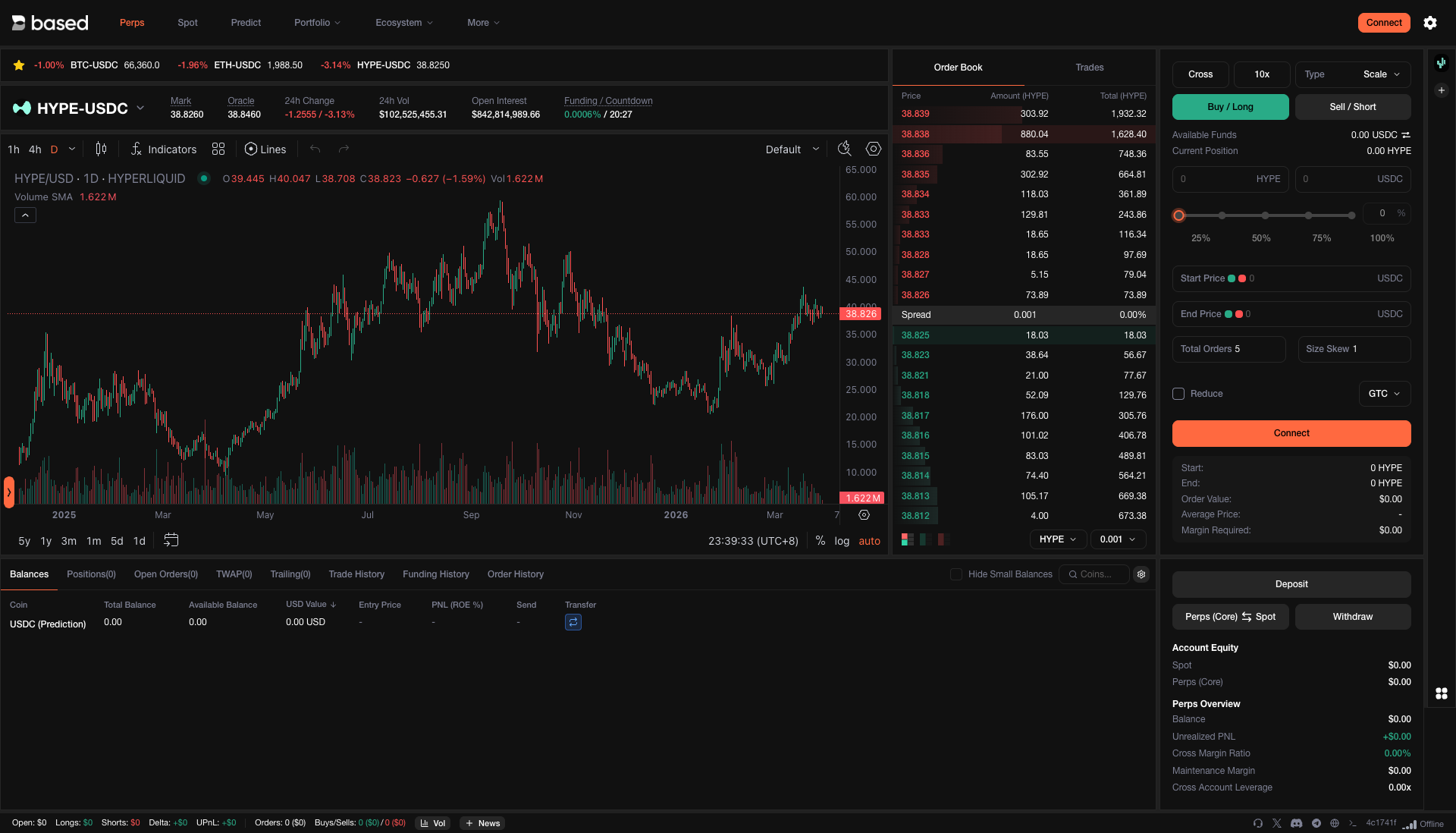
## Perpetual & Spot Trading

Trade 100+ assets including BTC, ETH, SOL, and trending altcoins — all powered by Hyperliquid's real-time orderbooks. New assets are added regularly based on community demand, and Hyperliquid is moving toward fully permissionless listings.

<figure><img src="/files/aIn7R1rdiZkqqzbwQbZz" alt=""><figcaption><p>Trade perpetuals with up to 40x leverage across 100+ assets</p></figcaption></figure>

Leverage ranges from 3x to 40x depending on the asset. Maintenance margin is set at 50% of the initial margin at maximum leverage — giving you capital efficiency without excessive liquidation risk.

{% hint style="info" %}
For full details on margin calculations, liquidation mechanics, and fee structure, refer to the [Hyperliquid Trading Docs](https://hyperliquid.gitbook.io/hyperliquid-docs/trading).
{% endhint %}

***

## Positions, Orders & Fills

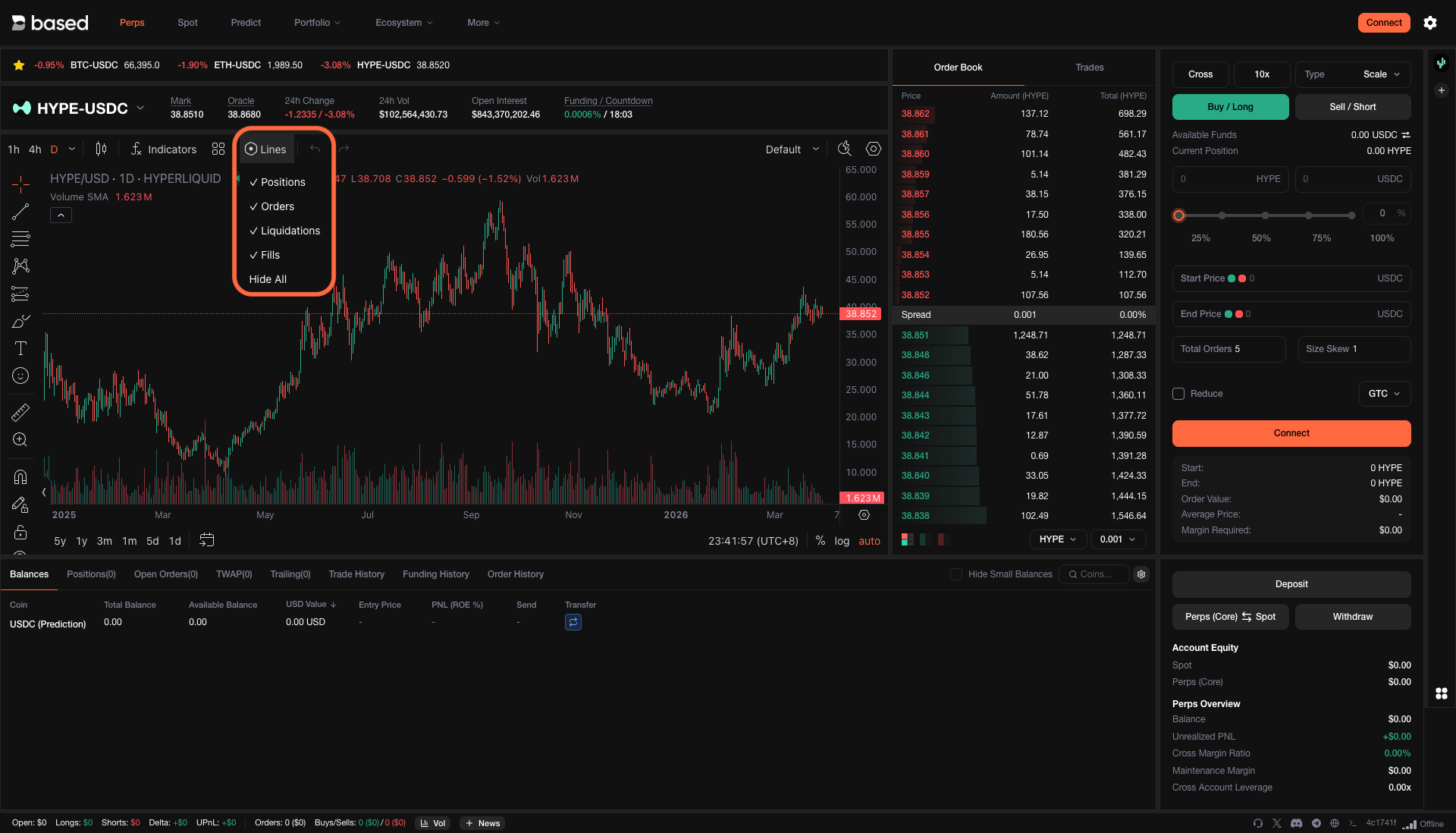
Monitor every aspect of your trades in one view. Open positions, pending orders, liquidation levels, and recent fills are all visible at a glance — so you always know exactly where you stand.

<figure><img src="/files/TZERMhWVNRkZ1mPlTFp0" alt=""><figcaption><p>Track positions, orders, liquidations, and fills from a single panel</p></figcaption></figure>

***

## Technical Indicators

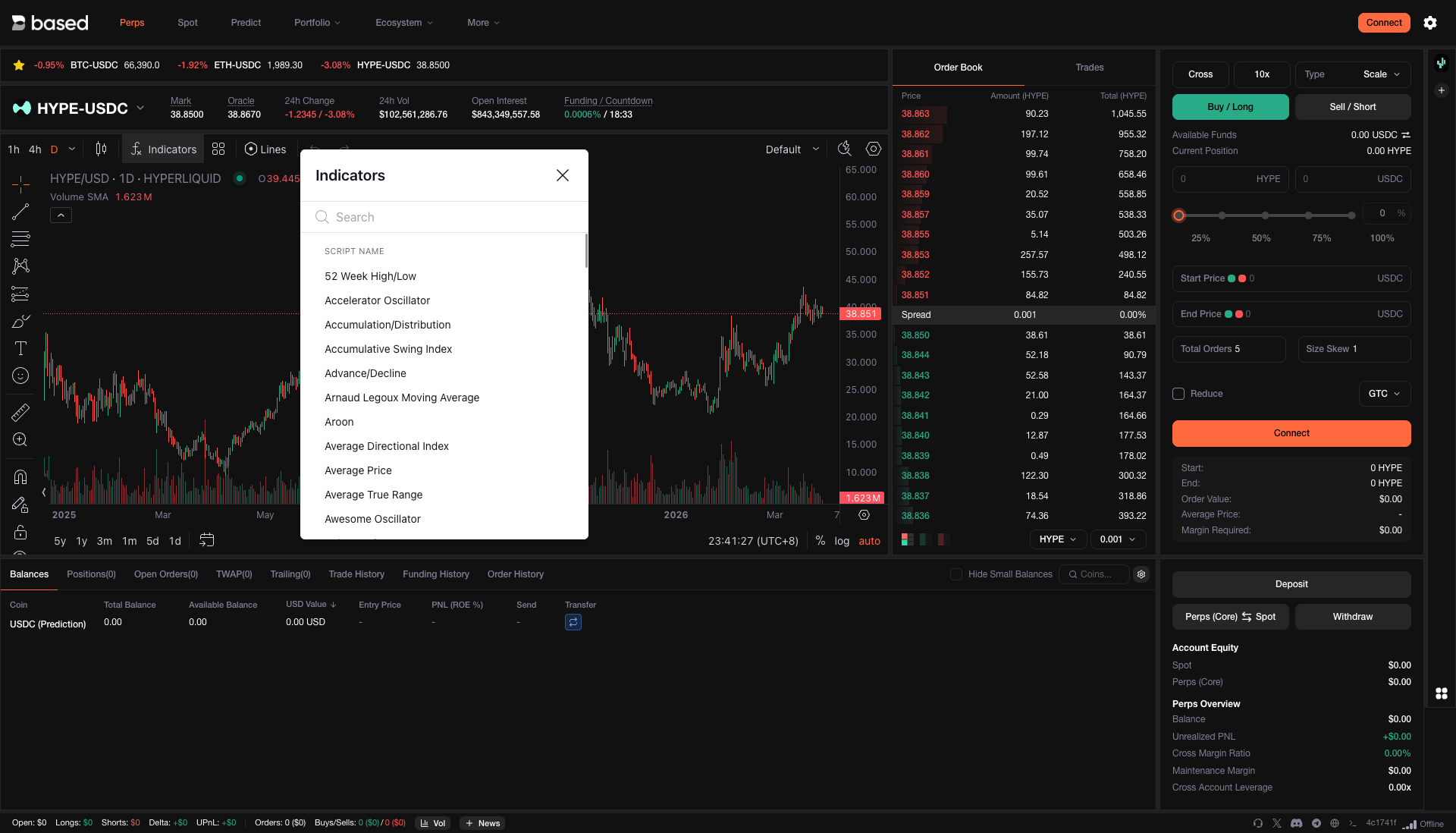
Apply the indicators you rely on — moving averages, RSI, Bollinger Bands, and more — directly on the chart. Run your full technical analysis without leaving the terminal.

<figure><img src="/files/9HOPqdc0ZL54YpbEfVwW" alt=""><figcaption><p>Layer indicators onto your charts for deeper market analysis</p></figcaption></figure>

***

## Portfolio Overview

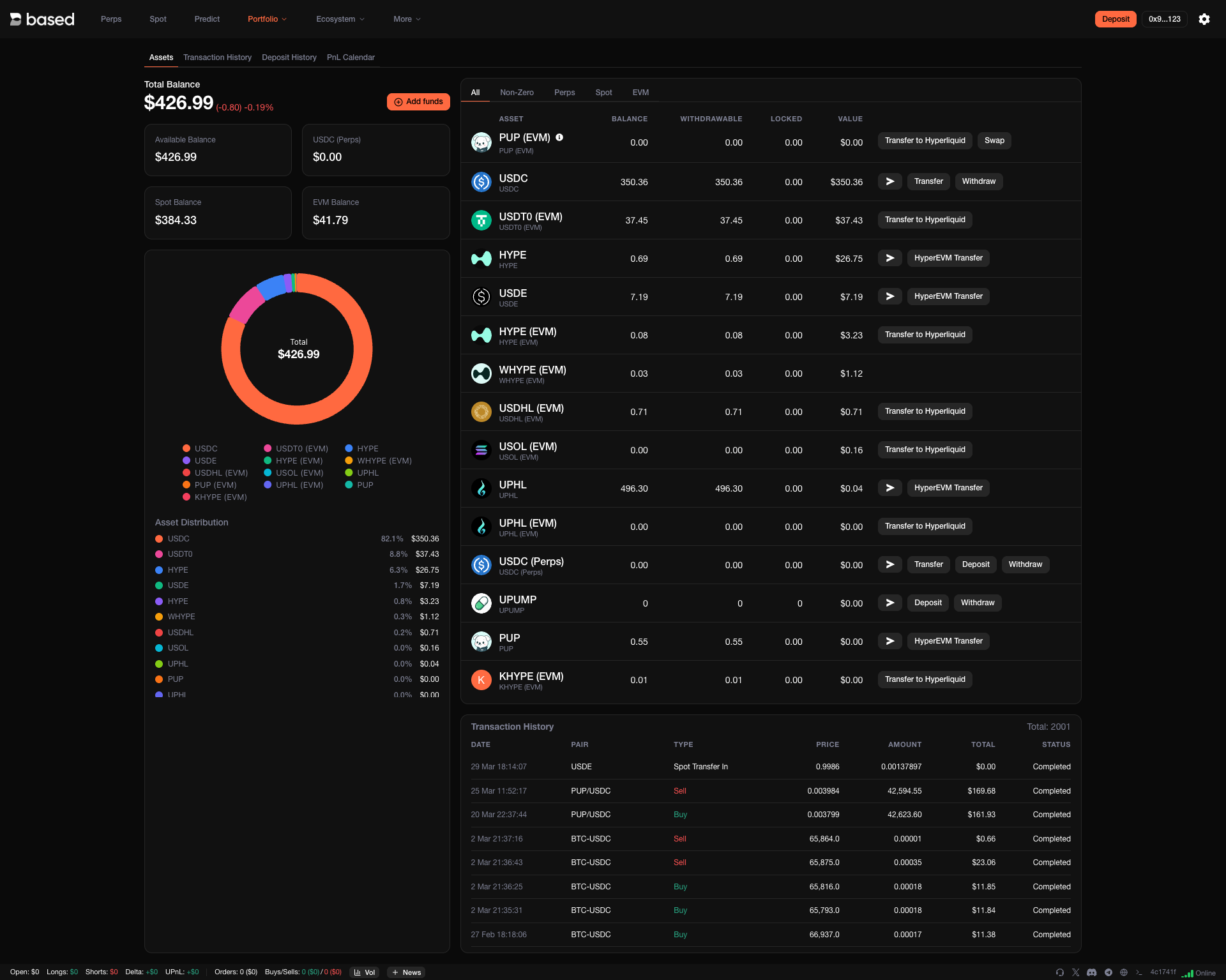
See your entire portfolio at a glance — asset allocation, unrealized PnL, and exposure breakdown. Useful for staying aware of concentration risk and making informed rebalancing decisions.

<figure><img src="/files/GJSKL4HiKjj3WXGArrul" alt=""><figcaption><p>Visualize your portfolio and exposure in real time</p></figcaption></figure>

***

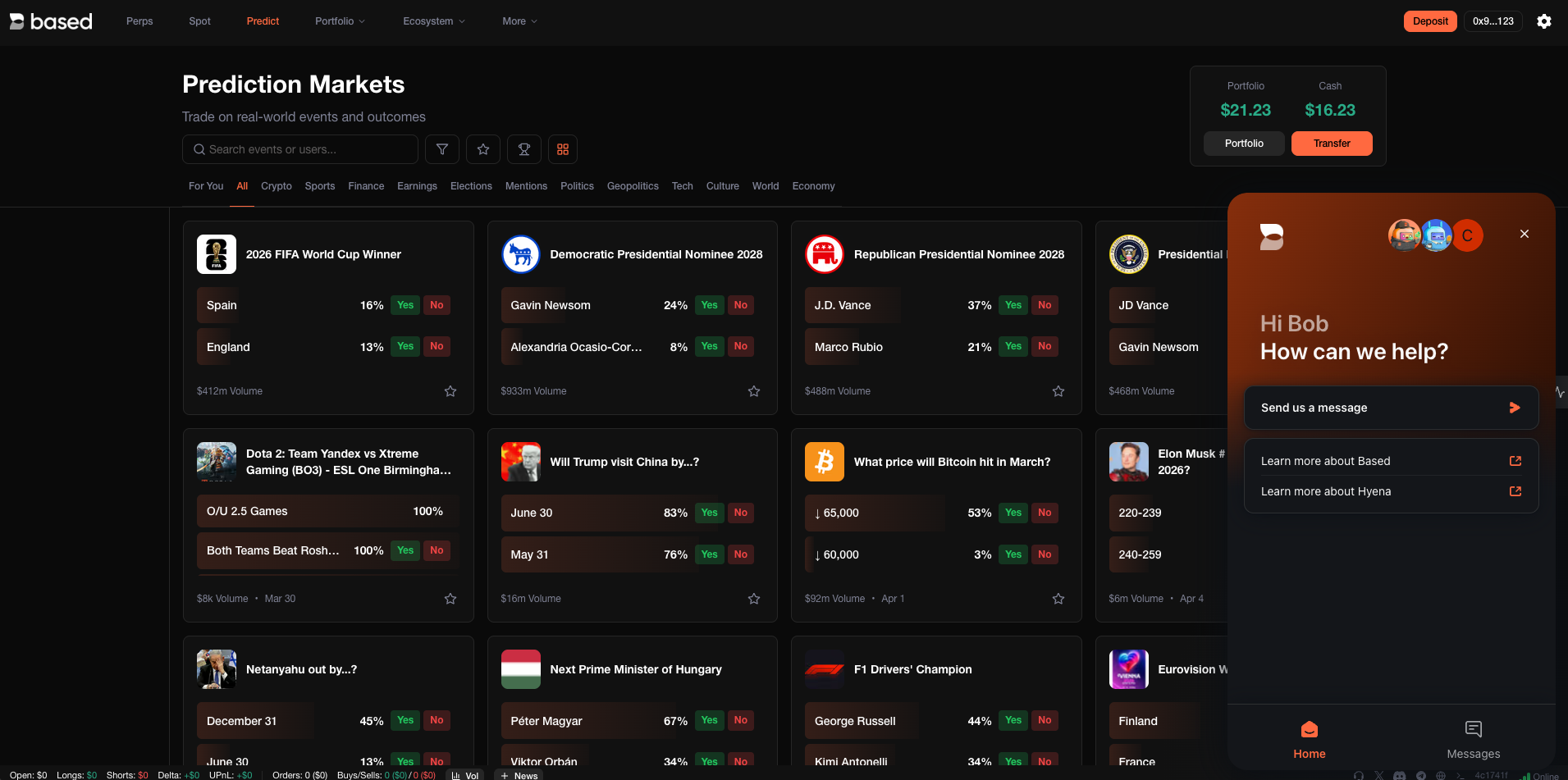
## Predictions

Put your market conviction to the test. Predict price movements on upcoming events and compete with other traders — a fun way to sharpen your edge while engaging with the community.

***

## Trading Competitions

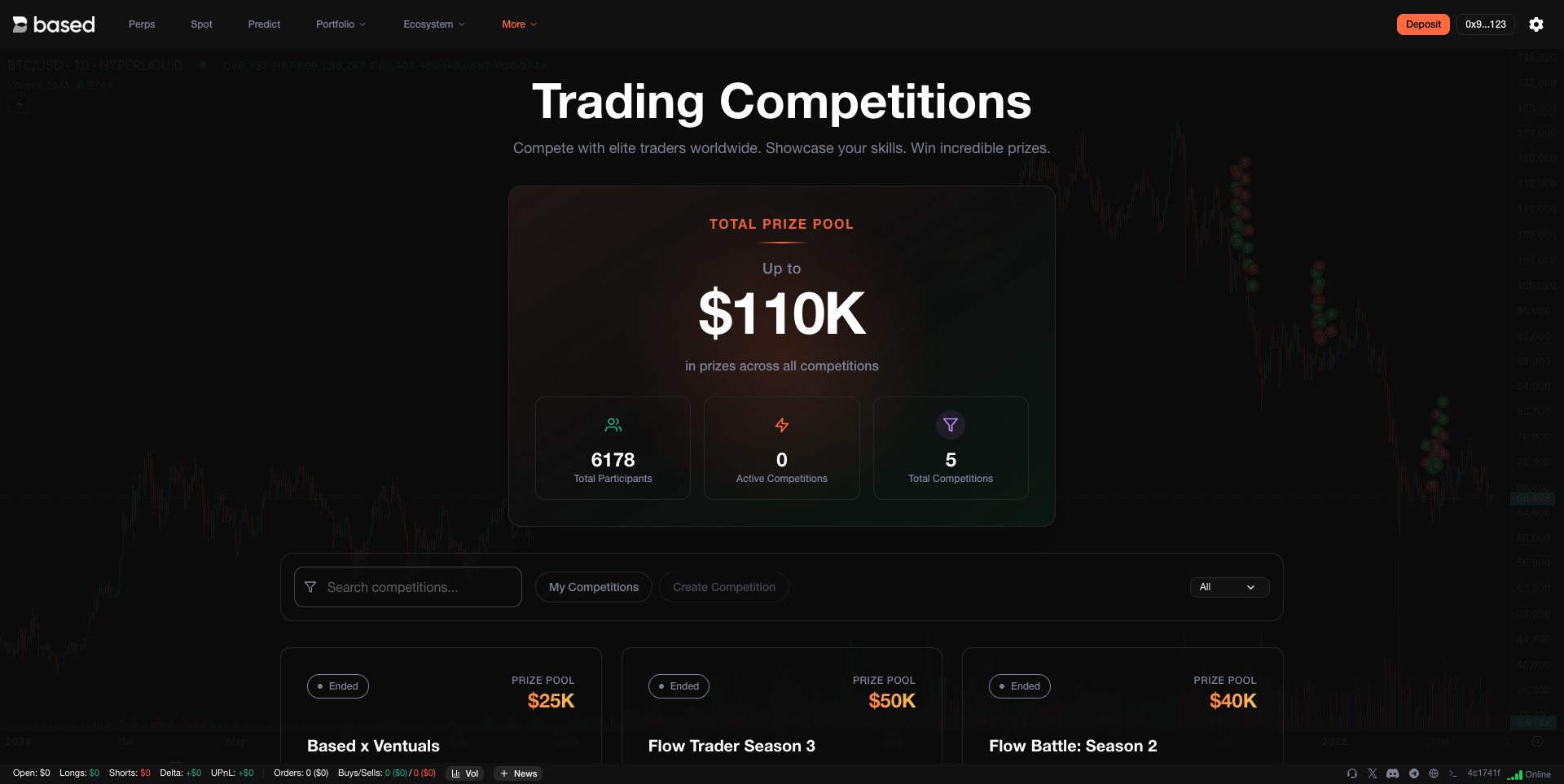
Compete in time-limited trading challenges, climb the leaderboard, and earn rewards. Competitions are a great way to benchmark your performance against other traders on the platform.

<figure><img src="/files/3fDTkm7ybrRAtuwIDmP1" alt=""><figcaption><p>Join competitions and prove your trading skills</p></figcaption></figure>

***

## Deposits & Withdrawals

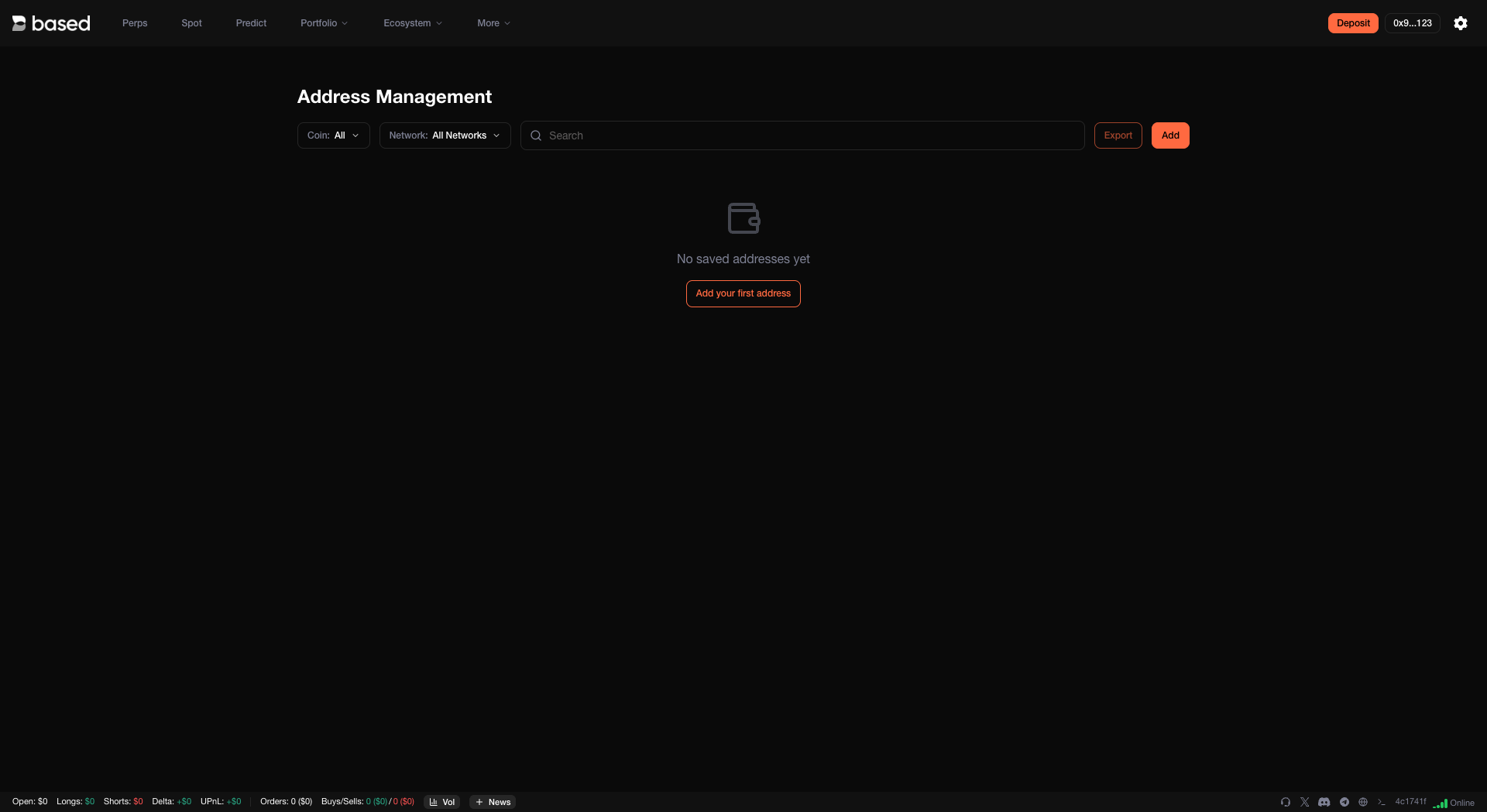
Fund your account and manage withdrawals directly from the terminal. The deposit flow is simple, and you can configure withdrawal addresses to keep your funds moving securely.

<figure><img src="/files/t6iOgrzQtXPrwGwgGjcZ" alt=""><figcaption><p>Manage your withdrawal addresses in one place</p></figcaption></figure>

***

## Connect Multiple Wallets

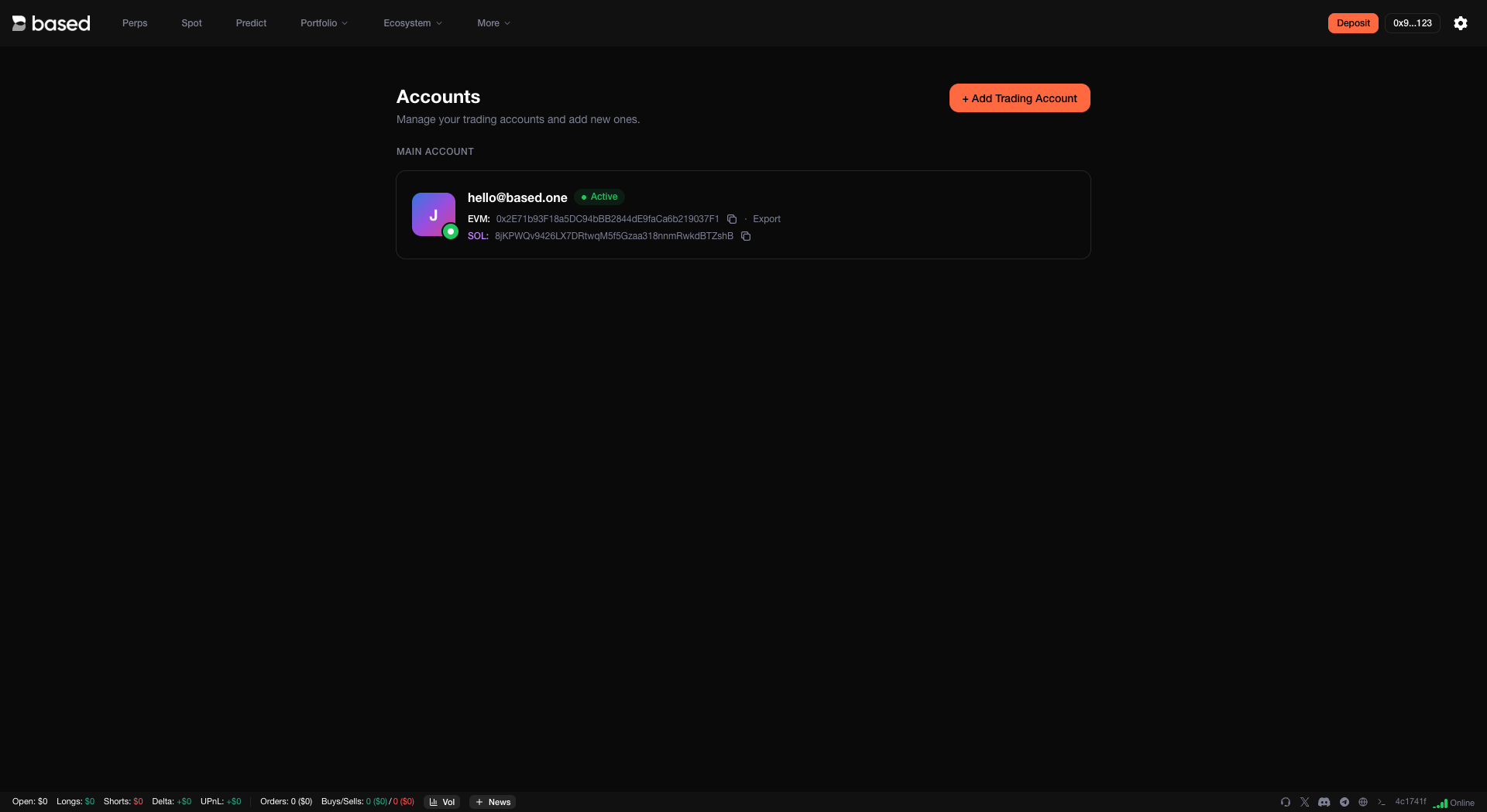
Link several wallets to your Based account. This makes it easy to trade from different wallets or manage multiple strategies — all from the same interface.

<figure><img src="/files/6eh1vWd3Iz73RAsrcMIt" alt=""><figcaption><p>Connect and switch between multiple wallets seamlessly</p></figcaption></figure>

***

## Account Type

Your account abstraction mode determines how spot and perps balances interact and which assets serve as collateral. You can switch modes from the terminal settings.

* **Unified Account** (recommended for most users) — A single balance per asset covers everything: perps, spot, and cross margin. For example, your USDC balance is the single source for all perp positions and spot trades quoted in USDC. No need to move funds between balances — simpler to manage and harder to accidentally under-collateralize.
* **Standard** (recommended for market makers and automated traders) — Perp and spot balances are kept separate, with cross margin applied to each DEX independently. This gives builders and high-volume users more granular control, and is required for builder code addresses to accrue builder fees.
* **Portfolio Margin** (most capital efficient) — Unifies all eligible assets (HYPE, BTC, USDH, USDC) into a single portfolio for maximum capital efficiency across positions.

<figure><img src="/files/gELn4oSCBe33wQuJpcZF" alt=""><figcaption><p>Choose the account abstraction mode that fits your trading style</p></figcaption></figure>

{% hint style="info" %}
Unified Account and Portfolio Margin are limited to 50k user actions per day. Standard mode has no such restriction. For more details, see the [Hyperliquid API Docs](https://hyperliquid.gitbook.io/hyperliquid-docs/for-developers/api).
{% endhint %}

***

## Customization

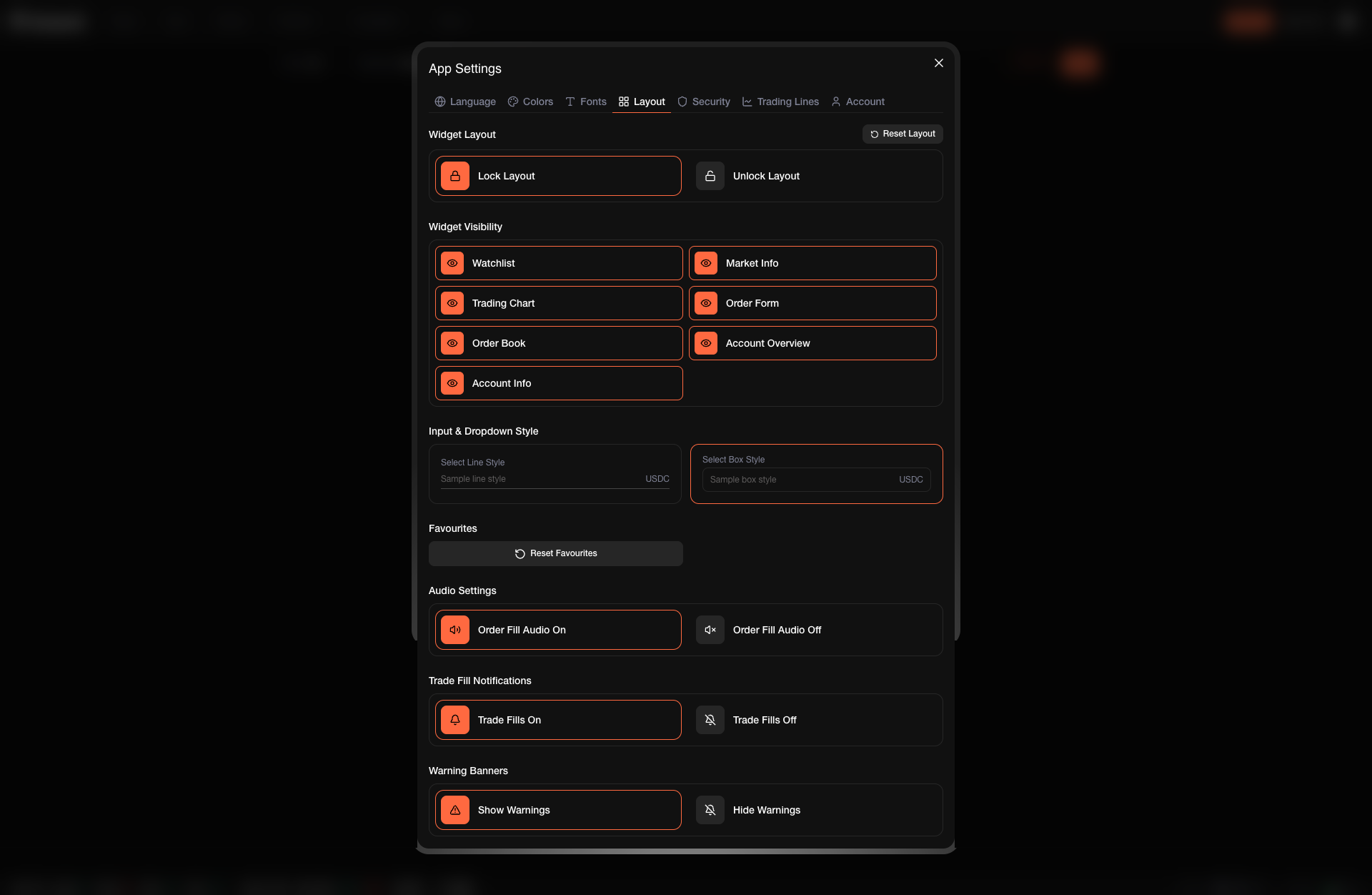
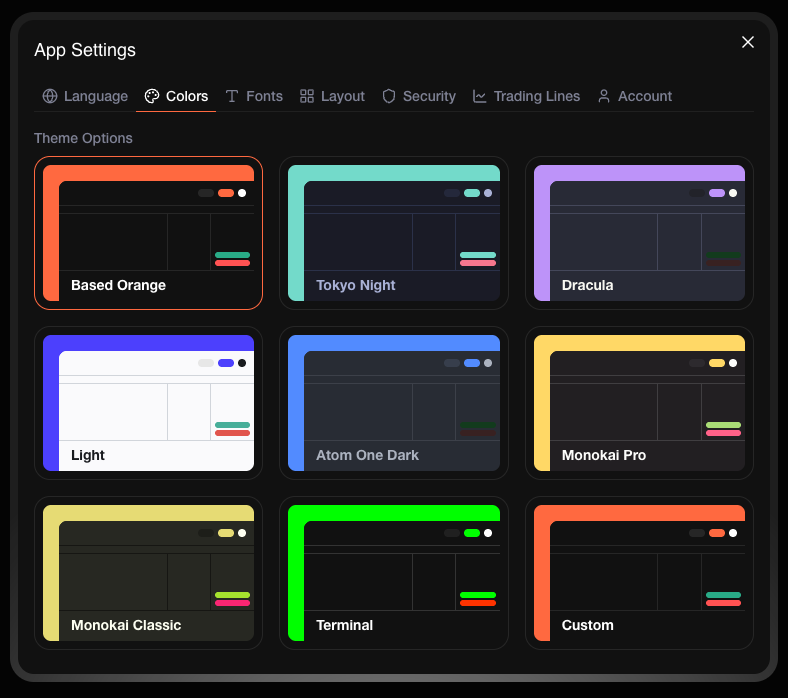
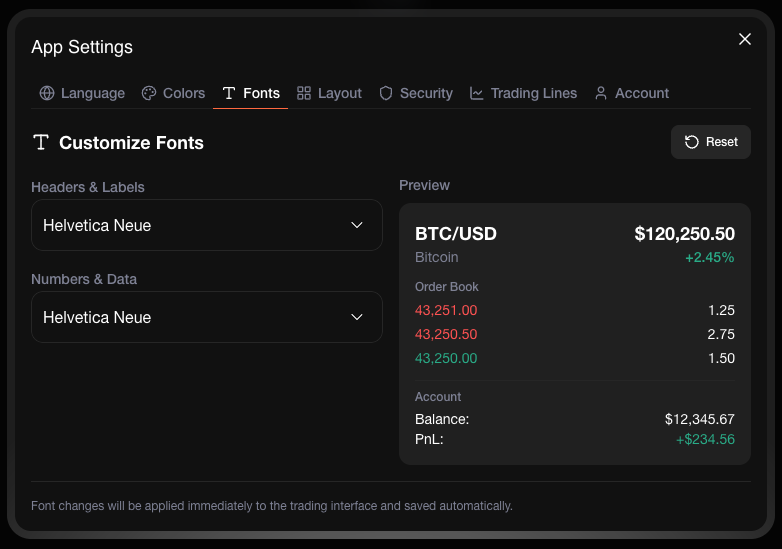
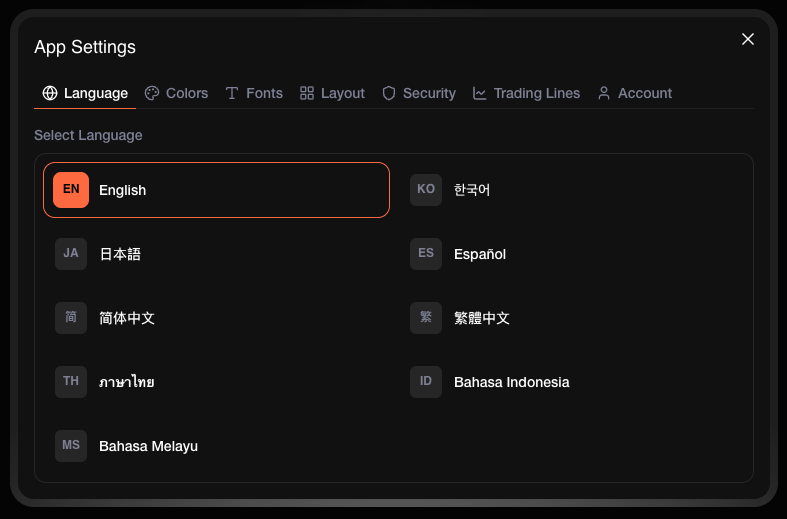
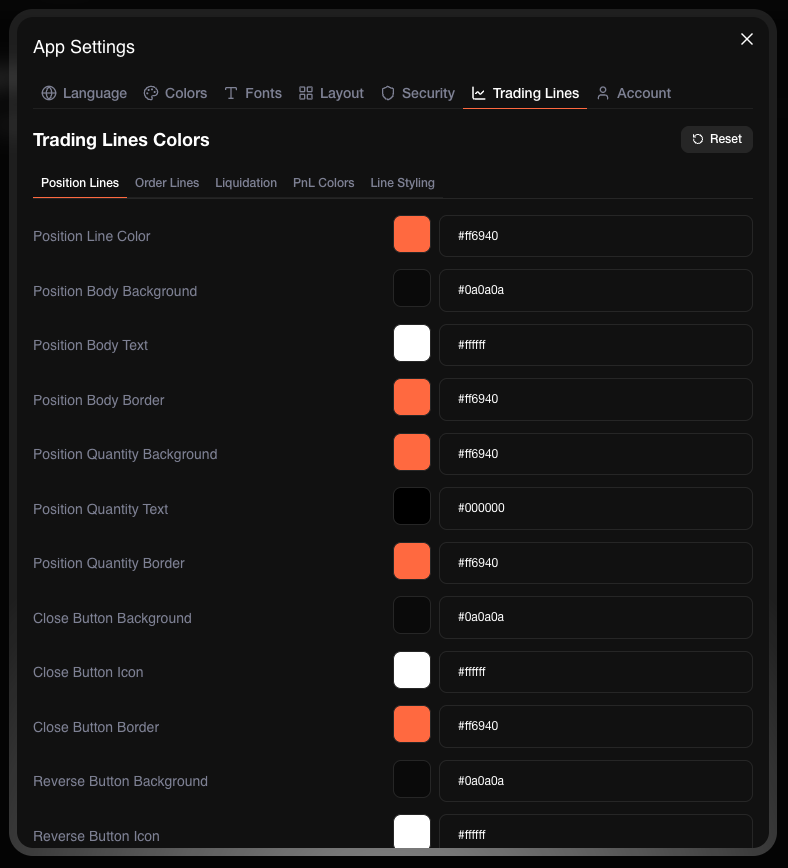
Make the terminal yours. Adjust the layout, switch themes, change fonts, and set your preferred language — so the interface works the way you want it to.

{% tabs %}
{% tab title="Layout" %}
Rearrange panels and widgets to match your workflow. Put what matters most front and center.

<figure><img src="/files/inNjjeSifcwwAYu7ZwMp" alt=""><figcaption><p>Drag and arrange panels to build your ideal workspace</p></figcaption></figure>
{% endtab %}

{% tab title="Theme" %}
Switch between light, dark, and custom themes to reduce eye strain and trade comfortably at any hour.

<figure><img src="/files/8qwUzpGOjRNhDqDN9iMS" alt=""><figcaption><p>Pick a theme that suits your environment</p></figcaption></figure>
{% endtab %}

{% tab title="Font" %}
Choose the font size and style that's easiest for you to read at a glance.

<figure><img src="/files/OoPenaWKQEUnV33RiW2T" alt=""><figcaption><p>Adjust font settings for better readability</p></figcaption></figure>
{% endtab %}

{% tab title="Language" %}
Use the terminal in your preferred language for a more comfortable experience.

<figure><img src="/files/MfX98R5NmaFIEcu7K5NC" alt=""><figcaption><p>Select from multiple supported languages</p></figcaption></figure>
{% endtab %}

{% tab title="Trading Lines" %}
Draw trendlines, Fibonacci retracements, and other tools directly on the chart to map out support, resistance, and key levels.

<figure><img src="/files/kxwHuttpRLfGQPy2rBst" alt=""><figcaption><p>Use drawing tools to mark up your charts</p></figcaption></figure>
{% endtab %}
{% endtabs %}

***

## Cards

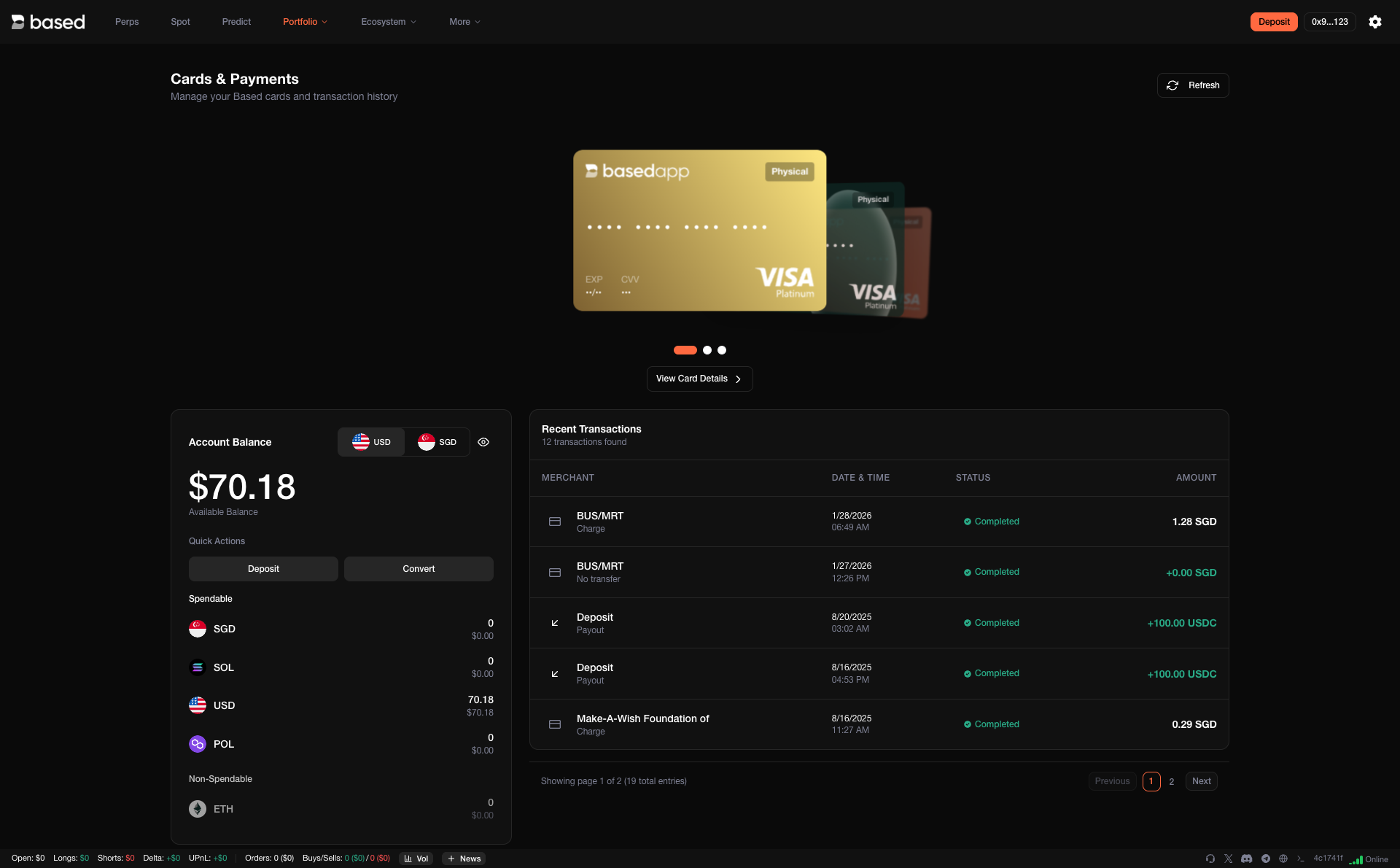
Access your Based Card details and manage spending directly from the terminal — no need to switch between apps.

<figure><img src="/files/YYMpX2YesDbujW6LoQki" alt=""><figcaption><p>View and manage your Based Card</p></figcaption></figure>

***

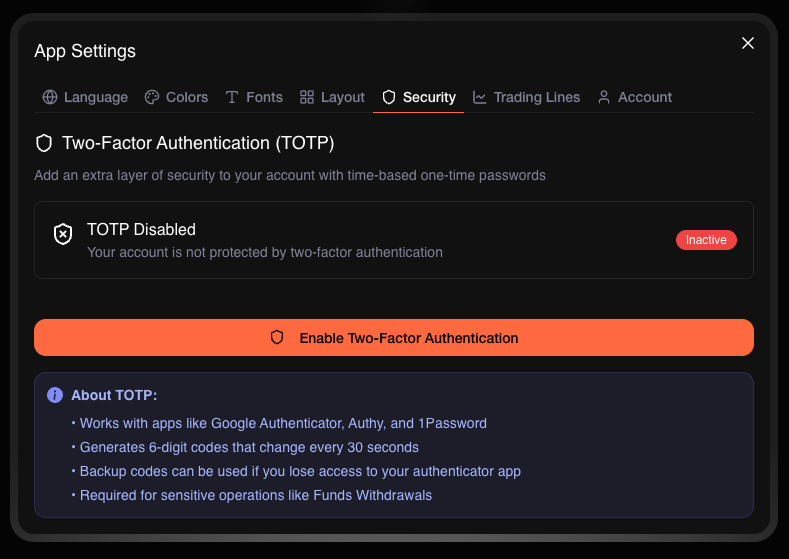
## Security

Your account security is handled with care. Manage two-factor authentication, session controls, and other protection settings to keep your funds safe.

<figure><img src="/files/POpKbfAOCjzYwUVA5gln" alt=""><figcaption><p>Configure security settings to protect your account</p></figcaption></figure>

***

## Customer Support

Need help? Reach support directly from inside the terminal. No hunting for links or leaving the platform — assistance is always a click away.

<figure><img src="/files/mSDMmvs1hBhXOtuWBJdJ" alt=""><figcaption><p>Get help without leaving the terminal</p></figcaption></figure>

***

## Coming Soon

We're actively building new tools to give you even more control:

* **Chase Orders** — Automatically adjust your limit orders to follow price action, so you stay competitive in fast-moving markets.
* **Position Alerts** — Get real-time push notifications on fills, liquidations, price thresholds, and margin calls.
* **Time-Based Limit Orders** — Schedule orders that only execute within specific timeframes, ideal for session-based or event-driven strategies.
* **Automation Setup** — Configure rule-based strategies like recurring buys, stop-loss execution, DCA entries, or portfolio rebalancing.

***

Start trading at [app.based.one](https://app.based.one/)


---

# Agent Instructions: Querying This Documentation

If you need additional information that is not directly available in this page, you can query the documentation dynamically by asking a question.

Perform an HTTP GET request on the current page URL with the `ask` query parameter:

```
GET https://basedapp.gitbook.io/docs/based/web-terminal.md?ask=<question>
```

The question should be specific, self-contained, and written in natural language.
The response will contain a direct answer to the question and relevant excerpts and sources from the documentation.

Use this mechanism when the answer is not explicitly present in the current page, you need clarification or additional context, or you want to retrieve related documentation sections.